Vertex Ambient Occlusion for Voxel Games — The Principle and Implementation
While implementing vertex AO in my voxel game, I noticed that there weren’t a whole lot of resources about it, and understanding how to…
Vertex Ambient Occlusion for Voxel Games — The Principle and Implementation
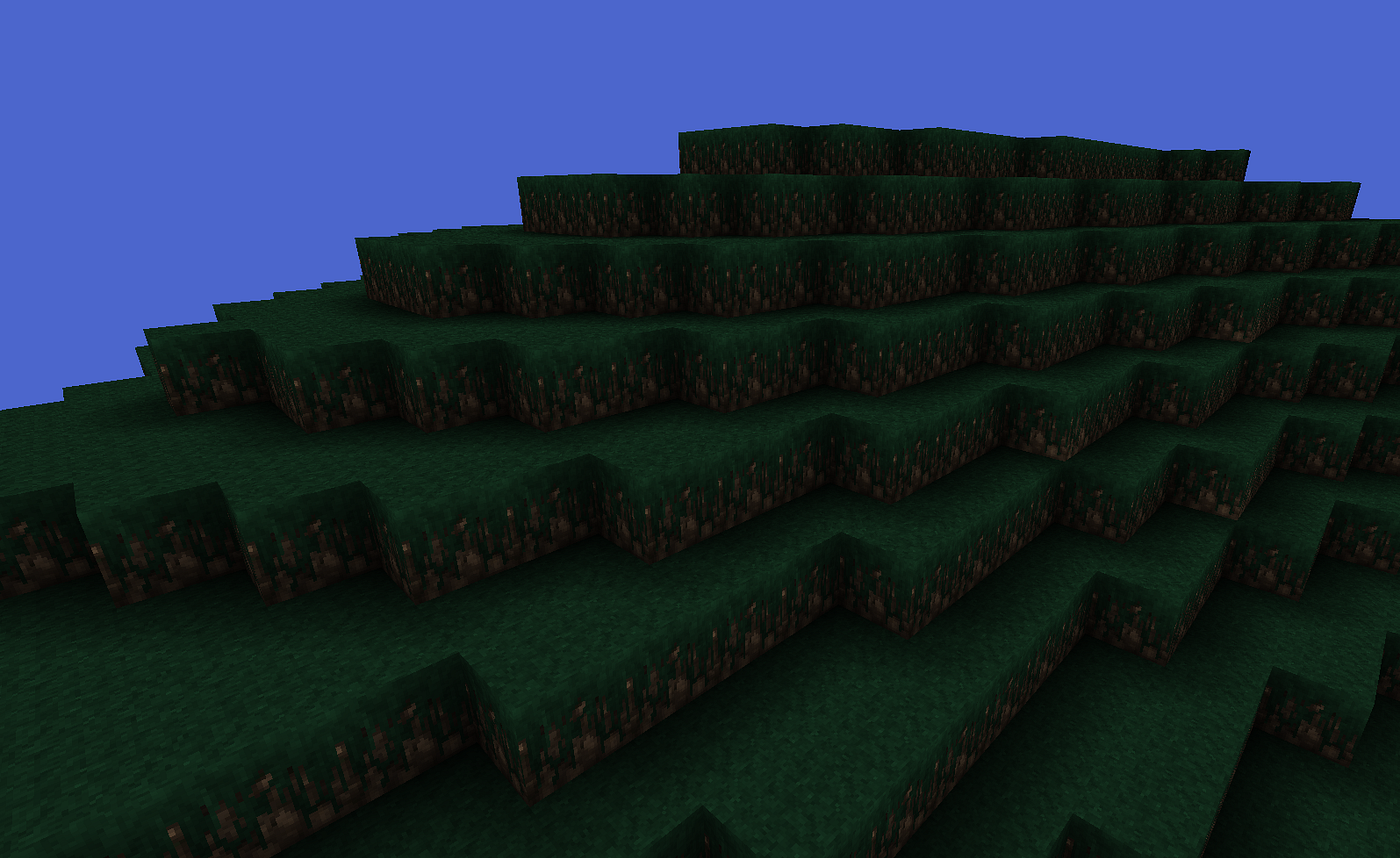
My voxel game thus far
While implementing vertex AO in my voxel game, I noticed that there weren’t a whole lot of resources about it, and understanding how to properly implement it was a headache. (Skip to 3rd paragraph to hop right in)
This is mostly because my vertex order was different from what could be considered standard, and I misunderstood some things in the blog posts because it wasn’t fully explained.
One thing I misunderstood was “Clockwise ordered vertices.” I now understand that it meant the winding order of the triangles. That just means the way vertices are sorted on each triangle, not on the whole quad.

Different winding order types
There are 4 cases of AO. These are the 4 AO states, each of which have a color value.

The 4 AO states
Calculating vertex AO is simple. Grab the relative neighbors of the vertex, and use a function determine the state. Then use the state to grab the AO value. This is done by pulling from an int3[][], where there are 6 int arrays(one for each face of the voxel), and the array is the 8 neighbors of the face. How do we know which neighbor positions belong to each vertex? Simple! You can use an int3 array(or Vector3 array, or Vector3Int array), which only needs 4 values. Each value defines the indicies of the neighbors. Make sure that your checking order is consistent, so either from left to right, or right to left exclusively.
This diagram shows the neighbor positions(relative to the back face(remember to write the relative positions for each face in your array. do not copy from another, they are all different)), the indicies of those neighbor positions, the vertex index, and the winding order. This can look different for your project if your vertex indicies are different, but the int3[][] can be the same as mine, as long as you change your indicies array to match properly.

The neighbors of a quad relative to the back face, and their indicies
This is a code sample for calculating the AO value per vertex. You can see the arrays I mentioned above here! Please try to study this so you understand what’s going on here.
/// Get Ambient Occlusion State Function
/// Each value is the respective opacity state(side1, side2, corner)
private static int GetAOState(int side1, int side2, int corner){
  if (side1 + side2 == 2)
    return 0;

  return 3 - (side1 + side2 + corner);
}

/// Calculate AO (per vertex)
public static int3 buildFace(){
  int3 aoIndicies;
  /// Stores the AO state for each vertex
  int[] aos = new int[4];

  /// This represents the direction of the face(in my case, this is forward)
  int direction = 0;

  for (int i = 0; i < 4; i++){
    /// m_faceIndices array found below
    aoIndicies = m_faceIndicies[i];

    /// BlockData is data assigned to each Block via static HashMap
    /// BlockData contains information such as the opacity of the Block

    /// m_faceAos found below
    BlockData side1 = worldManager.getBlockData(
      m_faceAos[direction][aoIndicies.x].copy().add(position));

    BlockData side2 = worldManager.getBlockData(
      m_faceAos[direction][aoIndicies.z].copy().add(position));

    BlockData corner = worldManager.getBlockData(
      m_faceAos[direction][aoIndicies.y].copy().add(position));

    int aoState = GetAOState(
      side1.m_opaque ? 1 : 0,
      side2.m_opaque ? 1 : 0,
      corner.m_opaque ? 1 : 0
    );

    aos[i] = aoState;
  }
}
/// AO Values
public static final float[] m_aoValues = {
  0.1f,
  0.25f,
  0.5f,
  1f
};
/// Neighbor Indicies
public static final int3[] m_faceIndicies = {
  new int3(7, 6, 5),
  new int3(5, 4, 3),
  new int3(1, 0, 7),
  new int3(3, 2, 1)
};
/// Neighbor Positions
public static final int3[][] m_faceAos = {
  /// Forward
  new int3[]{
    new int3(1, 1, 1),
    new int3(0, 1, 1),
    new int3(-1, 1, 1),
    new int3(-1, 0, 1),
    new int3(-1, -1, 1),
    new int3(0, -1, 1),
    new int3(1, -1, 1),
    new int3(1, 0, 1),
  },
  /// Right
  new int3[]{
    new int3(1, 1, -1),
    new int3(1, 1, 0),
    new int3(1, 1, 1),
    new int3(1, 0, 1),
    new int3(1, -1, 1),
    new int3(1, -1, 0),
    new int3(1, -1, -1),
    new int3(1, 0, -1),
  },
  /// Back
  new int3[]{
    new int3(-1, 1, -1),
    new int3(0, 1, -1),
    new int3(1, 1, -1),
    new int3(1, 0, -1),
    new int3(1, -1, -1),
    new int3(0, -1, -1),
    new int3(-1, -1, -1),
    new int3(-1, 0, -1),
  },
  /// Left
  new int3[]{
    new int3(-1, 1, 1),
    new int3(-1, 1, 0),
    new int3(-1, 1, -1),
    new int3(-1, 0, -1),
    new int3(-1, -1, -1),
    new int3(-1, -1, 0),
    new int3(-1, -1, 1),
    new int3(-1, 0, 1),
  },
  /// Up
  new int3[]{
    new int3(-1, 1, 1),
    new int3(0, 1, 1),
    new int3(1, 1, 1),
    new int3(1, 1, 0),
    new int3(1, 1, -1),
    new int3(0, 1, -1),
    new int3(-1, 1, -1),
    new int3(-1, 1, 0),
  },
  /// Down
  new int3[]{
    new int3(-1, -1, -1),
    new int3(0, -1, -1),
    new int3(1, -1, -1),
    new int3(1, -1, 0),
    new int3(1, -1, 1),
    new int3(0, -1, 1),
    new int3(-1, -1, 1),
    new int3(-1, -1, 0),
  }
};
Now that we understand how to calculate the AO, we need to start flipping quads. The principle behind flipping quads, is that the line between triangles should always be facing towards the darkest AO value. I had to figure this out on my own after many hours trying to figure out why my quads weren’t flipping properly.
One way to do this is to grab the 2 pairs of diagonal vertices, calculate the minimum AO state(or AO value, whichever you choose), and based on which one is smaller, flip the quad. By diagonal pair, I mean vertices that are diagonal to each other. If your quad is structured like mine, that would be (0, 3), and (1, 2).
In my case, I’m using counter-clockwise sorting order on my triangle vertices, so I check if min(ao0, ao3) > min(ao1, ao2) to flip the quad!(this can be AO value or AO state).
/// indexPosition is the starting index of the indicies array
/// at the time of this function call

/// Similarly, vertexPosition is the starting index of the vertex index array
/// at the time of this function call. If you recognize what I'm doing here,
/// you probably understand what I mean
private static void handleFlip(
int[] aos, short[] indicies, int indexPosition, short vertexPosition){

  if(m_aoValues[aos[0]] +  m_aoValues[aos[3]] >
    m_aoValues[aos[1]] + m_aoValues[aos[2]]){

    //flipped
    indicies[indexPosition] = (short)(vertexPosition + 2);
    indicies[indexPosition + 1] = (short)(vertexPosition + 3);
    indicies[indexPosition + 2] = vertexPosition;
    indicies[indexPosition + 3] = (short)(vertexPosition + 3);
    indicies[indexPosition + 4] = (short)(vertexPosition + 1);
    indicies[indexPosition + 5] = vertexPosition;
  }
  else {
    //normal
    indicies[indexPosition] = (short)(vertexPosition + 3);
    indicies[indexPosition + 1] = (short)(vertexPosition + 1);
    indicies[indexPosition + 2] = (short)(vertexPosition + 2);
    indicies[indexPosition + 3] = (short)(vertexPosition + 2);
    indicies[indexPosition + 4] = (short)(vertexPosition + 1);
    indicies[indexPosition + 5] = vertexPosition;
  }
}
You can see that my normal quad is ordered like this — 312210, while this flipped quad is ordered like this — 230310. To understand why it is like this, I’ve provided a diagram below.

Normal and flipped quad winding order
You want to try to immitate this with your setup. Just go into MS paint, layout your quad, its vertex indicies, and winding order, then figure out how it can be flipped like shown above. It is okay if you don’t go back through the center for the second quad, just make sure the winding order is the same on both triangles(clockwise or counter-clockwise).
메타데이터
- post_id
- e5340bd62845
- slug
- vertex-ambient-occlusion-for-voxel-games-the-principle-and-implementation-e5340bd62845
- url
- https://medium.com/@andrebluntindie/vertex-ambient-occlusion-for-voxel-games-the-principle-and-implementation-e5340bd62845
- canonical_url
- https://medium.com/@andrebluntindie/vertex-ambient-occlusion-for-voxel-games-the-principle-and-implementation-e5340bd62845
- author_url
- https://medium.com/@andrebluntindie
- status
- ok
- fetched_at
- 2026-06-25 07:00:49




