Day-22 — Building My First Secure 2-Tier AWS Web Application with Terraform: A Beginner’s Journey…
#30daysofawsterraform
Day-22 — Building My First Secure 2-Tier AWS Web Application with Terraform: A Beginner’s Journey Through Confusion to Clarity
30daysofawsterraform
I have been tinkering with AWS for a few months now, mostly following tutorials that spin up a single EC2 instance or a basic S3 bucket. But recently, I decided to level up and build something that feels like a real application infrastructure. I wanted to create a secure 2-tier setup using Terraform — fully modular, with networking, compute, database, secrets management, and even app deployment all working together. It was messy, I got stuck a bunch of times, but man, the “aha” moments were worth it. In this post, I’ll walk you through what I built, why it works the way it does, and the key lessons I learned along the way. If you’re a beginner like me, hopefully this saves you some head-scratching.
Today, I’m sharing my project from Day 22: setting up a basic 2-tier architecture on AWS. It’s a Flask web app talking to a MySQL database, all provisioned with Terraform. I built this step by step over a weekend, hitting roadblocks like forgotten route tables and security group mishaps. If you’re learning too, hopefully my reflections help you avoid some of my slip-ups.
What This Project Actually Does (The Core Idea)
This project deploys a simple web application on AWS that’s secure, scalable, and follows best practices. The frontend is an EC2 instance running a Flask app in a public subnet, accessible from the internet. The backend is an RDS MySQL database tucked away in a private subnet, completely hidden from the outside world. The app lets users insert and read messages from the database, with a health check endpoint to prove everything’s connected properly.

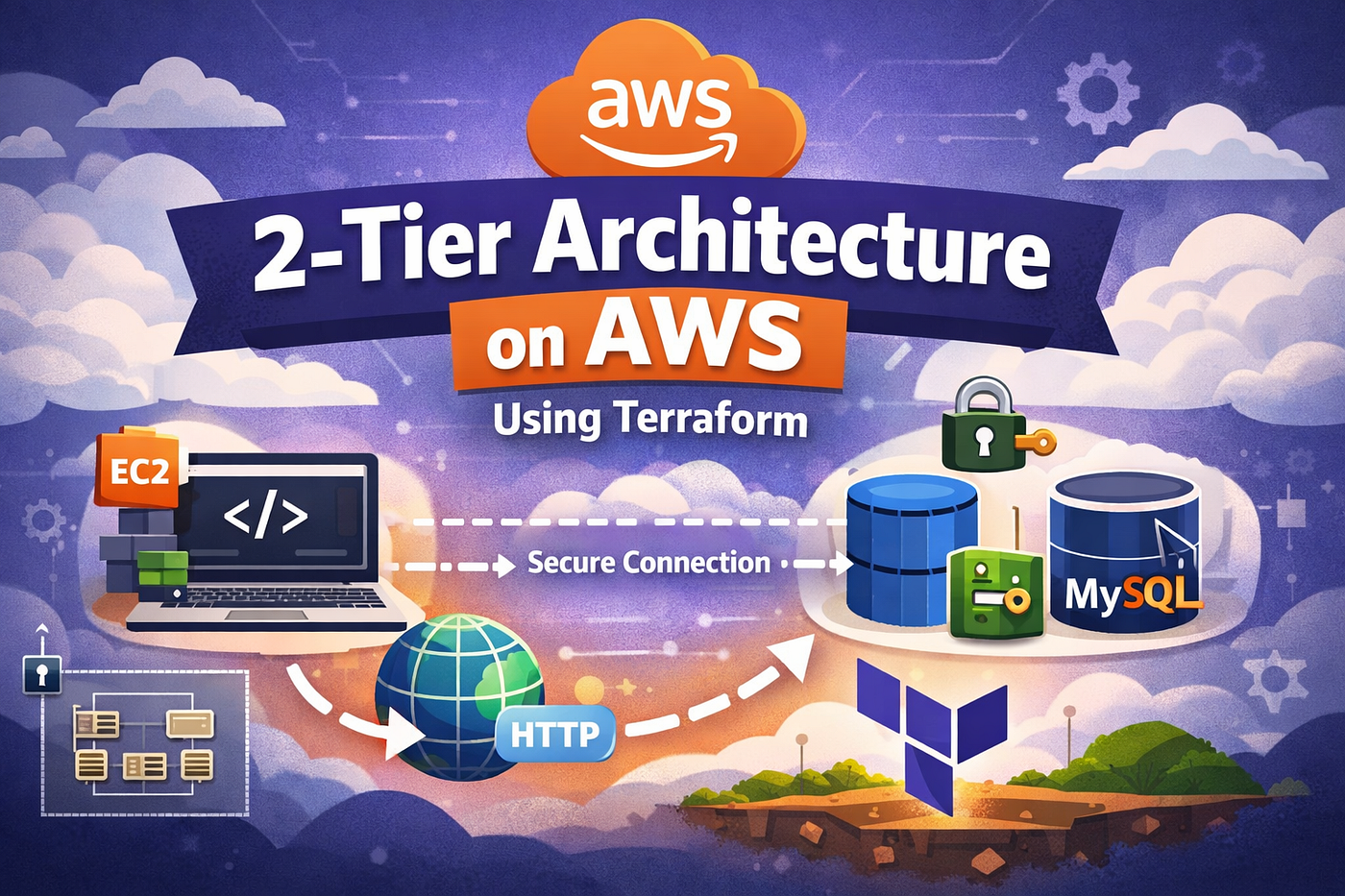
The Infrastructure of 2-tier aws web architecture using terraform
Why did I build this? I was tired of toy projects where everything’s public and passwords are hardcoded in plain text. I wanted to understand how real-world infra ties together: how networking isolates resources, how compute talks to storage securely, and how to automate secrets without exposing them. This isn’t just “create an EC2” — it’s a full stack where the app bootstraps itself, connects to the DB, and runs without manual intervention. Experimenting with this taught me that infrastructure isn’t static; it’s a living system where order, dependencies, and security make or break it.
My goal was a simple message board app where users can post notes, stored in MySQL. But the real focus was the infrastructure: using Terraform to create everything reproducibly. I figured this would mimic what DevOps folks do in jobs — automating setups so they’re not manually clicking in the AWS console every time.
The Architecture Flow: Explaining It Like Real Infrastructure
Let me break down the flow as if we’re tracing a user’s request through the system. Imagine you’re browsing to the app’s homepage — here’s what happens under the hood:
- User Browser → Internet Gateway: Your request hits AWS via the internet. The Internet Gateway (IGW) acts as the entry point to my VPC, routing traffic into the public subnet. Without this, nothing from the outside world could reach my app.
- Internet Gateway → Public Subnet: The public subnet is where my EC2 instance lives. It’s “public” because it has a route to the IGW, allowing inbound traffic on port 80 (HTTP).
- Public Subnet → EC2 Flask App (Port 80): The EC2 instance runs my Flask app. When it launches, user-data scripts install dependencies like Python, Flask, and MySQL connector, then start the app. The app listens on port 80 and handles routes for inserting/reading messages and a health check.
- EC2 Flask App → Security Group Restricted Connection: Here’s where security kicks in. The app needs to talk to the DB, but I don’t want just anyone connecting. The DB’s security group only allows inbound traffic on port 3306 (MySQL) from the EC2’s security group. No CIDR blocks — just group-to-group referencing. This means even if someone guesses the DB endpoint, they can’t connect unless they’re coming from my EC2.
- Security Group → Private Subnet: The private subnet has no route to the IGW, so it’s isolated. Traffic from the public subnet can reach it via VPC routing, but nothing from the internet can.
- Private Subnet → RDS MySQL Database: Finally, the request lands at the RDS instance. The app connects, queries the DB, and returns data to the user.
The magic? The database is never exposed to the internet. The Flask app is the only doorway. I tested this by trying to connect to the DB from my local machine — bam, connection refused. But from the EC2? Seamless. This setup mimics real prod environments where you protect sensitive data behind layers.
The Flask app on EC2 connects to RDS via its endpoint, using the secret password. I deployed the app through EC2’s user data script, which installs dependencies, sets up the DB connection with retry logic (because databases take time to boot), creates a table, and runs the app as a systemd service.
Why all this separation? In a real app, breaches happen. If everything’s in one subnet with loose security, one compromised piece takes down the whole thing. This setup isolates failures and follows least privilege.
Implementing with Terraform: Step-by-Step as I Did It
I separated the infra into a root module for orchestration and child modules for specifics: vpc, security_groups, secrets, rds, and ec2. The root calls the children with variables and outputs, like passing the VPC ID from the vpc module to others.
Why does this matter? In small projects, a single file works, but as things grow, modules keep it sane. I experimented by first writing it monolithically — got lost in dependencies. Modularizing forced me to think logically: “VPC first, then security, then resources.” Now, I can reuse these modules in future projects. Learned: Terraform isn’t just declarative; it’s about structuring for maintainability.
In modules/vpc/main.tf:
resource "aws_vpc" "main" {
  cidr_block = "10.0.0.0/16"
}

resource "aws_subnet" "public" {
  vpc_id                  = aws_vpc.main.id
  cidr_block              = "10.0.1.0/24"
  map_public_ip_on_launch = true  # This auto-assigns public IPs to instances here
}

resource "aws_subnet" "private_1" {
  vpc_id     = aws_vpc.main.id
  cidr_block = "10.0.2.0/24"
}

resource "aws_subnet" "private_2" {
  vpc_id     = aws_vpc.main.id
  cidr_block = "10.0.3.0/24"
}

resource "aws_internet_gateway" "main" {
  vpc_id = aws_vpc.main.id
}

resource "aws_route_table" "public" {
  vpc_id = aws_vpc.main.id
  route {
    cidr_block = "0.0.0.0/0"
    gateway_id = aws_internet_gateway.main.id
  }
}

resource "aws_route_table_association" "public" {
  subnet_id      = aws_subnet.public.id
  route_table_id = aws_route_table.public.id
}
Outputs from this module feed IDs to others, like *output “public_subnet_id” { value = aws_subnet.public.id } and output “private_subnet_ids” { value = [aws_subnet.private_1.id, aws_subnet.private_2.id] }.*
This is how modules talk — root pulls these and passes them along, creating clean dependencies without hardcoding.
Security groups in their module:
resource "aws_security_group" "web" {
  vpc_id = var.vpc_id
  ingress {
    from_port   = 80
    to_port     = 80
    protocol    = "tcp"
    cidr_blocks = ["0.0.0.0/0"]
  }
  egress {
    from_port   = 0
    to_port     = 0
    protocol    = "-1"
    cidr_blocks = ["0.0.0.0/0"]
  }
}

resource "aws_security_group" "db" {
  vpc_id = var.vpc_id
  ingress {
    from_port       = 3306
    to_port         = 3306
    protocol        = "tcp"
    security_groups = [aws_security_group.web.id]  # Only allow from web SG
  }
  egress {
    from_port   = 0
    to_port     = 0
    protocol    = "-1"
    cidr_blocks = ["0.0.0.0/0"]
  }
}
Output the IDs: output “web_sg_id” { value = aws_security_group.web.id }, etc. Why this setup? It enforces that only the web server can poke the DB, a best practice to prevent unauthorized access. I learned this the hard way when I first allowed CIDR blocks on the DB SG — my local machine could connect, which defeated the purpose.
For secrets, I generated a random password and stored it structured in JSON:
resource "random_password" "db_password" {
  length  = 16
  special = true
}

resource "aws_secretsmanager_secret" "db_credentials" {
  name = "my-db-credentials"
}

resource "aws_secretsmanager_secret_version" "db_credentials" {
  secret_id     = aws_secretsmanager_secret.db_credentials.id
  secret_string = jsonencode({
    username = var.db_username
    password = random_password.db_password.result
    engine   = "mysql"
  })
}
Output: output “db_password” { value = random_password.db_password.result } (sensitive, so Terraform masks it). This avoids git-committing secrets and lets services pull them securely.
The RDS module uses these:
resource "aws_db_subnet_group" "main" {
  subnet_ids = var.private_subnet_ids
}

resource "aws_db_instance" "main" {
  allocated_storage    = 20
  storage_type         = "gp2"
  engine               = "mysql"
  engine_version       = "8.0"
  instance_class       = "db.t3.micro"
  username             = var.db_username
  password             = var.db_password
  db_name              = var.db_name
  parameter_group_name = "default.mysql8.0"
  skip_final_snapshot  = true
  publicly_accessible  = false
  vpc_security_group_ids = [var.db_security_group_id]
  db_subnet_group_name = aws_db_subnet_group.main.name
}
Why not public? To keep it hidden — connections only via VPC internals. I output the endpoint: output “db_endpoint” { value = aws_db_instance.main.endpoint }.
EC2 module fetches a dynamic AMI and uses user data:
data "aws_ami" "ubuntu" {
  most_recent = true
  owners      = ["099720109477"]  # Canonical
  filter {
    name   = "name"
    values = ["ubuntu/images/hvm-ssd/ubuntu-focal-20.04-amd64-server-*"]
  }
}

resource "aws_instance" "web" {
  ami           = data.aws_ami.ubuntu.id
  instance_type = "t2.micro"
  subnet_id     = var.public_subnet_id
  vpc_security_group_ids = [var.web_sg_id]
  user_data     = templatefile("${path.module}/templates/user_data.sh", {
    db_host     = var.db_host
    db_username = var.db_username
    db_password = var.db_password
    db_name     = var.db_name
  })
}
In root main.tf, it all connects:
module "vpc" {
  source = "./modules/vpc"
}

module "security_groups" {
  source = "./modules/security_groups"
  vpc_id = module.vpc.vpc_id
}

module "secrets" {
  source = "./modules/secrets"
}

module "rds" {
  source = "./modules/rds"
  private_subnet_ids   = module.vpc.private_subnet_ids
  db_security_group_id = module.security_groups.db_sg_id
  db_password          = module.secrets.db_password
}

module "ec2" {
  source = "./modules/ec2"
  public_subnet_id = module.vpc.public_subnet_id
  web_sg_id        = module.security_groups.web_sg_id
  db_host          = module.rds.db_endpoint
  db_password      = module.secrets.db_password
}
See how outputs chain? VPC gives subnets to RDS, security to both, secrets to RDS and EC2. It’s like passing notes in class — keeps things decoupled.
I ran terraform init, then plan — spotted a missing variable once, fixed it. Apply took about 10 minutes.


The app connects to RDS using the injected config. Retry logic was crucial — first run, the DB wasn’t ready, so the script failed. Adding sleeps fixed it. Systemd makes it persistent, like a real service.
This ties infra to app: Terraform handles provisioning, user data deploys code without manual SSH.
Testing It Out: Validation and Wins
Once applied, I grabbed the EC2 public DNS and hit it.

Application Running on EC2 Public DNS
Posted a message via curl, checked /health (green after retries), and /db-info showed MySQL 8.0 and my DB name.

DB Info Endpoint

Health Endpoint
Everything worked, but I confirmed no direct DB access from outside — tried connecting from my laptop, timed out. Good security win.
What I Learned: Mistakes and Reflections
I messed up route tables early — forgot to associate, so EC2 couldn’t reach the internet for packages. Spent an hour Googling. Also, initially hardcoded the password, then refactored to secrets; felt dumb but learned why rotations matter.
Modular structure clarified dependencies — no more spaghetti code. Security groups taught me about referencing IDs over IPs. And user data showed how to automate app setup without config management tools yet.
This matters for DevOps roles because real systems are layered like this. Automating with Terraform means faster setups, fewer errors, and easier audits. It’s not about being fancy; it’s about reliability.
Wrapping Up: Next Steps and a Cost Warning
This project boosted my confidence — from sketch to running app in days. If you’re following along, try it, but remember: terraform destroy when done. RDS especially racks up costs if left running.
What’s next for me? Maybe adding autoscaling or CI/CD. Share your thoughts — what tripped you up in similar projects?
Thanks for reading! #30DaysOfTerraform continues.
메타데이터
- post_id
- e54bf5d8db63
- slug
- building-my-first-secure-2-tier-aws-web-application-with-terraform-a-beginners-journey-through-e54bf5d8db63
- url
- https://medium.com/@ars0a/building-my-first-secure-2-tier-aws-web-application-with-terraform-a-beginners-journey-through-e54bf5d8db63
- canonical_url
- https://medium.com/@ars0a/building-my-first-secure-2-tier-aws-web-application-with-terraform-a-beginners-journey-through-e54bf5d8db63
- author_url
- https://medium.com/@ars0a
- status
- ok
- fetched_at
- 2026-06-23 06:34:20