Stop Repeating Work: How Platform Cache Improves Salesforce Performance
Every day, Salesforce applications execute thousands of identical queries, retrieve the same configurations, and request the same…
Stop Repeating Work: How Platform Cache Improves Salesforce Performance
Every day, Salesforce applications execute thousands of identical queries, retrieve the same configurations, and request the same authentication tokens repeatedly.
The code works.
The architecture works.
But the platform is doing the same work over and over again.
Whether you’re building Agentforce solutions, processing Platform Events, or integrating with external systems, repeated data retrieval can quietly become a major performance bottleneck.
This is where Platform Cache becomes one of the most valuable — and often overlooked — features available to Salesforce architects and developers.
In this article, we’ll explore how Platform Cache works and examine three real-world scenarios where it can significantly improve application performance:
- Agentforce configuration caching
- OAuth token caching for integrations
- High-volume Platform Event processing
Reduce API calls, accelerate Agentforce responses, and scale Platform Event processing with Salesforce’s in-memory caching solution.
Performance optimization in Salesforce usually starts with familiar conversations:
- Optimize SOQL queries
- Bulkify Apex code
- Reduce DML operations
- Move processing to asynchronous jobs
While these are all important, there is another powerful optimization tool that often gets overlooked:
Platform Cache.
In many Salesforce implementations, applications repeatedly fetch the same data, load the same configurations, and call the same external services thousands of times per day.
The problem isn’t necessarily bad code.
The problem is doing the same work repeatedly.
This is exactly the challenge Platform Cache was designed to solve.
Let’s explore what Platform Cache is and look at three real-world scenarios where it can dramatically improve application performance.
What is Platform Cache?
Platform Cache is Salesforce’s in-memory storage mechanism that allows applications to temporarily store frequently accessed data for rapid retrieval.
Instead of repeatedly querying the database or loading configurations, applications can retrieve information directly from memory.
Think of it as a high-speed layer that sits between your application and the database.
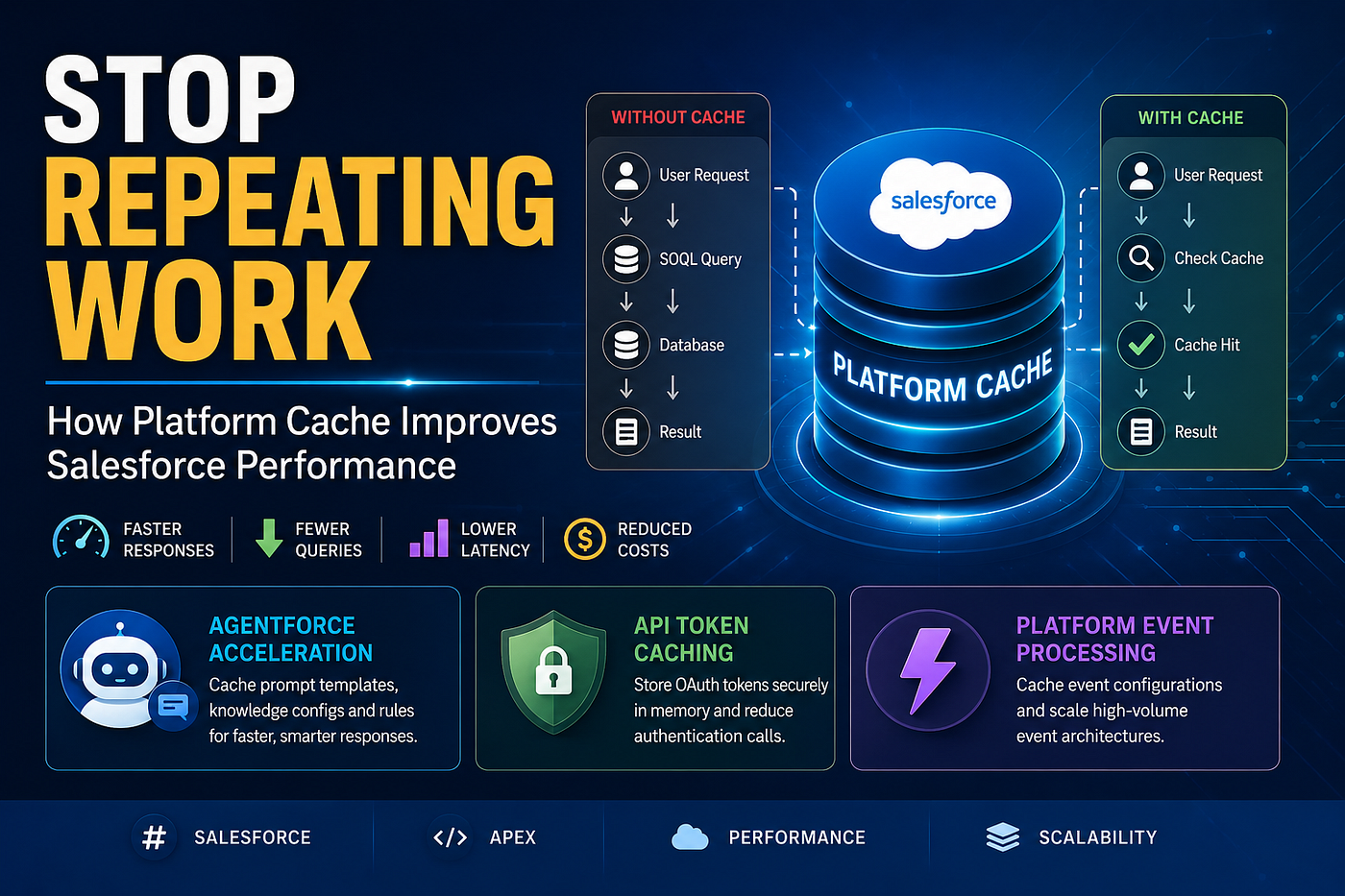
Without Platform Cache:
Request
   ↓
SOQL Query
   ↓
Database
   ↓
Response
With Platform Cache:
Request
   ↓
Cache Check
   ↓
Cache Hit
   ↓
Response
The result is lower latency, reduced CPU consumption, and fewer database operations.
Session Cache vs Org Cache
Salesforce provides two cache types.
Session Cache
Stores information specific to a single user session.
Examples:
- Multi-step wizard progress
- Temporary form data
- Shopping cart selections
- User-specific preferences
Org Cache
Stores information shared across the organization.
Examples:
- Product configurations
- Business rules
- Integration settings
- Exchange rates
- Metadata configurations
- Agentforce prompt settings
Most enterprise use cases leverage Org Cache.
Use Case #1: Accelerating Agentforce Responses
As organizations adopt Agentforce, users expect near-instant responses.
Behind the scenes, many Agentforce implementations rely on:
- Prompt templates
- Knowledge configurations
- Escalation rules
- Routing logic
- AI guardrails
- Business-specific instructions
These configurations are often stored in:
- Custom Metadata
- Custom Settings
- Custom Objects
Without caching, every conversation may trigger repeated lookups.
User Question
      ↓
Agentforce
      ↓
Load Configuration
      ↓
Generate Response
Now imagine thousands of conversations occurring daily.
The same configuration is being loaded repeatedly.
Instead, we can cache these configurations.
User Question
      ↓
Agentforce
      ↓
Platform Cache
      ↓
Generate Response
The benefits are immediate:
- Faster response generation
- Reduced Apex CPU time
- Fewer metadata retrievals
- Better user experience
In AI-powered applications, even a few hundred milliseconds can significantly impact perceived performance.
For Agentforce implementations, Platform Cache can become one of the easiest wins available to architects.
Use Case #2: OAuth Token Caching for Integrations
Consider a Salesforce integration with SAP, Workday, Stripe, or any OAuth-protected API.
Before Salesforce can call the external service, it must first obtain an access token.
Typical flow:
Salesforce
     ↓
Request OAuth Token
     ↓
Receive Token
     ↓
Call External API
Many implementations make the mistake of requesting a token for every transaction.
Imagine:
- 10,000 API requests daily
- 10,000 token requests daily
This creates unnecessary latency and consumes integration resources.
A much better approach is to store the access token in Platform Cache.
Salesforce
     ↓
Check Cache
     ↓
Token Exists?
If yes:
Use Cached TokenIf no:
Generate New Token
Store in Cache
Continue Processing
Benefits:
- Reduced authentication calls
- Faster API execution
- Lower external system load
- Better scalability
I’ve seen enterprise integrations reduce authentication traffic by over 90% simply by introducing token caching.
Use Case #3: High-Volume Platform Event Processing
Platform Events have become a popular choice for event-driven Salesforce architectures.
Suppose your organization processes:
- Customer events
- Payment events
- Case events
- Order events
Each event requires configuration information such as:
- Endpoint URL
- Retry count
- Queue assignment
- Transformation rules
These configurations are stored in a Custom Metadata Type.
Without Platform Cache:
Every event execution loads the same metadata.
Platform Event
      ↓
Load Configuration
      ↓
Process Event
      ↓
Call External System
Now imagine:
- 50,000 events per day
- 10 event types
- Same configuration repeatedly loaded
The system wastes valuable processing time retrieving identical information.
A better design is:
Platform Event
      ↓
Check Platform Cache
      ↓
Configuration Found
      ↓
Process Event
Only the first transaction loads metadata.
Every subsequent transaction retrieves it directly from memory.
Benefits:
- Faster event processing
- Lower CPU usage
- Improved throughput
- Better scalability
For organizations building event-driven architectures, Platform Cache often becomes a critical performance layer.
Why Platform Cache Matters
The most expensive operation isn’t always a complex query.
Often it’s the repeated execution of the same query thousands of times.
Platform Cache eliminates that repetition.
Instead of asking:
“How can I optimize this query?”
Start asking:
“Do I need to execute this query at all?”
That mindset shift often leads to the biggest performance gains.
Advantages of Platform Cache
Faster Performance
Memory retrieval is significantly faster than database access.
Reduced SOQL Usage
Fewer queries means lower governor limit consumption.
Lower CPU Time
Avoid repeated calculations and metadata lookups.
Better Scalability
Applications can handle higher transaction volumes.
Reduced API Calls
Especially valuable for OAuth authentication and external integrations.
Improved User Experience
Faster pages, faster flows, and faster Agentforce responses.
Important Limitations
Platform Cache is not a replacement for a database.
Cache Data Can Disappear
Salesforce may evict cached data when resources are needed.
Always implement cache miss handling.
Limited Storage
Cache allocations are finite.
Not Suitable for Critical Records
Avoid storing:
- Opportunities
- Orders
- Payments
- Audit logs
- Compliance records
These require persistence.
Cache Invalidation Is Essential
If source data changes, cached data must be refreshed.
Stale cache can create unexpected issues.
When Should You Use Platform Cache?
Platform Cache is ideal when data is:
✓ Frequently accessed
✓ Rarely changed
✓ Expensive to retrieve
✓ Expensive to calculate
✓ Shared across many transactions
Examples include:
- Agentforce configurations
- OAuth access tokens
- Platform Event configurations
- Territory mappings
- Product catalogs
- Exchange rates
- Pricing rules
Final Thoughts
Platform Cache is one of the most underutilized performance features on the Salesforce platform.
The best Salesforce architects don’t simply optimize code.
They eliminate unnecessary work.
Whether you’re building:
- Agentforce solutions
- Platform Event frameworks
- Enterprise integrations
- Experience Cloud portals
- CPQ implementations
Platform Cache can often provide immediate performance improvements with relatively little effort.
The next time you notice your application repeatedly loading the same data, ask yourself:
“Can this live in Platform Cache instead?”
The answer may save thousands of queries, millions of CPU milliseconds, and countless integration calls.
메타데이터
- post_id
- e570bc37293a
- slug
- stop-repeating-work-how-platform-cache-improves-salesforce-performance-e570bc37293a
- url
- https://medium.com/@sumantanikhilesh/stop-repeating-work-how-platform-cache-improves-salesforce-performance-e570bc37293a
- canonical_url
- https://medium.com/@sumantanikhilesh/stop-repeating-work-how-platform-cache-improves-salesforce-performance-e570bc37293a
- author_url
- https://medium.com/@sumantanikhilesh
- status
- ok
- fetched_at
- 2026-07-14 07:37:53



