Incrementally load data from Azure SQL Database to Azure storage using the Azure Data Factory
Problem Definition:
Incrementally load data from Azure SQL Database to Azure storage using the Azure Data Factory
Problem Definition:
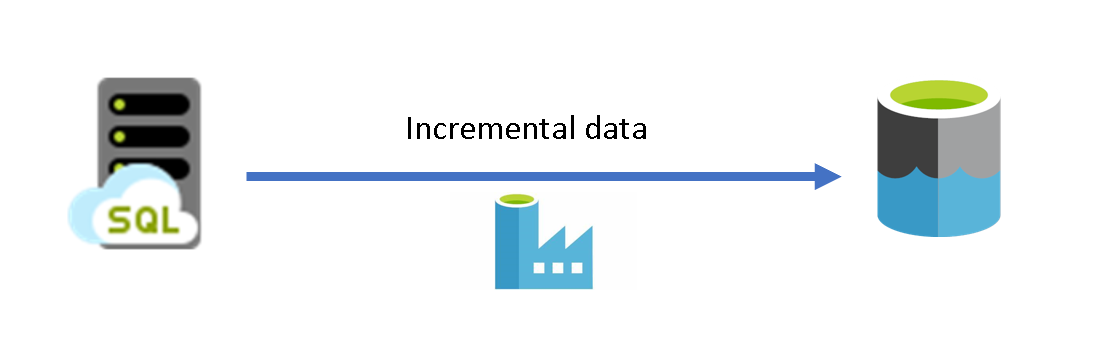
In today’s data-driven world, organizations are constantly seeking efficient ways to ingest or transform large volumes of data. One common scenario involves incrementally loading data after an initial full data load, enabling businesses to move their data cost-effectively and faster. In this blog post, we will explore the process of incrementally loading data from an Azure SQL Database as a source to Azure Data Lake Storage as a target using Azure Data Factory pipelines.
This article does not show how to implement and set up the incremental load pipeline in ADF step by step. For that Azure, documentation is the best place. The link were given below at the end of this article.
Before pipeline building in a data factory, one must understand some standard terms in data ingestion such as full load, and increment load.
Full load:
In full load, the entire dataset will be dumped, or loaded at the initial ingestion cycle(first week). In the next ingestion cycle(i.e. second week)there will be a need to add new data to the already ingested data then the complete data will be replaced (i.e. deleted and replaced)with the full dataset. No additional information, such as timestamps, is required to note down the last date.
For example, take a retail store that uploads all of its sales data through the ETL process in the data warehouse at the end of each day. Let’s say 5 sales were made on a Monday so that on Monday night a table of 5 records would be uploaded. Then, on Tuesday, another 3 sales were made which need to be added. So on Tuesday night, assuming a full load, Monday’s 5 records, as well as Tuesday’s 3 records, are uploaded — an inefficient system, although relatively easy to set up and maintain. While this example is overly simplified, the principle is the same.
Incremental load:
In Incremental load, only the new data between the target(Data Lake)and source data(SQL db) is loaded through the ETL process in the data warehouse. There are 2 types of incremental loads, depending on the volume of data you’re loading; streaming incremental load and batch incremental load.
Following the previous example, the store that made 3 sales on Tuesday will load only the additional 3 records to the sales table, instead of reloading all records. This has the advantage of saving time and resources but increases complexity.
Incremental loading is of course much faster than a full load. The main drawback to this type of loading is maintainability.
Implement this use case in ADF:

Pipeline Design in ADF
The above diagram is the overall pipeline design. The three main ADF activities needed to accomplish this use case are lookup activity, copy data activity, and stored procedure activity.
Lookup activity:
Lookup activity reads and returns the content of a configuration file or table. It also returns the result of executing a query.
Copy activity:
Copy activity copies data among data stores located on-premises and in the cloud.
Stored procedures:
A stored procedure is a prepared SQL code that can be saved as a stored procedure in the database so the code can be reused over and over again. You can also pass parameters to a stored procedure so that the stored procedure can act based on the parameter value(s) that is passed.
Watermark column:
A watermark is a column in each table that indicates when the corresponding row was last created or modified. The watermark column is used to find out or slice the new or updated records for every run.
Mostly timestamp column will be chosen as a watermark column.
Workflow:
The entire workflow for this incremental data load can be shown in the following diagram

Workflow for incremental data load
Here, we will discuss the step-by-step implementation process for how incremental data loading happens.
Create two Lookup activities. Use the first Lookup activity to retrieve the last ingestion watermark value i.e. old maximum date. Use the second Lookup activity to retrieve the new watermark value from the updated table i.e. current maximum date. These watermark values are passed to the Copy activity
Create a Copy activity that copies rows from the source data store with the value of the watermark column greater than the old watermark value and less than the new watermark value. Then, it copies only the data which exists in between the two watermark values from the source data store to data lake storage as a new file.
Create a StoredProcedure activity that updates the watermark value with a new maximum date for the pipeline that runs next time.
Implementation in ADF:
In Azure documentation, the implementation part in ADF was clearly explained step by step. Click the below link for implementation.
메타데이터
- post_id
- e59e4aefeab2
- slug
- incrementally-load-data-from-azure-sql-database-to-azure-storage-using-the-azure-data-factory-e59e4aefeab2
- url
- https://medium.com/@ashok.1055/incrementally-load-data-from-azure-sql-database-to-azure-storage-using-the-azure-data-factory-e59e4aefeab2
- canonical_url
- https://medium.com/@ashok.1055/incrementally-load-data-from-azure-sql-database-to-azure-storage-using-the-azure-data-factory-e59e4aefeab2
- author_url
- https://medium.com/@ashok.1055
- status
- ok
- fetched_at
- 2026-06-21 22:26:41



