How to check LUT in datasheet?
Short answer: you usually don’t “read” LUT contents from a datasheet — you either (a) read how many LUTs the chip has, or (b) read a…
How to check LUT in datasheet?
Short answer: you usually don’t “read” LUT contents from a datasheet — you either (a) read how many LUTs the chip has, or (b) read a pre-defined LUT table for things like gamma / correction. How you check it depends on what chip you mean.
Let me split it by the two common cases.
1. FPGA datasheet: checking LUT resources
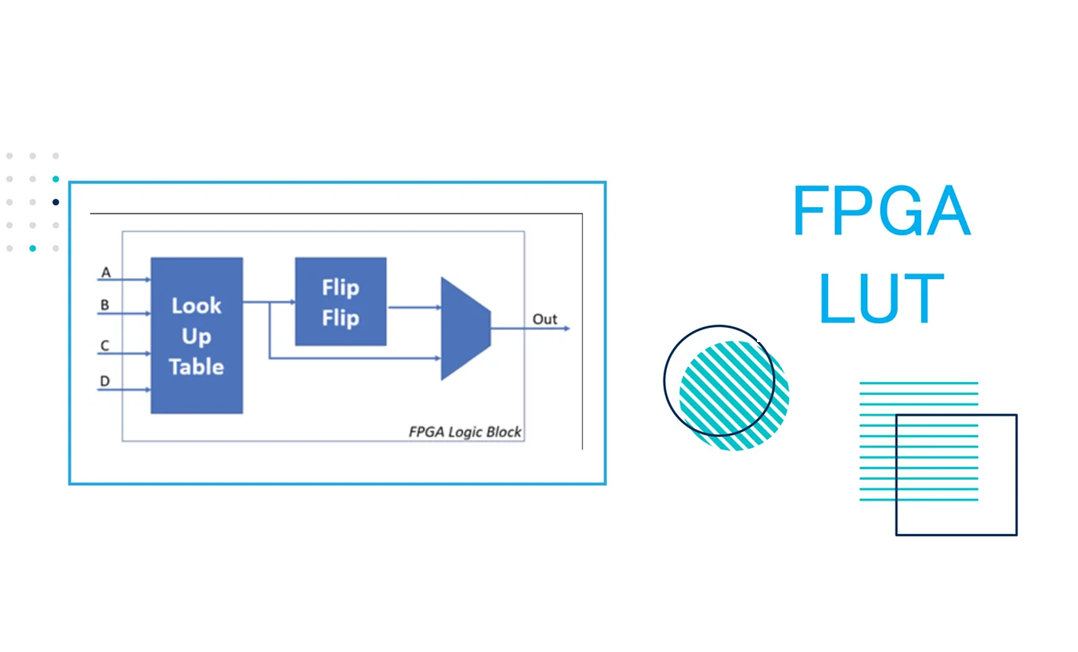
Here LUT = Look-Up Table logic element (basic programmable logic cell).
In an FPGA datasheet, you can check LUT info like this:
- Open the datasheet PDF.
- Use Ctrl+F / Search for:
LUTlookup table- sometimes
logic cells,LUT-FF pairs, orALMs(Intel/Altera)
- Look in sections named something like:
- “Device Overview”
- “Features”
- “Device Resources” / “Device Summary”
- There you’ll find a table with columns like:
- “Number of 6-input LUTs”
- or “Logic Cells / Slices / ALMs”
Important:
- The datasheet will NOT show the truth table of each LUT.
- In FPGAs, LUT contents are fully programmable.
- You define the logic in HDL (Verilog/VHDL), synthesize, and the tools program the LUT bits.
- To see how many LUTs your design uses, you don’t use the datasheet; you check the synthesis/place-and-route report in:
- Vivado / Quartus / Libero / etc.
So, for FPGA:
Datasheet = total LUT capacity Tool reports = your design’s LUT usage
2. Other ICs (LED drivers, DACs, sensors…) with an internal LUT
Sometimes “LUT” in a datasheet means a fixed or configurable table inside the chip, e.g.:
- Gamma correction LUT in a display driver
- Brightness or current mapping LUT in an **LED driver**
- Transfer function LUT in a **sensor or [DAC](https://www.onzuu.com/category/digital-to-analog-converters)**
How to find that in the datasheet:
- Search the PDF for:
LUTlook-up tablegamma tablecorrection table
- Check sections:
- “Functional Description”
- “Applications Information”
- “Register Map” / “Memory Map”
- You will usually see:
- A table of addresses vs. data (e.g.
Index 0..255and associated values), or - A description like “LUT is stored in registers 0x20–0x2F”.
There, the datasheet does show the LUT or explains how you must download your own LUT data into the IC.
3. Quick checklist
When someone says “check LUT in datasheet”, ask yourself:
- Is this an FPGA?
- Look for device resources / LUT count.
- Use CAD tool to see usage, not the datasheet.
- Is this some peripheral IC that mentions LUT?
- Search LUT / lookup table in the PDF.
- Look in functional description and register map for an actual table or how to program it.
메타데이터
- post_id
- e663d3fba552
- slug
- how-to-check-lut-in-datasheet-e663d3fba552
- url
- https://medium.com/@pqshedy33/how-to-check-lut-in-datasheet-e663d3fba552
- canonical_url
- https://medium.com/@pqshedy33/how-to-check-lut-in-datasheet-e663d3fba552
- author_url
- https://medium.com/@pqshedy33
- status
- ok
- fetched_at
- 2026-06-20 20:29:01