Tinkering with Databricks: Wrapping Agent over FDA Drug Label Data in MLflow
Phase 2 of the FDA drug label retrieval project — turning a notebook prototype into a versioned, registered asset in Unity Catalog.
Tinkering with Databricks: Wrapping Agent over FDA Drug Label Data in MLflow
Phase 2 of the FDA drug label retrieval project — turning a notebook prototype into a versioned, registered asset in Unity Catalog.
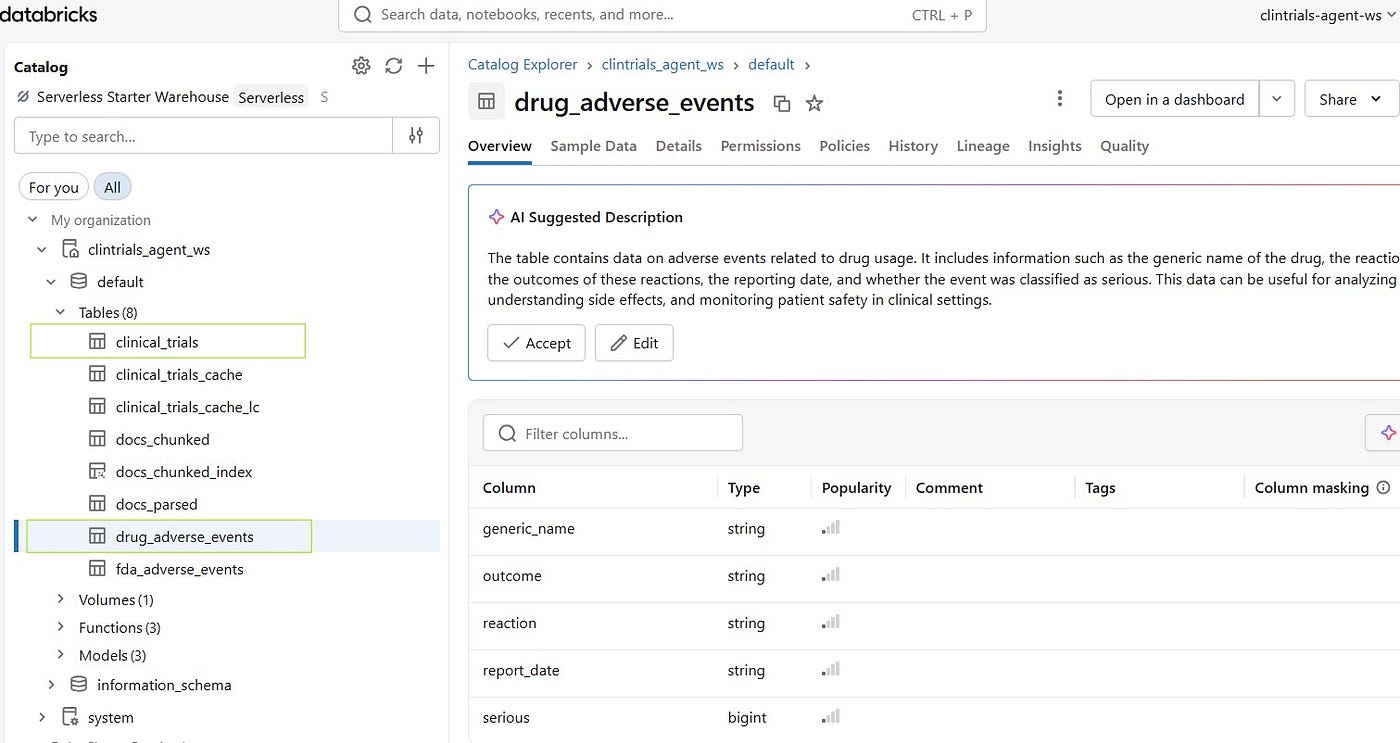
Our phase 1 ended to be RAG system on Databricks — 22 FDA drug labels, ai_parse_document, ai_query, LangChain chunking, Mosaic AI Vector Search. End result: a working query system answering pharmaceutical questions with grounded, cited answers.
I love using the word “grounded” these days, as all the LLM based systems around the world are in a way chasing it — the elusive groundedness!
Anyways, that was a prototype. A prototype that lives in a notebook, dies when the cluster restarts, and is invisible to everyone except the person who built it.
Phase 2 is about crossing that line. So grounded, check. Logged and Deployed, wait what?
Before I talk more on this, this might seem to be a repetition as I had already touched on MLflow in one previous article and there I heaped some bountiful praises. I might do the same here and risk sounding like a broken record. But here is the thing — I wanted to write about some core fundamentals of agent building, logging, and registering on Databricks with MLflow. Something that was just touched with a feather last time.
The Gap We Seldom Talk About
There’s a version of every ML project that works — in a notebook, on your laptop, in a demo. And then there’s the version that actually gets used. One which is deployed and ready to be used with minimal lines of code or served via REST endpoint. And not just that. It also gives governance. Who can load it? Which version is running? What data produced it? Can you roll back? Can someone else reproduce it without asking you on Teams?
MLflow and Unity Catalog answer those questions. Phase 2 is wiring them in.
Step 1 — The Agent
The retrieval logic from Phase 1 already worked. Step 1 was wrapping it properly as a retrieval agent with a tool. And let me come clean on this thing: calling the earlier one an agent in the title was a stretch, unpardonable in the eyes of AI purists!
VectorSearchRetrieverTool from databricks_langchain turns the vector index into a callable tool the LLM can invoke. Wire it to ChatDatabricks and a ReAct agent, and you have a loop: the LLM decides when to search, calls the tool, reads the results, answers the question.
Tested this in the smoke test notebook. Databricks injected create_agent directly into langchain.agents— so you can use it there without thinking about it. That’s a Databricks’ convenience or say benevolence.
vs_tool = VectorSearchRetrieverTool(
    name="drug_label_search",
    index_name="clintrials_agent_ws.default.docs_chunked_index",
    description="Search GLP-1 and diabetes drug labels for clinical information",
    num_results=3,
)

llm = ChatDatabricks(endpoint="databricks-gpt-oss-120b", max_tokens=500)
agent = create_agent(model=llm, tools=[vs_tool], checkpointer=InMemorySaver())
And, one line to get full observability (as I said, being broken record):
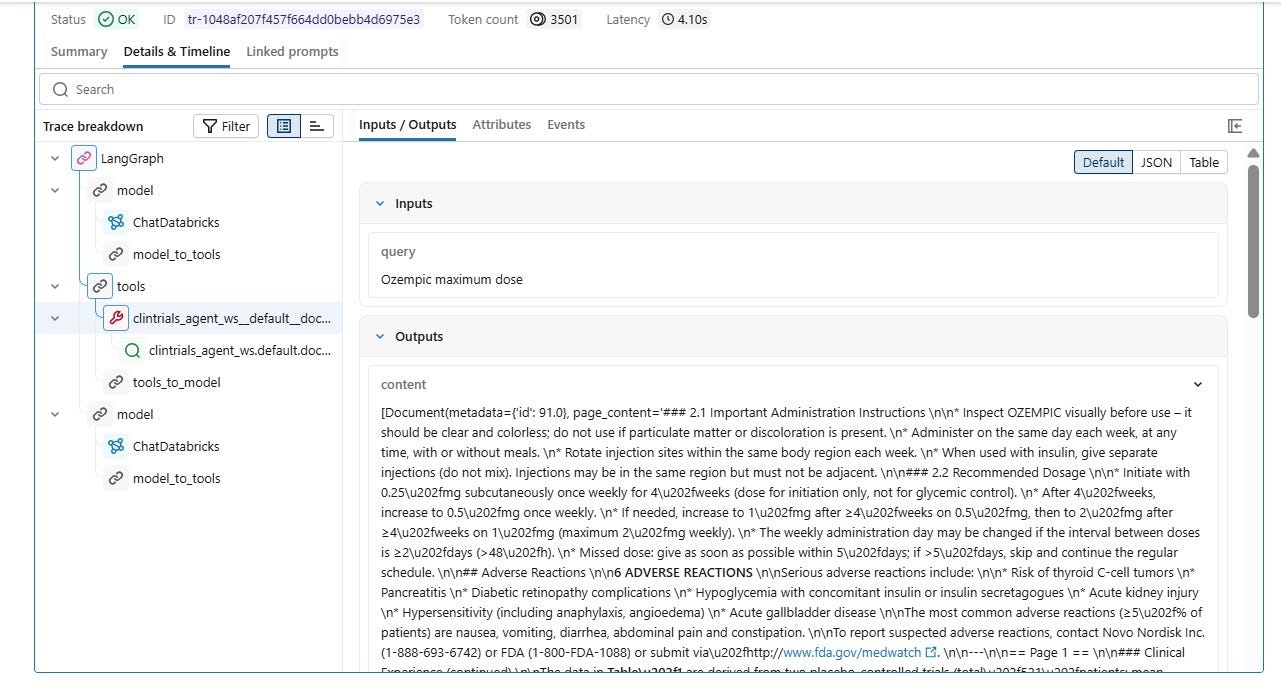
mlflow.langchain.autolog()Every invocation — LLM call, tool call, retrieved chunks, latency — traced automatically. I don’t instrument anything here. Just turned it on and it is there.
Step 2 — Packaging: model-from-code
Smoke testing our agent is not where we had to take it to. Remember what we said about the gap in that approach. We need to make our model immortal in the Unity Catalog and not ephemeral in the notebook. How pompous!
How to do it? Well, here’s where an important fundamental comes in:
LangGraph agents can’t be saved as a frozen object. A LangGraph agent has live threads, checkpointers, tool bindings. There’s no meaningful way to freeze that state to disk and expect it to reload as a working agent.
The solution is model-from-code: instead of saving the object, you save the source file. MLflow logs agent.py alongside a config file and a requirements list. When someone loads the model, MLflow recreates the agent by re-executing the code from scratch.
So basically, something like this:
MLflow Artifact Store
   - glp1_drug_agent/
        agent.py             #the model is the code
        agent-config.yaml    #LLM endpoint, index name, num_results
        requirements.txt     #pip dependencies
        etc.
The config gives a separation. Swap the index or the LLM endpoint without touching agent.py. The code is environment-agnostic. Clean Architecture — oh wait!
Anyways, one line at the bottom of agent.py wires it to MLflow’s serving layer:
mlflow.models.set_model(DRUG_AGENT)Without it, MLflow doesn’t know which object to call predict() on.
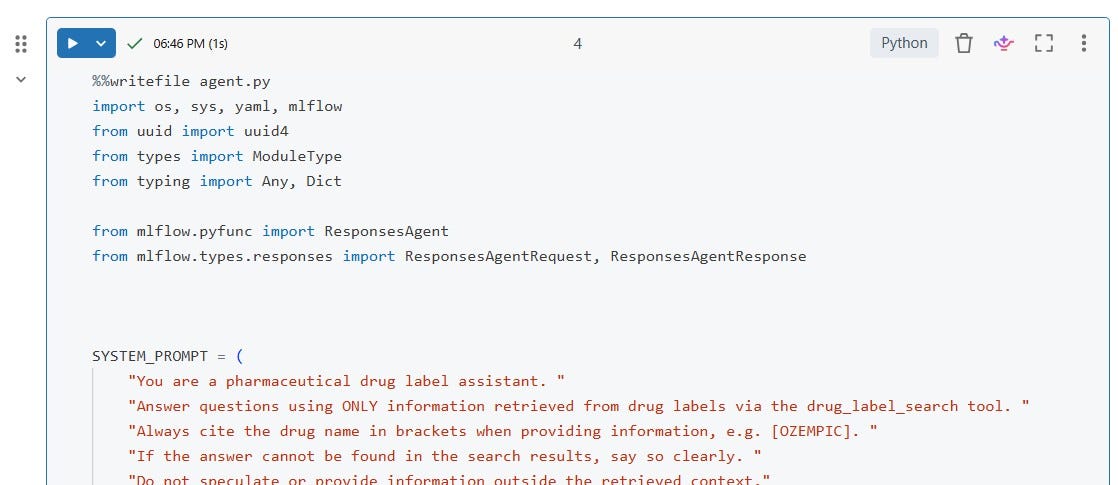
model from code — agent.py
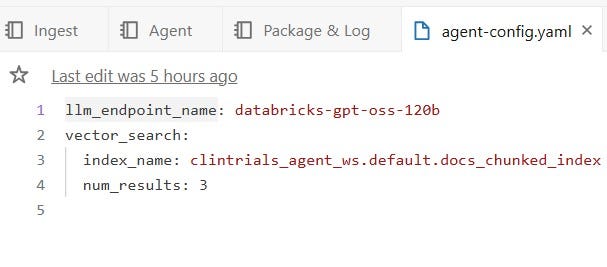
agent-config.yaml
And then, an important intermediate step, i.e. logging the model:
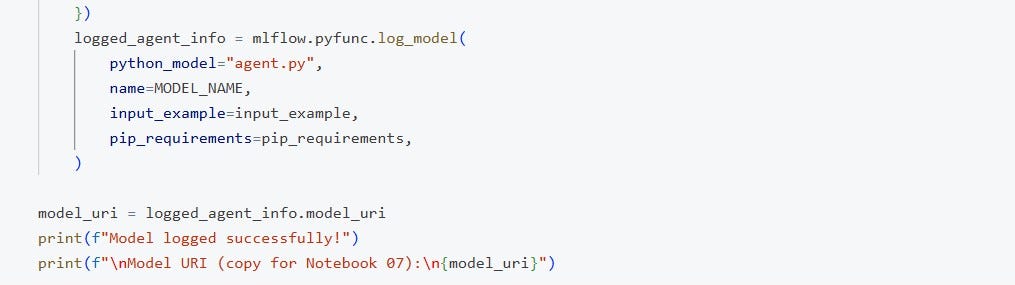
pyfunc.log_model to log the run
This packages agent.py alongside your dependencies and saves it as an artifact inside the experiment run. Nothing is deployed yet. It’s just saved and versioned.
Once logged, we get back a model URI — the address of this specific artifact. It’s needed it for the next step. Make a note!
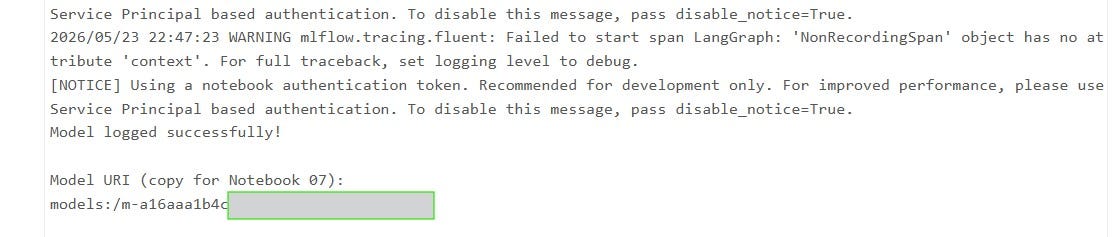
model uri we need to use in the registering
Log vs Register: Two Steps which can confuse
Before moving to step 4, I felt this distinction matters and is worth getting right.
Like I said in previous section, logging puts the model inside an MLflow experiment run — it’s your working history. Every time you run log_model(), it creates a new run with the artifacts (agent.py, config, requirements) attached to it.
It’s useful for:
-
Comparing runs (tried different LLM endpoints, different num_results)
-
Reproducing exactly what produced a given result
-
Having something to promote to the registry once you’re happy with it
But it’s not accessible by name, not governed, not deployed. Only you can find it by run ID.
Registration is what takes it from “experiment artifact” to “product” — stable name, version number, alias like @champion, access controls, lineage.
So: log first, register when ready (upon being convinced with your experiment). You can log ten versions and only register the one worth keeping.
Logging:
with mlflow.start_run(run_name="glp1_drug_agent_v1"):
    logged_agent_info = mlflow.pyfunc.log_model(
        python_model="agent.py",
        name="glp1_drug_agent",
        pip_requirements=[...],
    )
Registering:
mlflow.set_registry_uri("databricks-uc")
mlflow.register_model(
    model_uri=logged_agent_info.model_uri,
    name="clintrials_agent_ws.default.glp1_drug_agent",
)
Now it has a stable name. Versioned. Access-controlled. Lineage tracked back to the experiment run that produced it. We can set aliases (which you can conveniently from UI too):
client.set_registered_model_alias(
    name="clintrials_agent_ws.default.glp1_drug_agent",
    alias="champion",
    version="7",
)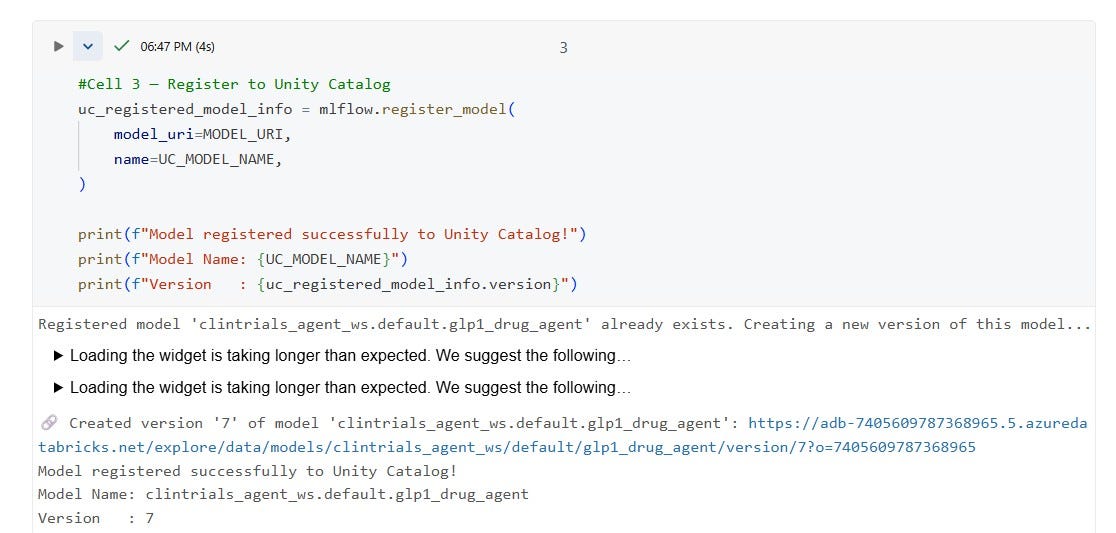
registering the model
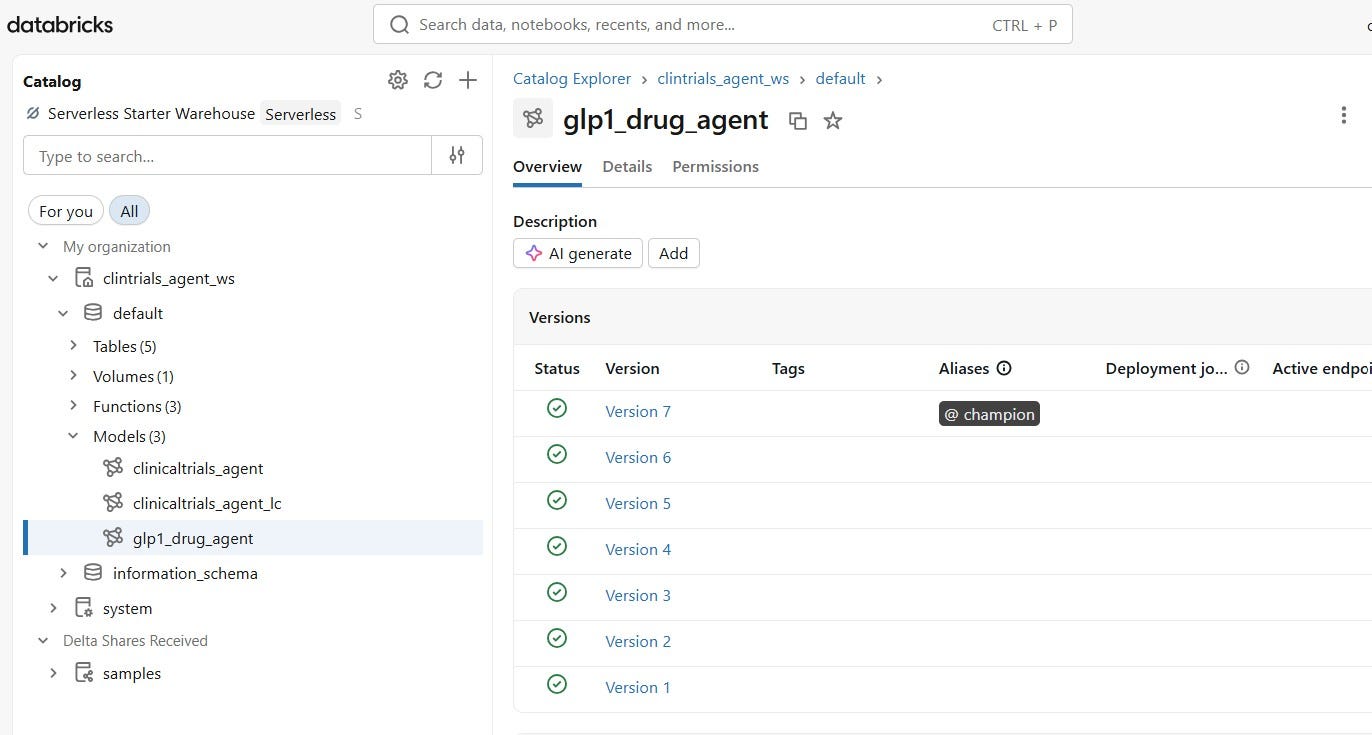
model in uc
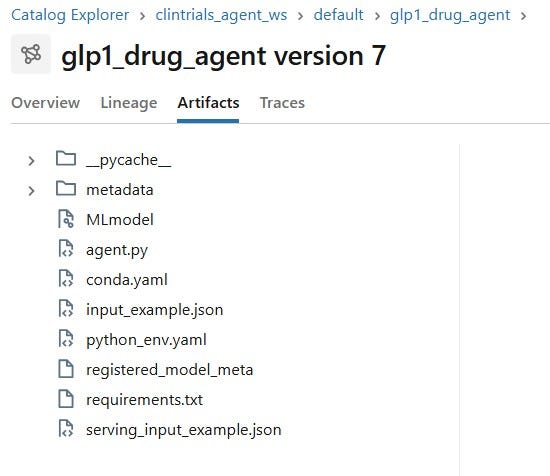
model artifacts
Step 4 — Validate: mlflow.models.predict()
The validation step is deliberately adversarial. It spins up a fresh virtual environment, installs only the declared dependencies, and runs agent.py from scratch. No notebook environment. No pre-loaded packages.
mlflow.models.predict(
    model_uri="models:/clintrials_agent_ws.default.glp1_drug_agent@champion",
    input_data={"input": [{"role": "user", "content": "Which GLP-1 drug has cardiovascular outcome trial data?"}]},
    env_manager="virtualenv",
)
If it works here, it will work in production. And with a few dependencies issues I and Genie wrestled with, it returned grounded answers:
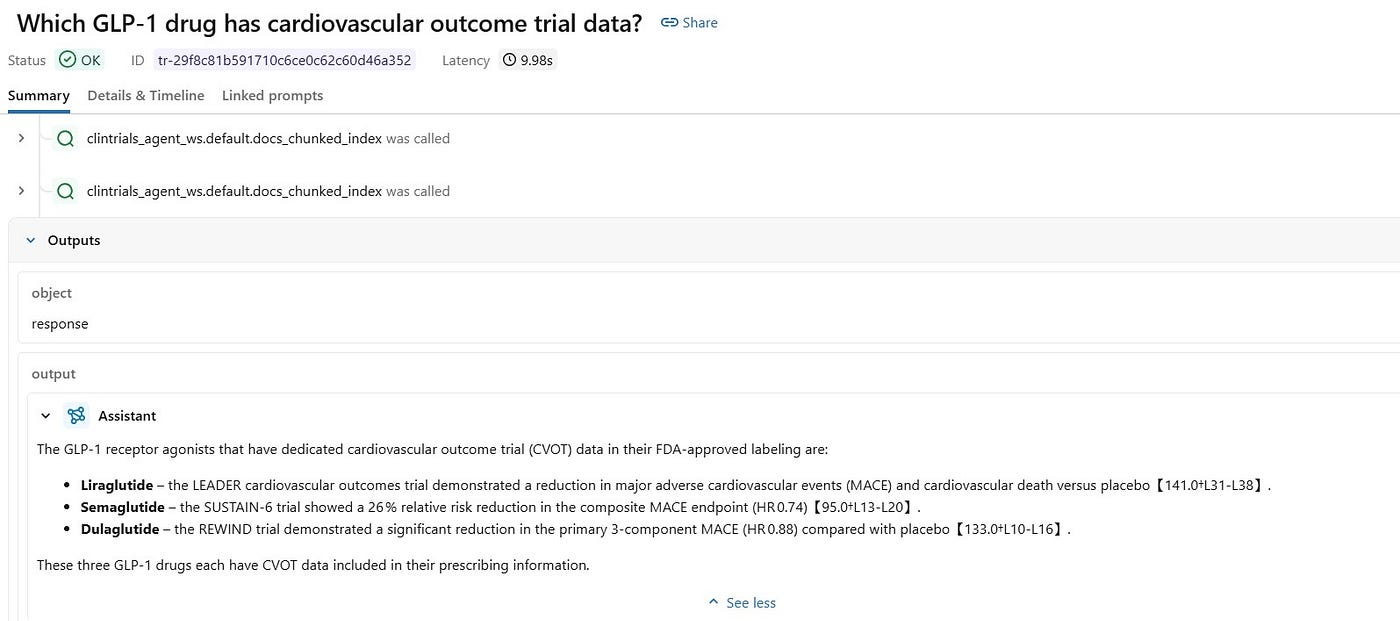
traces for the model
Honorary Mention
This one deserves a callout. A Cell was failing with a needle in the haystack kind of TypeError. Not the code. Not the logic. A dependency inside databricks_langchain defining a TypedDict in a way the installed typing_extensions version didn’t accept.
I typed /fix. Genie took 17 steps, identified the root cause, and applied a minimal patch. Cell just ran clean after that.
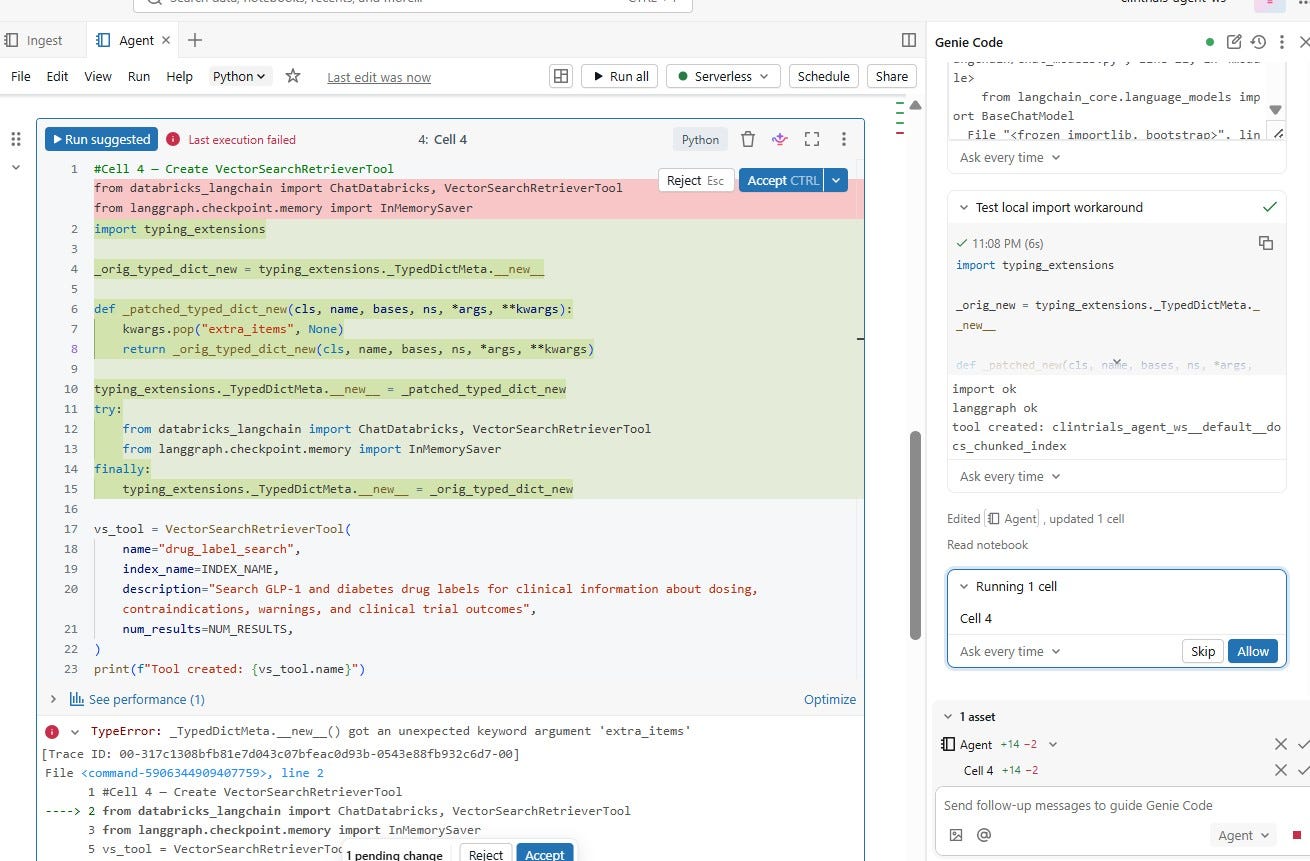
genie is no longer a dream
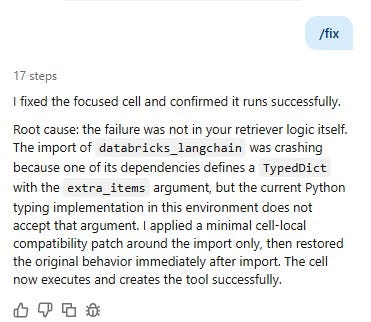
17 steps. I made a coffee.
The kind of issue you could spend an afternoon on. Genie found it in few minutes.
What the Registration Actually Buys Us
Once the model is in Unity Catalog under clintrials_agent_ws.default.glp1_drug_agent@champion, any notebook in the workspace can load it with three lines:
mlflow.set_registry_uri("databricks-uc")
model = mlflow.pyfunc.load_model("models:/clintrials_agent_ws.default.glp1_drug_agent@champion")
result = model.predict({"input": [{"role": "user", "content": "your question"}]})
No knowledge of agent.py. No cluster dependency. No asking the original author how it was built. The lineage is tracked. Unity Catalog holds all of it.
That in my opinion is the difference between a project and a product.
The Honest Part
At the risk of sounding like that broken record again, despite having mentioned previously too, version compatibility on Databricks Serverless free trial is not a smooth experience. Getting agent.py to run cleanly in a fresh virtualenv required patching a few compatibility gaps at import time. None of this is fundamental — in a properly managed workspace with pinned dependencies, you set the versions once and move on.
메타데이터
- post_id
- e6ea3d9ee0cc
- slug
- tinkering-with-databricks-wrapping-fda-label-agent-in-mlflow-e6ea3d9ee0cc
- url
- https://medium.com/@ptk.bit/tinkering-with-databricks-wrapping-fda-label-agent-in-mlflow-e6ea3d9ee0cc
- canonical_url
- https://medium.com/@ptk.bit/tinkering-with-databricks-wrapping-fda-label-agent-in-mlflow-e6ea3d9ee0cc
- author_url
- https://medium.com/@ptk.bit
- status
- ok
- fetched_at
- 2026-06-09 15:37:30