I Tested GPT Image 2.0
I’ve been jumping between different AI image tools for weeks, and honestly, the biggest problem isn’t quality anymore — it’s workflow.
I Tested GPT Image 2.0 vs Nano Banana 2 vs Seedream vs Flux Kontext vs Stable Diffusion vs Z-Image— Here’s What Actually Matters
I’ve been jumping between different AI image tools for weeks, and honestly, the biggest problem isn’t quality anymore — it’s workflow.
Switching between platforms, rewriting prompts, tweaking styles… it kills the creative flow.
So this time, I did something different.
Instead of testing each model separately, I ran all of them inside one tool — 👉 HitPaw FotorPea
It integrates multiple models in one place, which made it way easier to compare them side by side without breaking momentum.
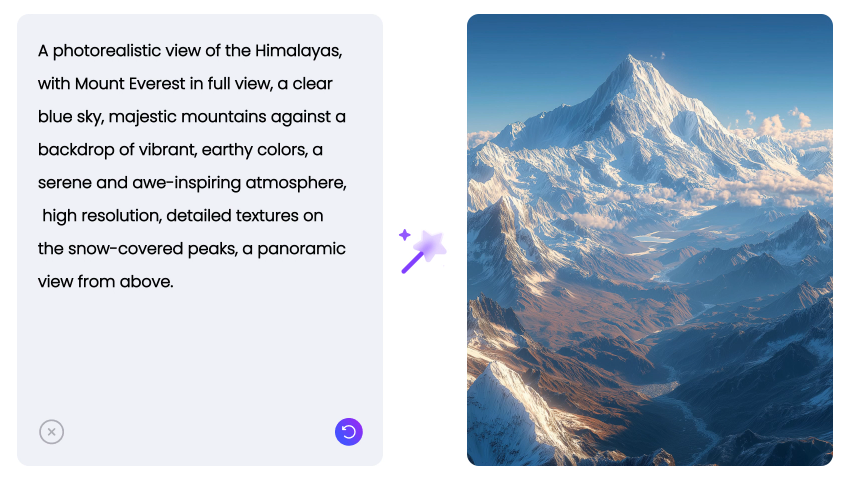
Here’s what I found after testing:
How I tested
I used the same prompts across all models, focusing on real-world scenarios:
- Portrait photography (realistic human faces)
- Product shots (e-commerce style)
- Cinematic scenes
- Anime / stylized characters
- Social media thumbnails
No heavy prompt engineering — just what a normal user would type.
The Models Compared
- GPT Image 2.0
- Nano Banana 2
- Seedream
- Flux Kontext
- Z-Image
- Stable Diffusion
1. Portraits (Realism & Skin Detail)
Winner: GPT Image 2.0
This one surprised me.
- Skin texture looked natural (not overly smooth)
- Lighting felt consistent
- Faces didn’t break easily
Nano Banana 2 was decent, but slightly more “AI-looking.” Stable Diffusion still works well — but only if you tweak it properly.
2. Product Images (E-commerce Ready)
Winner: Seedream
If you’re doing:
- Amazon listings
- Shopify products
- Ad creatives
Seedream was the most “ready-to-use.”
- Clean backgrounds
- Good composition
- Less need for editing
Flux Kontext was okay, but less consistent overall.
3. Cinematic Scenes
Winner: Flux Kontext
This is where Flux really stands out.
- Strong atmosphere
- Dramatic lighting
- Better sense of depth
It feels more “film-like” than the others.
Great for:
- posters
- storytelling visuals
- creative projects
4. Stylized / Anime
Winner: Nano Banana 2
This one wasn’t close.
- Cleaner lines
- More expressive characters
- Stronger style consistency
Best for:
- character design
- social content
- illustrations
5. Social Media Content
Winner: GPT Image 2.0 (overall)
For:
- thumbnails
- viral-style images
- general content
It’s the most balanced.
Not always the most creative, but very reliable.
6. Speed & Prompt Understanding
Winner: Z-Image (unexpectedly)
I didn’t expect much here, but Z-Image turned out to be one of the most practical models.
- Fast generation
- Good prompt understanding
- Doesn’t overcomplicate results
It’s not the most detailed, but for:
- quick drafts
- idea testing
- fast iterations
…it’s actually super useful.
What actually matters (not what I expected)
After testing all of these, I realized something:
👉 The biggest difference isn’t just image quality 👉 It’s how fast you can iterate
This is where using something like 👉 HitPaw FotorPea actually made a real difference.
Instead of:
- switching between tools
- rewriting prompts
- losing context
I could:
- test variations quickly
- compare outputs side by side
- refine ideas without friction
And that changed the workflow more than any single model. Plus, I can upscale AI-generated images with it. That’s awesome for me!
Final Thoughts
If I had to sum it up:
- Best realism → GPT Image 2.0
- Best product images → Seedream
- Best cinematic → Flux Kontext
- Best stylized → Nano Banana 2
- Fastest iteration → Z-Image
- Most flexible → Stable Diffusion (but requires effort)
But honestly?
👉 The “best model” depends on your use case 👉 The “best workflow” determines your efficiency
Curious
Which one are you using right now?
And are you optimizing for quality, or speed?
메타데이터
- post_id
- e724e439eac0
- slug
- i-tested-gpt-image-2-0-e724e439eac0
- url
- https://medium.com/@JoshuaHill2000/i-tested-gpt-image-2-0-e724e439eac0
- canonical_url
- https://medium.com/@JoshuaHill2000/i-tested-gpt-image-2-0-e724e439eac0
- author_url
- https://medium.com/@JoshuaHill2000
- status
- ok
- fetched_at
- 2026-06-09 15:37:30






