Securing AI APIs with Guardrails Using WSO2 API Platform
AI is quickly becoming part of enterprise applications, from chat assistants to workflow automation and internal tools.
Securing AI APIs with Guardrails Using WSO2 API Platform
AI is quickly becoming part of enterprise applications, from chat assistants to workflow automation and internal tools.
But there’s a growing challenge: AI systems can unintentionally expose sensitive information, generate unsafe outputs, or be manipulated through malicious prompts.
This is why AI guardrails are becoming essential for organizations adopting AI at scale.
What Are AI Guardrails?
AI guardrails are policies that control how AI systems handle requests and responses.
They help:
- detect sensitive data
- filter unsafe content
- prevent prompt injection
- enforce governance rules
- protect enterprise data before it reaches LLMs
Instead of building these protections into every application individually, organizations can enforce them centrally through an API Gateway.
Using the WSO2 API Platform AI Gateway
With WSO2 API Platform AI Gateway, all AI traffic passes through a governed enforcement layer:
Application → WSO2 AI Gateway → AI Provider
This allows organizations to:
- apply AI policies for an organization centrally
- secure multiple AI providers consistently
- expose governed AI APIs safely to applications and teams
And setting it up is surprisingly simple.
Quick Example with PII Masking Guardrail
Let’s take a common scenario.
An internal AI assistant receives prompts containing:
- emails
- account numbers
- customer identifiers
Without controls, this information is directly sent to the AI provider.
For example:
Customer John (john@email.com) accessed account 998877
Using the built-in Regex PII Masking guardrail in WSO2 AI Workspace, sensitive values can automatically be detected and masked before the request reaches the model.
Result:
Customer Person_001 (EMAIL_001) accessed account ACCOUNT_001
Setting It Up the Gateway with PII Masking Guardrail
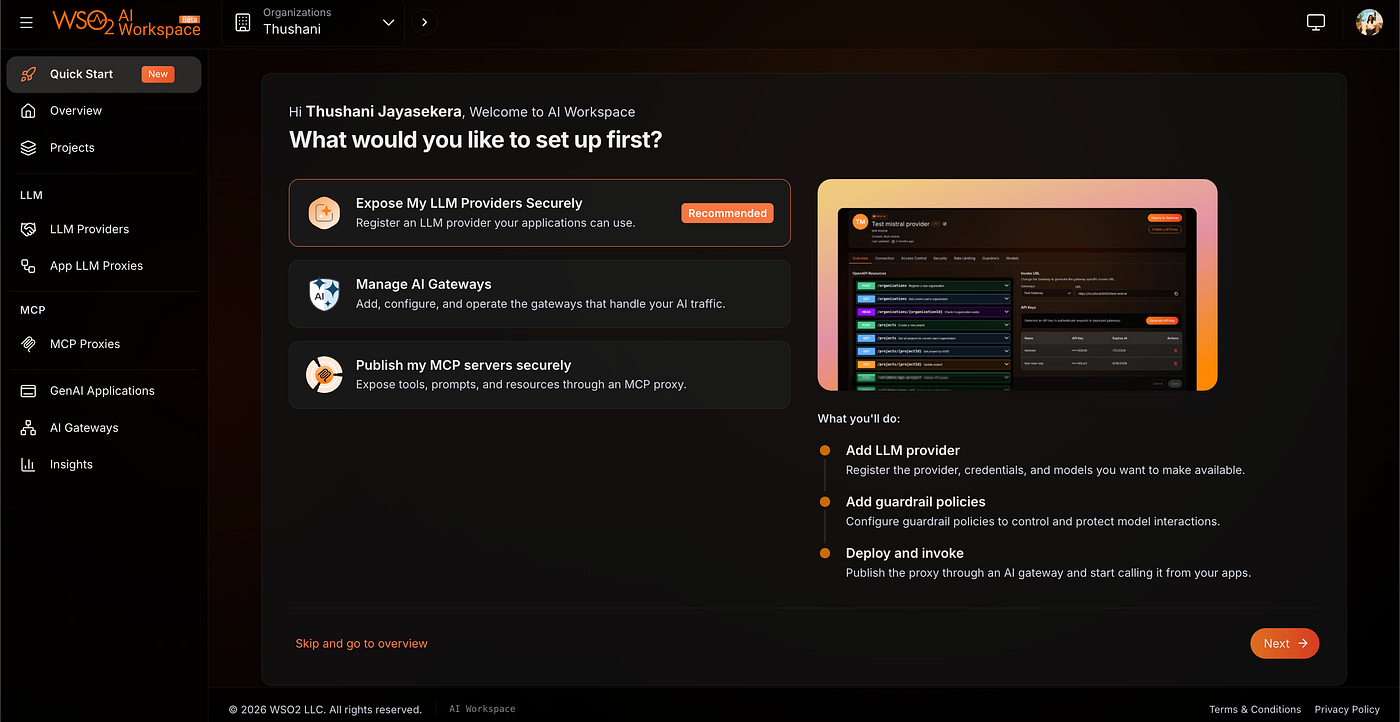
- Open AI Workspace
- Login to: [https://ai-workspace.bijira.dev/](http://Setting It Up 1. Open AI Workspace Login to: https://ai-workspace.bijira.dev/) as an Admin of your organization
2. Configure Your AI Provider
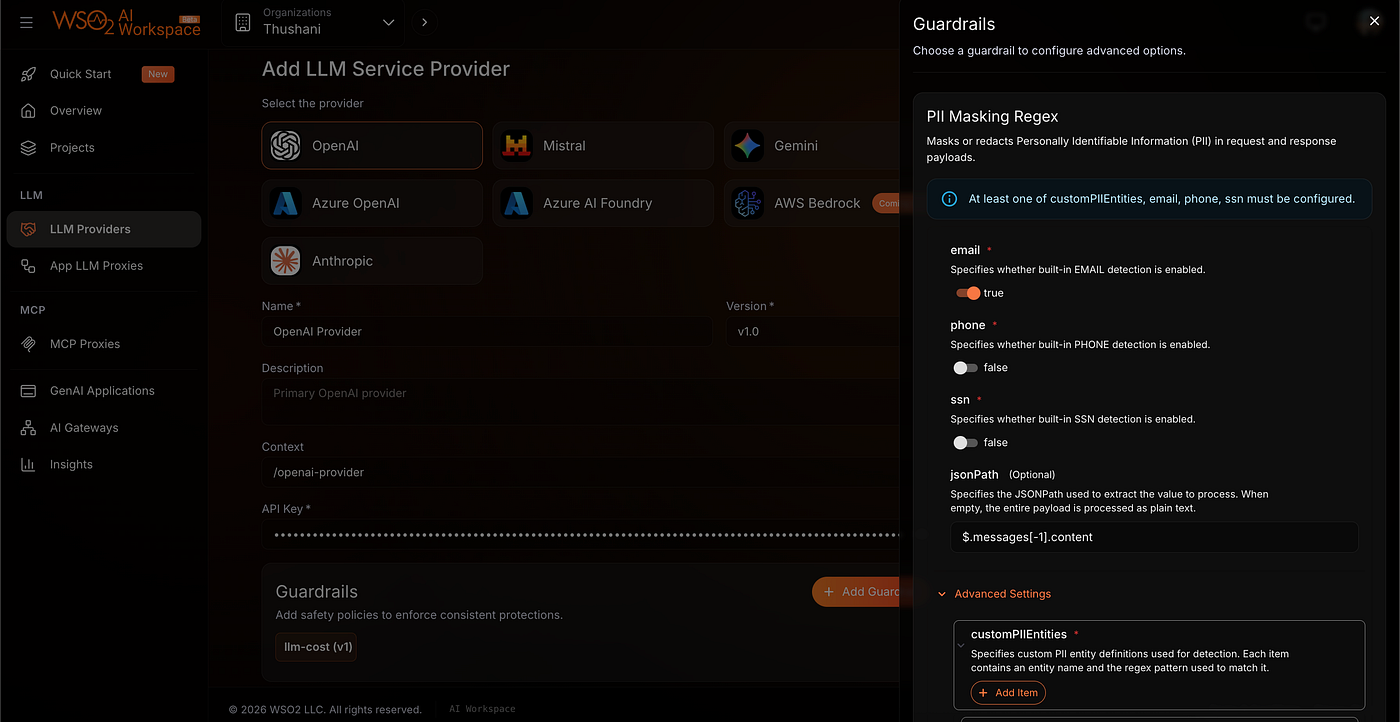
- Select your AI provider (such as OpenAI) and click: Add Guardrails
- WSO2 already includes built-in pii-masking support for common entities like emails, and you can easily define custom regex patterns for values like: account numbers, employee IDs, internal references
- Documentation: https://wso2.com/api-platform/docs/ai-workspace/policies/guardrails/regex-pii-masking/
- You can also configure the API key for your LLM provider subscription here. This allows the key to remain securely managed within the platform, so consumers do not need to provide or share their own API keys.
3. Deploy to an AI Gateway
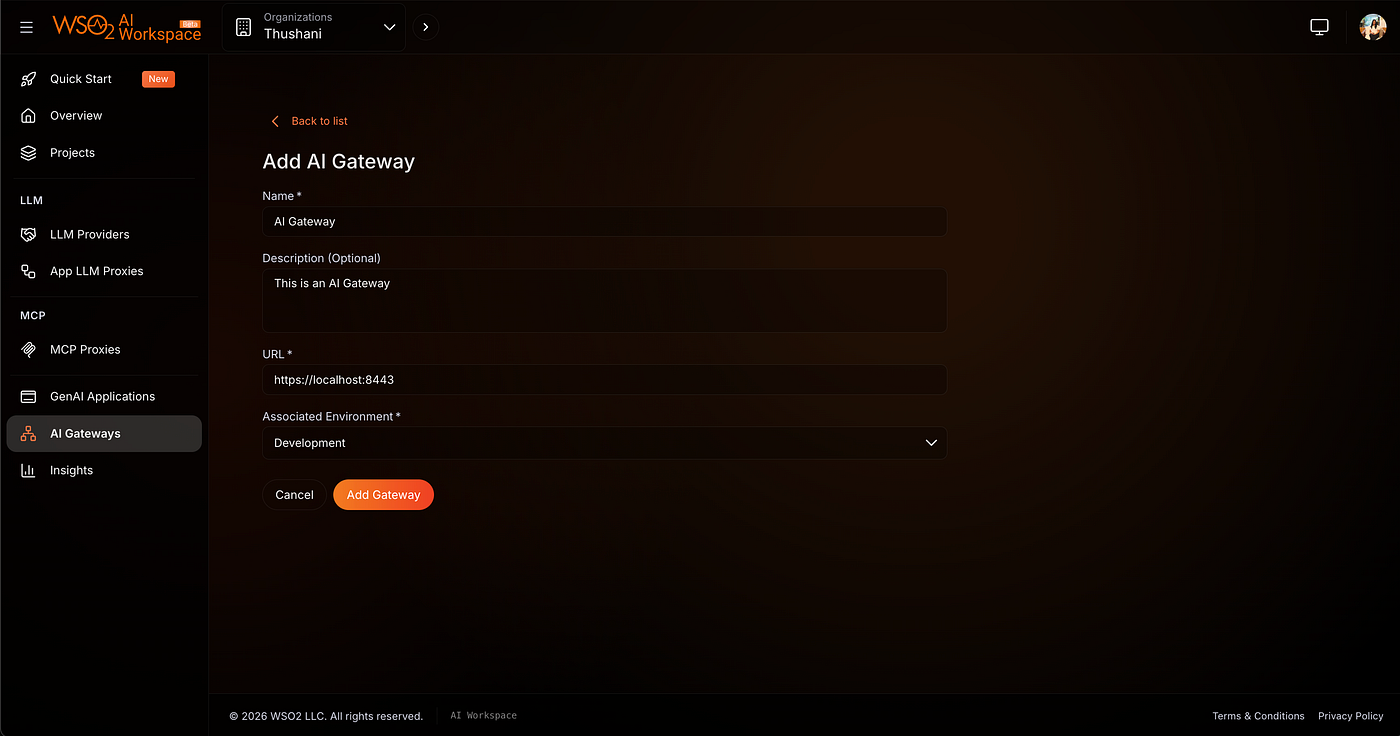
Create or select a Self-Hosted AI Gateway by providing:
- name
- description
- gateway URL
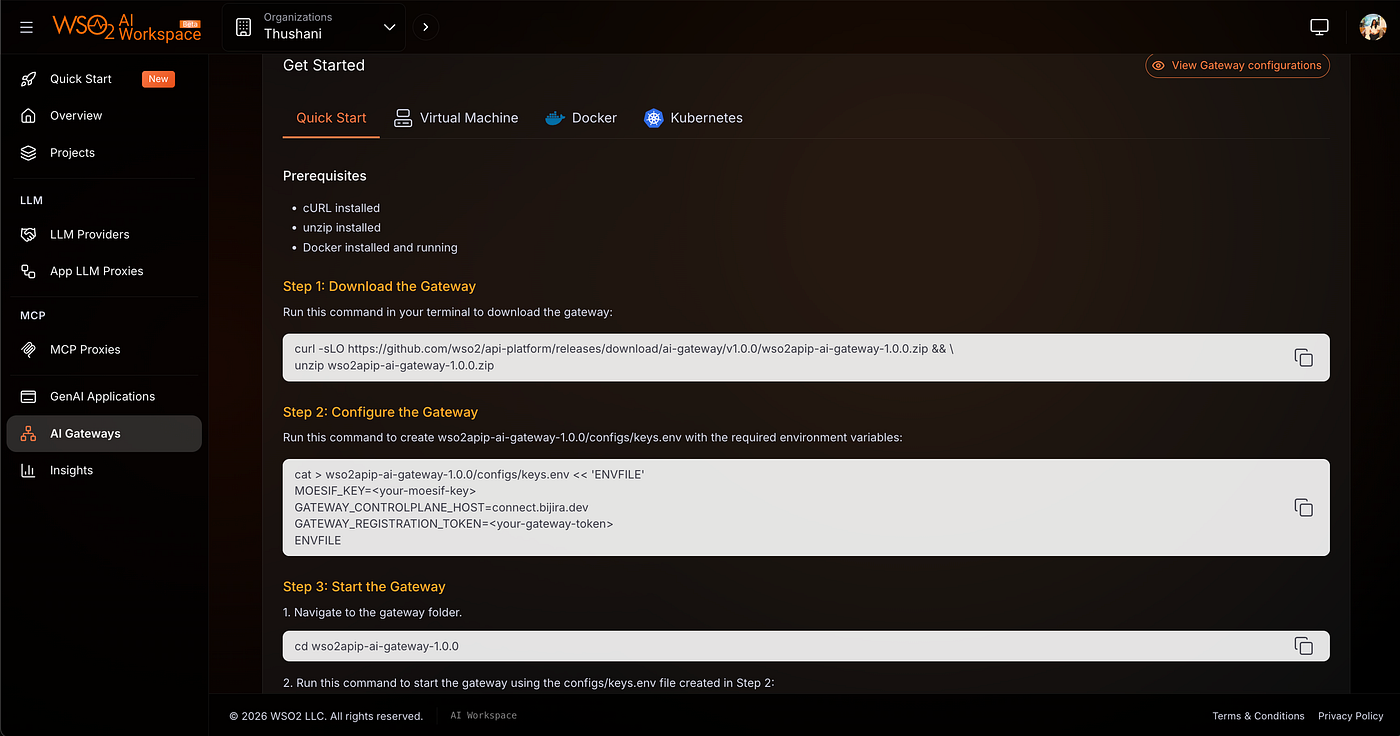
Then start up the gateway following the quick start guide and deploy the provider directly to the gateway.
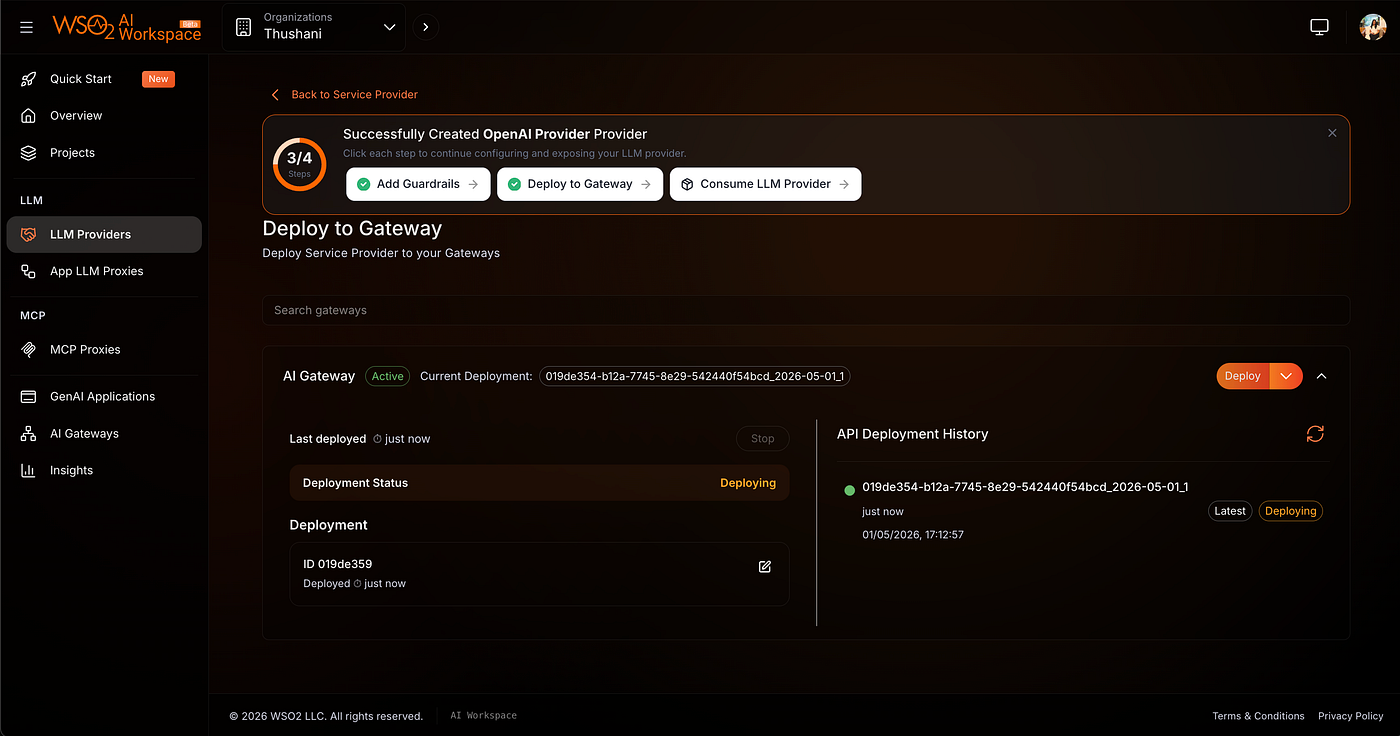
4. Exposing AI Providers Through Managed APIs
With WSO2 API Platform, AI providers can also be exposed through managed LLM Proxies.
While the provider can be called directly, the proxy lets you create specialized endpoints for different applications, agents, or environments with independent keys, guardrails, and access controls on top of the same provider.
You can learn more about configuring LLM Proxies here: https://wso2.com/api-platform/docs/ai-workspace/llm-proxies/configure-proxy/
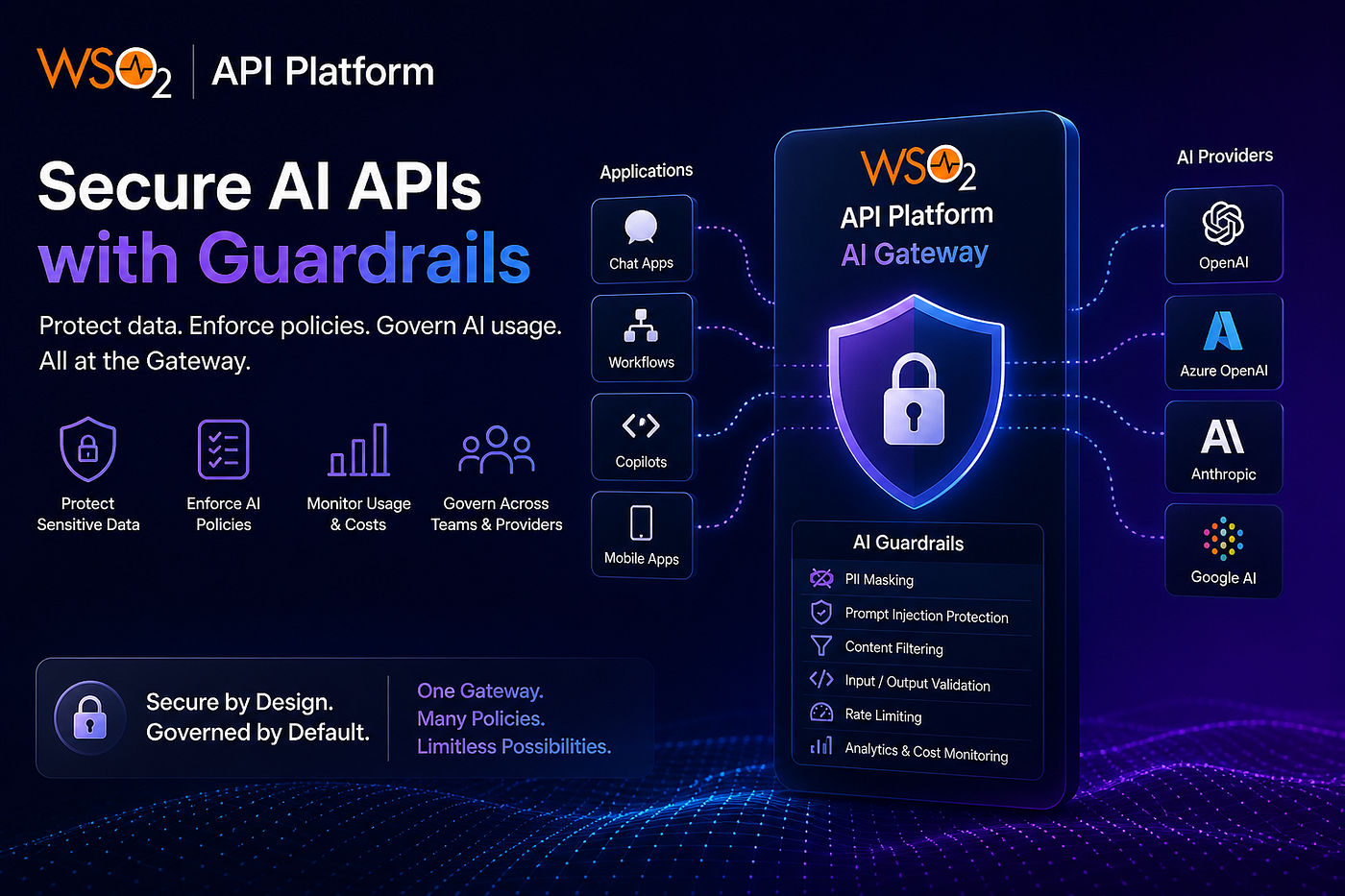
With this model, organizations centrally manage AI Providers and organization-level guardrails, while developers create project-level LLM Proxies with their own:
- API keys
- access controls
- project-specific guardrails
- rate limits and policies
This allows multiple applications, agents, or environments to safely use the same underlying AI provider without exposing raw provider credentials.
For example, different proxies can apply different policies such as stricter PII masking, prompt filtering, or rate limits depending on the use case.
This approach keeps governance centralized while still giving teams flexibility, visibility into AI usage and cost, and consistent security enforcement across providers and applications.
Final Takeaway
AI guardrails are not just a feature, they are a control layer for safe AI adoption.
In practice, this means sensitive data is automatically detected and masked before it ever reaches the LLM. Whether it’s emails, account numbers, or internal identifiers, the gateway enforces these rules consistently, so data leakage is prevented by design rather than relying on application-level logic or user discipline.
By enforcing guardrails at the API Gateway and LLM Proxy layer, organizations can confidently scale AI usage across teams and applications while keeping governance centralized and consistent.
WSO2 AI Guardrails extend this protection beyond just data masking. They also help with:
- prompt injection protection
- unsafe content filtering
- rate limiting
- analytics and LLM usage monitoring
- llm cost visibility
메타데이터
- post_id
- e77009818f2e
- slug
- securing-ai-apis-with-guardrails-using-wso2-api-platform-e77009818f2e
- url
- https://medium.com/@thushi1214/securing-ai-apis-with-guardrails-using-wso2-api-platform-e77009818f2e
- canonical_url
- https://medium.com/@thushi1214/securing-ai-apis-with-guardrails-using-wso2-api-platform-e77009818f2e
- author_url
- https://medium.com/@thushi1214
- status
- ok
- fetched_at
- 2026-07-18 05:07:49