Roadmap GNU Radio Research Projects
Downloading and Installing USRP UHD
Roadmap GNU Radio Research Projects
Downloading and Installing USRP UHD
Building and Installing USRP Open-Source Toolchain on Linux
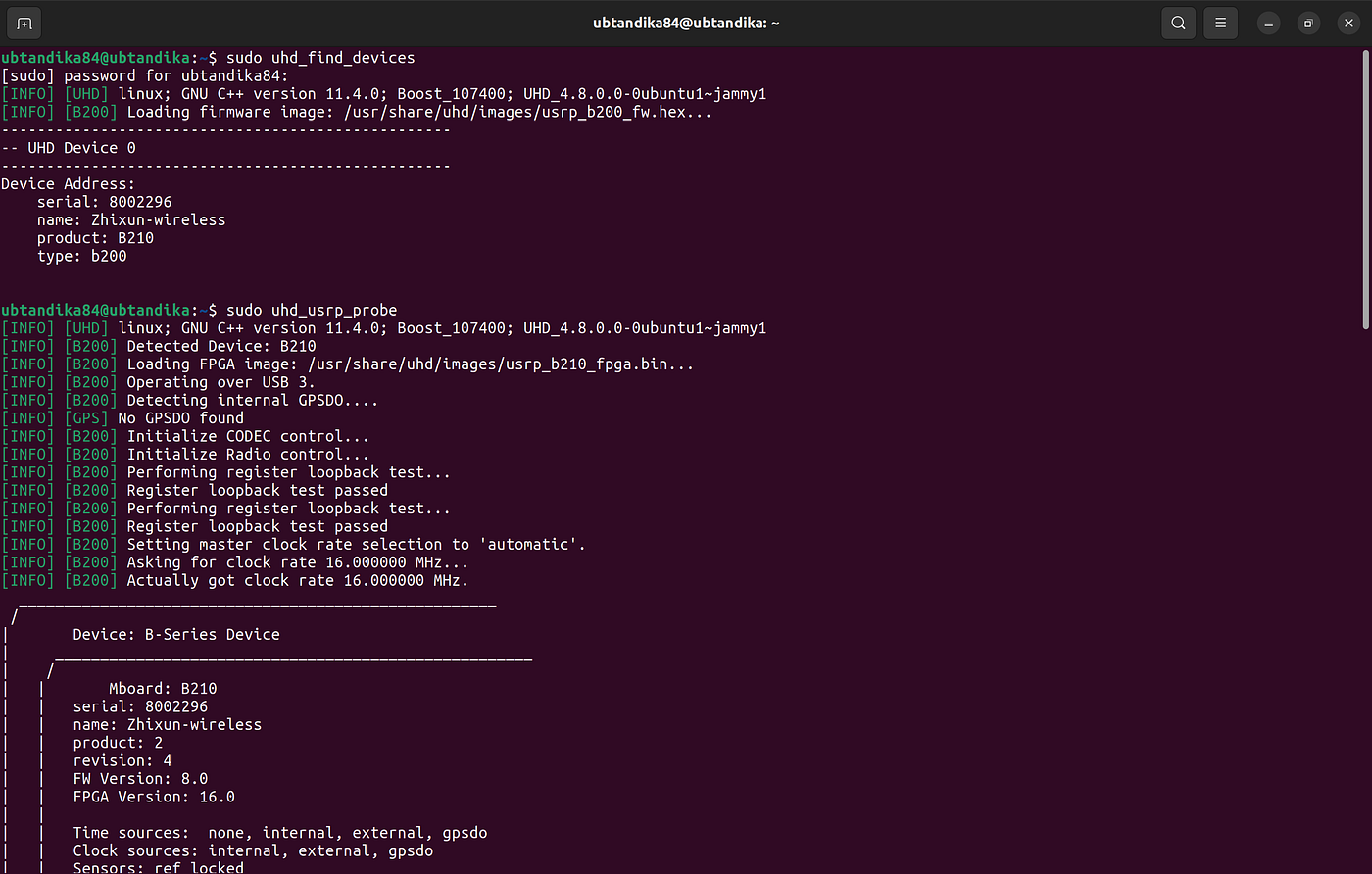
Note: I had an issue where cmake did not run properly as being expected on the “Building and Installing USRP Open-Source Toolchain on Linux”. However, I skipped the cmake steps and directly went to export LD_LIBRARY which was succesfully done and the GNU Radio on my laptop could receiver FM signal from real-world.
Note: Single USRP B210 operates in half-duplex communication for a single RF channel meaning it can either transmit or receive at a time not both simultaneously on the same channel. To be able to communicate in full-duplex on a single USRP B210, operator must configure each channel for half-duplex of either duplex mode and another channel for the rest. So, there will be two different channels on each USRP B210 (applies for Tx and Rx device). This limitation is due to the USB 3.0 interface, which uses the same data path for transmission and reception. See these references: https://www.mathworks.com/matlabcentral/answers/471371-usrp-b210-cw-trasmition-and-reception ,
Alternative:USRP Hardware Driver and USRP Manual
I tried following certain steps on that and found that the cmake steps were useful — I meant cmake needed further commands to run as expected, just see the steps especially on the cmake section.
Alternative: PySDR: A Guide to SDR and DSP using Python
Somehow, I found that useful. It said PySDR article is one of many suggested reading by wiki GNU Radio.
[embed]PySDR: A Guide to SDR and DSP using Python Edit descriptionpysdr.org
Screenshots


Probably Beneficial Resources
메타데이터
- post_id
- e7c8e409c63f
- slug
- roadmap-gnu-radio-research-projects-e7c8e409c63f
- url
- https://medium.com/@andikafpratama/roadmap-gnu-radio-research-projects-e7c8e409c63f
- canonical_url
- https://medium.com/@andikafpratama/roadmap-gnu-radio-research-projects-e7c8e409c63f
- author_url
- https://medium.com/@andikafpratama
- status
- ok
- fetched_at
- 2026-06-14 11:28:49




