I lost my craft as a designer, then built a (free) tool to get it back
A note from the designer who co-built Handle: why we made it, and why I think you should try it this week
I lost my craft as a designer, then built a (free) tool to get it back
A note from the designer who co-built Handle: why we made it, and why I think you should try it this week

Upfront disclosure: I’m the founding designer and design engineer at Tonkotsu AI, and I co-built Handle from the start. So this isn’t a customer review. It’s a builder telling you why we made the thing — and why, if you’re a designer who’s felt cornered by the way AI is reshaping our field, I think it’s worth your Tuesday afternoon.
OK, boomer
I learned to hand-code web pages before CSS existed. Font tags. Table layouts. Spacer GIFs. “Under Construction” banners and the whole catalog of mid-90s design crimes. I loved it.
I went on to finish a graduate degree in Architecture, but my whole professional career has been in designing software. My first job out of school was as an interaction designer at a place where “interaction designer” meant something closer to generalist who ships things. I designed the screens. I wrote the front-end code. When we needed a database, I helped set one up. I had a complete picture, in my head, of every layer of what we were building. So did everyone else on the team.
That kind of work used to be normal. If you were patient and willing to learn, one person could carry a piece of software from sketch to ship.
Then things changed
The stack got bigger. Frameworks took over. Mobile happened. The web turned from documents into applications, and the work of building them split into specialties — and then specialties within specialties. By the mid-2000s, design and engineering had become two distinct disciplines with two distinct toolchains and an increasingly formal handoff between them.
I hadn’t built anything in a professional work setting, in the way I built things at my first job, in over two decades. My deliverables were strictly design artifacts. Figma files. Specs. Annotated flows. I’d hand them to engineering and watch the work travel away from me, getting reinterpreted at every step.
This is what the team behind Live Product Design — the same team I work with at Tonkotsu AI — calls the translation tax: the energy we spend moving work between tools and people instead of doing the work itself. Mock it up, restage it with real-ish data, annotate the states, write the spec, walk the engineer through it, watch them rebuild it, file the follow-up ticket, watch it ship slightly degraded from what you originally drew.
The tax wasn’t theoretical for me. I lived through it forming. I watched the field I joined as a maker turn into a field where designers mostly describe things for other people to make. And the harder I tried to compensate — more detailed specs, tighter prototypes, more annotation, more meetings — the more apparent it became that the problem wasn’t effort. It was the workflow itself.
Then AI showed up…
…and a lot of designers I respect started feeling cornered. The conversation tilted toward what AI was going to take from us, and away from what it could give back. I understood the worry. I also kept thinking: wait, this is the first time in twenty years that a designer could actually work directly on the product again.
That’s why we built Handle.

What we built, and why it matters for craft
Handle Studio is a desktop app for designers and design engineers who want to work directly on their live product instead of on a representation of it. (And for solo founders who want their app to feel designed — but I’ll keep talking to my own people for the rest of this piece.)
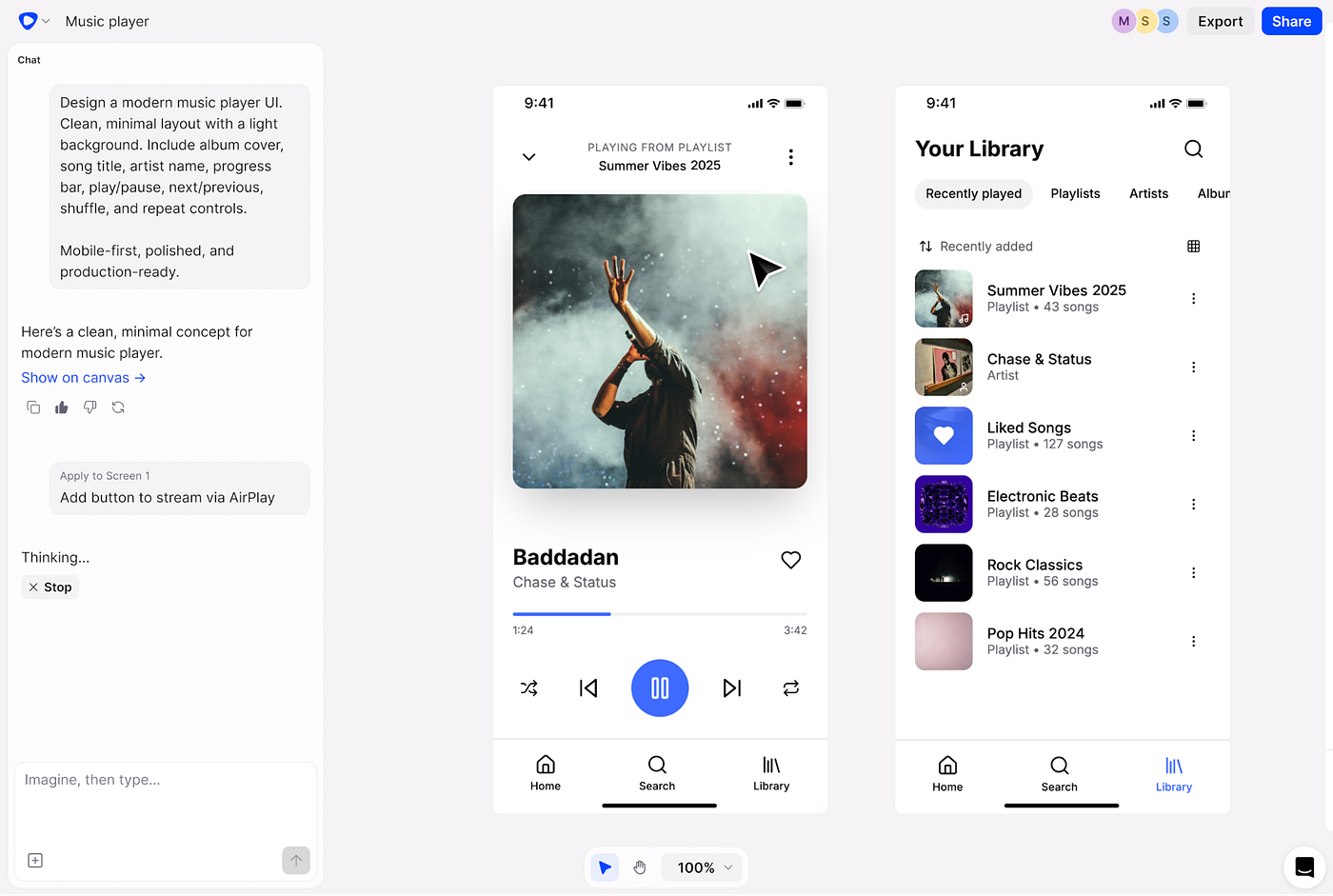
The loop is built around two things: a live preview of your product running locally on your machine, and a layer of precision visual tools that let you point at any element on the page and tell your coding agent — Claude Code, Codex, or Rovo Dev — exactly what you want changed. Resize this. Restyle that. Build me an empty state for this list. Add a settings panel here, with these fields. Whatever you’d ask any agent to do, you can ask it to do — except now you’re pointing at the actual product instead of describing it in a chat window.
That’s the part I want to be clear about, because it’s easy to undersell. Studio isn’t only for nudging spacing and typography. You can ask the agent to build whole new sections and flows, the same way you would with any coding agent. The difference — and the reason we built Studio instead of just using a terminal — is that any coding agent can build things. None of them give a designer a real visual surface to work on while it happens.
The live preview and the precision visual tools are the superpower. They’re what turn an agent from a code-generation tool into something a designer can actually direct.
When the change is right, Studio commits it back into the real codebase. Not a spec for someone else to interpret. The change itself. In the repo.
The first time I used the thing we’d built on a real project, I sat there for a minute. I had just shipped something. Not designed it. Not described it. Shipped it. After years of writing tickets that came back as “almost what I meant,” that moment hit harder than I expected. It felt like the first job again — the complete picture, restored.
What’s surprised me more is what’s happened since. I’m the only designer at Tonkotsu AI, and I’m now sending out branches and pull requests the same way the engineers do. When I make a change in Studio, it generates a sharing artifact — a branch, a PR — that the rest of the team reviews on the same surface they review each other’s work on. I’m not bypassing engineering. I’m showing up to the same review table they do, with my work in the same shape as theirs. That’s a workflow shift I didn’t see coming, and it’s quietly become the thing I’d most want other design teams to feel.
That’s what I want for you.
The confidence shift this gives designers
I’ll be honest about the part that took me longest to articulate, even while we were building this: I’m not an engineer anymore, and I haven’t been for a long time. The codebase had become a place I wasn’t allowed to go.
The thing AI tools changed — and the thing we specifically designed Handle Studio around — is that you don’t need to be an engineer to work directly on the product anymore. The agent handles the code. You handle the design. Your judgment lands directly in the thing that ships, instead of leaking out across three tools and two handoffs.
That’s the confidence shift I’m pointing at. Not “I learned to code.” It’s “I can finally trust that the thing I designed is the thing that goes live.” For a UX designer, that’s not a small thing. That’s the whole job, restored.
We didn’t build Studio to make designers into engineers. We built it so designers don’t have to be one to do their actual work.
What it’s good for
Since I’m the one telling you to try it, you should know what it’s actually for:
- Building real things, not mocking them up. New sections, new flows, new features. You direct the agent visually — point at where something should go, describe what it should do, watch it happen in the live preview.
- Refining what’s already there. Spacing, typography, color, layout, behavior. The fast, fluid changes that used to require a ticket now happen in the moment, on the actual product.
- Empty states, error states, edge cases. The stuff mockups always lie about. You see the real thing in real conditions, and you can shape it directly.
It’s not a Figma replacement for early ideation — I still sketch and explore in other tools, and we built Studio assuming you do too. But the moment the work needs to become real, Studio is where I take it. That’s the shift we were after.

Handle Studio
Try it this week (It’s free and open source)
If anything in this resonated, here’s what I’d actually do.
**First, read our Localhost series**, which we wrote as a practical guide to help product designers get up to speed on the fundamentals of web app development, how git works, and the basics of getting started with working with coding agents.
**Then download Handle Studio**. We made it free and open source— no account or credit card needed. Runs on macOS. Bring your own coding agent. As I’m writing this, even the free Codex tier works with Handle.
Pick one real project. Not a sandbox. A page or component in something you actually ship. Open it in Studio. Click on something. Change it. Land it in code.
Sit with the moment afterward. That moment is the whole reason we built this.
Designers should create outcomes, not just describe them. For most of my career that sentence was aspirational. We built Studio to make it a Tuesday afternoon.
The product is the canvas. It always should have been. We finally have a way to treat it that way. **Try it this week.** I’d love to hear what you build.
메타데이터
- post_id
- e885e43cd981
- slug
- i-lost-my-craft-as-a-designer-then-built-a-tool-to-get-it-back-e885e43cd981
- url
- https://medium.com/design-bootcamp/i-lost-my-craft-as-a-designer-then-built-a-tool-to-get-it-back-e885e43cd981
- canonical_url
- https://medium.com/design-bootcamp/i-lost-my-craft-as-a-designer-then-built-a-tool-to-get-it-back-e885e43cd981
- author_url
- https://medium.com/@samuelhoang
- status
- ok
- fetched_at
- 2026-06-09 15:37:30