Stop Uploading and Doing Nothing
You spent hours scripting, filming, editing, and finally hit publish.but zero value to yours content
18 Key Things I Do AFTER Uploading a YouTube Video (And Why Most Creators Skip Them)
You spent hours scripting, filming, editing, and finally hit publish.
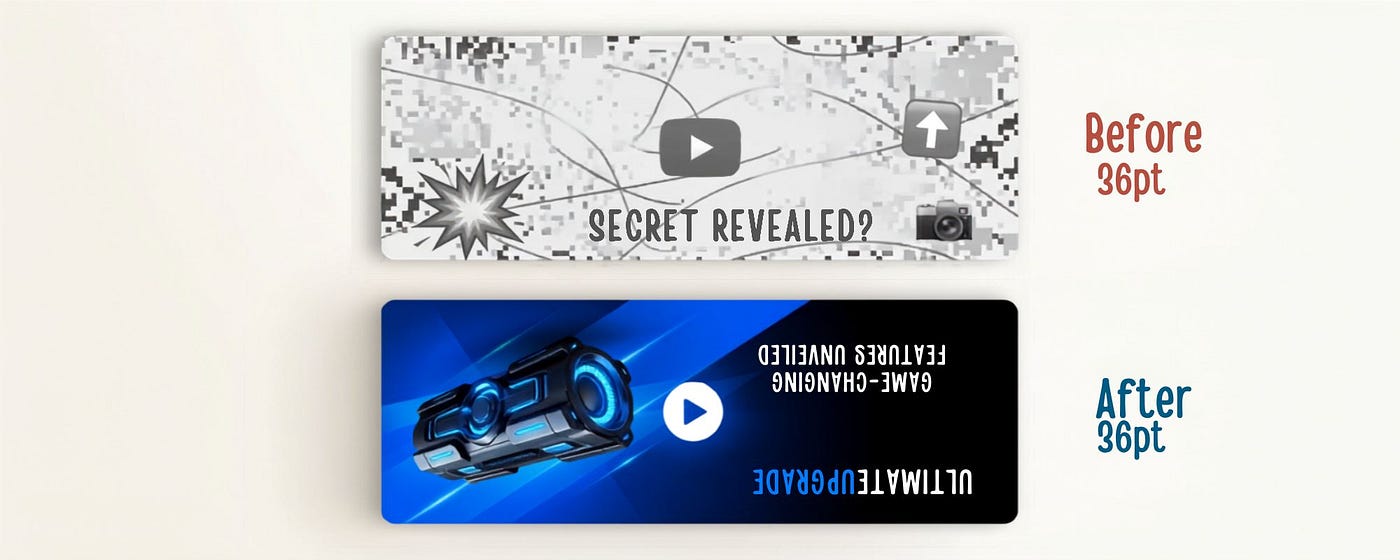
Most creators close their laptop and move on. Then they wonder why the views aren’t coming.
Here’s the uncomfortable truth: uploading is not the finish line. It’s the starting gun.
The work you do in the 24–48 hours after publishing can determine whether your video reaches 500 people or 500,000. After studying top creators and testing these steps myself, I’ve built a post-upload routine that consistently gets more views, more subscribers, and better algorithmic push.
Here are the 18 things I do after every single upload — and why each one matters.
The First 30 Minutes: The Critical Window
The YouTube algorithm pays close attention to how your video performs immediately after publishing. Early momentum signals quality.
1. Watch the Full Video on YouTube (Not in Studio)
Right after publishing, I watch the entire video from the public URL — not the editor. This registers a real view, boosts watch time, and lets me catch any final issues (wrong thumbnail loaded, caption errors, etc.) before they compound.
2. Pin a Comment to Start Engagement
The algorithm weighs comment velocity heavily in the first few hours. I write a compelling pinned comment immediately — usually a question for viewers, a key takeaway, or a bonus tip that didn’t make the video. This invites replies and gets the conversation going before the audience even arrives.
3. Like My Own Video
Yes, really. That first like shows the algorithm the video is active. Every signal counts in the early window.
The SEO Layer: Help People Find You
4. Revisit the Title and Thumbnail After Publishing
Once the video is live, I look at it as a viewer would in a cold feed. Does the title make me want to click? Does the thumbnail stand out? If something feels off, I update it within the first hour — before significant impressions roll in.
5. Optimize the Description for Search
Your description is searchable text. I include:
- A natural-language summary of the video (2–3 sentences)
- 3–5 keyword phrases people would actually search
- Timestamps (chapters) for every major section
- Links to related videos, playlists, and social channels
Most creators write two lines. Don’t be most creators.
6. Add or Refine Tags
Tags matter less than they used to — but they still help YouTube categorize your content. I add 10–15 tags: the core topic, variations, related phrases, and my channel name. Use a tool like TubeBuddy or VidIQ to find high-volume, low-competition tags.
7. Add the Video to Relevant Playlists Immediately
Playlists keep viewers watching more of your content. The moment a video publishes, I add it to every relevant playlist on my channel. This also signals to YouTube how the video connects to your existing content ecosystem.
The Promotion Push: Get the First Wave of Traffic
8. Share to Community Tab
If you have access to YouTube’s Community tab, post about the new video immediately — with a teaser, a question, or a clip. Your subscribers see this; many of them won’t have gotten the notification.
9. Email Your List
If you have a newsletter — even a small one — send a dedicated email the day of publish. Email subscribers are your most engaged audience. Their early watch time and clicks send strong signals to the algorithm.
10. Post a Native Clip to Every Platform
Don’t just drop a link on Instagram and call it promotion. Algorithms on every platform suppress external links. Instead:
- Create a 30–60 second native clip for Instagram Reels, TikTok, and YouTube Shorts
- Add captions and a strong hook
- Include a call to action: “Full video in my bio” or “Watch the full breakdown on YouTube”
One video → four pieces of content. Always.
11. Post in Relevant Facebook Groups and Reddit Communities
Find 3–5 communities where your video genuinely adds value. Don’t spam — contribute. Lead with value, mention the video naturally. Reddit in particular can drive thousands of views when done authentically.
12. DM or Tag 3–5 Collaborators or Relevant Accounts
If your video features, references, or would genuinely interest another creator or brand, let them know. A share from an aligned account can send a significant traffic spike — and builds relationships in your niche.
The Analytics Review: Learn While the Data Is Fresh
13. Check Analytics at the 24-Hour Mark
At 24 hours post-publish, I open YouTube Studio and look at:
- Click-through rate (CTR): Below 3%? The thumbnail or title might need work.
- Average view duration (AVD): Where are people dropping off?
- Traffic sources: Where is the traffic actually coming from?
This data tells you what’s working right now — while you can still make adjustments.
14. Update the Thumbnail if CTR Is Low
YouTube lets you A/B test thumbnails (with YPP). If your CTR is underperforming within the first 48 hours, swap the thumbnail. A/B test until you find the version that gets clicked. This single change can double your views.
15. Identify the Drop-Off Point and Take Notes
If viewers consistently leave at the 4-minute mark, something happens there that breaks attention. Maybe a long-winded section, a slow transition, or weak pacing. Note it for your next video. This is how you improve faster than most creators.
The Long Game: Set Up Future Success
16. Add End Screen Suggestions Strategically
After publishing, I revisit my end screens and make sure I’m pointing to the video most likely to keep that specific viewer watching. Don’t just add your latest upload — think about what a viewer of this video would want to watch next.
17. Respond to Every Comment in the First 48 Hours
Comment response rate is a metric YouTube notices. More importantly, it builds community. I respond to every comment within the first two days — not just “thanks!” but real, engaged responses. People remember when a creator actually talks to them.
18. Document What Worked for Your Next Upload
After every upload cycle, I spend 10 minutes writing down:
- What performed above or below expectations
- What I’d change about the title, thumbnail, or content structure
- One specific thing to test or improve next time
Most creators treat every video as a fresh start. The best creators treat every video as data for the next one.
The Mindset Shift That Changes Everything
Here’s what these 18 steps are really about:
Every video is a product launch, not a diary entry.
You wouldn’t build a product and skip the marketing. You wouldn’t open a store and forget to tell anyone. Yet most creators publish and passively hope the algorithm does all the work.
The algorithm rewards creators who give it signals to work with — engagement, watch time, shares, comments, clicks. Your post-upload routine is how you manufacture those early signals.
You don’t need to go viral. You need to be consistent — consistently promoting, consistently analyzing, consistently improving.
Do that, and the algorithm will eventually do the heavy lifting for you.
Your Post-Upload Checklist (Save This)
✅ Watch your full video from the public URL ✅ Pin a comment ✅ Like your own video ✅ Review and optimize title + thumbnail ✅ Write a keyword-rich description with timestamps ✅ Add and refine tags ✅ Add to playlists ✅ Post to Community Tab ✅ Email your list ✅ Create and post native clips on all platforms ✅ Share in relevant communities (Reddit, Facebook Groups) ✅ DM/tag collaborators ✅ Review 24-hour analytics ✅ A/B test thumbnail if CTR is low ✅ Note drop-off points for improvement ✅ Update end screens strategically ✅ Respond to every comment within 48 hours ✅ Document learnings for next upload
The creators who grow aren’t necessarily the most talented. They’re the most systematic.
Start treating post-upload like part of the job — because it is.
Which of these do you already do? Which are you missing? Drop it in the comments.
Follow for more YouTube growth strategies, content systems, and creator business breakdowns.
메타데이터
- post_id
- e92d5b7d0368
- slug
- stop-uploading-and-doing-nothing-e92d5b7d0368
- url
- https://medium.com/@anupriya7/stop-uploading-and-doing-nothing-e92d5b7d0368
- canonical_url
- https://medium.com/@anupriya7/stop-uploading-and-doing-nothing-e92d5b7d0368
- author_url
- https://medium.com/@anupriya7
- status
- ok
- fetched_at
- 2026-08-15 05:26:37