5 Awesome Python Automation Ideas to Simplify Your Life
5 Awesome Python Automation Ideas to Simplify Your Life

Introduction
Do you feel overwhelmed by repetitive tasks? Python automation can be your best ally to reclaim your time and focus on what truly matters. This article presents five practical projects that will transform the way you handle daily tasks. From sending automatic emails to price tracking and scheduling tweets, these ideas are perfect for both beginners and experienced coders.
1. Automate Email Sending with Python
Problem
Manually sending emails is time-consuming and tedious, especially for repetitive tasks like notifications or reminders.
Solution
Automate email sending using Python and the smtplib library.
Key Steps
- Set Up the SMTP Server:
- Use Gmail or any provider that supports SMTP.
- If using two-factor authentication, generate an app password.
2. Write the Email Sending Function:
import smtplib
from email.mime.text import MIMEText

def send_email(subject, message, to_email):
    smtp_server = 'smtp.gmail.com'
    smtp_port = 587
    from_email = 'youremail@gmail.com'
    password = 'yourpassword'

    msg = MIMEText(message)
    msg['Subject'] = subject
    msg['From'] = from_email
    msg['To'] = to_email

    with smtplib.SMTP(smtp_server, smtp_port) as server:
        server.starttls()
        server.login(from_email, password)
        server.sendmail(from_email, to_email, msg.as_string())
3. Integrate It into Your Projects: Use this function to send notifications, reports, or any type of email.
2. Remote Job Tracker
Problem
Finding specific job postings on job boards can be time-consuming and overwhelming.
Solution
Use Python to scrape data from sites like remoteok.io and receive notifications about jobs that match your preferences.
Key Steps
- Install Dependencies:
pip install requests2. Track Relevant Jobs:
import requests

def get_jobs():
    url = 'https://remoteok.io/api'
    keywords = ['Python', 'Backend']
    response = requests.get(url).json()

    jobs = [job for job in response if any(tag in job['tags'] for tag in keywords)]
    return jobs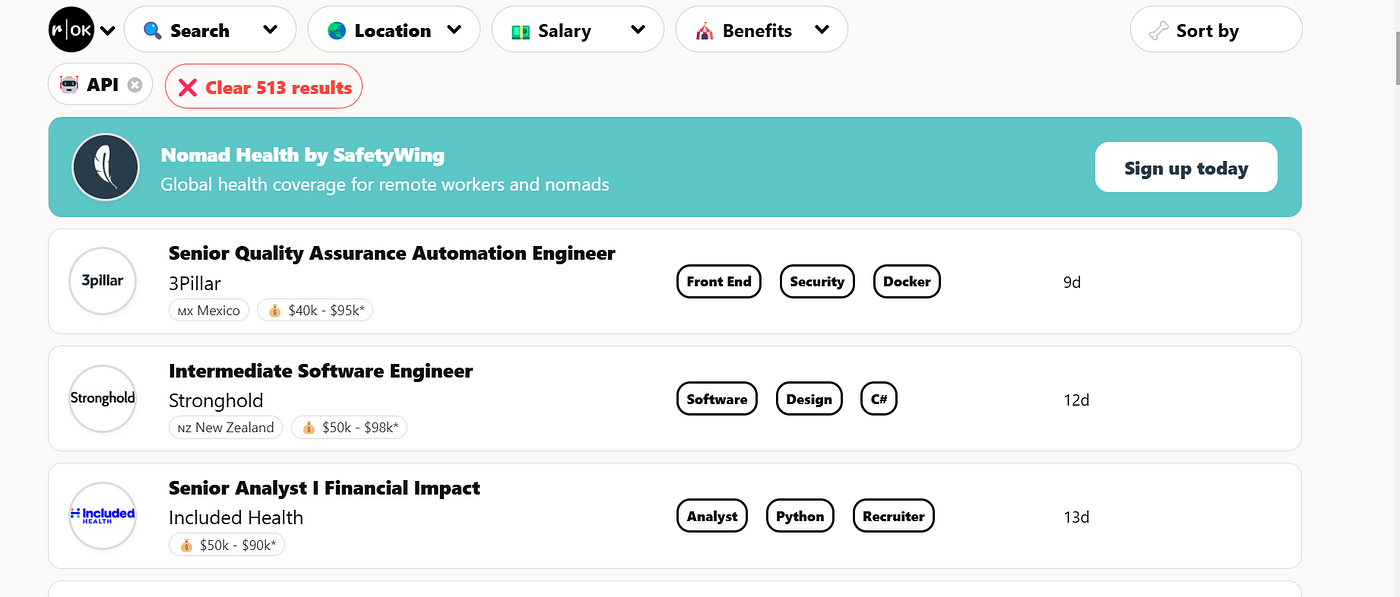
3. Integrate with Your Email Function: Send an email when a matching job is found.
3. Amazon Price Tracker
Problem
Manually tracking prices on Amazon to find the best deals is inefficient.
Solution
Create a price tracker that notifies you when the price of a product drops below your desired threshold.
Key Steps
- Install Beautiful Soup:
pip install beautifulsoup4 lxml2. Extract Product Information:
from bs4 import BeautifulSoup
import requests

def get_product_info(url):
    headers = {'User-Agent': 'your-user-agent'}
    response = requests.get(url, headers=headers)
    soup = BeautifulSoup(response.text, 'lxml')

    title = soup.find(id='productTitle').get_text(strip=True)
    price = float(soup.find(id='priceblock_ourprice').get_text(strip=True).replace('$', ''))
    return title, price
3. Set Alerts: Compare the current price with your limit and send an email if the price drops.
4. Automatic Wallpaper Changer
Problem
Manually changing your desktop wallpaper can be tedious, especially if you enjoy fresh images daily.
Solution
Use NASA’s API to download the picture of the day and set it as your wallpaper.
Key Steps
- Set Up NASA API:
- Sign up at NASA API to get your API key.
2. Download the Image:
import requests
import os

def download_image(api_key, save_path):
    url = f'https://api.nasa.gov/planetary/apod?api_key={api_key}'
    response = requests.get(url).json()
    image_url = response['url']
    image_data = requests.get(image_url).content

    with open(save_path, 'wb') as file:
file.write(image_data)3.Set as Wallpaper (Linux/Mac): Use system commands to apply the image as your wallpaper.
5. Automated Tweet Scheduler
Problem
Manually scheduling tweets can be time-consuming, especially if you manage multiple accounts.
Solution
Use the Twitter API and Google Sheets to schedule and post tweets automatically.
Key Steps
- Set Up Twitter and Google APIs:
- Get developer keys from Twitter.
- Configure the Google Sheets API and share your sheet with the service account.
2. Write Code to Post Tweets:
import tweepy
from googleapiclient.discovery import build

def post_tweet(api, message):
    api.update_status(message)

# Configure your credentials
api = tweepy.Client(consumer_key, consumer_secret, access_token, access_token_secret)
post_tweet(api, "Hello world!")
3. Automate with Cron Jobs: Schedule the script to run at regular intervals.
Conclusion
Automation not only saves time but also opens up endless possibilities to enhance your productivity. These projects are just the beginning; with Python, the opportunities are limitless.
If you want to deepen your programming skills and take on more advanced projects, check out DataCamp. Their interactive platform is perfect for learning Python, data science, and automation at your own pace. Use this affiliate link to start your journey today! Let me know in the comments which automation idea you’re excited to try first!
- Datacamp Platform
- Follow me on Linkedin https://www.linkedin.com/in/kevin-meneses-897a28127/
- Medium https://medium.com/@kevinmenesesgonzalez/subscribe
메타데이터
- post_id
- e93c787fe537
- slug
- 5-awesome-python-automation-ideas-to-simplify-your-life-e93c787fe537
- url
- https://towardsdev.com/5-awesome-python-automation-ideas-to-simplify-your-life-e93c787fe537
- canonical_url
- https://towardsdev.com/5-awesome-python-automation-ideas-to-simplify-your-life-e93c787fe537
- author_url
- https://medium.com/@kevinmenesesgonzalez
- status
- ok
- fetched_at
- 2026-07-31 22:50:39



