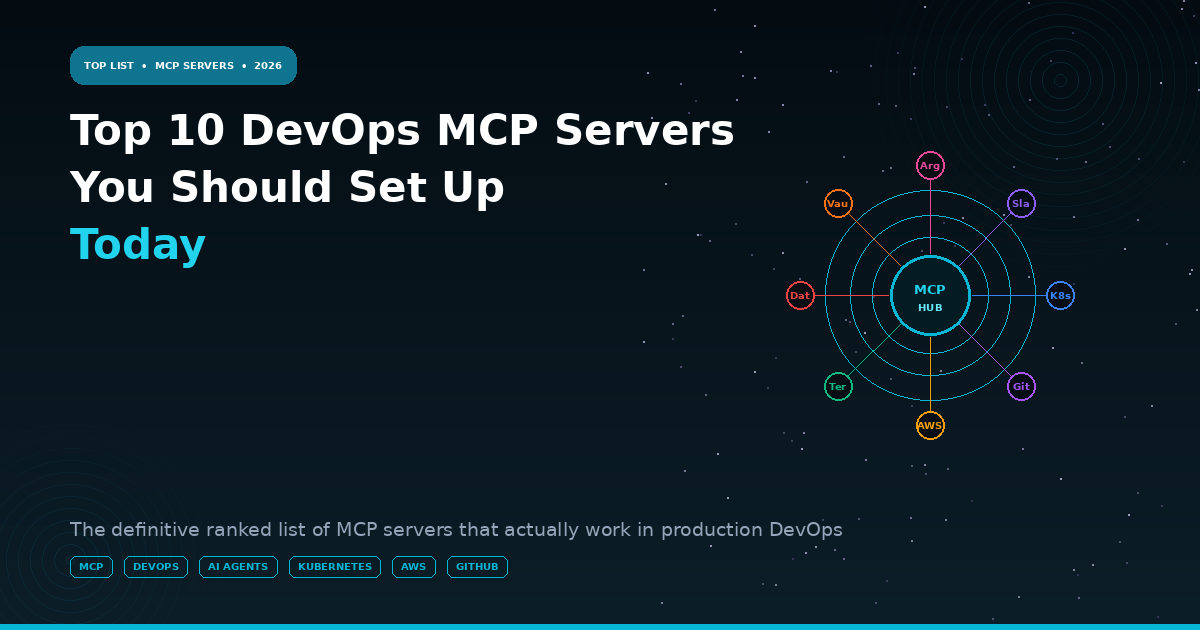
Top 10 DevOps MCP Servers You Should Set Up Today
Model Context Protocol (MCP) is the most important developer tooling shift of 2026. In under twelve months it went from Anthropic research…
Top 10 DevOps MCP Servers You Should Set Up Today
Model Context Protocol (MCP) is the most important developer tooling shift of 2026. In under twelve months it went from Anthropic research paper to the plumbing underneath thousands of production AI agent workflows. The core idea is disarmingly simple: instead of building custom integrations between every AI model and every tool it needs to use, MCP provides a single, open protocol — a USB-C port for AI tool access. Any MCP server exposes tools to any MCP-compatible client. Any AI assistant, agent framework, or IDE plugin that speaks MCP can use every server ever written.
For DevOps and platform engineering teams, this is not an incremental improvement — it is a paradigm shift. Before MCP, connecting an AI assistant to your infrastructure meant building a bespoke integration: a LangChain tool that wraps kubectl, a custom function call that queries your Prometheus API, a chain that pulls from GitHub and writes to Jira. With MCP, those integrations already exist as community and vendor-built servers. You install the server, configure a credential, and your AI assistant can query your Kubernetes cluster, check your AWS resource state, create GitHub pull requests, and post to Slack — all from a single conversation.
This guide covers the ten MCP servers that deliver the most immediate, practical value for DevOps workflows. For each server, we cover what it does, how to install and configure it, the specific use cases it unlocks, and the security considerations you need to address before connecting it to a production environment.
BEFORE YOU START
MCP servers run locally on your machine or in your infrastructure. The AI model calls them — it does not have direct access to your credentials. Treat MCP server credentials exactly as you would CI/CD service account credentials: minimum required permissions, rotated regularly, never hardcoded in configuration files. The security model is sound; the implementation discipline is your responsibility.
The MCP Ecosystem: How It Works
An MCP server exposes a set of typed tools — each tool has a name, a description (which the AI uses to decide when to invoke it), and typed parameters. The AI model decides which tools to call based on the user’s request and the tool descriptions. Results are returned in a structured format that the AI incorporates into its response.

Claude Desktop MCP configuration (~/.config/claude/claude_desktop_config.json)
{
“mcpServers”: {
“kubernetes”: {
“command”: “uvx”,
“args”: [“mcp-server-kubernetes”],
“env”: {
“KUBECONFIG”: “/home/user/.kube/config”
}
},
“github”: {
“command”: “npx”,
“args”: [“-y”, “@modelcontextprotocol/server-github”],
“env”: {
“GITHUB_PERSONAL_ACCESSTOKEN”: “ghp…”
}
}
}
}
The Top 10 DevOps MCP Servers
#1 Kubernetes MCP Server — kubectl access from your AI assistant
Repository
github.com/manusa/yakc or mcp-server-kubernetes (multiple community implementations)
Install
uvx mcp-server-kubernetes OR pip install mcp-server-kubernetes
Auth
Uses your existing kubeconfig — no additional credentials required
Key Tools
list_pods, get_pod_logs, describe_resource, apply_manifest, get_events, exec_command, get_resource_usage
Read-Only Mode
Set KUBECONFIG to a context with read-only RBAC for safe AI investigation
Best Workflow
Incident triage: ‘What pods are failing in the payments namespace and what do their logs say?’
Security Note
Start with a read-only service account. Add write tools (apply, delete) only after validating AI behaviour in your environment
The Kubernetes MCP server is the highest-value DevOps MCP integration in 2026. The typical SRE workflow before MCP: open 4 terminal tabs, run kubectl commands across namespaces, grep through logs, cross-reference with Datadog. With MCP: ask a single question in Claude Desktop and the AI queries all of those sources simultaneously, correlates the results, and synthesises a structured answer.
What you can now ask your AI assistant:
‘Which pods in production have restarted more than 5 times today?’
‘Show me the logs from the payments-api pod that crashed at 14:23’
‘What is the CPU and memory usage across all nodes in the cluster?’
‘Are there any pods in CrashLoopBackoff state across all namespaces?’
‘What changed in the last 2 hours across all deployments?’
Read-only RBAC for safe AI investigation:
apiVersion: rbac.authorization.k8s.io/v1
kind: ClusterRole
metadata:
name: ai-readonly
rules:
- apiGroups: [‘*’]
resources: [‘*’]
verbs: [‘get’, ‘list’, ‘watch’]
- apiGroups: [‘’]
resources: [‘pods/log’, ‘pods/exec’]
verbs: [‘get’, ‘create’]
#2 GitHub MCP Server — PR creation, code search, and repository operations
Repository
github.com/modelcontextprotocol/servers/tree/main/src/github (official)
Install
npx -y @modelcontextprotocol/server-github
Auth
GITHUB_PERSONAL_ACCESS_TOKEN — use fine-grained tokens with minimum scope
Key Tools
search_code, list_issues, create_pull_request, get_file_contents, create_issue, list_commits, create_or_update_file
Best Workflow
‘Find all files in this repo that import the deprecated auth library and create a PR updating them’
Power Feature
Cross-repo search: ‘Which repositories in our org are using a version of lodash below 4.17.21?’
Security Note
Use a fine-grained PAT scoped to specific repositories. Never use a classic token with org-wide access.
#3 AWS MCP Server — EC2, S3, IAM, CloudWatch and the full AWS API surface
Repository
github.com/awslabs/mcp (official AWS Labs)
Install
pip install awslabs-mcp-server OR uvx awslabs.mcp-server
Auth
AWS credentials via environment, ~/.aws/credentials, or IAM role (recommended for EC2/ECS deployments)
Key Tools
describe_instances, list_s3_objects, get_cloudwatch_metrics, describe_security_groups, list_iam_roles, get_cost_explorer_data
Best Workflow
Cost investigation: ‘Which EC2 instances have been running for more than 30 days with CPU below 5%?’
Power Feature
Cross-service correlation: ‘Show me all resources tagged with Project=payments across EC2, RDS, and ElastiCache’
Security Note
Create a dedicated IAM role with read-only access. Use AWS IAM condition keys to restrict to specific regions and resource tags.
#4 Datadog MCP Server — Metrics, monitors, incidents, and dashboard queries
Repository
github.com/datadog/datadog-mcp-server (official Datadog)
Install
npx -y @datadog/mcp-server (or via pip install datadog-mcp)
Auth
DATADOG_API_KEY + DATADOG_APP_KEY — use a dedicated read-only application key
Key Tools
query_metrics, list_monitors, get_incidents, search_logs, get_dashboard, list_hosts
Best Workflow
‘Show me the p99 latency for the checkout service over the last 24 hours and flag any anomalies’
Power Feature
AI-driven dashboarding: ‘Create a PromQL-equivalent query for all services with error rate above 1% in the last hour’
Security Note
Application keys grant significant access. Scope to specific organisations and use a read-only IAM role equivalent within Datadog.
#5 HashiCorp Vault MCP Server — Secret retrieval and dynamic credential generation
Repository
github.com/hashicorp/vault-mcp-server
Install
go install github.com/hashicorp/vault-mcp-server@latest
Auth
Vault token or AppRole — restrict to specific secret paths with Vault policies
Key Tools
read_secret, list_secrets, generate_dynamic_credential, check_lease_status
Best Workflow
‘Generate a short-lived AWS credential for the payments-service role and show me the current secret version for the database password’
Power Feature
Dynamic credentials: AI can generate a 30-minute database credential for investigation without needing long-lived secrets
Security Note
NEVER connect a Vault MCP server with root or admin-level tokens. Create a dedicated policy scoped to the specific paths your AI workflows need. Audit all Vault API calls via Vault audit logs.
#6 Terraform / OpenTofu MCP Server — State inspection and plan analysis
Repository
community: github.com/dkurilov/terraform-mcp-server (most complete)
Install
uvx terraform-mcp-server
Auth
Terraform Cloud API token, or local state file access
Key Tools
get_state, show_resources, list_workspaces, get_outputs, describe_resource, search_state
Best Workflow
‘What AWS resources does the payments workspace currently manage, and are there any that are not tagged with a CostCenter?’
Power Feature
Drift analysis: ‘Show me all resources in the production state that have been modified outside of Terraform in the last 7 days’
Security Note
State files contain sensitive data. Use Terraform Cloud remote state with scoped API tokens rather than exposing local state files.
#7 Argo CD MCP Server — GitOps sync status, application health, and rollback
Repository
community: github.com/akshetpandey/mcp-server-argocd
Install
npx mcp-server-argocd
Auth
Argo CD API token — use a read-only account for investigation, separate account for sync operations
Key Tools
list_applications, get_app_status, sync_application, get_sync_history, rollback_application
Best Workflow
‘Which applications are out of sync, when were they last synced, and what changed in Git since the last successful sync?’
Power Feature
Deployment correlation: ‘Show me all deployments that happened in the last 2 hours alongside the current error rate for each service’
Security Note
Enable Argo CD RBAC to restrict the MCP token to read-only operations. Sync and rollback operations require explicit human confirmation before execution.
#8 Slack MCP Server — Channel messaging, thread reading, and workflow notifications
Repository
github.com/modelcontextprotocol/servers/tree/main/src/slack (official)
Install
npx -y @modelcontextprotocol/server-slack
Auth
SLACK_BOT_TOKEN — create a dedicated bot with minimum required scopes
Key Tools
post_message, reply_to_thread, read_channel_history, list_channels, search_messages
Best Workflow
Incident communication: ‘Post a status update to #incidents with the current investigation summary and create a dedicated thread for the payments-api outage’
Power Feature
Incident search: ‘Search Slack for the last 3 times the checkout service had elevated error rates and summarise what the resolution was each time’
Security Note
Bot token scopes to request: chat:write, channels:read, channels:history, search:read. Do not grant files:write unless specifically needed.
#9 PagerDuty MCP Server — Incident management, escalation, and on-call queries
Repository
community: github.com/wpflames/pagerduty-mcp-server (most complete)
Install
pip install pagerduty-mcp-server
Auth
PAGERDUTY_API_KEY — use a read-only API key for investigation workflows
Key Tools
list_incidents, get_incident, create_incident, acknowledge_incident, list_on_call, get_service_status
Best Workflow
‘Who is currently on-call for the payments team, are there any open P1 incidents, and what is the MTTR trend for the last 30 days?’
Power Feature
On-call intelligence: ‘Show me the 5 services with the highest alert volume this week and the engineers who handled them’
Security Note
Read-only API keys are available in PagerDuty. Use them for investigation workflows; incident creation and acknowledgement require explicit human approval gates.
#10 Linear MCP Server — Engineering backlog, sprint planning, and issue tracking
Repository
github.com/linear/linear-mcp-server (official)
Install
npx -y @linear/mcp-server
Auth
LINEAR_API_KEY — personal API key or OAuth application token
Key Tools
list_issues, create_issue, update_issue, list_projects, get_cycles, search_issues
Best Workflow
Postmortem automation: ‘Create Linear issues for each action item in this postmortem, assign them to the relevant team, and add them to the current sprint’
Power Feature
Sprint intelligence: ‘What is the velocity trend for the platform team over the last 6 sprints and which issue types are taking longest to close?’
Security Note
Linear API keys grant full account access. Use an OAuth application token scoped to specific teams where possible.
Combining MCP Servers: Multi-Tool Workflows
The real power of MCP is not any single server — it is the workflows that emerge when multiple servers are active simultaneously and the AI can reason across all of them.
Workflow 1: Autonomous Incident Investigation
With Kubernetes + Datadog + GitHub + Slack MCPs active:
User: ‘The payments service is throwing errors. Investigate and summarise.’
AI actions (sequential, with each result informing the next):
1. [Kubernetes MCP] List pods in payments namespace — finds 2 in CrashLoopBackoff
2. [Kubernetes MCP] Get logs from crashed pods — finds OutOfMemoryError
3. [Datadog MCP] Query memory metrics for payments pods — confirms OOM spike at 14:23
4. [GitHub MCP] Check recent commits to payments-service — finds memory config changed
5. [Argo CD MCP] Get sync history — confirms deployment at 14:19
6. [Slack MCP] Post summary to #incidents with root cause and rollback recommendation
Total time: ~45 seconds vs 15–25 minutes of manual investigation
Workflow 2: Infrastructure Drift Report
With Terraform + AWS + GitHub MCPs active:
User: ‘Generate a drift report for production infrastructure’
AI actions:
1. [Terraform MCP] Get all resources in production state
2. [AWS MCP] Describe the corresponding AWS resources
3. Compare: identify resources modified outside Terraform
4. [GitHub MCP] Check for recent IaC PRs that might explain legitimate changes
5. Generate structured drift report with confidence rating for each finding
Workflow 3: Postmortem Action Item Creation
With PagerDuty + GitHub + Linear + Slack MCPs active:
User: ‘Create action items from last week’s checkout outage postmortem’
AI actions:
1. [PagerDuty MCP] Get incident details and timeline
2. [Slack MCP] Search #postmortems for the relevant thread
3. Extract action items from the postmortem document
4. [Linear MCP] Create issues for each action item with proper assignees
5. [GitHub MCP] Create tracking issue linking all action items
6. [Slack MCP] Post summary to #postmortems thread
Security Architecture for Production MCP

GETTING STARTED
Install the Kubernetes MCP server today — it requires zero new credentials (uses your existing kubeconfig) and delivers immediate value. Run one incident investigation through it. The experience of getting a structured multi-source diagnosis in 90 seconds rather than 20 minutes will make the case for every other MCP server integration on this list self-evident.
메타데이터
- post_id
- e9bd72eb33cb
- slug
- top-10-devops-mcp-servers-you-should-set-up-today-e9bd72eb33cb
- url
- https://medium.com/devops-ai-decoded/top-10-devops-mcp-servers-you-should-set-up-today-e9bd72eb33cb
- canonical_url
- https://medium.com/devops-ai-decoded/top-10-devops-mcp-servers-you-should-set-up-today-e9bd72eb33cb
- author_url
- https://medium.com/@shahneel2409
- status
- ok
- fetched_at
- 2026-06-13 16:23:23