React Global State Management Library? Nope, I Just Use the URL
If you’re developing with React, you can’t avoid managing global state. Even if you intend to just build pure UI components, there will inev
React Global State Management Library? Nope, I Just Use the URL
Did the title catch your eye? Great, that means it worked!
If you’re developing with React, you can’t avoid managing global state. Even if you intend to just build pure UI components, there will inevitably be a situation where you need to modify a state used by one part of your app from another part. That’s when you start feeling the urge for global state management. But, honestly, using Redux just for this? It’s a bit overkill. Plus, there’s Recoil, Zustand, Valtio… or maybe Context API? But then there’s re-render optimization to worry about. 🥵 It’s just too much to handle.
So I decided to stuff everything into the URL instead. 😂
But wait, this isn’t just some random hype. I mean, someone once said a real man’s database is the URL, right? If you use the URL like it’s local storage, other components can also share the state easily, right? Plus, since the state is retained even after refreshing the page, it makes development so much easier. Users love it too. It’s practically a win-win strategy for state management!
To make this happen, I created the useQueryParams hook. You’ll find the complete code at the end, so feel free to copy-paste and use it. (It’s honestly too trivial to make into a library.)
Now, let’s explore how the URL can be a viable alternative for state management.
The Magic of URLs and State: How Does It Work? 🎭✨
Let me explain the core of this approach with a simple diagram.
+-------------------+       on mount           +-------------------+
|                   | -----------------------> |                   |
|    brower URL     |                          |    react state    |
|                   |                          |  (useQueryParams) |
|                   | <----------------------- |                   |
+-------------------+       sync by hook       +-------------------+
Let’s break down how it works:
-
Passing State on Mount (Browser URL → React State): — When the page initially loads, the
useQueryParamshook reads the query parameters from the URL. — These query parameters are then converted into React state. — Example:?page=2&search=react→{ page: 2, search: “react” } -
Synchronization via Hook (React State → Browser URL): — When you change the state in a component, the
useQueryParamshook detects the change. — The updated state is automatically reflected in the URL’s query parameters. — Example:setParams({ page: 3 })→ URL is updated to?page=3&search=react
It handles the bidirectional synchronization that React usually dislikes, keeping the URL and React state in sync. Whenever the URL changes, the state changes, and vice versa. It’s simple and effective!
Hold On!! Why Use the URL for State Management?
-
Safe on Refresh — The state persists even if you refresh the page. This makes development super convenient!
-
Easy Sharing — You can share the current state by simply sharing the URL. Great for collaboration.
-
Bookmarking — You can bookmark a page with a specific state, making it easy to return to that state later.
-
Seamless Browser History Integration — Back and forward buttons work naturally, which greatly enhances the user experience.
-
Great with Server-Side Rendering (SSR) — The initial state is easily accessible on the server, simplifying SSR.
-
No Extra Libraries Needed — You can implement it with pure React without additional dependencies.
-
Simplified Debugging — The state is directly exposed in the URL, making debugging much easier.
Using the useQueryParams Hook: A Practical Example 🚀
Now, let’s look at how to use this magical useQueryParams hook in a real scenario. Here’s an example of a page with a simple search feature:
import React from 'react';
import { useQueryParams } from './useQueryParams';

function SearchPage() {
 const [{ query = '', page = 1 }, setParams] = useQueryParams({
 query: 'string',
 page: 'number'
 });

const handleSearch = (event) => {
   event.preventDefault();
   setParams({ query: event.target.search.value, page: 1 });
 };

const handleNextPage = () => {
   setParams({ page: page + 1 });
 };

return (
 <div>
   <form onSubmit={handleSearch}>
     <input
     name="search"
     defaultValue={query}
     placeholder="Enter search term"
     />
     <button type="submit">Search</button>
   </form>

   <div>
     Search: {query}, Page: {page}
   </div>

   <button onClick={handleNextPage}>Next Page</button>
 </div>
 );
}
What are the benefits of this example?
- The URL is automatically updated to something like
[https://yourapp.com/search?query=react&page=2](https://yourapp.com/search?query=react&page=2`). - If you share this URL, the recipient will see the same search results and page.
- The search term and page number are preserved even after refreshing the page.
- The browser’s back and forward buttons work naturally.
- Many web apps and collaboration tools already use this approach to store state in the URL!
And all this happens without us writing any additional logic! The useQueryParams hook takes care of all the complexity for us.
The Secrets of useQueryParams: Considerations Made 🕵️♂️
When building useQueryParams, I wanted to create not just working code, but truly good code. Let me share a few of the key considerations:
1. Selective Rendering: No Unnecessary Re-renders 🚫
Unnecessary re-renders are the enemy of performance in React. This was the main thing I focused on while building useQueryParams.
const [params, setParams] = useQueryParams({
 page: 'number',
 search: 'string'
});
Here, we have page and search parameters. Even if other query parameters are updated elsewhere, this component won’t re-render unless these two specific parameters change. To achieve this, I implemented logic to track changes to each parameter individually, ensuring that only necessary parts are updated.
If you used Next.js’s useSearchParams or usePathname, this fine-grained control wouldn’t be possible. Those hooks re-render whenever the URL changes even slightly. But not our useQueryParams. 😎
2. Type Inference: Fully Leveraging TypeScript 💪
If you’re not fully utilizing TypeScript, it’s no different from using JavaScript. useQueryParams maximizes TypeScript’s capabilities.
const [params, setParams] = useQueryParams({
  page: 'number',
 search: 'string'
});
// At this point, what does the IDE tell us?
// params: { page?: number; search?: string }
// setParams: (newParams: Partial<{ page?: number; search?: string }>) => void
See? It automatically infers the parameter types and precisely specifies the argument type for the setParams function. This isn’t just type assignment — it’s a showcase of advanced TypeScript skills.
3. Perfect Compatibility with Next.js: SSR Friendly 🔄
To receive query strings server-side, usePathname isn’t enough if we want to avoid unnecessary re-renders. So I dug into Next.js’s codebase and found this hidden module that serves our needs:
import { staticGenerationAsyncStorage } from "next/dist/client/components/static-generation-async-storage.external";

function getSearchParams() {
 return new URLSearchParams(getSearchString())
}

function getSearchString(): string {
 const isBrowser = typeof window !== 'undefined'
  if (!isBrowser) {
     const store = staticGenerationAsyncStorage.getStore()
     const pathname = store?.urlPathname
     if (pathname == null) return ''
     const q = pathname.match(RegExp(/[?w+]/))?.index
     if (q == null) return ''
    return pathname.substring(q)
   }
  return window.location.search
}
By understanding Next.js’s internal workings, I created a hook that works perfectly in SSR environments. It correctly handles the URL both on the client side and server side.
Wrapping Up: Full Code Below 🌟
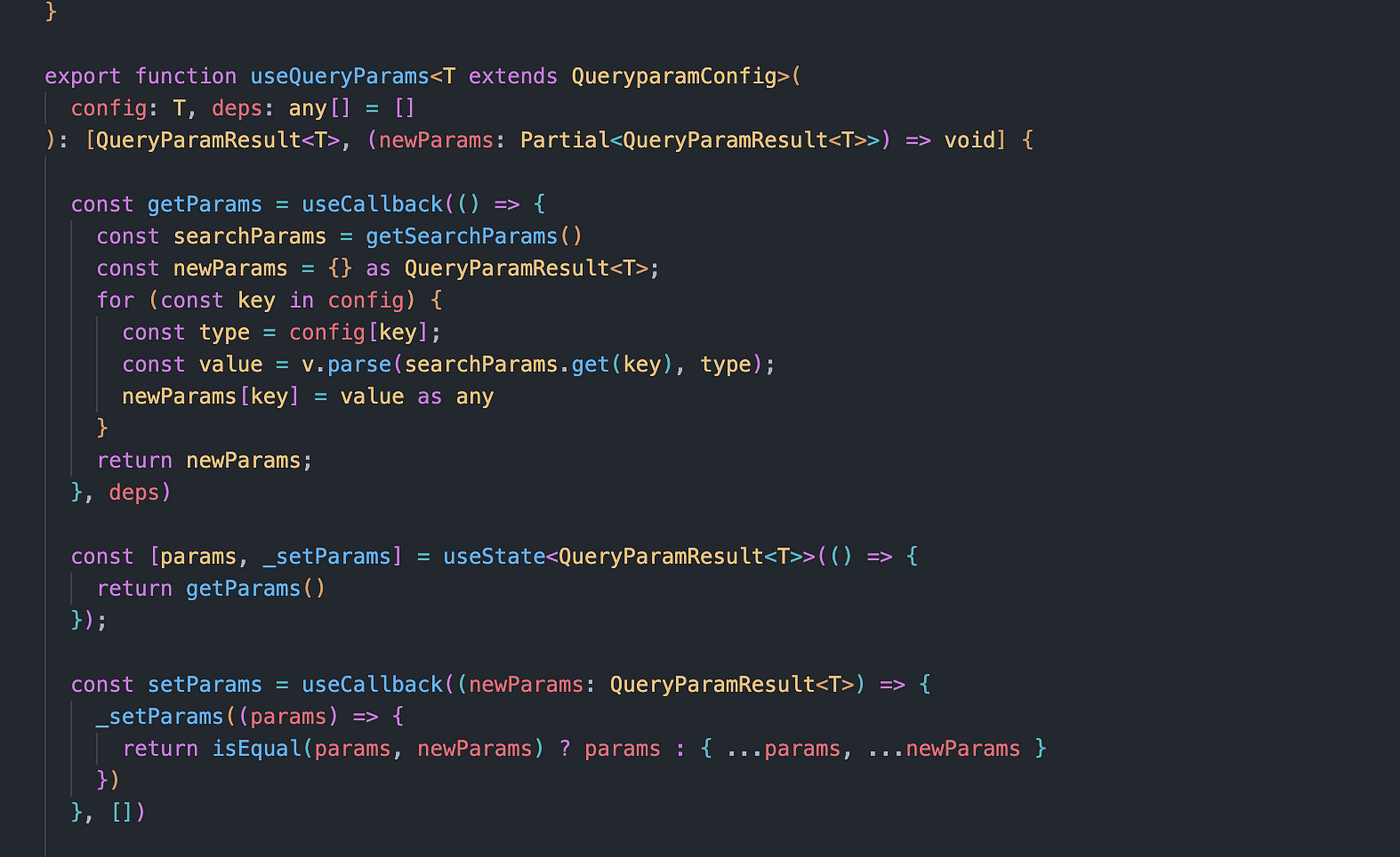
Maybe re-renders don’t matter too much, but if a few lines of code can avoid unnecessary re-renders and handle URL state management, why not? Here’s the complete code I wrote:
import { useEffect, useState, useCallback } from 'react';

type QueryparamTypeMap = {
  'string': string
  'boolean': boolean
  'number': number
}

type QueryParamType = keyof QueryparamTypeMap

type QueryparamConfig = {
  [key in string]: QueryParamType
}

type QueryParamResult<T extends QueryparamConfig> = {
  [key in keyof T]?: QueryparamTypeMap[T[key]]
}

const v = {
  parse(
    value: string | null,
    type: QueryParamType
  ) {
    if (value === null) return undefined;
    switch (type) {
      case 'string':
        return value;
      case 'number':
        return Number(value);
      case 'boolean':
        return value === 'true';
    }

  },
  serialize(value: any, type: QueryParamType) {
    if (value === undefined || value === null) return undefined;
    switch (type) {
      case 'string':
        return String(value);
      case 'number':
        return String(value);
      case 'boolean':
        return value ? 'true' : 'false';
    }
  }
}

export function useQueryParams<T extends QueryparamConfig>(
  config: T, deps: any[] = []
): [QueryParamResult<T>, (newParams: Partial<QueryParamResult<T>>) => void] {

  const getParams = useCallback(() => {
    const searchParams = getSearchParams()
    const newParams = {} as QueryParamResult<T>;
    for (const key in config) {
      const type = config[key];
      const value = v.parse(searchParams.get(key), type);
      newParams[key] = value as any
    }
    return newParams;
  }, deps)

  const [params, _setParams] = useState<QueryParamResult<T>>(() => {
    return getParams()
  });

  const setParams = useCallback((newParams: QueryParamResult<T>) => {
    _setParams((params) => {
      return isEqual(params, newParams) ? params : { ...params, ...newParams }
    })
  }, [])

  const syncParams = useCallback((newParams: Partial<QueryParamResult<T>>) => {
    if (typeof window === 'undefined') return;

    const searchParams = getSearchParams()
    for (const key in newParams) {
      const type = config[key];
      const value = v.serialize(newParams[key], type);
      if (value != null) {
        searchParams.set(key, value);
      } else {
        searchParams.delete(key);
      }
    }
    const newUrl =
      window.location.pathname +
      '?' +
      searchParams.toString() +
      window.location.hash;

    pushState(newUrl)

  }, deps);

  useEffect(() => {
    const handleStateChange = () => {
      const newParams = getParams()
      setParams(newParams);
    };

    window.addEventListener('popstate', handleStateChange);
    pushStateEventManager.addEventListener(handleStateChange)

    return () => {
      window.removeEventListener('popstate', handleStateChange);
      pushStateEventManager.removeEventListener(handleStateChange)
    }
  }, deps);

  return [params, syncParams];
}

const pushStateEventManager = function () {
  let subscribers: (Function)[] = []

  return {
    notify: () => {
      subscribers.forEach((callback) => {
        callback()
      })
    },
    addEventListener: (callback: Function) => {
      subscribers.push(callback)
    },
    removeEventListener: (callback: Function) => {
      subscribers = subscribers.filter((v) => callback !== v)
    }
  }
}()

export function pushState(newUrl: string) {
  window.history.pushState({}, '', newUrl)
  pushStateEventManager.notify()
}

import { staticGenerationAsyncStorage } from "next/dist/client/components/static-generation-async-storage.external";

function getSearchParams() {
  return new URLSearchParams(getSearchString())
}

function getSearchString(): string {
  const isBrouswer = typeof window !== 'undefined'

  if (!isBrouswer) {
    const store = staticGenerationAsyncStorage.getStore()
    const pathname = store?.urlPathname
    if (pathname == null) return ''
    const q = pathname.match(RegExp(/[?w+]/))?.index
    if (q == null) return ''

    return pathname.substring(q)
  }

  return window.location.search
}

function isEqual(a: any, b: any): boolean {
  if (a === b) return true
  if (typeof a !== typeof b) return false

  if (typeof a === 'object') {
    const aEntries = Object.entries(a)
    const bEntries = Object.entries(b)

    if (aEntries.length !== bEntries.length) return false

    return aEntries.every(([key, value]) => b[key as any] === value)
  }

  return false
}
메타데이터
- post_id
- ea2271b40c7e
- slug
- react-global-state-management-library-nope-i-just-use-the-url-ea2271b40c7e
- url
- https://medium.com/@wjdwoeotmd/react-global-state-management-library-nope-i-just-use-the-url-ea2271b40c7e
- canonical_url
- https://medium.com/@wjdwoeotmd/react-global-state-management-library-nope-i-just-use-the-url-ea2271b40c7e
- author_url
- https://medium.com/@wjdwoeotmd
- status
- ok
- fetched_at
- 2026-07-19 00:27:16