Brave Launches Brave Origin for $60 — Here’s Why the Price is Not Worth It
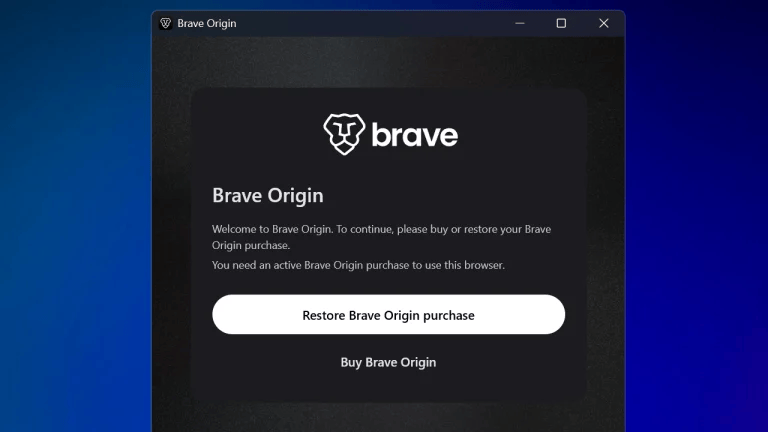
A few days ago, Brave announced Brave Origin, a browser that is based on the original Brave browser, without the extras that help earn…
Brave Launches Brave Origin for $60 — Here’s Why the Price is Not Worth It
Photo by appshunter.io on Unsplash
A few days ago, Brave announced Brave Origin, a browser that is based on the original Brave browser, without the extras that help earn Brave money.
According to the official website:
“Brave Origin is a paid* version of the browser for users who don’t need all the features that support Brave as a business, but still want the privacy that only Brave offers. Origin users will continue to benefit from our industry-leading privacy, adblock, and speed (via Shields), as well as regular software updates, Chromium patches, and security and privacy improvements. Origin will remove** most other features from the browser.
- Origin is available as a free download for Linux desktop users.
** If you opt to use Origin as an upgrade to the existing version of Brave on your device, you’ll unlock a new Settings panel where you can toggle features on / off as you wish.”
In other words, Brave is releasing a paid minimal browser without the extras, as well as an upgrade option to existing Brave users.
I even wrote that you “pay a few dollars” for Brave Origin. Supporting Brave is commendable, but you don’t have to pay $60 to remove the unnecessary features. Instead, I have two free and legal workarounds you can use.
Brave Origin Linux Version On Windows
Go to this site to download and configure the Linux Brave Origin on Windows. The Github page provides clear instructions on how to set up.
Brave Registry Entries
On Windows, open Notepad, and paste these registry entries:
Windows Registry Editor Version 5.00

[HKEY_LOCAL_MACHINE\SOFTWARE\Policies\BraveSoftware\Brave]
"BraveAIChatEnabled"=dword:00000000
"BraveNewsDisabled"=dword:00000001
"BraveP3AEnabled"=dword:00000000
"BraveRewardsDisabled"=dword:00000001
"BraveSpeedreaderEnabled"=dword:00000000
"BraveStatsPingEnabled"=dword:00000000
"BraveTalkDisabled"=dword:00000001
"BraveVPNDisabled"=dword:00000001
"BraveWalletDisabled"=dword:00000001
"BraveWaybackMachineEnabled"=dword:00000000
"BraveWebDiscoveryEnabled"=dword:00000000
"TorDisabled"=dword:00000001
"ExtensionManifestV2Availability"=dword:00000002
If you still want AI, Sync, and Speedreader, you can remove those lines from the text editor.
Save as a .reg file, and then double-click to apply the policies.
On a Mac, the simplest way to debloat Brave is to hide all the options manually by right-clicking or turning them off in the settings.
If you do choose to buy Brave Origin, let me know why!
메타데이터
- post_id
- ea2388769abc
- slug
- brave-launches-brave-origin-for-60-heres-why-the-price-is-not-worth-it-ea2388769abc
- url
- https://medium.com/@winui64/brave-launches-brave-origin-for-60-heres-why-the-price-is-not-worth-it-ea2388769abc
- canonical_url
- https://medium.com/@winui64/brave-launches-brave-origin-for-60-heres-why-the-price-is-not-worth-it-ea2388769abc
- author_url
- https://medium.com/@winui64
- status
- ok
- fetched_at
- 2026-06-16 19:09:56