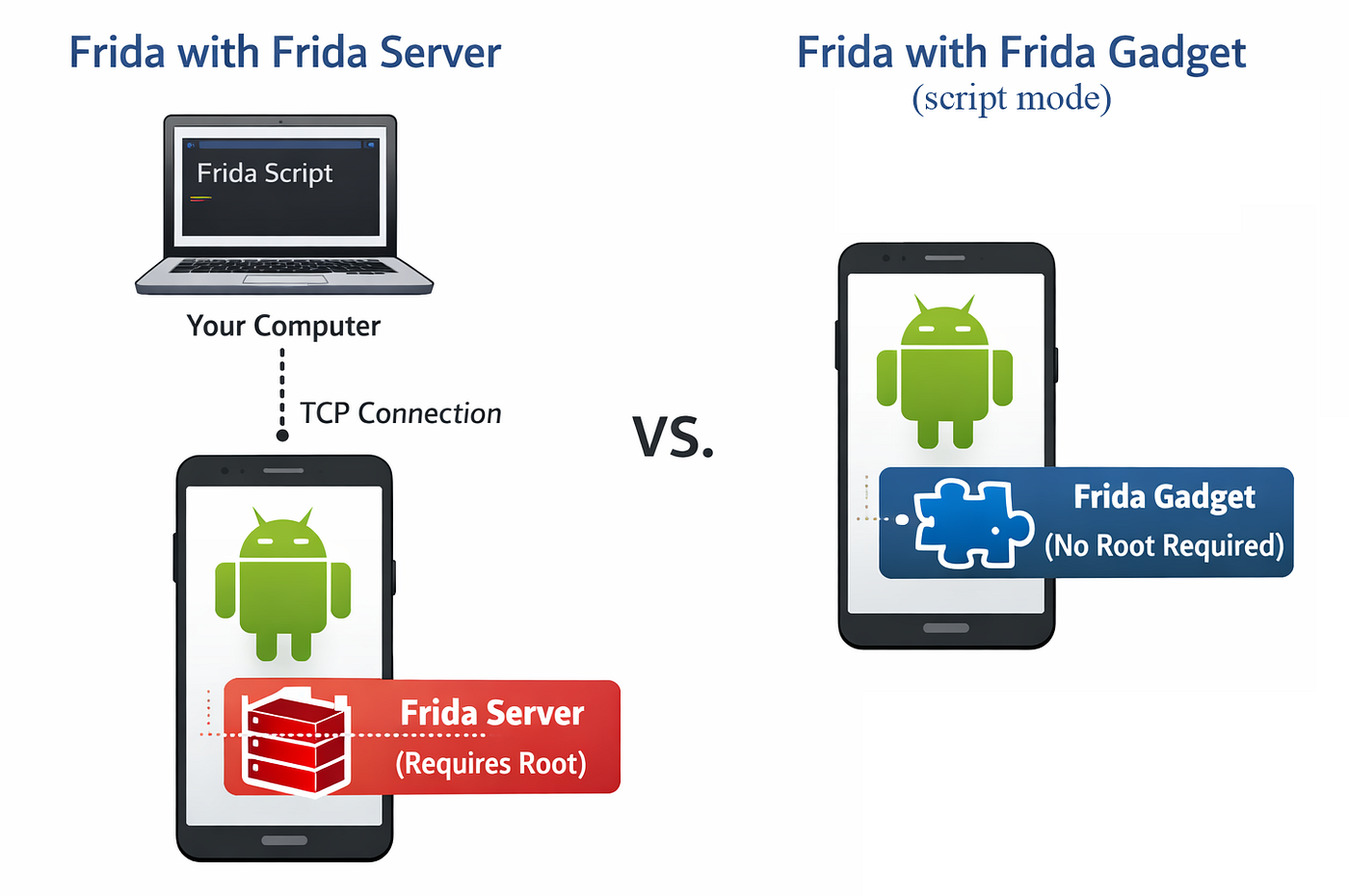
Controlling an Android Device Without Root or Accessibility Services
The Permission Wall
Controlling an Android Device Without Root or Accessibility Services
The Permission Wall
Android apps live in a sandbox. There are things they simply cannot do: uninstall other apps, set a global proxy, read another app’s logcat output, or perform gestures without declaring the Accessibility Services permission.
These aren’t bugs. They’re deliberate restrictions enforced by the Android permission model. Normal apps run as unprivileged users, and the system blocks these actions at the API level.
But have you ever connected to your device over adb? All of those actions are available right there:
# Uninstall an app
adb uninstall com.your.package

# Set a global proxy
adb shell settings put global http_proxy IP:PORT

# Simulate gestures
adb shell input tap X Y
adb shell input swipe X1 Y1 X2 Y2

# Read logcat from another app
adb logcat | grep com.other.package
adb runs as the shell user — one level above a normal app and one level below root. That’s enough for all of the above.
So the question becomes: what if an app could issue adb commands from within the device itself?
Wireless Debugging
Android supports Wireless Debugging — a feature that opens two TCP ports: one for pairing, and one for the adb protocol connection itself. Once paired, any device holding the right certificate can send ADB commands over the network, and those commands execute with shell privileges.
The App
What if we build an app that completes the Wireless Debugging pairing flow, connects to the adb port, and starts sending adb protocol messages directly from the device? It turns out you can — and that’s exactly what this PoC I created does: https://github.com/pabloajoinglez/AdbShellTool.
To use it, pair the app with Wireless Debugging. After that, it can execute arbitrary shell commands directly from within the app — no root, no special permissions declared.
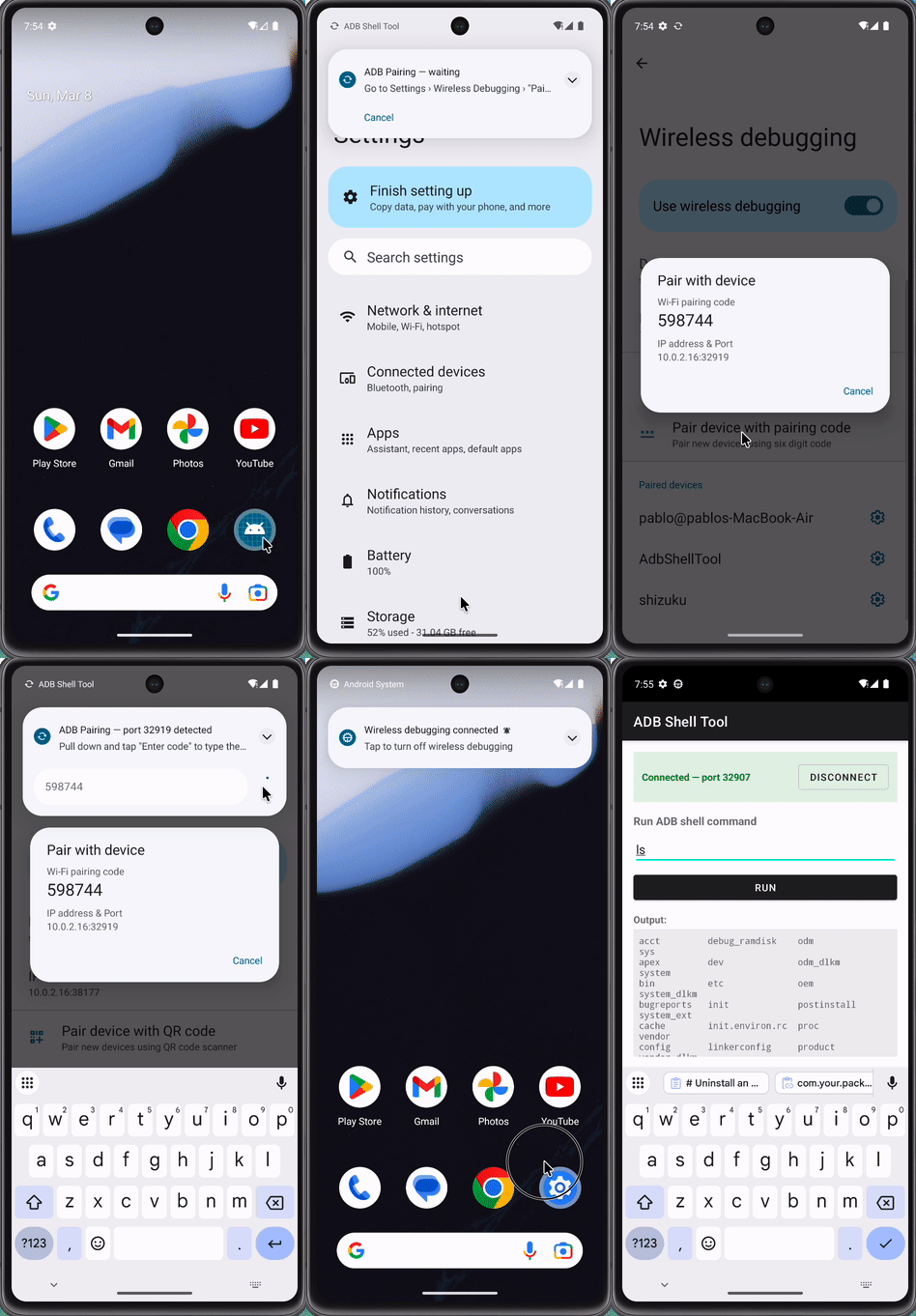
Application adb pairing and connection
What It Can Do
Here are some examples:
Check the current user:

Uninstall another app:

Take a screenshot:

Open a sensitive app without any declared permissions 💀:
input keyevent 3; sleep 1; input swipe 500 1500 500 500; sleep 1; input tap 427 1425
Consequences
An app exploiting this technique can open banking apps and take screenshots of them, access files on the SD card, install or remove apps silently, or intercept traffic by setting a global proxy — all without declaring a single dangerous permission in its manifest.
What makes it worse: the app that gains these privileges doesn’t have to look suspicious at all. A seemingly harmless app could acquire shell access through Wireless Debugging, and then other apps on the device could leverage it to perform privileged actions through it.
Wireless Debugging is a legitimate developer feature, but it’s also an unguarded path to shell-level access for any app willing to speak the right protocol. The takeaway is simple: on a device with Wireless Debugging enabled, the permission manifest means a lot less than you’d think.
메타데이터
- post_id
- ea8314822a99
- slug
- controlling-an-android-device-without-root-or-accessibility-services-ea8314822a99
- url
- https://medium.com/@cr0nos/controlling-an-android-device-without-root-or-accessibility-services-ea8314822a99
- canonical_url
- https://medium.com/@cr0nos/controlling-an-android-device-without-root-or-accessibility-services-ea8314822a99
- author_url
- https://medium.com/@cr0nos
- status
- ok
- fetched_at
- 2026-06-22 12:55:45