Another Face of Apple Intelligent — Apple Foundation Models with apfel-chat
Bypassing the face-hugger (Siri)
Another Face of Apple Intelligent — Apple Foundation Models with apfel-chat
Bypassing the face-hugger (Siri)
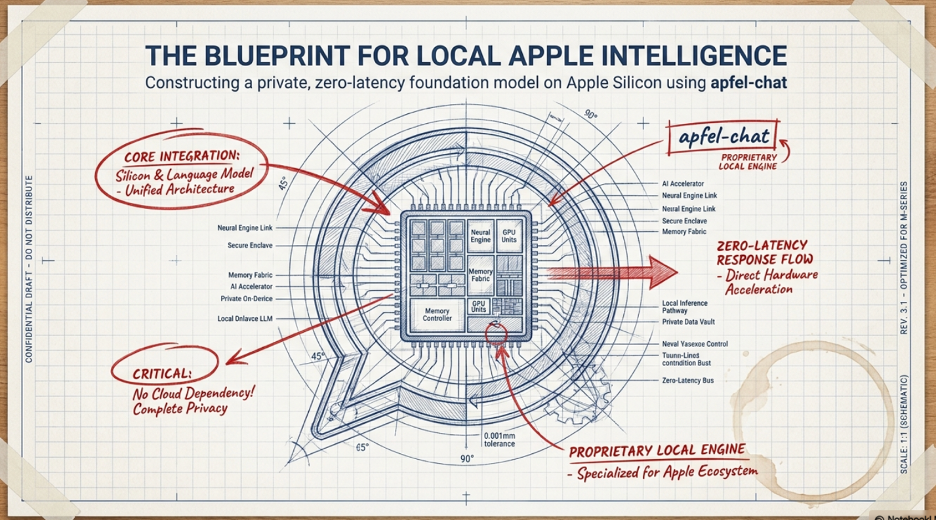
We found another interesting project while testing out apfel/apfel-gui
Source: https://github.com/Arthur-Ficial/apfel-chat
This tool is meant for users who just want a local substitute to their daily cloud AI needs, cheap and secure.

Preparations for Apple Intelligence

If Mac is yet install with the necessary tools:
- Getting MacOS ready (Apple Intelligence setup)
- Make sure Mac is up to date with latest macOS Tahoe 26.4 and above

- Apple Intelligence option will only appear if both the AI & Siri language is set as System Language & Region primary one


- Install Xcode from App Store. Only macOS version component is required.


- HomeBrew installation
Open terminal then enter:
/bin/bash -c “$(curl -fsSL https://raw.githubusercontent.com/Homebrew/install/HEAD/install.sh)"
Follow instructions displayed in terminal to complete configurations
echo >> /Users/<user>/.zprofile
echo ‘eval “$(/opt/homebrew/bin/brew shellenv zsh)”’ >> /Users/<user>/.zprofile
eval “$(/opt/homebrew/bin/b-rew shellenv zsh)”
Installation of Apfel-Chat
Assuming all Apple prerequisites are already in place from previous installation of apfel/apfel-gui, copy from source page then past into terminal and hit enter:

Paste and enter in terminal:
brew install Arthur-Ficial/tap/apfel-chat
# Update later
brew upgrade apfel-chat
Watch it run:
==> Auto-updating Homebrew…
Adjust how often this is run with $HOMEBREW_AUTO_UPDATE_SECS or disable with
$HOMEBREW_NO_AUTO_UPDATE=1. Hide these hints with $HOMEBREW_NO_ENV_HINTS=1 (see man brew).
==> Homebrew collects anonymous analytics.
Read the analytics documentation (and how to opt-out) here:
***https://docs.brew.sh/Analytics***
No analytics have been recorded yet (nor will be during this brew run).
==> Homebrew is run entirely by unpaid volunteers. Please consider donating:
*https://github.com/Homebrew/brew#donations*
==> Trusted cask arthur-ficial/tap/apfel-chat
==> Would install 1 cask:
arthur-ficial/tap/apfel-chat
==> Fetching downloads for: arthur-ficial/tap/apfel-chat
✔︎ Cask apfel-chat (1.1.11) Verified 11.3MB/ 11.3MB
==> Installing Cask apfel-chat
==> Moving App ‘apfel-chat.app’ to ‘/Applications/apfel-chat.app’
==> Linking Binary ‘apfel-chat’ to ‘/opt/homebrew/bin/apfel-chat’
🍺 apfel-chat was successfully installed!
zsh: command not found: #
Warning: Not upgrading apfel-chat, the latest version is already installed
Warning: Not upgrading apfel-chat, the latest version is already installed
As the grind comes to halt, press Command + Spacebar to call up Spotlight, key in apfel-chat then press enter as app’s name appears:

Here you go! Start chatting:

Usual suspects:

Al the familiar options as one would using cloud AI …
Settings:

Click Setting (gear) icon:


Turn on Permissive mode:

Conclusion

Running Apple’s foundation models locally is a manifesto for the future of computing. It is “private and secure” by design; your data never leaves the silicon, your productivity isn’t tethered to a Wi-Fi signal, and you aren’t paying a monthly subscription to access your own computer’s potential.
The barrier to entry for the next generation of “Apple Intelligence” is significantly lower than we were led to believe.
메타데이터
- post_id
- eb4a535cace8
- slug
- another-face-of-apple-intelligent-apple-foundation-model-with-apfel-chat-eb4a535cace8
- url
- https://medium.com/@gescoach/another-face-of-apple-intelligent-apple-foundation-model-with-apfel-chat-eb4a535cace8
- canonical_url
- https://medium.com/@gescoach/another-face-of-apple-intelligent-apple-foundation-model-with-apfel-chat-eb4a535cace8
- author_url
- https://medium.com/@gescoach
- status
- ok
- fetched_at
- 2026-06-22 17:31:34