Starting and Stopping Vibration in HarmonyOS Next
Introduction
Starting and Stopping Vibration in HarmonyOS Next

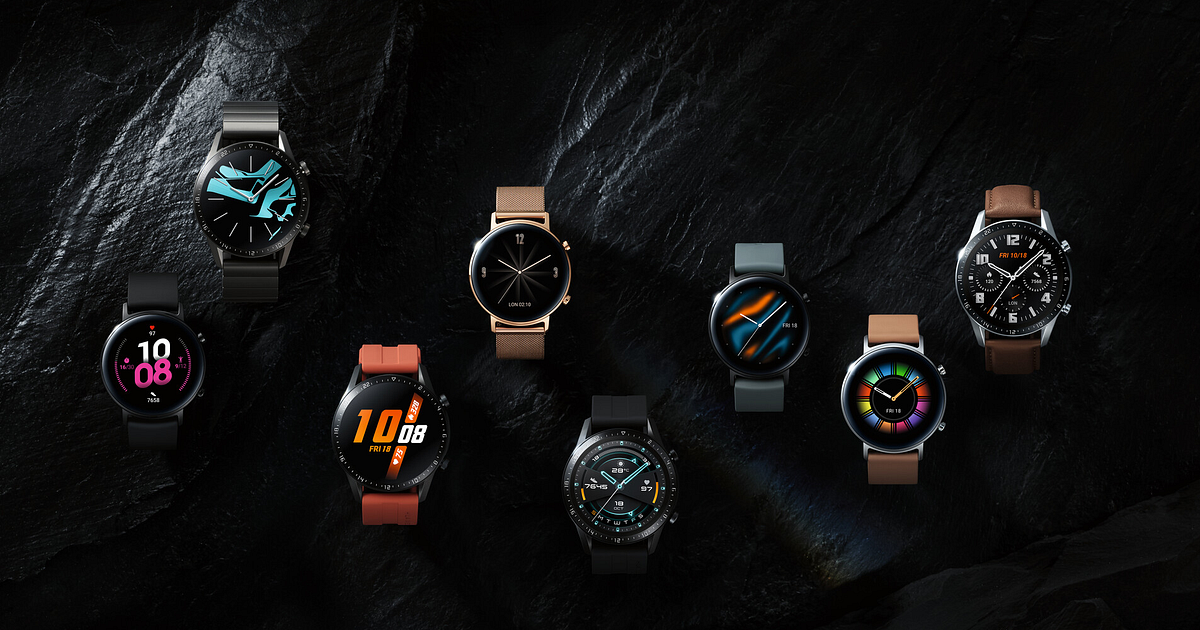
Photo by Jimmy Wu on Unsplash
Introduction
On wearables and compact devices, visual feedback alone is rarely enough. With limited screen space, haptic feedback becomes a primary communication channel — confirming actions, signaling alerts, and guiding users without demanding their attention.
HarmonyOS Next addresses this need through the Sensor Service Kit, offering developers fine-grained control over vibration behavior. Whether you want a short tap, a long buzz, or a fully customized vibration pattern, the platform provides flexible APIs to both start and stop vibration effects reliably.
In this article, we’ll explore how vibration works in HarmonyOS, the supported effect types, and how to implement vibration control safely and effectively.
Why Vibration Matters on Wearables?
Haptics are not just a nice-to-have feature — they are essential for usability:
- Instant feedback for taps and gestures
- Silent alerts for alarms or notifications
- Accessibility support
- Reduced reliance on visual cues
Especially on watches, vibration often replaces sound and complex UI animations. This makes correct implementation critical for both UX quality and battery efficiency.
Vibrator Service Kit Overview
HarmonyOS provides vibration capabilities through the Vibrator Service Kit, which exposes two core APIs:
startVibration– triggers vibrationstopVibration– terminates ongoing vibration
Technical Background
- Module:
@kit.SensorServiceKit - System Capability:
SystemCapability.Sensors.MiscDevice - Supported Devices: Phone, Tablet, PC/2-in-1, TV, Wearable
- Permission Required:
ohos.permission.VIBRATE - Atomic Service Support: Yes (API ≥ 11)
⚠️ Note: Capability support is device-dependent. Not all devices support vibration.
Vibration Effect Types
HarmonyOS supports multiple vibration strategies via VibrateEffect, allowing you to tailor feedback based on context.
1. Preset Effects (VibratePreset)
Built-in vibration patterns optimized for common interactions such as:
- Tap
- Long press
- System feedback
2. File-Based Effects (VibrateFromFile)
Uses a custom .json configuration file to define complex vibration sequences—ideal for alarms or branded haptic patterns.
3. Time-Based Effects (VibrateTime)
Triggers vibration for a fixed duration (in milliseconds). Simple, predictable, and commonly used for confirmations.
4. Pattern-Based Effects (VibrateFromPattern)
Defines vibration sequences programmatically using arrays, enabling advanced rhythmic feedback.
Required Permissions
Before using vibration APIs, you must declare the following permission in module.json5:
ohos.permission.VIBRATEWithout this permission, vibration requests will fail with error code 201.
Starting a Vibration (Time Mode Example)
Below is a simple example that starts a 1-second vibration using time-based mode.
import { vibrator } from '@kit.SensorServiceKit';
import { BusinessError } from '@kit.BasicServicesKit';
try {
  vibrator.startVibration({
    type: 'time',
    duration: 1000
  }, {
    id: 0,
    usage: 'alarm'
  }).then(() => {
    console.info('1-second vibration started');
  }, (error: BusinessError) => {
    console.error(`Failed to start vibration. Code: ${error.code}, message: ${error.message}`);
  });
} catch (err) {
  let e: BusinessError = err as BusinessError;
  console.error(`Unexpected error: ${e.code}, message: ${e.message}`);
}
This approach is ideal for:
- Confirmation feedback
- Alerts
- Short system responses
Stopping an Ongoing Vibration
HarmonyOS allows you to stop vibration explicitly using stop modes, ensuring precise control.
Stop Mode Options:
VIBRATOR_STOP_MODE_TIME– Stops time-based vibrationVIBRATOR_STOP_MODE_PRESET– Stops preset vibration
Stop Vibration Example (Time Mode)
import { vibrator } from '@kit.SensorServiceKit';
import { BusinessError } from '@kit.BasicServicesKit';
try {
  vibrator.stopVibration(vibrator.VibratorStopMode.VIBRATOR_STOP_MODE_TIME, (error: BusinessError) => {
    if (error) {
      console.error(`Failed to stop vibration. Code: ${error.code}, message: ${error.message}`);
      return;
    }
    console.info('Vibration stopped successfully');
  });
} catch (err) {
  let e: BusinessError = err as BusinessError;
  console.error(`Unexpected error: ${e.code}, message: ${e.message}`);
}
Using the correct stop mode is essential — otherwise, the vibration may continue unexpectedly.
Error Codes to Watch For
When working with vibration APIs, proper error handling is crucial:
Error CodeMeaning201Permission denied401Parameter error801Capability not supported14600101Device operation failed
Always log both error.code and error.message for effective debugging.
Summary
Test Results
On Wearable (Watch 5):
- Preset vibration worked for tap feedback
- File-based vibration successfully triggered a custom alarm
- Time-based vibration ran for 1 second and stopped correctly
On PC (Emulator):
- Returned 801 — capability not supported
This confirms that vibration behavior is hardware dependent, even when APIs are available.
Conclusion
Vibration is a cornerstone of wearable UX, and HarmonyOS Next provides a powerful yet flexible solution through the Sensor Service Kit. With support for presets, timed effects, custom files, and programmatic patterns, developers can craft haptic feedback that feels intentional and polished.
The key to success lies in:
- Choosing the right vibration type
- Handling errors defensively
- Respecting device capabilities
- Stopping vibrations explicitly when required
When used thoughtfully, haptic feedback transforms simple interactions into intuitive, responsive experiences especially on the smallest screens.
Happy coding 👋
References
[embed]Document The OpenCms demo, brought to you by Alkacon Software.developer.huawei.com
메타데이터
- post_id
- ebfb8772de43
- slug
- starting-and-stopping-vibration-in-harmonyos-next-ebfb8772de43
- url
- https://medium.com/huawei-developers/starting-and-stopping-vibration-in-harmonyos-next-ebfb8772de43
- canonical_url
- https://medium.com/huawei-developers/starting-and-stopping-vibration-in-harmonyos-next-ebfb8772de43
- author_url
- https://medium.com/@simayayberik
- status
- ok
- fetched_at
- 2026-06-23 19:38:28