Gulp — a toolkit to automate and enhance your workflow
Gulp is a popular JavaScript task runner that helps automate various tasks in the web development workflow. It is built on Node.js and…
Gulp — a toolkit to automate and enhance your workflow
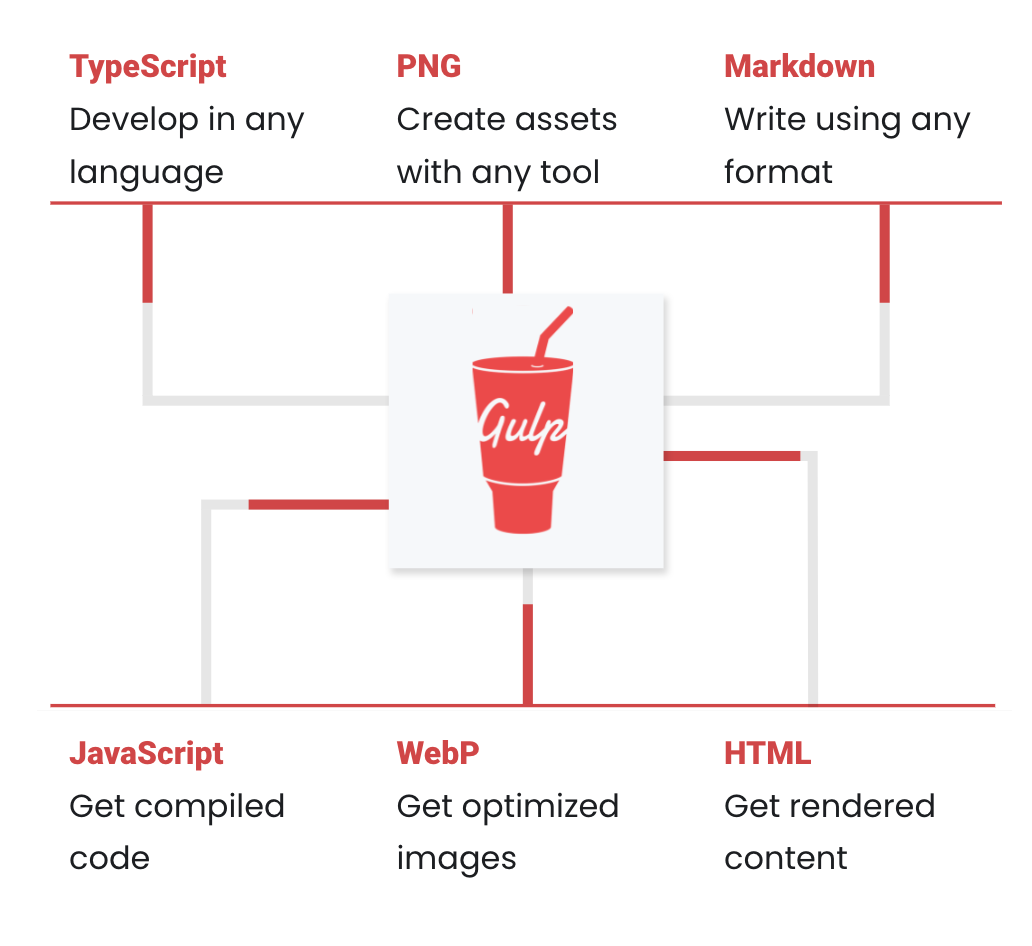
Gulp is a popular JavaScript task runner that helps automate various tasks in the web development workflow. It is built on Node.js and utilizes a code-over-configuration approach, making it relatively easy to use and configure.
Quick Start
If you’ve previously installed gulp globally, run this before following these instructions.
npm rm --global gulpCheck for node, npm, and npx
node  -- version

Output >> v8.11.1
npm -- version
Output >> 5.6.0npx -- version
Output >> 9.7.1If not installed then install them as follows:
Install the gulp command line utility
npm install - global gulp-cliCreate a project directory and navigate into it
npx mkdirp my-project

cd my-project
Create a package.json file in your project directory
npx initThis will guide you through giving your project a name, version, description, etc.
Install the gulp package in your devDependencies
npm install - save-dev gulpVerify your gulp versions
gulp - version

Output >>
CLI version 2.0.1
Local version 4.0.0
Create a gulpfile
Using your text editor, create a file named gulpfile.js in your project root with these contents:
function defaultTask(cb) {
  // place code for your default task here
  cb();
}

exports.default = defaultTask
Test it
Run the gulp command in your project directory:
gulpTo run multiple tasks, you can use gulp <task> <othertask>.
Result
The default task will run and do nothing.
gulp

Output >>
Using gulpfile ./gulp/docs/gulpfile.js
Starting 'default'....
Finished 'default' after 1.22 ms
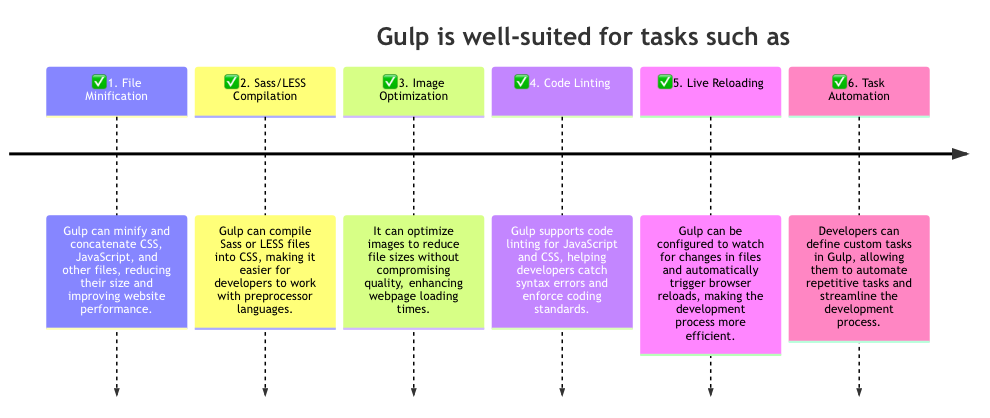
Use Case for Gulp: automating the process of preparing and optimizing assets for a web project.
Imagine you have a web development project with the following requirements:
1. Compile Sass files into CSS. 2. Concatenate and minify multiple JavaScript files. 3. Optimize and compress images. 4. Watch for changes in source files and automatically reload the browser during development.
Here’s how you might set up a Gulpfile to handle these tasks:
// Include gulp and plugins
const gulp = require('gulp');
const sass = require('gulp-sass');
const concat = require('gulp-concat');
const uglify = require('gulp-uglify');
const imagemin = require('gulp-imagemin');
const browserSync = require('browser-sync').create();

// Compile Sass into CSS
gulp.task('sass', function () {
  return gulp.src('src/styles/**/*.scss')
      .pipe(sass())
      .pipe(gulp.dest('dist/css'))
      .pipe(browserSync.stream()); // Reload the browser after Sass compilation
});

// Concatenate and minify JS files
gulp.task('scripts', function () {
  return gulp.src('src/scripts/**/*.js')
      .pipe(concat('app.min.js'))
      .pipe(uglify())
      .pipe(gulp.dest('dist/js'))
      .pipe(browserSync.stream()); // Reload the browser after JS minification
});

// Optimize and compress images
gulp.task('images', function () {
  return gulp.src('src/images/**/*')
      .pipe(imagemin())
      .pipe(gulp.dest('dist/images'));
});

// Watch for changes and reload the browser
gulp.task('watch', function () {
  browserSync.init({
    server: {
      baseDir: './'
    }
  });

  gulp.watch('src/styles/**/*.scss', gulp.series('sass'));
  gulp.watch('src/scripts/**/*.js', gulp.series('scripts'));
  gulp.watch('src/images/**/*', gulp.series('images'));
  gulp.watch('*.html').on('change', browserSync.reload);
});

// Default task: Run 'gulp' in the terminal to start watching for changes
gulp.task('default', gulp.series('sass', 'scripts', 'images', 'watch'));
In this example:
- The
sasstask compiles Sass files into CSS, and the changes trigger a browser reload using BrowserSync. - The
scriptstask concatenates and minifies JavaScript files, and the changes trigger a browser reload. - The
imagestask optimizes and compresses images. - The
watchtask monitors changes in Sass, JavaScript, and image files, triggering the appropriate tasks and browser reloads. - The
defaulttask is what runs when you typegulpin the terminal, and it executes thesass,scripts,images, andwatchtasks.
This Gulp setup automates these common development tasks, making the development process more efficient and ensuring that the final assets are optimized for production.
Thanks;)
메타데이터
- post_id
- ec3aa0a101bf
- slug
- gulp-a-toolkit-to-automate-and-enhance-your-workflow-ec3aa0a101bf
- url
- https://medium.com/@niranjanky14/gulp-a-toolkit-to-automate-and-enhance-your-workflow-ec3aa0a101bf
- canonical_url
- https://medium.com/@niranjanky14/gulp-a-toolkit-to-automate-and-enhance-your-workflow-ec3aa0a101bf
- author_url
- https://medium.com/@niranjanky14
- status
- ok
- fetched_at
- 2026-07-24 22:13:21





