How to Check Vehicle Owner Details Online — Fast & Legal Method
In today’s digital era, verifying vehicle owner details online has become extremely important — especially when buying a used vehicle…
How to Check Vehicle Owner Details Online — Fast & Legal Method
In today’s digital era, verifying **vehicle owner details online** has become extremely important — especially when buying a used vehicle, validating information after a road incident, checking challan history, or simply confirming RC accuracy. The good news? You no longer need to visit the RTO office or depend on middlemen. With updated government portals, online databases, and mobile apps, vehicle information can now be accessed using just the registration number.
This guide explains the latest, legal, and reliable online methods to check vehicle owner details in India. Whether you’re a buyer, seller, law-abiding citizen, or fleet operator, this step-by-step article will help you understand how to view RC owner name, vehicle age, model, engine details, challan records, and more.
🛑 Is Checking Vehicle Owner Details Legal?
Yes — if used for legitimate and lawful purposes. Government portals allow citizens to verify RC information for:
- Second-hand vehicle purchase
- Accident assistance
- Insurance verification
- Challan check
- RTO vehicle information corrections
- Vehicle service history and authenticity
As long as the information is not misused, checking basic public vehicle details is fully legal.
🚗 Why Do People Need Vehicle Owner Details?
Here are the most common reasons:
1. Buying a Used Vehicle
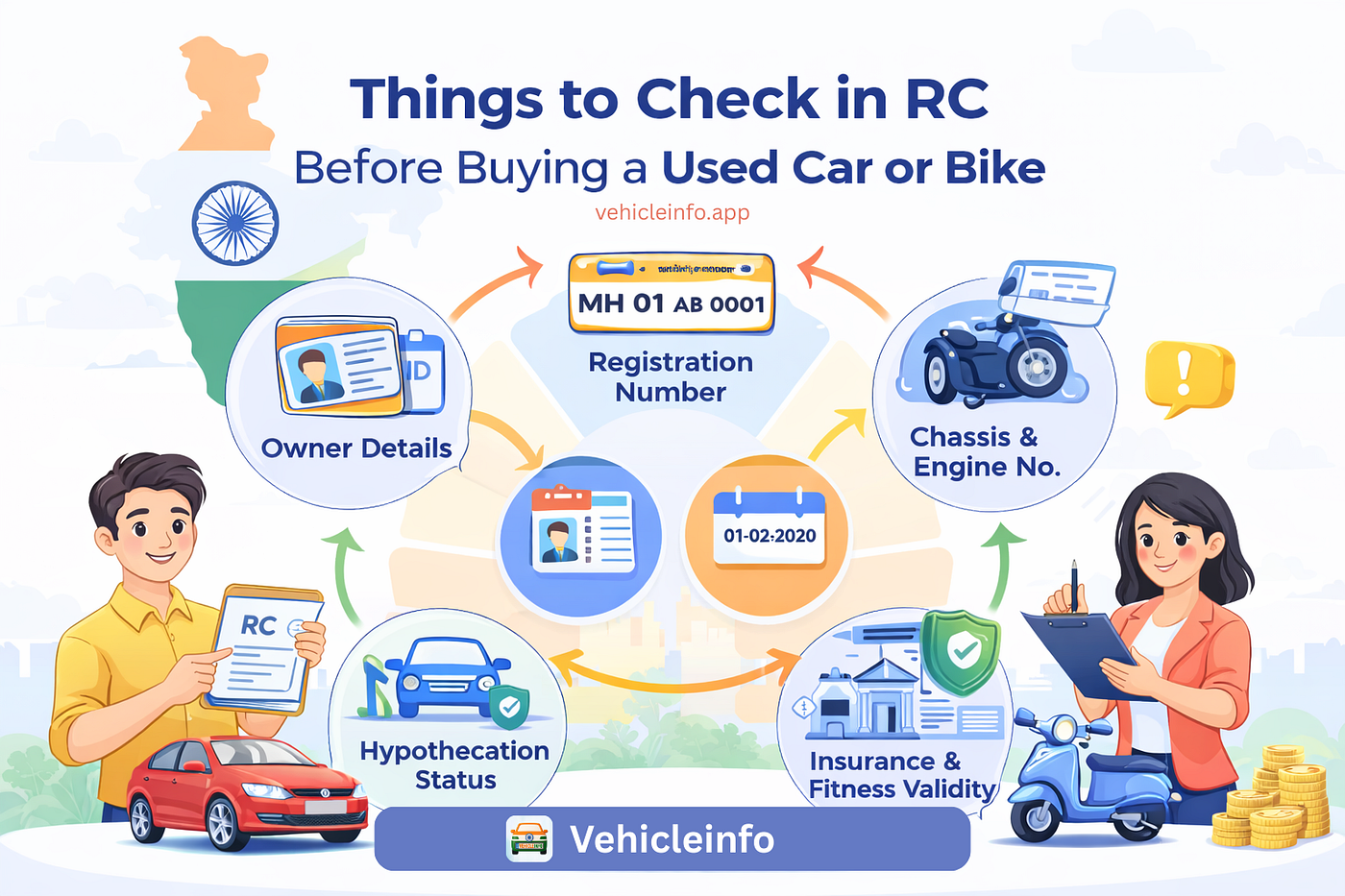
Before making payment, you must confirm:
- The registered owner’s name
- Vehicle age
- RC validity
- Loan or hypothecation status
- Pending challans
- Fitness & permit (for commercial vehicles)
2. Accident or Hit-and-Run Situations
If you need to identify the vehicle involved, the registration number helps verify:
- Owner’s name
- Vehicle model
- Insurance details (if available)
3. Challan Verification
Many users check vehicle details to:
- Verify traffic challans
- Identify duplicate challans
- Track past violations
4. RTO Data Correction
If your RC has incorrect details, online lookup helps compare and cross-check.
5. Fleet / Business Use
Transport businesses frequently track:
- Vehicle authenticity
- Fitness
- Insurance
- Challans
- Blacklisted status
🔍 Method 1: Check Vehicle Owner Details on VAHAN Portal (Official Source)
The VAHAN National Register is the most accurate government database for all RTO-registered vehicles in India.
Steps:
- Visit the VAHAN official portal.
- Select “Know Your Vehicle Details”.
- Enter the vehicle registration number.
- Complete the CAPTCHA.
- Click “Search Vehicle”.
You will get:
- Registered owner name (masked)
- Registration date
- Vehicle class (bike, car, commercial)
- Model & manufacturer
- Engine & chassis details (partially masked)
- RC expiry
- Insurance validity
- PUCC validity
The VAHAN portal sometimes masks full owner names due to privacy updates, but it still provides authentic RC information.
🔍 Method 2: Use Parivahan for Updated RC Information
Parivahan is the central platform for RTO services and offers reliable information.
Steps:
- Visit Parivahan’s RC information section.
- Enter the vehicle number.
- Complete verification.
- View detailed RC data.
Information Provided:
- Ownership status
- Registration validity
- Fuel type
- Emission norms
- Blacklist status
- Tax details (sometimes)
Parivahan is especially useful for cross-checking vehicle data before purchase.
🔍 Method 3: Vehicle Information Apps (Faster & Mobile Friendly)
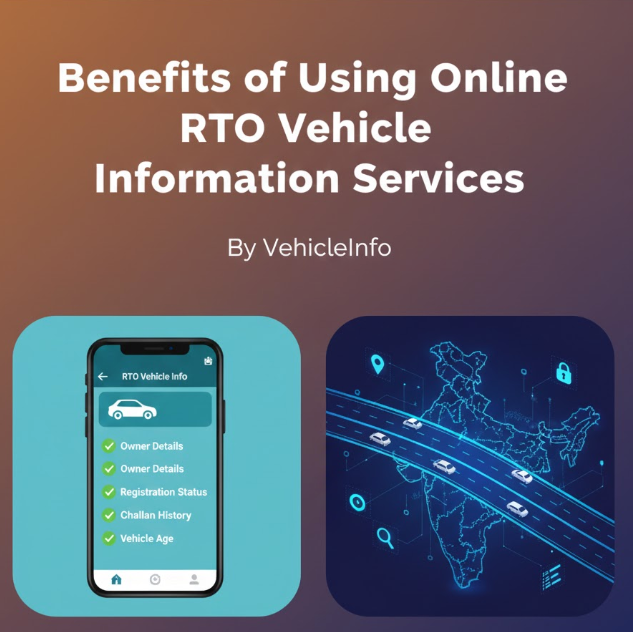
Many Indian users prefer apps that aggregate VAHAN and state RTO data, providing simple access. For example, platforms like Vehicle Info -[ RTO vehicle Information](https://vehicleinfo.app/) -checking tools allow quick search using the number plate.
These apps often provide:
- Owner name (masked for safety)
- RC details
- Insurance & PUCC
- Challan status
- Vehicle age
- Model, brand, variant
- Service history (if supported)
This is the fastest method for mobile users and business owners who check multiple vehicles daily.
⚠️ What Information Is NOT Visible Online?
Due to privacy guidelines, the following full details are restricted:
- Full owner name
- Complete address
- Mobile number
- Personal ID proofs
Only limited, masked details are available. This ensures safety while still allowing legal verification.
📌 Tips for Safely Verifying Vehicle Owner Details
- Always cross-check information on at least two platforms.
- For used vehicles, ask the seller for:
- Original RC
- Insurance papers
- Service history
- PUC certificate
- Verify pending challans before purchase.
- Compare online data with physical documents for accuracy.
🚦 When Should You Visit the RTO Office?
Visit the RTO only if:
- RC data does not match the documents
- Owner name update is pending
- Hypothecation removal is not showing
- Vehicle is blacklisted
- Duplicate RC is required
Online methods completely cover basic verification, but official corrections still require RTO visits.
메타데이터
- post_id
- eddd27fc0caa
- slug
- how-to-check-vehicle-owner-details-online-fast-legal-method-eddd27fc0caa
- url
- https://medium.com/@aso_44478/how-to-check-vehicle-owner-details-online-fast-legal-method-eddd27fc0caa
- canonical_url
- https://medium.com/@aso_44478/how-to-check-vehicle-owner-details-online-fast-legal-method-eddd27fc0caa
- author_url
- https://medium.com/@aso_44478
- status
- ok
- fetched_at
- 2026-06-23 17:05:31