How OTT Platforms Benefit from Real Device Testing
The Over-the-Top (OTT) streaming industry has transformed how people consume entertainment. From movies and TV shows to live sports and…
How OTT Platforms Benefit from Real Device Testing
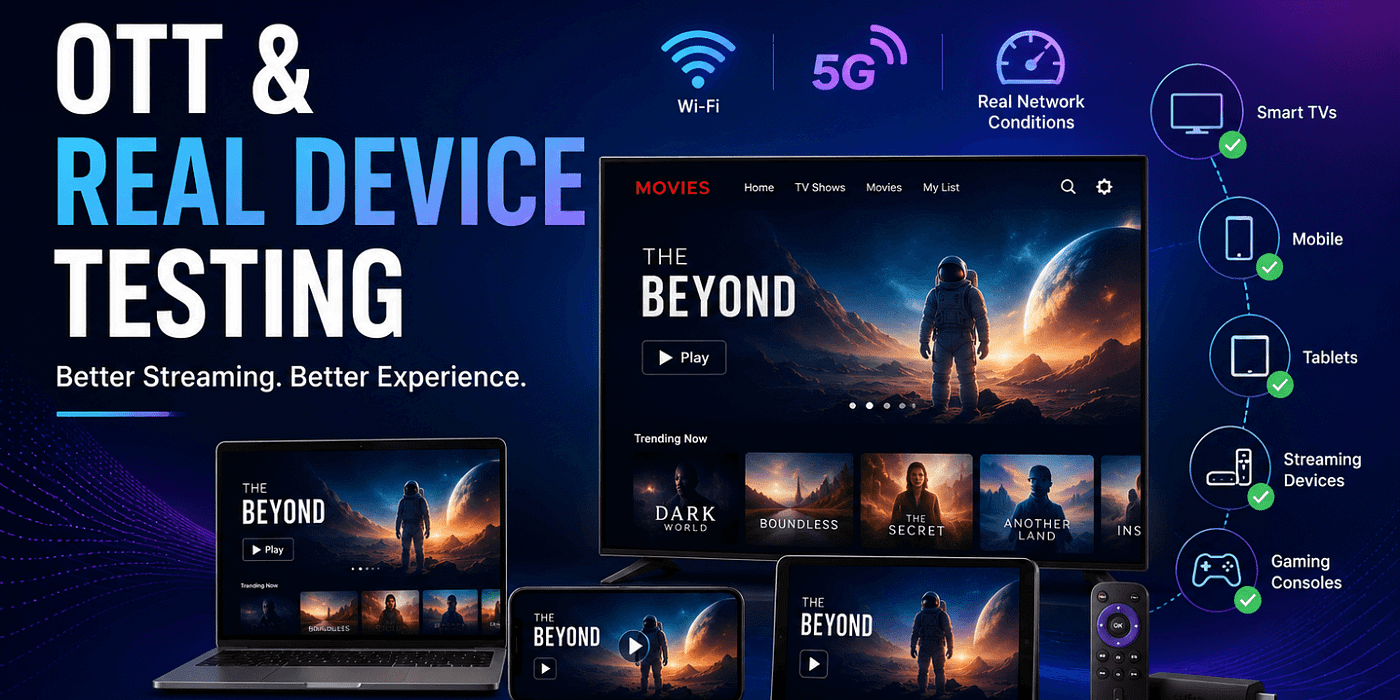
The Over-the-Top (OTT) streaming industry has transformed how people consume entertainment. From movies and TV shows to live sports and educational content, OTT platforms have become an essential part of everyday life.
Today’s users expect a seamless viewing experience regardless of the device they use. Whether streaming on a smartphone, tablet, smart TV, gaming console, laptop, or streaming stick, viewers demand high-quality video, smooth playback, fast loading times, and uninterrupted performance.
However, delivering a consistent experience across thousands of devices, operating systems, screen sizes, and network conditions is a significant challenge.
This is where real device testing becomes critical.
While emulators and simulators can support early-stage testing, they cannot accurately replicate real-world user environments. OTT platforms that rely solely on virtual testing often encounter issues after release, leading to buffering, crashes, playback failures, poor user experiences, and customer churn.
Real device testing enables OTT providers to validate application performance on actual devices used by real customers. As competition in the streaming market continues to intensify, real device testing is becoming a key factor in delivering superior user experiences and maintaining customer loyalty.
Read: Is Real Device Testing Worth the Investment? A Cost-Benefit Analysis
What Is Real Device Testing?
Real device testing refers to the process of executing test cases and quality assurance workflows on physical hardware devices rather than software-based simulations. In the context of OTT platforms, this means running your streaming application on actual Smart TVs, Android phones, iPhones, iPads, Amazon Fire TV sticks, Roku players, Apple TVs, gaming consoles (PlayStation, Xbox), and any other device your audience uses to consume content.
Real Device Testing vs. Emulator and Simulator Testing
Understanding the distinction is critical for OTT platform teams:
Emulators are software programs that replicate the hardware and OS of a specific device on a developer’s computer. They are fast to set up and useful for early-stage development, but they cannot replicate real-world hardware behavior — CPU throttling, memory pressure, GPU rendering quirks, physical network conditions, or hardware-specific codec implementations.
Simulators mimic the software environment of a device (particularly iOS simulators) but do not simulate hardware at all. They are even more limited than emulators for identifying real-world issues.
Real devices expose your application to the full complexity of actual hardware: genuine processor performance, real memory constraints, actual GPU behavior, hardware DRM implementations, true network stack behavior, and the exact firmware and OS versions your users are running. For OTT platforms, this distinction is not academic — it is the difference between shipping a product that works and shipping one that alienates subscribers.
Why OTT Platforms Face Unique Testing Challenges
OTT applications are among the most technically complex consumer software products in existence. Unlike a standard mobile app that reads data and renders UI, an OTT app simultaneously manages:
- Adaptive bitrate (ABR) streaming — continuously adjusting video quality based on network throughput
- Digital Rights Management (DRM) — hardware-level content protection (Widevine, PlayReady, FairPlay) that behaves differently on every device family
- Codec decoding — H.264, H.265/HEVC, AV1, VP9 — hardware-accelerated on some devices, software-decoded on others
- Audio processing — Dolby Atmos, Dolby Digital Plus, AC-3 — hardware-dependent playback
- Network resilience — handling Wi-Fi drops, 4G-to-5G transitions, and bandwidth fluctuations in real time
- Multiple concurrent sessions — managing background audio, picture-in-picture, and device sleep states
- UI rendering across fragmented screen sizes — from a 4-inch phone to a 98-inch Smart TV
Each of these factors behaves differently across device types, manufacturers, OS versions, and firmware builds. No emulator or simulator captures this complexity reliably. Only real devices do.
Also read: How Real Device Testing Works - Tools, Setup, and Process
The Device Fragmentation Problem
The scale of OTT device fragmentation is staggering:
- Android alone runs across thousands of device models from hundreds of manufacturers, each with custom firmware and hardware configurations
- Smart TV platforms include Samsung Tizen, LG webOS, Sony Android TV/Google TV, Panasonic My Home Screen, Philips SAPHI, Hisense VIDAA, and more — each with its own SDK, rendering engine, and DRM implementation
- Streaming devices include Roku (20+ device generations), Amazon Fire TV (15+ models), Apple TV (4th gen through 4K 3rd gen), Chromecast, and NVIDIA SHIELD
- Gaming consoles including PlayStation 4/5 and Xbox One/Series X|S each have their own app runtimes
An OTT platform supporting 10 device categories may realistically need to validate across 50–200 distinct hardware configurations to ensure coverage for 95% of its subscriber base.
Check out: Challenges in Real Device Testing and How to Overcome Them
Key Benefits of Real Device Testing for OTT Platforms
- Accurate Streaming Performance Measurement
One of the most critical metrics for any OTT platform is streaming performance: how quickly content starts playing, how often it buffers, how smoothly the player seeks, and how reliably it transitions between quality levels.
Real devices reveal streaming performance truths that simulators simply cannot:
Video Start Time (VST) — the latency between a user pressing play and the first frame appearing — is affected by hardware decoder initialization speed, which varies significantly between device generations and manufacturers. A 2-second VST on a flagship phone can become a 6-second VST on a budget Android device common in developing markets.
Buffering Ratio — the percentage of viewing time spent buffering — depends on how the ABR algorithm interacts with the device’s actual network stack and decoder buffer management. Real devices expose cases where a perfectly tuned ABR algorithm on paper produces poor buffering behavior on specific hardware.
Seek Latency — how quickly the player responds to scrubbing — is directly tied to hardware decoder capabilities. On some Smart TV platforms, seeking in HEVC-encoded content at high bitrates triggers decoder reinitialization, causing a delay that only appears on physical hardware.
None of these performance characteristics manifest accurately in a simulated environment. Real device testing gives OTT teams the ground truth they need to optimize their player stack for the actual hardware their subscribers own.
- DRM Validation Across Hardware Security Levels
Digital Rights Management is one of the most device-specific aspects of OTT application behavior, and one of the most common sources of subscriber-facing failures.
The three dominant DRM systems in OTT — Google Widevine, Microsoft PlayReady, and Apple FairPlay — are hardware-implemented security systems. Their behavior varies significantly not just between DRM systems, but between security levels within the same system:
- Widevine L1 (hardware-level security) enables full HD and 4K streaming on supported devices
- Widevine L2 and L3 (software-level security) restrict content to lower resolutions — often 480p or 720p — even on high-resolution screens
- A device may advertise Widevine L1 support but fail DRM certificate validation on specific firmware versions
- PlayReady SL3000 (hardware security) vs. SL2000 vs. SL150 creates similar complexity on Windows and Xbox devices
- FairPlay DRM on older Apple TV hardware generations has specific playback limitations not present in newer models
DRM errors are among the highest-impact subscriber complaints in OTT. “DRM error: cannot play this content” is a complete, immediate content-access failure. Real device testing with actual hardware security implementations — not simulated DRM stacks — is the only reliable way to validate DRM behavior before it reaches subscribers.
Real device testing should include:
- DRM license acquisition and renewal flows
- Offline download DRM expiry and renewal
- DRM behavior during app backgrounding and device sleep
- Multi-stream DRM with concurrent session limits
- DRM certificate rotation and graceful error handling
- Network Condition Testing Under Real-World Scenarios
OTT subscribers don’t stream over perfectly stable, high-bandwidth connections. They stream on crowded café Wi-Fi, on mobile networks that switch between 4G and 5G, in homes where microwave ovens and neighboring networks cause interference, and on hotel networks with captive portals and bandwidth throttling.
Real device testing enables OTT teams to validate streaming behavior under these actual conditions:
Network Transition Testing — testing how the player behaves when a device moves from Wi-Fi to 4G, from 4G to 5G, or loses and regains connectivity mid-stream. Network transitions trigger different code paths and buffer management decisions on real hardware than they do in simulated environments.
Bandwidth Fluctuation Testing — validating ABR algorithm behavior as available bandwidth drops from 25 Mbps to 2 Mbps and recovers. On some device and app combinations, rapid bandwidth drops trigger infinite buffering rather than graceful quality degradation — a bug that only surfaces under real network stress.
Connection Loss and Recovery — testing the player’s behavior when connectivity is lost entirely and restored. User expectation is seamless playback resumption; the actual behavior on specific device models can range from perfect recovery to full app crash, depending on how network socket handling is implemented at the OS level.
Captive Portal Detection — validating that the app correctly identifies and handles captive portal networks (common in hotels, airports, and coffee shops) rather than attempting to stream against an intercepted connection and producing an unrecoverable error state.
These scenarios require physical devices connected to real networks — not network condition emulation tools running inside a virtual environment.
- UI/UX Rendering Validation Across Screen Sizes and Input Methods
OTT user interfaces must render correctly across an extraordinary range of screen sizes, resolutions, pixel densities, and input methods — from touch navigation on a 5-inch phone to 10-foot UI navigation with a remote control on a 75-inch Smart TV.
Real device testing reveals rendering issues that simulators consistently miss:
- Font Rendering Differences — text rendering varies between OS versions, GPU implementations, and display panel types. Text that is perfectly legible in an iOS simulator may be blurry or incorrectly sized on a specific Android phone due to subpixel rendering differences.
- Focus Management for TV Navigation — 10-foot UI navigation (D-pad remote control interaction) is one of the most challenging aspects of Smart TV app development. Focus states, navigation order, and focus trapping bugs are almost exclusively discovered through testing with actual remote controls on physical Smart TV hardware.
- Aspect Ratio and Overscan Handling — older Smart TVs apply overscan — cropping the edges of the display — which can cut off important UI elements like back buttons, progress indicators, or notification badges. This only appears on physical TVs, not in development tools.
- Thumbnail and Image Loading Performance — on lower-powered devices, image loading and caching behavior under real memory pressure differs significantly from simulated environments, sometimes producing blank content tiles or thumbnail flicker that only appears on specific device models.
- Carousel and Grid Scroll Performance — frame rate during scroll interactions on content discovery screens is hardware-dependent. A content grid that scrolls at 60 fps in an emulator may drop to 20–30 fps on a Smart TV’s ARM processor, creating a perceptibly janky experience that directly impacts user satisfaction.
- Audio Quality and Sync Testing
Audio quality and synchronization are subscriber experience factors that often go undertested — and when they fail, they produce some of the most viscerally dissatisfying streaming experiences.
Real device testing enables validation of:
- Dolby Atmos and Dolby Digital Plus Passthrough — hardware audio passthrough capabilities vary between device models, HDMI versions, and soundbar compatibility. A device that reports Dolby passthrough support may implement it incorrectly on specific firmware versions, producing distorted or absent audio that only manifests on physical hardware connected to an actual audio system.
- Audio-Video Synchronization (Lip Sync) — A/V sync is a decoder coordination problem that depends on hardware clock precision and buffer management. Lip sync drift that grows over a 30-minute session — undetectable in a 5-minute emulator test — is a real pattern on certain device models that only surfaces through extended real device testing.
- Audio Track Switching — switching between language tracks, audio description tracks, or commentary tracks must be instantaneous and artifact-free. On some Smart TV platforms, audio track switching triggers a brief audio dropout or causes A/V sync to reset, a behavior specific to the platform’s media pipeline implementation.
- Bluetooth Audio Device Handling — subscribers streaming to Bluetooth headphones face additional latency and synchronization challenges. The app’s audio stack must handle Bluetooth latency compensation correctly, which varies by device and Bluetooth chip implementation.
- Offline Playback Reliability Testing
For OTT platforms that offer download-for-offline functionality — a feature increasingly expected by subscribers — the reliability of offline playback is entirely dependent on device-level behavior that simulators cannot replicate.
Real device testing for offline playback must cover:
- Download Integrity Across Interruptions — downloads interrupted by network loss, app backgrounding, device sleep, or low storage conditions must resume correctly and produce playable files. Behavior in these edge cases varies significantly between OS versions and device models.
- Offline DRM License Management — offline content is protected by time-limited DRM licenses stored in hardware-secured storage. License expiry, renewal, and graceful error handling when a license expires mid-playback all depend on hardware DRM implementation behavior.
- Storage Management Under Pressure — download behavior when device storage is nearly full, when background processes compete for I/O bandwidth, or when the device enters low-power mode requires testing on real hardware with real storage constraints.
- Background Download Completion — completing a download while the app is in the background depends on OS background execution policies that differ dramatically between iOS, Android versions, and Smart TV platforms — and that simulators consistently misrepresent.
- Accessibility Feature Validation
Accessibility compliance is both a legal obligation and an expanding subscriber expectation. WCAG 2.1 compliance, closed caption rendering, screen reader support, and audio description integration all require real device testing for accurate validation.
- Closed Caption Rendering — caption font size, color, background opacity, and positioning must render correctly across all target display sizes and meet regulatory requirements (FCC, Ofcom). Caption rendering behavior differs between platform-native and custom subtitle renderers, and inconsistencies only surface on physical displays.
- Screen Reader Compatibility (TalkBack, VoiceOver) — validating that all navigation elements, content labels, and player controls are correctly exposed to screen reader APIs requires testing with actual screen reader software running on physical devices — a workflow that is essentially impossible to replicate in a simulator.
- Audio Description Track Availability and Switching — the accessibility of audio description tracks and the seamlessness of switching between them must be validated on real devices across all supported platforms.
- High Contrast and Large Text Modes — validating UI behavior when device-level accessibility settings (high contrast mode, large text, color inversion) are active requires physical device testing, as these settings are implemented differently across device platforms and OS versions.
- App Lifecycle and Device State Testing
OTT applications must handle the full spectrum of device state changes gracefully — and failures in app lifecycle management are among the most common causes of negative user experience.
Real device testing is essential for:
Background/Foreground Transitions — what happens when a user receives a phone call, switches to another app, or receives a system notification mid-stream? Behavior depends on OS-level media session management and varies between Android versions, iOS versions, and Smart TV platforms.
Sleep/Wake Cycle Handling — devices that go to sleep during low-action content (a common pattern during news or ambient content) must resume playback correctly. Wake-from-sleep behavior involves hardware display controller and media decoder reinitialization that only manifests on physical hardware.
Picture-in-Picture (PiP) — PiP mode behavior, transitions, and player controls differ significantly between iOS, iPadOS, Android, and Smart TV implementations. Testing PiP correctly requires physical devices running the actual PiP APIs.
Memory Pressure and Low-Resource States — on low-memory devices or devices under memory pressure from background processes, the OS may reclaim memory from the streaming buffer or background app state, causing playback interruption or app termination. This behavior is device-specific and cannot be reproduced in a virtual environment.
Also check: Cloud-Based Mobile Testing Tools - Pros, Cons & Use Cases
Device Categories Every OTT Platform Must Test
A comprehensive real device testing strategy for OTT must cover eight device categories:
- Smart TVs — Samsung Tizen, LG webOS, Sony Google TV, Hisense VIDAA, Panasonic. Prioritize the top 3 models by market share in each target region.
- Android Mobile — a matrix covering flagship (Samsung Galaxy S-series, Google Pixel), mid-range (Samsung A-series, Motorola), and budget (entry-level Android common in target markets), across Android OS versions from 9 through 14.
- iOS (iPhone and iPad) — latest iPhone, previous two generations, and iPad Pro/Air for tablet-specific layout validation. Cover the last 3 iOS major versions.
- Streaming Sticks and Boxes — Amazon Fire TV Stick (4K, 4K Max, Lite), Roku (Express, Streaming Stick 4K, Ultra), Apple TV (HD and 4K 3rd gen), Chromecast with Google TV.
- Android TV / Google TV — NVIDIA SHIELD, Chromecast with Google TV, and Android TV boxes from Xiaomi and other regional manufacturers.
- Gaming Consoles — PlayStation 4, PlayStation 5, Xbox One S/X, Xbox Series X/S. These platforms have large OTT app user bases and unique runtime environments.
- Set-Top Boxes (STBs) — operator-issued STBs running Android TV, RDK, or proprietary middleware. Critical for platforms distributed through cable or telco partnerships.
- Web Browsers — Chrome, Safari, Firefox, and Edge on Windows and macOS, with specific attention to Safari’s FairPlay DRM requirements and MSE/EME API behavior differences.
Best Practices for OTT Real Device Testing
Successful OTT testing strategies typically include:
Build a Diverse Device Matrix
Prioritize devices based on:
- User demographics
- Market share
- Operating systems
- Viewing platforms
Combine Automation with Real Devices
Automate repetitive tests while using real devices for performance and user experience validation.
Test Under Multiple Network Conditions
Evaluate performance across varying bandwidth and latency scenarios.
Include Smart TV Testing
Do not focus solely on mobile devices.
Many OTT users consume content primarily on television screens.
Monitor Real User Metrics
Use analytics to identify device-specific issues and optimize testing priorities.
Check: How to Test IVR Systems? Essential Steps and Requirements
Common OTT Testing Mistakes to Avoid
Mistake 1: Treating Emulator Results as Device Truth
The most common and costly mistake. Emulators are development tools, not QA tools. A green result in an emulator is a starting point for device validation, not a substitute for it.
Mistake 2: Testing Only on Latest Firmware
A significant portion of any OTT platform’s subscriber base will be on firmware versions that are 1–3 updates behind the current release. Testing only on the latest firmware misses bugs that exclusively affect previous firmware versions — often the majority of active devices.
Mistake 3: Ignoring Budget and Mid-Range Device Performance
Development and QA teams typically use flagship devices. Streaming performance on a $150 Android phone or a 4-year-old Smart TV is fundamentally different from performance on a Galaxy S25. Tier your device coverage to include devices representative of each segment of your subscriber base.
Mistake 4: Skipping DRM Testing After UI-Only Changes
DRM validation is commonly skipped for releases categorized as “UI only.” In practice, UI changes that affect app lifecycle behavior, navigation state management, or background/foreground transitions can indirectly affect DRM session handling and trigger unexpected license failures.
Mistake 5: No Structured Post-Launch Device Monitoring
Real device testing before launch must be complemented by post-launch device performance monitoring. Firmware updates, carrier network changes, and OS updates continuously introduce new device-specific issues after your release. Without real-time device telemetry correlated to device model and firmware version, you’re flying blind on post-launch quality.
Mistake 6: Treating Accessibility as an Afterthought
Accessibility testing is frequently deferred to “later releases” and never prioritized. Beyond the ethical dimension, accessibility compliance is a legal requirement in many markets, and accessibility failures on specific device platforms generate disproportionate regulatory and reputational risk.
Read: No-Code AI vs Custom AI Development - Which One Should You Choose?
Conclusion
In the OTT streaming market, content may draw subscribers in — but quality keeps them. Every buffering event, every DRM error, every navigation bug on a Smart TV remote, every audio sync failure is a moment where a subscriber reconsiders their subscription. And in a landscape where subscribers have more alternatives than ever, those moments compound.
Real device testing is the discipline that prevents those moments. It is the practice of validating your streaming application against the actual hardware complexity of the real world, rather than the simplified model of an emulator. It catches the bugs that matter most — the ones that subscribers actually experience — before they reach the people who pay for your service.
The OTT platforms that build real device testing into their core QA strategy are the platforms that ship with confidence, maintain strong app store ratings, minimize support escalations, and retain the subscribers they work so hard to acquire. Those that rely on simulators and emulators discover the difference in their churn rate, their app store reviews, and their content licensing conversations.
Invest in real devices. Test on what your subscribers actually use. Ship streaming experiences that work — on every screen, in every home.
메타데이터
- post_id
- ee6d4d1aa4e4
- slug
- how-ott-platforms-benefit-from-real-device-testing-ee6d4d1aa4e4
- url
- https://medium.com/@abhaykhs/how-ott-platforms-benefit-from-real-device-testing-ee6d4d1aa4e4
- canonical_url
- https://medium.com/@abhaykhs/how-ott-platforms-benefit-from-real-device-testing-ee6d4d1aa4e4
- author_url
- https://medium.com/@abhaykhs
- status
- ok
- fetched_at
- 2026-06-16 19:09:56