The tiny library that gives AI agents eyes on your codebase
Inside element-source, the library that exploits dev-mode metadata to connect your UI to your source code
The tiny library that gives AI agents eyes on your codebase
Inside element-source, the library that exploits dev-mode metadata to connect your UI to your source code

Meet the brains behind the brawns of React Grab.
Every framework leaks where your source code lives
Four frameworks, four completely different internals, one elegant API; here’s how it all works
You click a button in your browser. Somewhere in your codebase, there’s a .tsx file, or a .vue file, or a .svelte file responsible for rendering that button. A human developer would grep around, maybe check the component tree in DevTools, probably waste four minutes.
A library could tell you the exact file path and line number. Across React, Vue, Svelte, and Solid. No build plugin. No browser extension.
That’s what element-source does. It shipped on March 13, 2026, and its answer to “how does it work?” turns out to be four wildly different answers depending on which framework rendered the element.

It’s that useful.
The toolsmith
Aiden Bai builds tools the way some people collect vinyl: obsessively, in a progression that only makes sense in hindsight.

Aiden Bai’s open-source arsenal
It started with performance. Million.js, a virtual DOM compiler for React, sits at about 17K GitHub stars. Then came React Scan, a YC-backed performance monitoring tool that detects unnecessary renders. That one crossed 20K stars.
Then things got weird. bippy, a library for hacking into React internals via the fibre tree, appeared. Twelve hundred stars. Niche audience. But bippy became the foundation for everything that followed.
React Grab came next in November 2025: select an element in the browser, open the source file in Cursor or Claude Code. React-specific. Over 6,500 stars and half a million views on the announcement tweet.

React Grab is still the bomb, yo.
element-source is what happens when you take a React-specific tool and ask: “What would the framework-agnostic version look like?”
The answer required reverse-engineering how four different frameworks store source location metadata at runtime. Each framework does it differently. None of them document it.
From React Grab to element-source
React Grab’s blog post laid out the vision: AI coding agents need to know which source file corresponds to a UI element. If you’re pair-programming with an agent and you point at a button, the agent needs the file path. Without it, the agent has to search your entire codebase. With it, it gets a direct pointer.
React Grab solved this for React. element-source generalises the engine to four frameworks while keeping the API dead simple:
import { resolveElementInfo } from 'element-source';

// Point at any DOM element, get back source location
const info = await resolveElementInfo(element);
// { tagName, componentName, source: { filePath, lineNumber, columnNumber }, stack }
That’s the primary function. One element in, one info object out.
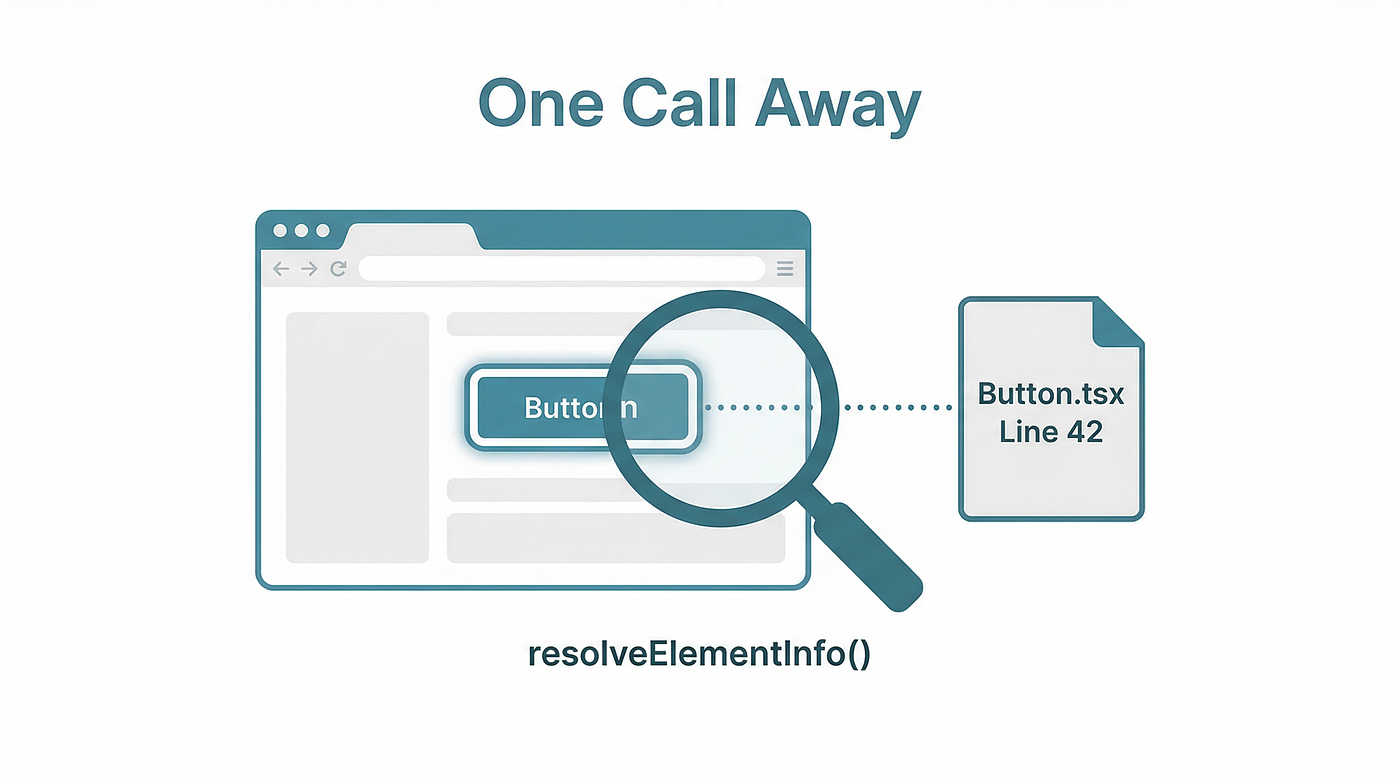
Under the hood, createSourceResolver() builds a resolution pipeline. It always tries the React resolver first (because meta-frameworks like Next.js, Remix, and Gatsby all use React under the hood), then falls through to Svelte, Vue, and Solid resolvers.
The FrameworkResolver interface is surprisingly clean: each resolver provides a resolveStack(element) method and an optional resolveComponentName(element) method. The function signature accepts object rather than Element, which means it can work with React Native, Ink TUI apps, and test renderers too.

One runtime dependency. Just gool ol’ bippy.
Quickly trying it out
The easiest way to quickly try out is element-source is thru React Grab, because the former powers the latter. We’ll hopefully see more mainstream adoptions of element-source on other dev tools, but let’s stick with the low-hanging fruit for now.

Follow the installation instructions here:

It’s fairly straightforward to install.
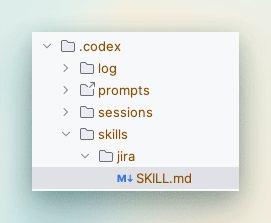
Then, start playing around with it:

On macOS, you can trigger it with ⌘+C. Target the element, then copy, and bam, you now have a precise locator on your clipboard.
Then paste it the element to your favourite harness (e.g. Codex CLI)

This level of precision makes agentic coding a helluva lot easier.
Happy now? Let’s dive into the element-source internals.
The React resolver (the hard one)
The React resolver is roughly 280 lines of code and accounts for more complexity than the other three resolvers combined. There’s a good reason for that: React doesn’t want you reading its internals.
The DevTools impersonation trick
bippy pulls off something clever. Before React loads, it injects itself as window.__REACT_DEVTOOLS_GLOBAL_HOOK__. React sees this hook, assumes browser DevTools are installed, and registers its internal renderer. From that moment, bippy receives callbacks after every commit, including access to the fibre tree.
// bippy pretends to be React DevTools
window.__REACT_DEVTOOLS_GLOBAL_HOOK__ = {
  // React calls this, handing over renderer internals
  onCommitFiberRoot(rendererID, fiberRoot) {
    // Now we can traverse the entire fibre tree
  }
};
High-vis vest, clipboard, walk straight onto the construction site. React doesn’t check credentials; it sees the hook and starts sharing.

Fibre tree traversal
From any DOM node, the resolver reads __reactFiber$xxxxx properties (React attaches these to rendered DOM elements) to find the corresponding fibre node. If the exact node doesn't have one, it walks up parentElement until it finds a match.
Owner stacks (React 19)
React 19 introduced captureOwnerStack, a new dev-mode API that provides component chain stack traces with file paths, line numbers, and column numbers. This replaced the older _debugSource property that tools like click-to-component relied on.
That API change broke existing click-to-source tools. element-source was built with React 19 awareness from the start.
React 19 killed
_debugSourceand shipped owner stacks. Every existing click-to-source tool broke. element-source was built with owner stacks from day one.
Next.js server component symbolication
The resolver detects Next.js apps (via __NEXT_DATA__ or a nextjs-portal element) and handles React Server Components specially. Server components use virtual URLs like about://React/ and rsc://React/ that don't map to real files. The resolver calls Next.js's /__nextjs_original-stack-frames endpoint to symbolicate these back to actual source paths.
Component name filtering
Not every fibre node is interesting. The resolver maintains a blocklist of prefixes: _, $, motion., styled., chakra., plus internal Next.js and React component names. If a component name starts with any of these, the resolver skips it and walks further up the tree.
The whole thing is cached with a WeakMap on fibre nodes, so repeated lookups for the same element return instantly.
Two hundred and eighty lines. Every one of them earned.
The Svelte resolver (the clean one)
After the React resolver, the Svelte resolver feels like stepping out of a nightclub into a quiet garden. About 90 lines. No tricks, no impersonation, no symbolication endpoints.
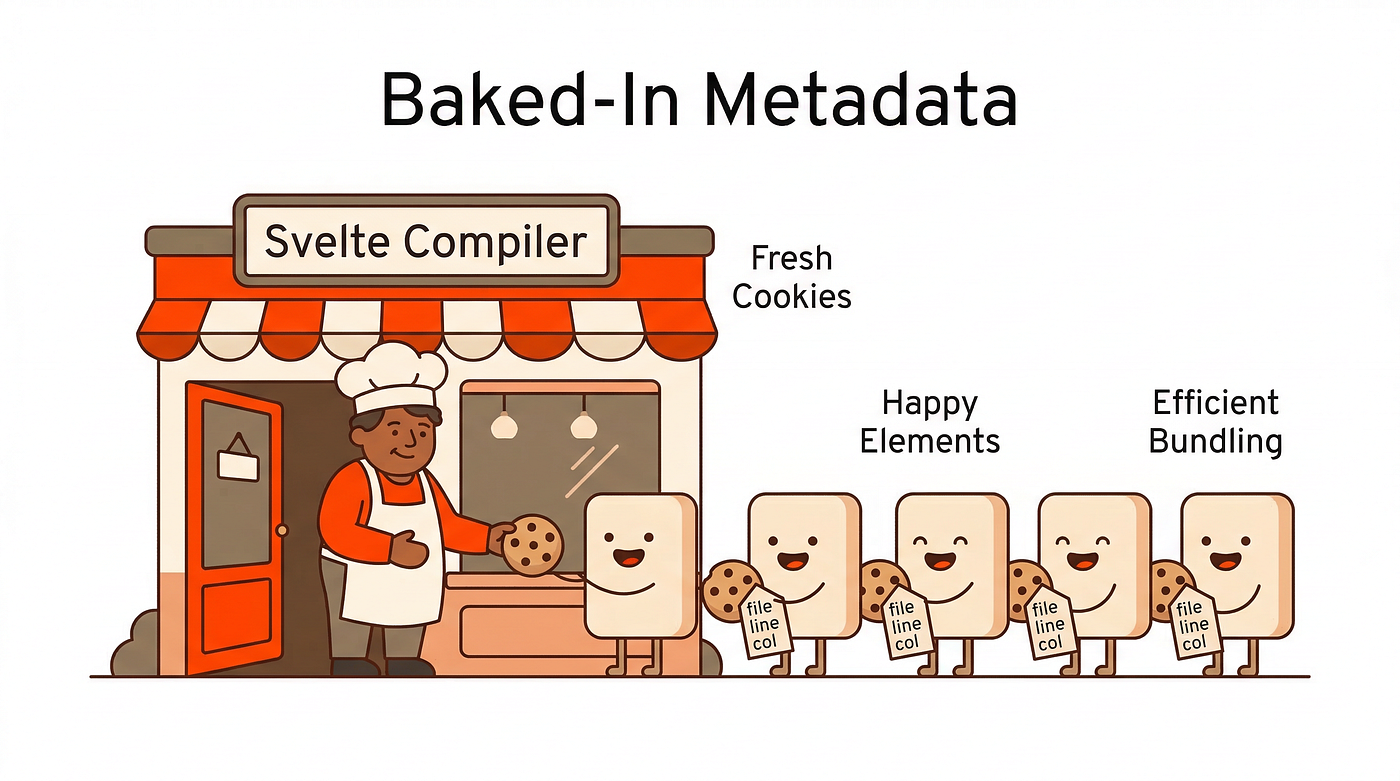
The Svelte compiler does all the work at build time. In dev mode, every DOM element that Svelte renders gets a __svelte_meta property attached directly to it. This object contains:
loc.file(the source file path)loc.line(line number, 0-indexed)loc.column(column number, 0-indexed)- A
parentlinked list giving you the full component hierarchy
The resolver just walks up the DOM via parentElement, checks each node for __svelte_meta, and builds the stack. Deduplication happens via filePath:lineNumber:columnNumber identity strings.
// The Svelte resolver, simplified
function getSvelteStack(element: Element): StackFrame[] {
  const frames: StackFrame[] = [];
  let meta = getNearestSvelteMeta(element);

  while (meta) {
    frames.push({
      filePath: meta.loc.file,
      lineNumber: meta.loc.line + 1,  // 0-indexed → 1-indexed
      columnNumber: meta.loc.column + 1,
    });
    meta = meta.parent;
  }

  return deduplicate(frames);
}
Svelte’s compiler attaches source metadata to every DOM element at build time. The resolver just reads it. Ninety lines of code. Sometimes the best strategy is letting the compiler do the work.
No runtime instrumentation. No hook impersonation. No fetching module source code. The compiler already knows where everything came from, and it leaves breadcrumbs.
The Vue resolver (the two-pronged one)
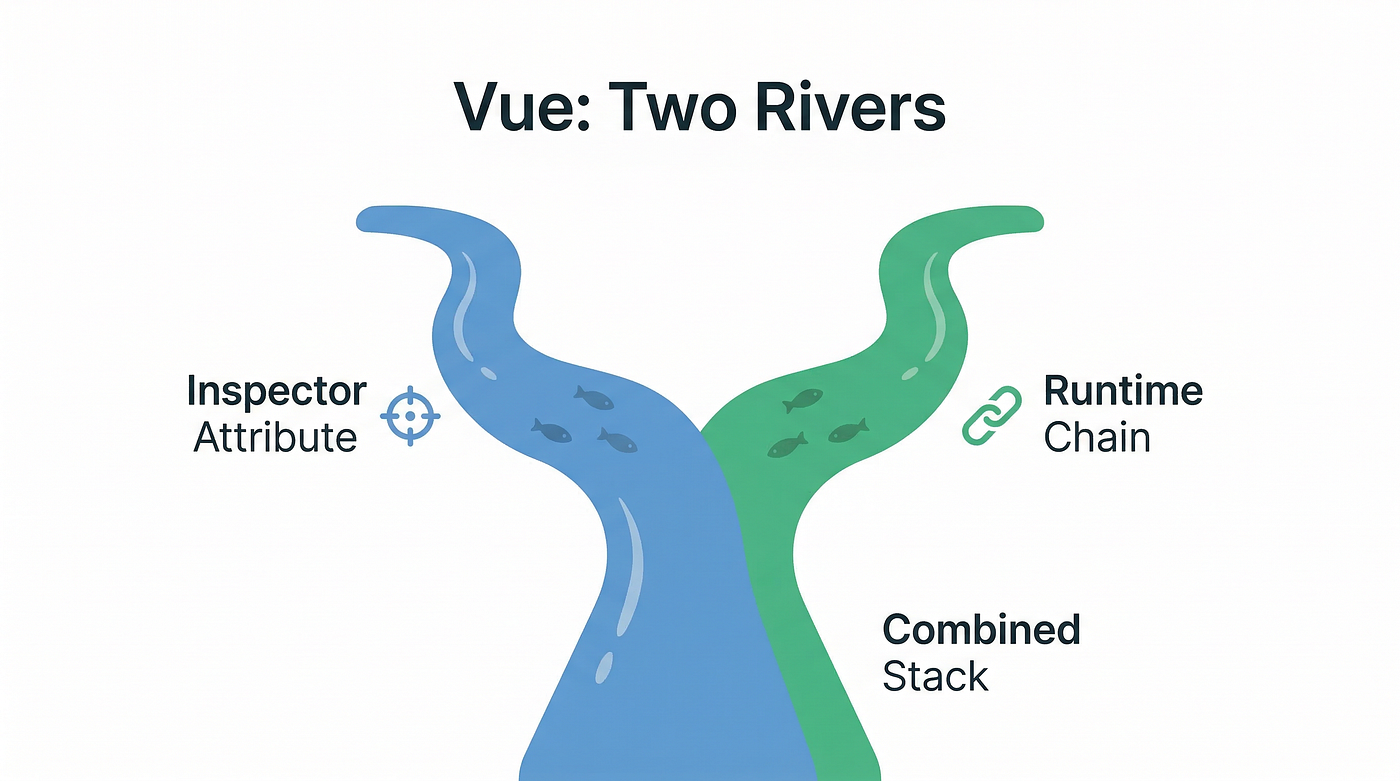
Vue’s resolver takes about 120 lines and uses two independent strategies to find source locations, then merges the results.
Prong 1: The inspector attribute
If you’re running vite-plugin-vue-inspector, your elements will have data-v-inspector attributes containing source information in the format src/Counter.vue:12:5. The resolver calls element.closest("[data-v-inspector]") and parses out the file path, line, and column.
This gives you line-and-column precision, but only if you’ve installed the Vite plugin.
Prong 2: The runtime component chain
Vue attaches __vueParentComponent to DOM elements in dev mode. The resolver walks up the DOM until it finds one of these, then follows the .parent chain reading type.__file (the component's source file) and type.__name (the component name from <script setup>).
The merge
Inspector attribute frames come first (line-and-column precision). Runtime frames fill in the hierarchy. Deduplication handles overlap where both strategies found the same component.
The result: it works without the Vite plugin (you get file-level rather than line-level precision), but gets sharper when the plugin is present. Graceful degradation done right.
The Solid resolver (the clever one)
This is the one that made me sit up. About 170 lines, and it uses a technique I’ve never seen before: source-level grep at runtime.
Solid doesn’t attach metadata to DOM elements in dev mode. No __solid_meta, no __solidFiber$, nothing. So how do you find source locations from a rendered element?
You search the compiled module source code for the element’s event handlers.
Step 1: Find a handler
Solid uses delegated events. When you write onClick={handleClick}, Solid attaches the handler as a $$click property (note the double dollar prefix) on the DOM element. The resolver walks the DOM looking for any $$-prefixed property and grabs the function reference.
Step 2: Serialise it to a string
String(handler) gives you the source text of the function as the browser compiled it. Something like:
// String(element.$$click) might return:

"() => setCount(count() + 1)"
Step 3: Search loaded modules for that string
The resolver uses performance.getEntriesByType("resource") to get a list of every module the browser has loaded. It filters to URLs containing /src/ and excludes CSS, images, and other non-JS resources. Then it fetches each module's source code and searches for the serialised handler text.

Step 4: Find the location annotation
Solid’s dev-mode compiler inserts location: annotations near component code. Once the resolver finds the handler text in a module, it opens a 4,000-character window around the match and uses a regex to extract these annotations:
// Regex pattern for Solid location annotations

/location:\s*["']([^"']+:\d+:\d+)["']/g
Multiple location annotations might appear in the window. The resolver ranks them: highest line number first (prefer deeper/more specific components), then by distance from the handler match position.
Solid’s resolver serialises event handlers to strings, then greps the loaded module source code to find where the component was defined. It’s an inversion of how every other resolver works: instead of reading metadata from the DOM, it searches for the DOM in the source.
The results get cached (MODULE_SOURCE_CACHE for fetched source, HANDLER_STACK_CACHE for resolved handlers) so subsequent lookups don't re-fetch modules.
This approach is fragile. It depends on the handler source text being unique enough to match, on the compiler producing location annotations, and on the modules being fetchable (same-origin). But when it works? Creative as hell.
The existing tools
element-source isn’t the first tool to connect DOM elements to source files. Others got there earlier, with trade-offs.

click-to-component is React-only and relies on the _debugSource fibre property that React 19 deprecated. It requires Alt+Click interaction. No programmatic API.
LocatorJS supports multiple frameworks, but in its full-featured mode it requires both a build-time plugin (Babel, SWC, or Vite) to inject data-locatorjs-id attributes and a browser extension to read them. Two installation steps before anything works.
vite-plugin-vue-inspector does one framework on one build tool. Vue plus Vite. That’s it.
React DevTools has a built-in “Open in Editor” feature, but it requires the browser extension and manual component selection in the component tree.

element-source combines four properties no competitor has together: framework-agnostic, no build plugin, no browser extension, and a programmatic API. That last property is why this library exists at all.
The AI agent angle
Aiden said it plainly in his announcement: “Coding agents are VERY good at following source files, making it a token efficient strategy.”
Think about what an AI coding agent does when you ask it to change a button’s colour. Without source location data, the agent searches your project. Grepping for component names, scanning directory structures, reading multiple files before finding the right one. Every file it reads costs tokens, and tokens consume context window space.

With element-source, the agent gets { filePath: "src/components/Button.tsx", lineNumber: 42 } and goes straight there.
Even with today’s 200K-1M token context windows, every file an agent doesn’t have to read is budget saved for reasoning. Source location data turns a search problem into a lookup problem.
This is the real story behind the library. element-source was built as agent infrastructure first; the fact that it’s also useful to human developers is a side effect. The programmatic API (a function call, not a click interaction) exists because agents call functions, not click buttons.

React Grab was the prototype. element-source is the platform.
The caveats
All four resolvers depend on dev-mode metadata. In production builds, React strips fibre debug info, Svelte strips __svelte_meta, Vue strips __vueParentComponent, and Solid strips location annotations. \
This tool only works in development.
bippy explicitly warns that it “may break production apps” because it depends on React internals that can change between releases without notice. element-source inherits that risk for its React resolver.

The library shipped at v0.0.4. A few days old at the time of writing, with a single contributor. The API surface might change.
And the Solid resolver, while creative, is the most fragile of the four. It depends on handler source text being unique enough to match unambiguously, on the Solid compiler producing location annotations, and on modules being fetchable from the same origin. Any of those assumptions can break.
It’s a sharp, early prototype solving a problem that didn’t exist two years ago.
element-source sits where three shifts in developer tooling converge.

Human-UI to programmatic APIs. Click-to-component was a UI: alt-click an element, jump to the file. element-source is an API: call a function, get a data structure. The interaction model changed because the consumer changed.
Framework-specific to framework-agnostic. React Grab worked with one framework. element-source works with four, and the FrameworkResolver interface means adding a fifth (Angular, anyone?) is a matter of implementing two methods.
Developer-only to agent-consumable. The entire design assumes the caller might be a program, not a person. Return structured data, not open an editor tab. Provide file paths as strings, not launch a system command.

Aiden’s progression from Million.js through React Scan to bippy to React Grab to element-source traces this arc: performance optimisation, then human-facing DX tools, then the infrastructure layer that agents need.
The frameworks themselves are starting to take notice. React 19’s owner stacks provide richer source location data than any previous version. Svelte’s compiler has always been generous with metadata. If this category of tooling grows, we might see frameworks competing on how much dev-mode context they expose.
For now, element-source is a budding repo with one dependency and four very different answers to the same question. It’s early. It’s fragile in places.
And it’s one of the more interesting pieces of open-source engineering I’ve read this year.
Related reading
You can do more with this article
Signed into Medium? Here’s how to get more from this piece:
- Highlight passages that stuck with you, especially the resolver breakdowns
- Add it to a reading list: keep it with your other framework internals and DX tooling resources
- Leave a response below: I’d love to hear which resolver surprised you most, or if you’ve tried element-source yourself
- Follow me: if open-source dissections and framework internals are your thing
Not on Medium yet? Create a free account to access these features and build your personal reading library.
메타데이터
- post_id
- ee7e35b42575
- slug
- the-tiny-library-that-gives-ai-agents-eyes-on-your-codebase-ee7e35b42575
- url
- https://ai.sulat.com/the-tiny-library-that-gives-ai-agents-eyes-on-your-codebase-ee7e35b42575
- canonical_url
- https://ai.sulat.com/the-tiny-library-that-gives-ai-agents-eyes-on-your-codebase-ee7e35b42575
- author_url
- https://medium.com/@jpcaparas
- status
- ok
- fetched_at
- 2026-07-10 22:02:13