I Left PyCharm for VS Code After 5 Years. Here Is Why
PyCharm is still better at some difficult IDE problems. I switched because the daily friction started to matter more.
I Left PyCharm for VS Code After 5 Years. Here Is Why
PyCharm is still better at some difficult IDE problems. I switched because the daily friction started to matter more.
I used PyCharm for five years.
I did not leave because PyCharm suddenly became bad. That would make this comparison much easier to write, but it is not true.
PyCharm is still a serious Python IDE. In several areas, it is clearly better than VS Code. Refactoring is safer. Project navigation is deeper. Database tools, debugging, testing, framework support, and code analysis feel like parts of one system rather than separate things taped together.
That is exactly what makes leaving it slightly awkward.
I did not move to VS Code because it won every comparison. It does not.
I moved because it became good enough at the things I do every day, while PyCharm kept asking for more resources, more patience, and sometimes more money than I wanted to give it.
That sounds less exciting than declaring one editor dead.
It is also closer to how developers actually change tools.
Created in Canva
The default stopped earning its place
Five years is long enough for a development tool to become automatic.
Open a Python project. Open PyCharm.
That was the default.
But defaults are dangerous because you stop questioning them. You keep using the same setup long after the reasons for choosing it have changed.
At some point, I started noticing how much IDE I was opening for relatively ordinary work.
Sometimes I needed to inspect a few files, run a command, change a function, or review a small repository. PyCharm would start loading the project, scanning files, restoring windows, initializing plugins, and indexing whatever it believed needed indexing.
All useful work.
Also, sometimes, far more ceremony than the task deserved.
VS Code felt different. Open the folder. Start working.
Yes, VS Code is doing plenty in the background too. It is an Electron application, not some magical 200-kilobyte text editor written by monks. But the experience usually feels lighter because it starts with less and lets me add what I need.
PyCharm starts with an opinionated Python environment.
VS Code starts with an empty room.
After five years, I found myself preferring the empty room.
Remote development changed the cost calculation
Remote development used to feel like an advanced workflow that only a small group of developers cared about.
That is no longer true.
Docker-based projects, remote Linux servers, WSL environments, development containers, cloud machines, and repositories that should not live directly on a laptop are normal now.
This is where the pricing difference became difficult to ignore.
JetBrains now distributes PyCharm as one unified product. Its core Python features remain free and open source, while advanced capabilities continue under a Pro subscription. JetBrains explicitly says its full remote-development workflow is not available in the free PyCharm tier and requires PyCharm Pro.
VS Code supports Remote SSH, Dev Containers, WSL, and Remote Tunnels through Microsoft’s remote-development extensions. The editor itself is free, and those workflows do not require purchasing a VS Code subscription.
That does not make PyCharm’s remote implementation worthless. JetBrains can give you a more integrated, IDE-like remote experience, and for some teams that is worth paying for.
But the basic calculation is blunt.
If remote and container-based development are ordinary parts of the job, VS Code gives me the required tools without turning the workflow into a licensing decision.
For an individual developer, that matters.
For a team standardizing dozens of development machines, it matters much more.
The performance argument needs less fake precision
There are plenty of PyCharm versus VS Code tables online with suspiciously exact numbers
- Startup time: 6.2 seconds versus 1.8 seconds.
- Autocomplete latency: 80 milliseconds versus 150 milliseconds.
- Full indexing: 45 seconds versus 22 seconds.
Measured where? On what machine? With which plugins? Which operating system?
Was the project already cached? Was the Python environment local? Was Git scanning something? Was Docker running? Was the laptop trying to install an operating-system update at the same time?
“Developer community benchmarks” is not a source. It is a phrase people put under a table when they want the numbers to look researched.
There is an older LogRocket comparison that reported VS Code downloading at roughly 76.2 MB and using around 40 MB of memory on the author’s machine. The same author said PyCharm took three to five minutes to open in that particular setup. But that article was published on December 1, 2021. It is a personal machine test, not a universal 2026 benchmark.
I would not use those numbers to predict what either tool will consume on a current computer.
The larger point still holds without pretending every machine behaves identically.
PyCharm performs deeper project analysis and ships more IDE functionality out of the box. That work consumes resources.
VS Code generally starts with a smaller feature set. Add Pylance, Python debugging, testing, Docker tools, Git extensions, database clients, AI assistants, linters, formatters, notebook support, and twelve extensions you forgot you installed, and the “lightweight editor” starts becoming less lightweight.
Still, for short sessions and smaller tasks, VS Code usually feels quicker to enter and easier to leave.
That matters more than benchmark theatre.
Ten seconds is not a disaster. Nobody is missing a production deadline because an IDE opened slowly once.
But development tools are opened, closed, restarted, reloaded, updated, and switched between constantly. Small delays become irritation through repetition.
Sometimes performance is not about saving measurable hours.
Sometimes it is simply about not making the developer wait for the tool to finish thinking about itself.
VS Code fits mixed work better
PyCharm is built around Python.
That is a strength until the project stops being only Python.
A normal backend repository can contain Python, JavaScript, TypeScript, SQL, YAML, shell scripts, Dockerfiles, Terraform, Markdown, JSON, configuration files, and a collection of CI files nobody wants to touch.
PyCharm can handle much of this, especially with Pro features and plugins. JetBrains has also expanded the free PyCharm tier: PyCharm 2026.1 brought broader web-development support into the free core, along with a new debugpy-based debugger architecture and remote uv support. PyCharm is not sitting still.
VS Code still feels more natural when the repository is not dominated by one language.
The same editor can be a Python environment in one window, a TypeScript editor in another, and a quick configuration-file editor in a third.
I do not have to think about whether I am using the “right IDE” for each part of the repository.
I open the folder.
That is mostly it.
Of course, the cost of this flexibility is extension management.
VS Code does not magically understand every language. It asks you to build the environment yourself.
Python extension.
Pylance.
Formatter.
Linter.
Docker.
Database client.
Git tooling.
Something for YAML because apparently YAML needs an entire support system to stop two spaces destroying your afternoon.
The extension model is both VS Code’s greatest advantage and its most annoying design decision.
Created in Canva
A large extension marketplace is not automatically a win
People often compare marketplace sizes as though the higher number settles the argument.
It does not.
Thousands of extensions mean more choices. They also mean duplicated tools, abandoned packages, inconsistent interfaces, overlapping keyboard shortcuts, questionable permissions, and developers installing whatever appears first in search.
A 2024 academic study examined 52,880 third-party VS Code extensions and classified roughly 5.6% as showing suspicious behaviour. That does not mean the entire marketplace is unsafe, but it is a reminder that “there is an extension for that” is not the end of the discussion.
PyCharm’s approach is less exciting but often cleaner.
A lot of its value comes from features that already know about each other. The debugger understands the project model. Refactoring understands Python symbols. Test runners, interpreters, inspections, Git tools, and framework support live inside the same IDE.
With VS Code, two individually good extensions can still disagree about how the project works.
You get flexibility.
You also become the person responsible for integrating your own IDE.
Some developers love that. Some developers want to write Python and go home.
Both are reasonable.
PyCharm still wins at refactoring
This is the part where many VS Code comparisons become dishonest.
PyCharm is still better at serious Python refactoring.
Renaming a local variable is not a meaningful test. Almost any modern editor can do that.
The real test is whether a tool understands the difference between a module name, an imported symbol, an alias, an inherited method, a dynamic reference, and a string that happens to contain the same text.
Martin Ueding documented a useful example in March 2023. He had a module named command.py containing a function named command(). After renaming the function to print_context(), VS Code changed:
from .command import command
into
from .print_context import print_context
That import was broken because the module was still named command.py.
PyCharm correctly produced:
from .command import print_context
It understood that the module and function were separate symbols.
That example is not from May 2026, despite some recent comparison articles presenting it that way. It is older, and VS Code’s Python tooling has changed since then.
But the underlying point remains relevant.
PyCharm’s refactoring tools are one of the strongest reasons to keep using it.
Change a function signature across a large codebase. Move classes between modules. Rename symbols with complicated import paths. Inspect usage hierarchies. Perform structural changes where a bad automated edit can quietly create work instead of removing it.
This is where I trust PyCharm more.
VS Code is good at editing code.
PyCharm is better at understanding a Python project as a system.
That is not a small difference.
So why leave the better refactoring tool?
Because refactoring is only one part of the day.
A tool can win the hardest technical category and still lose the overall workflow.
I do not perform project-wide structural refactors every hour. I do open files, navigate repositories, run tests, inspect logs, edit configuration, connect to containers, review Git changes, use terminals, and switch between languages constantly.
VS Code is good enough at Python refactoring for most routine work.
When the change is risky, I slow down. I inspect the diff. I run the test suite. I search references manually when necessary.
Should the editor be better? Yes.
Is that extra caution worth the trade for me? Usually.
For developers working inside a huge, heavily object-oriented Python codebase, the answer may be completely different.
This is not a universal migration guide.
It is a description of where my own balance moved.
AI did not decide the switch
AI coding features now appear in every editor comparison because apparently software cannot be discussed without adding an agent to it.
Both ecosystems have serious options.
JetBrains supports its own AI tools and external agents. Its current product material lists integrations including Claude Agent, Codex, GitHub Copilot, and Cursor through its agent protocol. JetBrains AI Pro is currently listed at $100 per user per year.
VS Code has deep GitHub Copilot integration. GitHub currently offers a free plan, Copilot Pro at $10 per month, and more expensive Pro+, Max, Business, and Enterprise levels. The free plan includes 2,000 inline suggestions per month, although other AI usage is limited.
As of July 15, 2026, VS Code 1.129 is also leaning much harder into agent-based development, including a dedicated agent host capable of running Copilot, Claude, and Codex sessions.
None of that was the main reason I switched.
AI tools change too quickly to build an editor decision around them. Today one integration is better. Three months later another editor supports the same model. Then pricing changes. Then usage limits change. Then the feature gets renamed because “assistant” is no longer futuristic enough and everything must become an “agent.”
I care more about the non-AI workflow.
Can I open the repository quickly?
Can I move through it without fighting the interface?
Can I work locally, remotely, or in a container?
Can I understand what the editor changed?
Can I remove the AI extension and still like the editor?
That last question is useful.
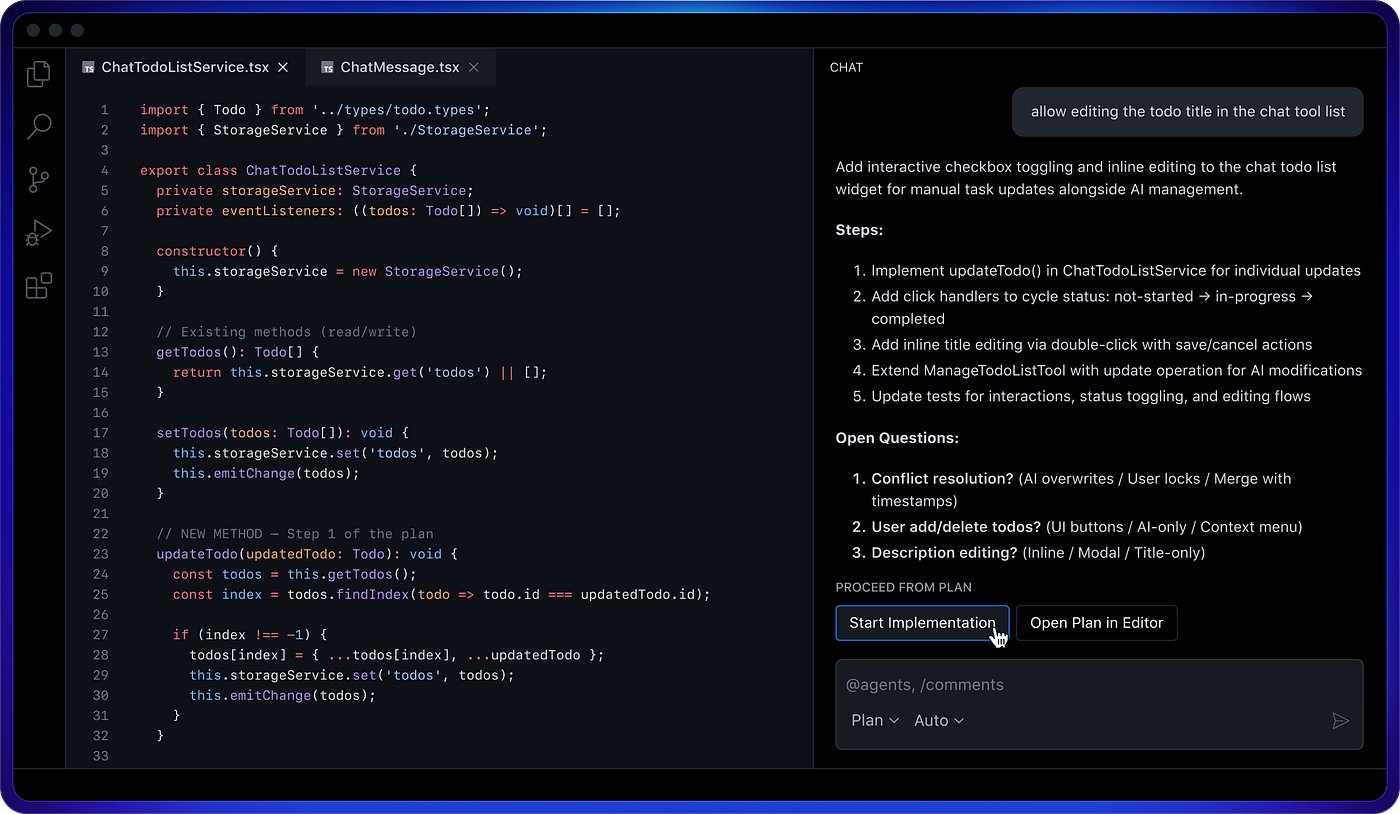
SS
The pricing gap is real, but some comparisons exaggerate it
The pricing table in many articles is wrong before the article is even published.
PyCharm’s old Community-versus-Professional product split has changed. JetBrains now provides one PyCharm download with a free core and optional Pro features.
At the time of checking, JetBrains lists the individual PyCharm Pro subscription at $109 for the first year, not $249. The higher figures commonly repeated in comparison tables often mix individual and organizational pricing.
VS Code is free, although the licensing description deserves precision. The underlying Code–OSS repository is MIT licensed, while Microsoft’s official Visual Studio Code distribution includes Microsoft-specific components and uses Microsoft’s product licence. “Built on open source” is more accurate than simply calling the official binary an MIT application.
The real cost is not just the editor price anyway.
It includes:
Time spent managing extensions.
Time spent fixing extensions after updates.
Time spent configuring a new machine.
Resources consumed by the editor.
Remote-development licences.
AI subscriptions.
Database tooling.
The cost of a refactor the editor got wrong.
The cost of making every developer on a team maintain a slightly different VS Code setup.
VS Code is cheaper in direct licensing.
PyCharm may be cheaper in configuration and integration effort for a Python-heavy team.
Annoying answer, but true.
Who should probably stay with PyCharm
Do not switch because VS Code is popular.
That is not a technical reason.
PyCharm remains the stronger choice when most of your work is Python and you depend heavily on structural refactoring, deep code navigation, built-in database tools, framework intelligence, integrated testing, and a debugger that already understands the environment.
It is also easier to standardize when a team wants one complete, supported tool rather than a base editor plus an approved extension list.
Newer developers may benefit from this too.
VS Code looks simple when it first opens, but building a reliable Python environment inside it requires decisions: interpreter selection, language server, formatting, linting, testing, debugging, notebooks, environment management, and workspace configuration.
PyCharm makes more of those decisions for you.
Sometimes opinionated software is useful because the opinions are better than your current configuration skills.
Why VS Code won for me
VS Code won because I now value lower friction more than maximum Python intelligence.
It opens the kinds of repositories I work with without making one language the centre of everything.
Its remote-development story fits modern container and server workflows without requiring a paid editor tier.
It feels better for small tasks.
It lets me keep the same basic environment across Python, frontend code, infrastructure files, documentation, shell scripts, and whatever format the CI system has invented this week.
And when I do not need a feature, I can remove it.
That does not make VS Code objectively better.
It makes it easier for me to shape around the work instead of shaping the work around the IDE.
There is a downside. My setup is now my responsibility. Extensions break. Settings accumulate. A clean VS Code installation can slowly become a digital junk drawer with syntax highlighting.
I am not pretending otherwise.
PyCharm is a better complete Python IDE.
VS Code is a better general development workspace for how I currently work.
Those statements can both be true.
Created in Canva
I left, but I am not pretending PyCharm lost
Editor comparisons usually demand a winner.
That is probably the least useful way to think about this.
PyCharm wins at several things I genuinely care about. Refactoring is the obvious one. Integrated project intelligence is another. There are changes I would still trust PyCharm to perform before I trusted my current VS Code setup.
But I do not choose a development tool by giving every feature equal weight.
I choose it by noticing which annoyances I meet every day.
For me, waiting, resource usage, remote-work restrictions, mixed-language friction, and the feeling of opening too much tool became more important than having the deepest possible Python integration available at every moment.
So VS Code became the default.
Maybe that changes again.
Editors are tools, not football clubs. Five years with PyCharm does not require five more years out of loyalty, and moving to VS Code does not require pretending PyCharm is obsolete.
The uncomfortable question is not which editor has the longest feature list.
It is which features you are actually paying for, in money or friction, while barely using them.
메타데이터
- post_id
- eef3bde38ae6
- slug
- i-left-pycharm-for-vs-code-after-5-years-here-is-why-eef3bde38ae6
- url
- https://medium.com/pythonic-af/i-left-pycharm-for-vs-code-after-5-years-here-is-why-eef3bde38ae6
- canonical_url
- https://medium.com/pythonic-af/i-left-pycharm-for-vs-code-after-5-years-here-is-why-eef3bde38ae6
- author_url
- https://medium.com/@dmarcus12
- status
- ok
- fetched_at
- 2026-07-18 02:42:05