Discover Lernaean: Exploiting Default Credentials & SSH Access
Discover Lernaean: Exploiting Default Credentials & SSH Access

A Hackviser Walkthrough on Web Enumeration, Exposed File Managers, and Password Auditing
Sometimes the biggest vulnerability isn’t a zero-day exploit — it’s simply leaving default credentials unchanged. In this warm-up machine, I walked through web enumeration, discovered an exposed file manager, leveraged default credentials, and pivoted to SSH access through password auditing.
Introduction
I recently completed the Discover Lernaean warm-up machine on Hackviser. While designed for beginners, it illustrates several real-world security issues that penetration testers encounter regularly:
- Service enumeration
- Directory brute-forcing
- Identifying exposed administration panels
- Exploiting default credentials
- SSH password auditing with Hydra
- Linux user enumeration
It’s a great introduction to reconnaissance and the kind of misconfigurations that show up far more often than people expect.
Machine Overview
Difficulty: Beginner
Skills Covered: Nmap · Gobuster · Tiny File Manager · Default Credentials · Hydra · SSH · Linux Enumeration
Step 1 — Initial Enumeration
The first step was identifying open services on the target.
nmap -sC -sV <TARGET_IP>The scan revealed two open ports:
22/tcp open  ssh
80/tcp open  http
The web server was running Apache/2.4.56.
Step 2 — Directory Enumeration
Next, I searched for hidden directories using Gobuster.
gobuster dir \
  -u http://<TARGET_IP> \
  -w /usr/share/wordlists/dirb/common.txt
Gobuster uncovered a promising path:
/filemanagerExposed admin panels like this are frequently a fast track to further access, so it was worth investigating immediately.
Step 3 — Investigating the File Manager
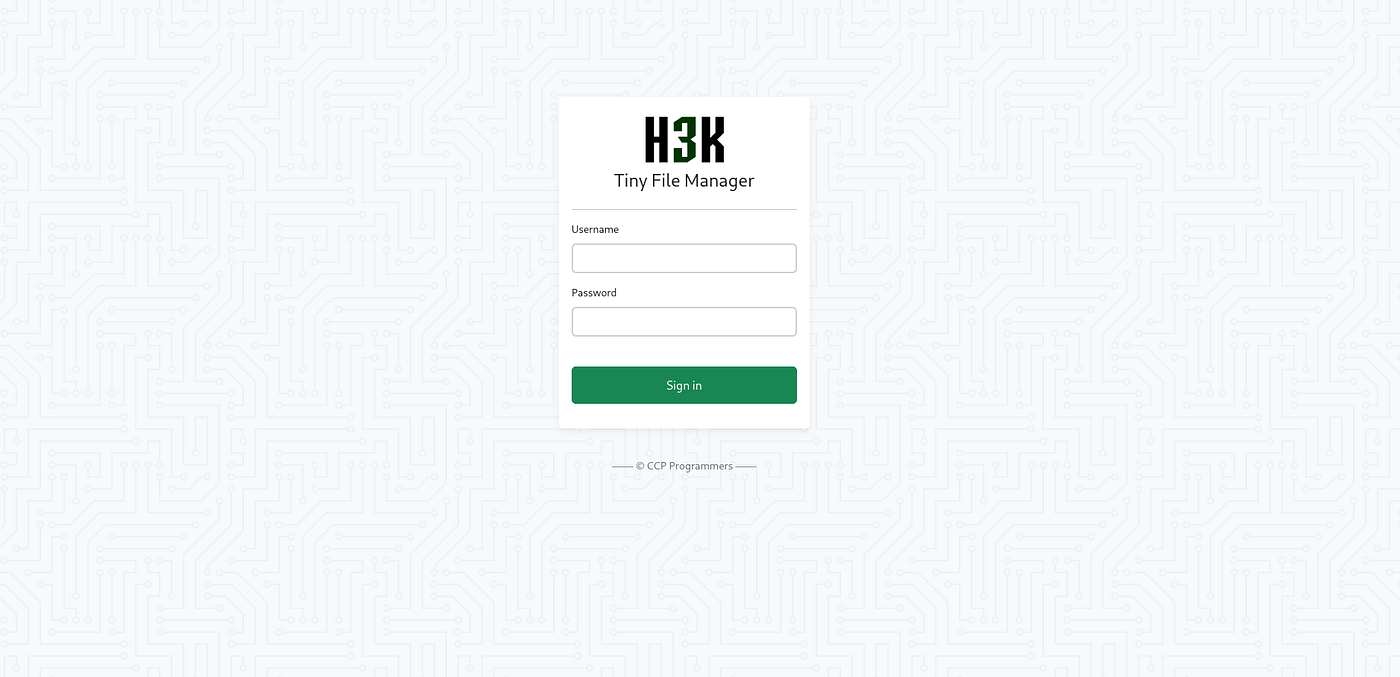
Navigating to the discovered directory presented a login page for Tiny File Manager.
Inspecting the page source didn’t reveal any hardcoded credentials — just a CSRF token — so guessing wasn’t going to be the way in.
Step 4 — Researching the Application
Rather than brute-forcing blindly, I identified the software as Tiny File Manager and checked its public documentation and GitHub repository, where its default credentials are openly listed:
(https://github.com/danielmiessler/SecLists)
Username: user
Password: 12345
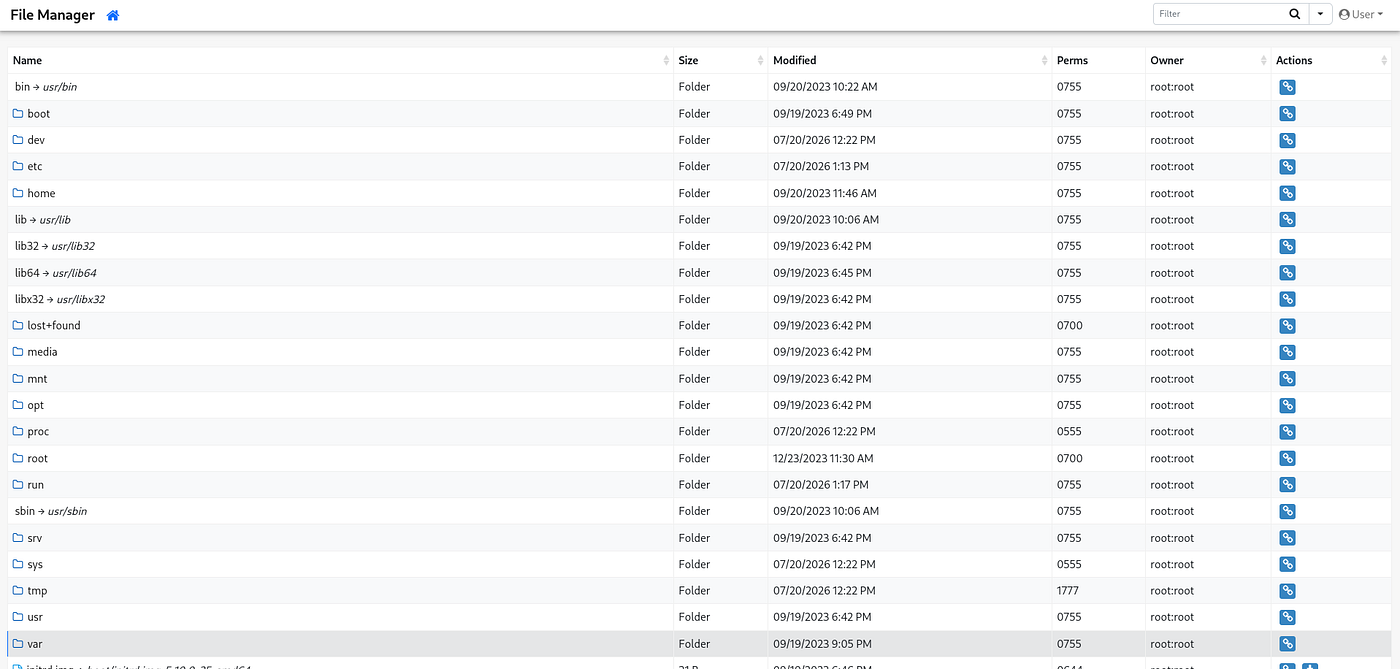
Logging in with these credentials worked immediately — a clean demonstration of one of the most common real-world vulnerabilities: default credentials left unchanged in production.
Step 5 — Enumerating Linux Users
With access to the file manager, I was able to browse the underlying filesystem. Navigating to:
/etc/passwdor via the file manager’s URL parameter:
index.php?p=etc&view=passwdexposed the system’s user list. The last regular user added to the machine was:
rock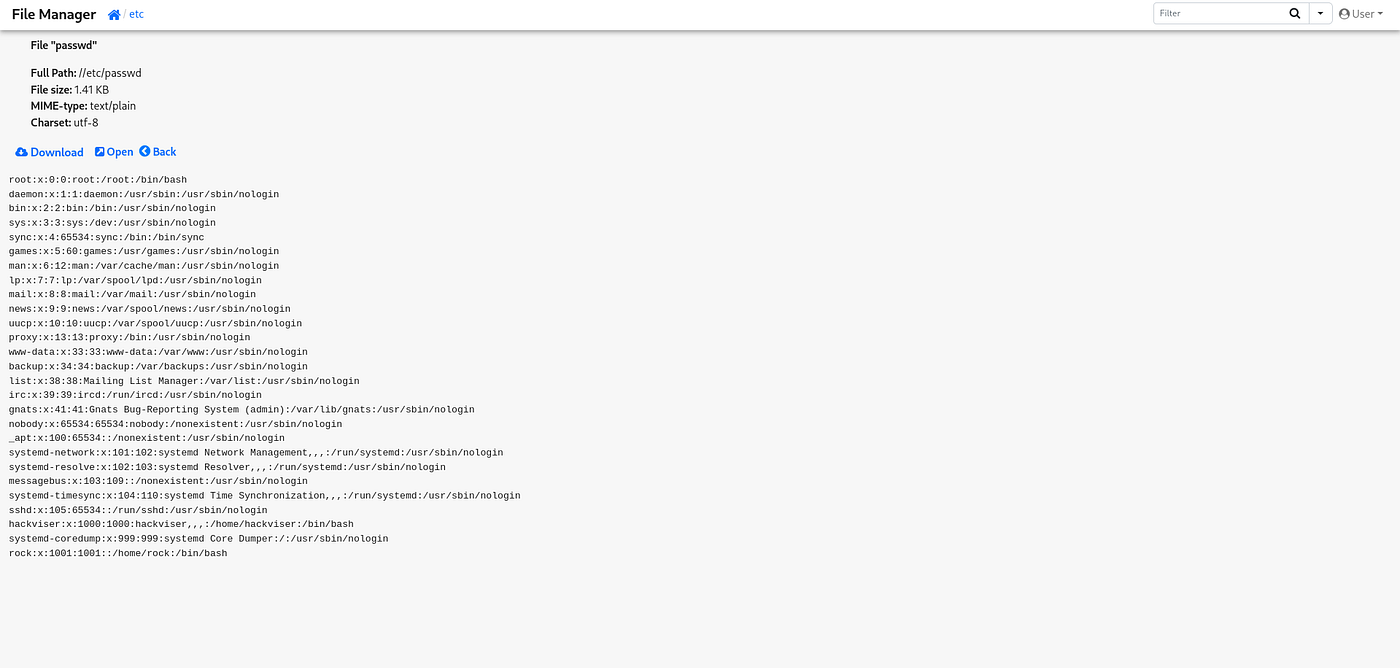
Step 6 — SSH Password Audit
With port 22 open and a valid username in hand, I used Hydra to audit the account’s password strength.
hydra \
  -l rock \
  -P /usr/share/wordlists/rockyou.txt \
  ssh://<TARGET_IP>
Hydra returned a hit:
rock : 7777777Step 7 — SSH Login
Using the recovered credentials:
ssh rock@<TARGET_IP>Password: 7777777I successfully authenticated to the target machine.
Step 8 — Command History
The final task was determining the first command executed by the user. Running:
historyreturned:
1 cat .bash_historyAnswer: cat .bash_history
Answers Summary
Question Answer Open Ports 22, 80 Apache Version 2.4.56 Directory Found filemanager File Manager Credentials user : 12345 Last Username rock Password 7777777 First Command cat .bash_history
What I Learned
This room reinforced several important penetration testing fundamentals:
- Never skip basic enumeration — the fastest wins often come from the fundamentals, not exotic exploits.
- Directory brute-forcing quickly reveals hidden attack surfaces that aren’t linked anywhere on the site.
- Public documentation can expose insecure defaults — checking a tool’s own GitHub repo is a legitimate and often overlooked recon step.
- Default credentials remain one of the most common real-world vulnerabilities, beginner-friendly or not.
- Hydra is effective for password auditing when used against systems you are authorized to test.
- File managers can unintentionally expose sensitive OS files, like
/etc/passwd, well beyond their intended scope.
Security Recommendations
For defenders, this box is a useful checklist of what not to do:
- Change all default credentials before deployment.
- Restrict access to administrative panels (IP allowlisting, VPN-only access, etc.).
- Disable unnecessary file managers in production environments.
- Enforce strong, unique passwords across all accounts.
- Enforce account lockout or rate limiting on SSH.
- Monitor authentication logs for brute-force attempts.
- Implement multi-factor authentication where appropriate.
Final Thoughts
This warm-up machine was a great reminder that not every compromise requires a sophisticated exploit. A methodical combination of enumeration, understanding common software defaults, and careful testing was enough to gain full access.
Small misconfigurations can have significant security consequences — which is exactly why routine hardening and secure deployment practices matter.
Thanks for reading! Stay tuned for more Hackviser and TryHackMe walkthroughs, write-ups, and plenty more flags. 🚩
메타데이터
- post_id
- eefdbd727fc7
- slug
- discover-lernaean-exploiting-default-credentials-ssh-access-eefdbd727fc7
- url
- https://medium.com/@proxyy/discover-lernaean-exploiting-default-credentials-ssh-access-eefdbd727fc7
- canonical_url
- https://medium.com/@proxyy/discover-lernaean-exploiting-default-credentials-ssh-access-eefdbd727fc7
- author_url
- https://medium.com/@proxyy
- status
- ok
- fetched_at
- 2026-07-27 03:40:02

