Day 18 of #30daysofawsterraform: Building an Image Processing Pipeline with AWS Lambda and…
#30daysofawsterraform
Day 18 of #30daysofawsterraform: Building an Image Processing Pipeline with AWS Lambda and Terraform
30daysofawsterraform
I Didn’t Understand Serverless Until This Bucket Error Happened
Today started with what I thought would be a straightforward dive into serverless tech. I’d been following this 30-day Terraform challenge, and Day 18 was about building an image processing project on AWS. Upload an image to a bucket, let a Lambda function handle the resizing and format conversions, all managed with Terraform code. It sounded clean, almost magical — no servers to worry about, just events triggering code.
But as I sat there, files copied to my local machine, I realized how much I was leaning on assumptions. I’d read about serverless before, picturing it as this effortless cloud where things just run. No provisioning, no scaling headaches. Yet here I was, staring at a deploy script, wondering if I even knew what “serverless” meant in practice.
Initial Belief
I figured serverless was mostly about convenience. You write a function, tie it to an event like a file upload, and AWS handles the rest. In my mind, it was like automating a simple script — upload a PNG, and poof, you get processed versions in another bucket. Terraform would just declare what I wanted, and the cloud would make it real.
This belief came from skimming docs and watching quick videos. It felt reasonable because, as a beginner in DevOps, I wanted things to be that simple. Why overcomplicate? AWS promises pay-per-use, auto-scaling. I assumed deploying this would be like running a local Python script with Pillow for image tweaks, but in the cloud.
Where It Started Breaking
The cracks showed up fast. I ran the deploy.sh script, excited to see it build the Lambda layer with Docker. But it errored out: “unauthorized: incorrect username or password” when pulling the Python image. I wasn’t even logged in — why would it need credentials for a public image?
I tried again, same issue. This wasn’t the serverless dream. I had to dig into Docker docs, realizing stale creds were the culprit. A simple docker logout fixed it, and the script continued: building the layer, init-ing Terraform, planning, applying. Buckets created, Lambda up. I uploaded a PNG to the upload bucket — named something like image-processor-dev-upload-078b24f3 — and checked the processed one. There they were: JPG and WebP variants, resized automatically. It worked, but the initial hiccup left me uneasy. Was serverless supposed to involve local tools like Docker?


Slowing Down and Thinking
I paused after that first success. Why did the deploy need Docker at all? I went back to the code. The Lambda uses Python with Pillow for image processing — resizing, converting formats. But Lambda environments don’t have Pillow pre-installed, so the script builds a “layer” — a zipped package of dependencies — using Docker to mimic the AWS runtime. That made sense step by step: Docker ensures the build is compatible, avoiding mismatches between my local setup and AWS.
I tested more. Uploaded another image, watched the Lambda logs in CloudWatch. It downloaded the file from S3, opened it with Pillow, resized to a few dimensions (like 800px wide, thumbnail at 200px), saved as JPG with quality 85, WebP at 80. Then uploaded to the processed bucket. No manual intervention. But why multiple formats? I thought about it — WebP is smaller for web use, JPG universal. The code was optimizing for real scenarios, not just demo.
Looking at the Lambda handler code helped clarify this. Here’s a snippet of what it looked like in lambda_function.py:
from PIL import Image
import boto3
import io

def lambda_handler(event, context):
    s3 = boto3.client('s3')
    bucket = event['Records'][0]['s3']['bucket']['name']
    key = event['Records'][0]['s3']['object']['key']

    # Download image
    response = s3.get_object(Bucket=bucket, Key=key)
    image_content = response['Body'].read()
    image = Image.open(io.BytesIO(image_content))

    # Resize and convert
    sizes = [(800, 'medium'), (200, 'thumb')]
    for width, prefix in sizes:
        resized = image.resize((width, int(width * image.height / image.width)))
        for fmt in ['JPEG', 'WEBP']:
            buffer = io.BytesIO()
            quality = 85 if fmt == 'JPEG' else 80
            resized.save(buffer, format=fmt, quality=quality)
            s3.put_object(
                Bucket='processed-bucket-name',  # From env var
                Key=f"{prefix}/{key.split('.')[0]}.{fmt.lower()}",
                Body=buffer.getvalue()
            )
    return {'statusCode': 200}
This code showed me the event-driven flow: S3 sends the event, Lambda processes, outputs to another bucket. It was straightforward once I saw it.
I reflected on the Terraform part. The .tf files declared buckets with versioning enabled, encryption, private access. IAM roles gave Lambda just enough perms to read/write S3. It was declarative: tell AWS what you want, not how to do it. But my initial run had generated unique bucket names with hashes, like 078b24f3, to avoid conflicts. That was smart, but I hadn’t anticipated it.
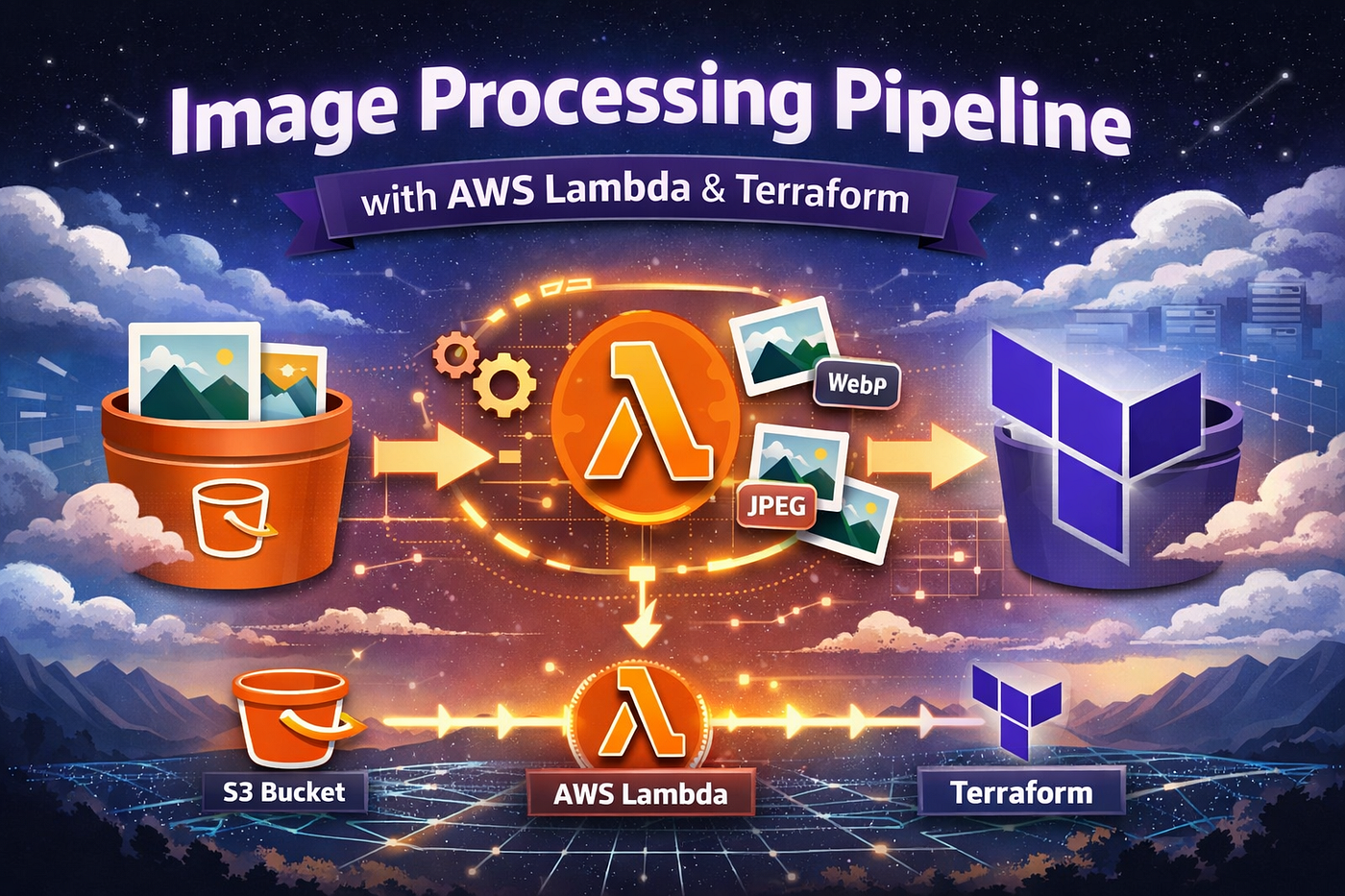
To visualize the whole setup, I sketched a quick architecture in my mind: user uploads to S3 source, event triggers Lambda, Lambda processes and saves to S3 destination. It’s event-based, scalable without servers.

What the System Was Actually Doing
Under the hood, S3 wasn’t just storage — it was the trigger. When I uploaded, S3 sent an event to Lambda: “object created in bucket Upload, key in Processed.” Lambda spun up briefly, ran the code, and shut down. No persistent server, hence “serverless.” But it’s not free of everything; AWS manages the infra, yet you handle code deps via layers.
The breaking point came during cleanup. I ran destroy.sh to tear it down — good practice to avoid costs. But it failed: “BucketNotEmpty” for both buckets, even though I’d deleted the objects manually via console. Why? Versioning. Every upload or delete creates versions or markers. The bucket looks empty, but AWS sees hidden data. Terraform wouldn’t delete unless forced.
I checked the Lambda console to see if logs revealed anything about past invocations — turns out, each run left traces, but the real issue was in S3.
메타데이터
- post_id
- ef0742a3e648
- slug
- day-18-of-30daysofawsterraform-building-an-image-processing-pipeline-with-aws-lambda-and-ef0742a3e648
- url
- https://medium.com/@ars0a/day-18-of-30daysofawsterraform-building-an-image-processing-pipeline-with-aws-lambda-and-ef0742a3e648
- canonical_url
- https://medium.com/@ars0a/day-18-of-30daysofawsterraform-building-an-image-processing-pipeline-with-aws-lambda-and-ef0742a3e648
- author_url
- https://medium.com/@ars0a
- status
- ok
- fetched_at
- 2026-06-23 06:34:20