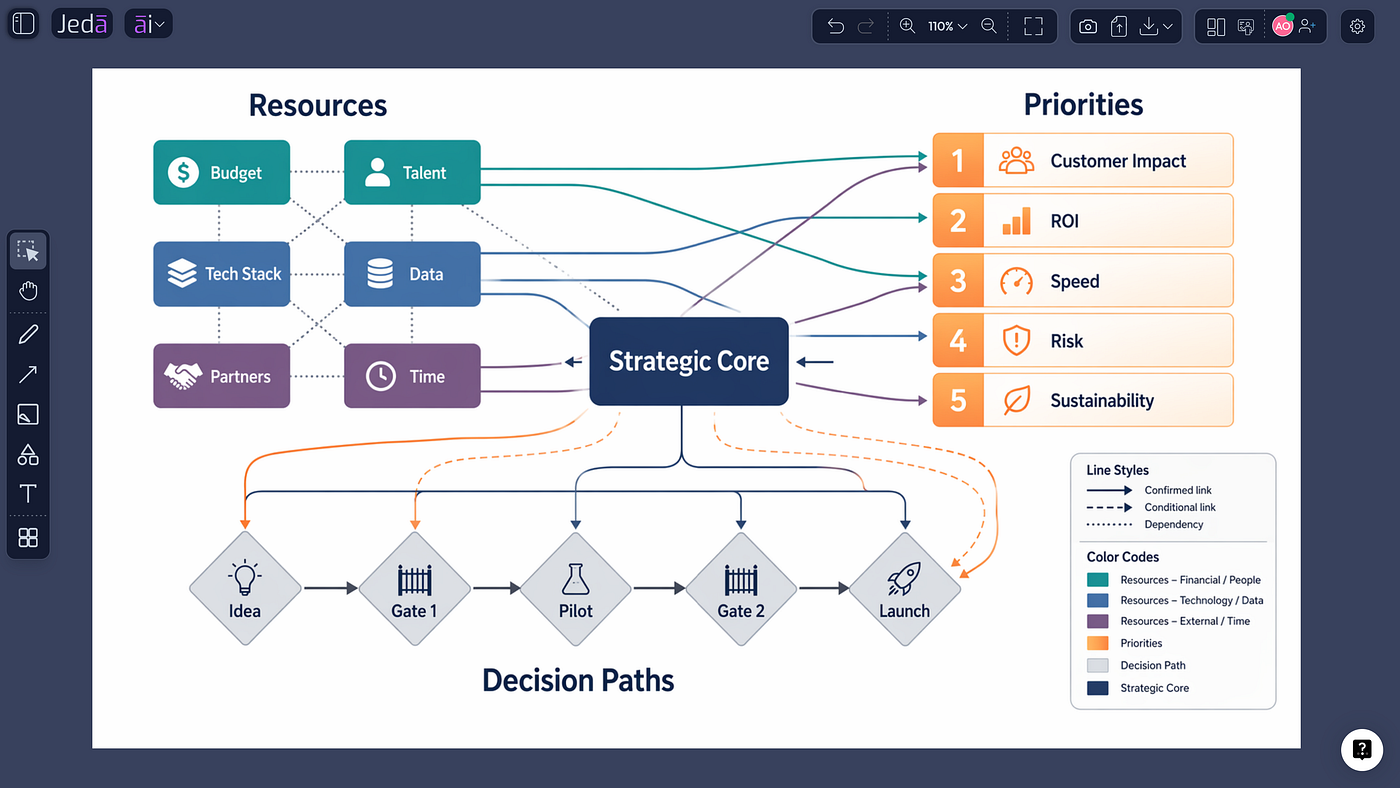
SWOT Analysis with AI: Turn Scattered Ideas into a Clear, Actionable Strategy
SWOT analysis with AI sounds simple on paper. Drop in a prompt, get four boxes, call it strategy. But that version is mostly decoration. A…
SWOT Analysis with AI: Turn Scattered Ideas into a Clear, Actionable Strategy
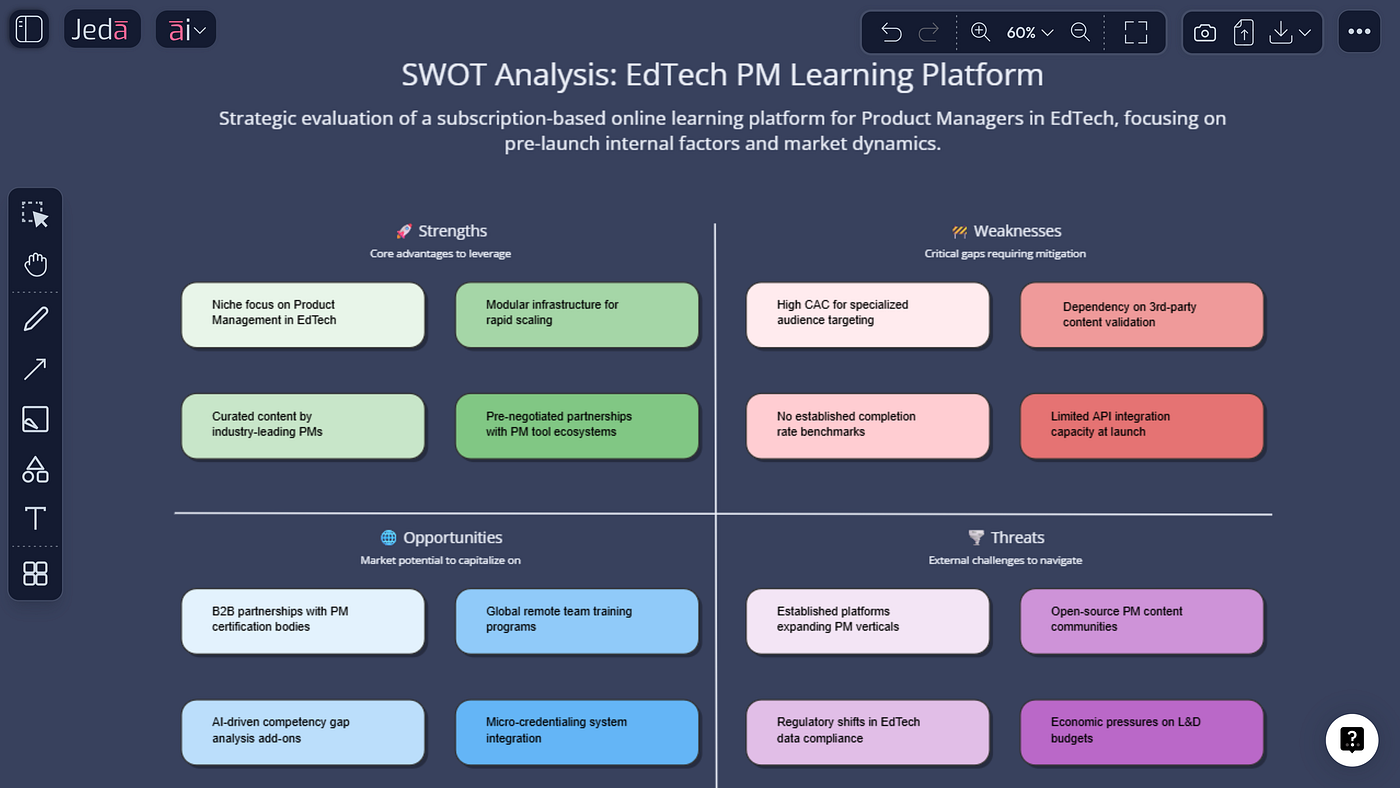
SWOT analysis with AI helps teams move from scattered ideas to an editable strategy board
SWOT analysis with AI sounds simple on paper. Drop in a prompt, get four boxes, call it strategy. But that version is mostly decoration. A useful SWOT should help you see what matters, separate signal from noise, and move toward a decision without turning your team into a committee trapped in a rectangle.
That is where Jeda.ai gets interesting. Instead of forcing you to gather notes in one place, sketch a matrix in another, then rewrite everything again for presentation, Jeda.ai lets you generate an editable SWOT inside one AI Workspace and refine it on one AI Whiteboard.[1][2] You can use the guided SWOT Analysis recipe under Strategy & Planning when you want structure, or use the Prompt Bar when you want more freedom.
And yes, that difference matters. Because the real value is not the first draft. It is what happens after the first draft: tightening weak points, spotting contradictions, and pushing rough observations into sharper next steps.
Useful Jeda.ai links: Explore the AI Workspace | See the AI Whiteboard | Read Jeda.ai’s SWOT analysis guide
What SWOT analysis with AI actually improves
A normal **SWOT **often breaks down in three places. First, the inputs are messy. People bring loose notes, half-remembered assumptions, screenshots, documents, and opinions that do not belong in the same sentence, never mind the same quadrant. Second, the matrix turns vague fast. You get filler like “good team,” “market risk,” or “growth potential,” which sounds fine until someone asks, “Okay, but what does that really mean?” Third, the output often dies as a static artifact. It looks complete, but it does not help the team move.
AI helps by speeding up the structure. Jeda.ai helps by keeping the structure editable and visual. That combination is the sweet spot. You get a faster first draft, but you also keep enough control to clean it up, extend it, and turn it into something worth discussing.
In practice, a stronger AI-assisted SWOT usually does four things well: it grounds each point in context, keeps internal and external factors separate, makes each item concrete enough to challenge, and leaves room to deepen the strongest or riskiest ideas. That last part matters more than people think. A SWOT is not the finish line. It is the launchpad
Why Jeda.ai is a better fit for this workflow
Jeda.ai is built around visual outputs rather than plain chat replies. The platform supports structured Matrix generation, guided AI Recipes, editable canvas objects, AI+ extension, Vision Transform, and real-time collaboration. That means your SWOT is not trapped as a dead answer. You can keep working on it.
So if you already know your team needs a guided setup, use the recipe. If you already know the shape of the analysis you want, use the Prompt Bar. Either way, you are working toward the same outcome: a live, editable SWOT that can be improved instead of rewritten.
One small but important caveat: AI+ is useful here for extending and deepening existing ideas. It is not the place to issue a brand-new unrelated instruction. The smart use is simple: select a specific SWOT point, then use AI+ to push that exact point further.
How to create SWOT analysis with AI in Jeda.ai
Method 1 — Use the Analysis Matrix recipe (recommended)
-
Open Jeda.ai and go to the AI Menu.
-
Choose the Strategy & Planning category, then select the SWOT Analysis recipe.
-
Fill in the guided fields with the situation you are analyzing, who the analysis is for, the decision you need to support, and any extra context that sharpens the result.
-
Select your preferred output settings and generate the matrix.
-
Review each quadrant. Tighten vague statements, remove duplicates, and keep internal factors inside Strengths and Weaknesses while external factors stay in Opportunities and Threats.
-
Select any key item and use AI+ to extend it with deeper reasoning, follow-up notes, or more precise detail.
This method is best when you want a reliable structure quickly. The recipe gives you a cleaner starting point because it nudges you to think about purpose and audience before generation. That usually produces a better board than a one-line prompt tossed into the void.
And once the draft appears, do not just accept it because it looks organized. Read each item like a mildly skeptical editor. If a weakness sounds fuzzy, sharpen it. If an opportunity sounds like wishful thinking, rewrite it. If a threat belongs in another quadrant, move it. Good strategy has a revision phase. Always.

The guided SWOT recipe helps you start with structure instead of a blank canvas.
Method 2 — Use the Prompt Bar for a custom SWOT
-
Open the Prompt Bar at the bottom of the workspace.
-
Choose the Matrix command.
-
Write a direct prompt that explains what you are analyzing, what decision the SWOT should support, and the context the AI should respect.
-
Generate the matrix and review the four quadrants for clarity, relevance, and balance.
-
Refine the result by editing the text directly on the canvas.
-
Use Vision Transform if you want to convert the result into another visual later, such as a flow-oriented follow-up or another structured format.
This method is better when you want more control over framing. Maybe you want a sharper tone. Maybe you want the SWOT to emphasize product positioning, internal execution gaps, or launch readiness. The Prompt Bar gives you that flexibility without making the workflow messy.
A prompt that works well usually includes five things: the subject, the decision to support, the audience, the scope, and the level of detail you want. Without those, AI tends to drift toward generic strategy wallpaper.

Example prompt you can use
Create a SWOT analysis for a new creative productivity platform. Focus on team collaboration, onboarding friction, product clarity, and launch positioning. Keep each point specific, avoid generic filler, and make the output useful for prioritizing next-step actions.
That prompt works because it gives the AI a subject, a scope, and a quality bar. Notice what it does not do: it does not ask for random fluff, and it does not leave the decision context hanging. The clearer the brief, the better the matrix.

The Prompt Bar method gives you a faster custom route when you already know your angle.
What a strong AI-generated SWOT should include
A useful Strengths section should contain advantages you can defend, not compliments you enjoy hearing. A useful Weaknesses section should expose friction you can actually address. Opportunities should reflect external openings, not internal hopes wearing fake glasses. Threats should show real pressure, not vague doom.
If the first draft is too soft, tighten the language. Turn “strong community” into “active early user participation that increases feedback speed.” Turn “competition” into “crowded category with similar claims, making differentiation harder.” Suddenly the matrix becomes more useful. Less poster. More decision support.
This is also where AI+ earns its keep. If one opportunity looks promising but underdeveloped, use AI+ to expand just that point. If one threat feels broad, extend it until it becomes more specific and testable. That is a much smarter workflow than regenerating the whole board every time one note feels weak.

A well-scoped prompt creates a cleaner SWOT that is easier to review, refine, and act on.
Best practices that make the result credible
· Keep each statement concrete. If it sounds like a slogan, rewrite it.
· Separate internal and external factors cleanly. That one rule fixes a surprising number of bad SWOTs.
· Write for a decision, not for decoration. Ask what this matrix is supposed to help you choose.
· Challenge the first draft. AI is fast. Fast does not automatically mean right.
· Use the editable canvas. The advantage is not just generation. It is revision, extension, and clarity.
Common mistakes to avoid
One mistake is treating all four quadrants as equal. They are not. Sometimes one threat or one weakness matters more than six tidy strengths. Prioritize what changes the decision.
Another mistake is using broad filler phrases because they sound strategic. They usually hide weak thinking. If the sentence cannot survive a follow-up question, it is not ready.
And the sneakiest mistake? Stopping at the matrix. A SWOT only becomes valuable when it pushes the next conversation forward.
Frequently asked questions
What is SWOT analysis with AI?
SWOT analysis with AI uses AI to draft and organize strengths, weaknesses, opportunities, and threats faster. The better workflow does more than fill four boxes. It helps you generate a first pass quickly, refine it, and turn it into something your team can actually use.
How do I generate SWOT analysis with AI in Jeda.ai?
You can create it in two solid ways: use the SWOT Analysis recipe in the AI Menu for a guided setup, or use the Prompt Bar with the Matrix command for a more custom build. Both routes produce an editable visual on the canvas.
Why use the recipe instead of writing a prompt from scratch?
Use the recipe when you want structure and consistency. It guides the setup, which often leads to a cleaner first draft. Use the Prompt Bar when you want more freedom over framing, tone, or scope.
Can I keep editing the SWOT after it is generated?
Yes. Jeda.ai is built around editable visual outputs rather than locked text answers. That means you can revise wording, reorganize ideas, and continue refining the board after generation.
What is the right way to use AI+ in this workflow?
Use AI+ to extend and deepen a specific existing point. Select one item and push that exact idea further. Do not treat AI+ as a place to start a totally unrelated task. It works best as an extension tool, not a reset button.
What makes a SWOT prompt better?
A stronger prompt names the subject, the decision to support, the audience, the scope, and the quality standard. Without that, the output often becomes generic and too soft to be useful.
Can I convert the SWOT into another format later?
Yes. Jeda.ai supports Vision Transform, which lets you use existing visual content as context and generate another format from it when needed.
Where can I learn more about the platform around this workflow?
The official Jeda.ai pages for the AI Workspace and AI Whiteboard are the best starting points, and Jeda.ai also has a current blog guide specifically focused on SWOT analysis with AI.
메타데이터
- post_id
- ef0f243fa75d
- slug
- swot-analysis-with-ai-turn-scattered-ideas-into-a-clear-actionable-strategy-ef0f243fa75d
- url
- https://medium.com/@ProductiveAiTools/swot-analysis-with-ai-turn-scattered-ideas-into-a-clear-actionable-strategy-ef0f243fa75d
- canonical_url
- https://medium.com/@ProductiveAiTools/swot-analysis-with-ai-turn-scattered-ideas-into-a-clear-actionable-strategy-ef0f243fa75d
- author_url
- https://medium.com/@ProductiveAiTools
- status
- ok
- fetched_at
- 2026-07-11 03:42:06