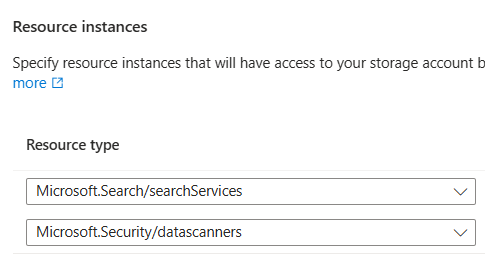
Two Ways to Process Blob Files with Azure Functions — Flex Consumption Plan(Easy vs Enterprise)
☁️ Processing Blobs with Azure Functions
Two Ways to Process Blob Files with Azure Functions — Flex Consumption Plan(Easy vs Enterprise)
☁️ Processing Blobs with Azure Functions
From “It Just Works” to “Enterprise‑Grade Networking” 🚀
If you’ve ever thought:
“Hey, I just want my Azure Function to react when a blob arrives. Why is Azure asking about VNets, Event Grid, firewalls, identity, and my soul?”
You’re not alone 😄
In this post, I’ll walk you through two real‑world ways to process blob files using Azure Functions:
- The easy & calm way — Blob Trigger (normal storage account)
- The enterprise & serious way — Event Grid + VNet + Managed Identity
Same goal. Very different journeys.
🧩 Use Case (Common for Both)
Whenever an blob arrives in a storage container:
- ✅ Trigger an Azure Function
- ✅ Read the file
- ✅ Log how many bytes it has (or anything that your script do)
- ✅ Move it to another folder
OPTION 1: Azure Function with Blob Trigger
“Life is simple, networking is friendly.”
This approach is perfect when:
- Your Storage Account allows public access
- No strict firewall rules
- No VNet, no private endpoints
- You just want results now
Think: POC, Dev, Demo, Internal tools
Step‑by‑Step: Blob Trigger (Easy Mode)
Step 1: Create a Storage Account
- Create a normal Blob Storage Account
- Public network access: ✅ Enabled
- Create a Container and create subfolders
Step 2: Create an Azure Function App
- Go to Function App and create an app with the default configuration.
- Runtime: Python
- Hosting: Flex consumption plan
- Let Azure auto‑create
AzureWebJobsStorage
Azure is smiling. You should too.
Step 3: Add a Blob Trigger Function
Select Blob Trigger and point it to your container:
Container: input
Path: {name}
Now every time a file drops → function wakes up ☕️
Step 4: Process the File
Inside the function:
- Read blob
- Check size (or whatever you want)
No Event Grid. No networking drama. No sleep lost.
OPTION 2: Azure Function + Event Grid
“Enterprise mode activated”
This is for:
- SFTP‑enabled storage accounts
- Strict firewalls
- VNet‑only access
- Security teams watching 👀
Blob Trigger will not work reliably here — so we switch patterns.
🏗️ Architecture at a Glance
Blob Upload
   ↓
Storage Account
   ↓ (BlobCreated)
Event Grid
   ↓
Azure Function (VNet Integrated)
   ↓
Process Blob
   ↓
Result
Step‑by‑Step: Event Grid (Secure Mode)
Step 1: Create an SFTP‑Enabled Storage Account
- Enable SFTP
- Create container + folders
- Public access: ❌ Disabled
- Networking: Selected networks only
Security team nods approvingly ✅
Step 2: Create Azure Function App
- Python runtime
- Same region as storage
- Select Flex consumption plan and leave the default configurations
Step 3: Enable Managed Identity
- Go to Function App → Identity
- Turn on System‑assigned Managed Identity
Now your function can say:
“Trust me, I’m Azure.” 😎
Step 4: Give Storage Permissions (RBAC)
On the Storage Account:
- Role: Storage Blob Data Contributor
- Assigned to: Function App’s Managed Identity
✅ Authentication solved ✅ No connection strings in code
Step 5: Configure VNet Integration
This is the most important step.
On Function App:
- Networking → VNet Integration
- Attach to a VNet + Subnet
On Storage Account:
- Networking → Public access
- Allow the same VNet + Subnet
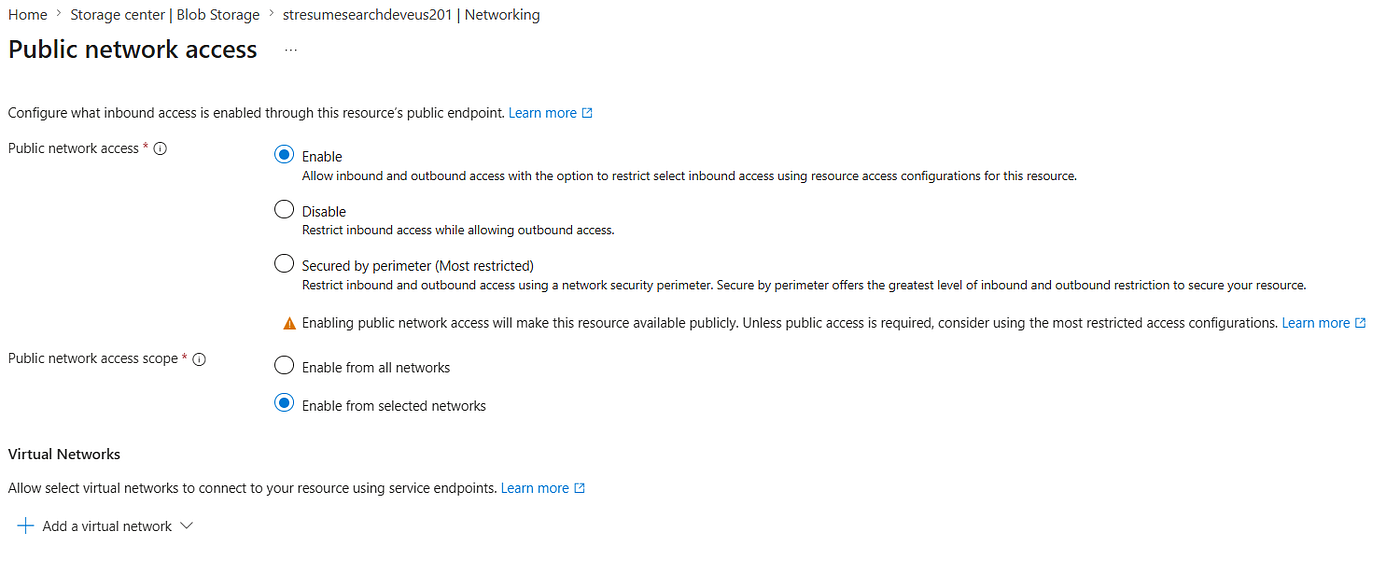
add a Vnet to access storage
Now traffic stays inside Azure’s private backbone.
No IP whitelisting madness. No dynamic outbound IP surprises.
Step 6: Create Event Grid Subscription
On Storage Account → Events:
- Event type:
BlobCreated - Endpoint type: Azure Function
- Select your function
- Add filters:
- Subject begins with:
/containers/<container>/blobs/input/ - Subject ends with: your_file_type
Event Grid now only care about those files.
Step 7: Write the Function (Event Grid Trigger)
Your function:
- Receives blob URL
- Uses Managed Identity
- Reads blob
- Process the blob
🆚 Quick Comparison

🎯 Final Takeaway
- Blob Trigger = simple, fast, perfect for open storage
- Event Grid + VNet = correct solution for secure, locked‑down environments
If your storage says “Selected networks only”, then Blob Trigger says “I’m out.”
Event Grid is the grown‑up answer.
메타데이터
- post_id
- ef181bcf9f09
- slug
- two-ways-to-process-blob-files-with-azure-functions-flex-consumption-plan-easy-vs-enterprise-ef181bcf9f09
- url
- https://medium.com/@dhanaangs10/two-ways-to-process-blob-files-with-azure-functions-flex-consumption-plan-easy-vs-enterprise-ef181bcf9f09
- canonical_url
- https://medium.com/@dhanaangs10/two-ways-to-process-blob-files-with-azure-functions-flex-consumption-plan-easy-vs-enterprise-ef181bcf9f09
- author_url
- https://medium.com/@dhanaangs10
- status
- ok
- fetched_at
- 2026-06-21 12:17:11