CF 11 to CF 2025: A Real-World Migration Guide for Enterprise Teams
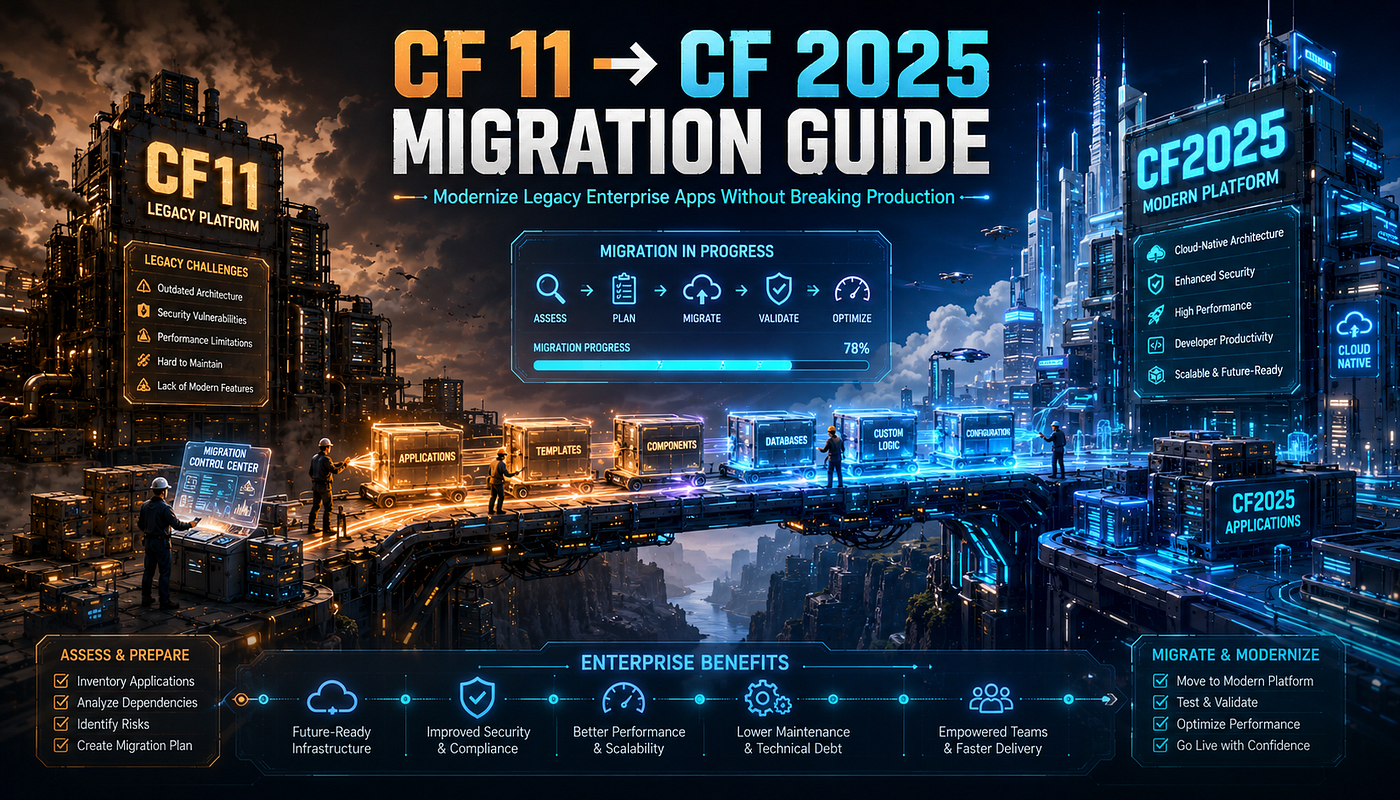
Migrating from ColdFusion 11 (core support ended April 30, 2019) to ColdFusion 2025 is a multi-quarter project, not a weekend upgrade…
CF 11 to CF 2025: A Real-World Migration Guide for Enterprise Teams
Migrating from ColdFusion 11 (core support ended April 30, 2019) to ColdFusion 2025 is a multi-quarter project, not a weekend upgrade. Eleven years of Adobe releases sit between the two: JDK has moved from Java 7/8 to Java 21 LTS; Tomcat from 7.x to 10.1; multi-instance mode is gone; cfencode-encoded templates no longer execute; the
new Query()/new HTTP()/new StoredProc()script CFCs were removed in CF 2025;parameterExists,htmlEditFormat, the entire Flash/Flex stack, COM/DCOM, the CFMX_Compat encryption algorithm, and a long list of legacy UI tags (cfmenu,cftree,cfcalendar,cftable, etc.) are also gone; the uppercaseDdate mask silently changed meaning in CF 2021; and CF 2025 introduced a subscription licensing model. The realistic path is: inventory and scan first (Foundeo's Fixinator withgoals=compatibility engines=adobe@2025is the fastest tool), remediate code in staging, build a parallel CF 2025 environment, and cut over with a documented rollback plan. Most enterprise CF 11 → CF 2025 migrations land in the 3-6 month range when done responsibly.
CF 11 to CF 2025: A Real-World Migration Guide for Enterprise Teams
🚨 HIRING: Tech Talent 💰 $50–$120/hr | 🔥 Multiple Roles
Frontend • Backend • Full Stack • Mobile • AI/ML • DevOps 👉 **Apply Here**

The Migration Math: Why So Many Teams Are Still on CF 11 in 2026
ColdFusion 11 shipped in April 2014. Core support ended on April 30, 2019, with the final security update — CF 11 Update 19, addressing APSB19–27 — released on June 11, 2019. Extended support continued for two more years.
In May 2026, the realistic count of organizations still running CF 11 in production is not small. Federal contractors. State agencies. Mid-sized enterprises whose CFML applications were “good enough” for a decade and whose vendor relationships didn’t surface the upgrade need. Healthcare systems with vendor-locked applications. Financial institutions running legacy CMSs.
If you’re one of them, you already know the rational case for migration:
- No security patches since 2019. Every CVE Adobe has fixed in seven years remains unpatched in your environment. The Christmas 2025 mass exploitation campaign (which targeted ten-plus ColdFusion CVEs from 2023–2024) probed CF 11 servers indiscriminately even though they’re a smaller share of the install base — because successful exploitation against an EOL version is automatic.
- No JDK updates. CF 11 was originally built for Java 7, with Java 8 support added in Update 3 (December 2014). Both Java 7 and Java 8 have had hundreds of CVEs patched by Oracle since CF 11 stopped getting JDK update guidance. Anything reachable through TLS, XML parsing, or serialization on a CF 11 server is running on a JVM Oracle has been patching for nearly a decade without you.
- No vendor support. When something breaks at 2 AM on a Sunday, Adobe will not pick up the phone for CF 11.
- Compliance erosion. PCI DSS 4.0, HIPAA Security Rule, NIST 800–53, FedRAMP — every framework requires running supported software. CF 11 fails the test on its face. Cyber insurers increasingly ask the question directly on renewal.
The irrational case for staying — “it works, don’t touch it” — is also real. CF 11 does work. Your applications run. Your team knows the platform. And the rumors say CF 2025 has removed half the features your application uses.
This guide is what the migration actually looks like in 2026, with every verified breaking change, every infrastructure delta, and a phased plan that doesn’t end in a 3 AM rollback call.
The Lineage: A Quick Tour of What Happened Between CF 11 and CF 2025
Adobe shipped six major ColdFusion releases between CF 11 and CF 2025. To migrate sensibly, you need a working model of which changes landed in which version. The compressed history:
Version Released Major changes that matter for migration CF 11 April 2014 Java 7 (Java 8 added in U3). Tomcat 7. PDF improvements. queryExecute() introduced. CF 2016 February 2016 Full member functions (myArray.append(x) syntax). Improved API Manager. /CFIDE/scripts/ default moved to /cf_scripts/scripts/ (security improvement, per Charlie Arehart). CF 2018 July 2018 Auto-Lockdown Tool introduced. Distributed caching. Performance Monitoring Toolset (PMT). Many legacy components deprecated (including the script-CFC wrappers like new Query(), removed in CF 2025). CF 2021 November 2020 **cfpm package manager — modular installation. Containerization improvements. Uppercase D date mask changed: in CF 2018 and below D meant day-of-month; in CF 2021+ it means day-of-year (per Pete Freitag's compatibility-scanner blog post; this single change has silently broken date formatting in countless migrated codebases). Java 11. CF 2023 May 2023 LDAP for Administrator authentication. Cloud-native enhancements. Java 17. CF 2025 Q1 2025 Java 21 LTS required. Tomcat 10.1. Subscription licensing. Massive deprecation/removal cycle.** Modular cfpm enhancements. .NET Integration Service. Built-in security headers.
A team migrating from CF 11 to CF 2025 is making eleven years of accumulated changes simultaneously. The good news: most of those changes are additions you don’t have to use. The bad news: a handful are removals you don’t have a choice about.
Pre-Migration Assessment: Don’t Open the Installer Yet
Migration disasters happen when teams install CF 2025 on day one and then discover what doesn’t work. The assessment phase below typically takes one to three weeks for a mid-sized codebase and is the single highest-ROI part of the migration.
Step 1: Inventory Everything
You need a written inventory of:
- Every CFML file (
.cfm,.cfc,.cfml) in your codebase. - Every Application.cfc — they often set application-wide settings that interact with CF 2025 changes.
- Every data source in CF Administrator, with its driver type. (MS Access, ODBC, and DB2 are facing deprecation in CF 2025 per Adobe’s announcement; if you have any, you need a database-migration plan separate from the CF version migration.)
- Every scheduled task, mail server config, custom mapping, and CF Administrator setting (export via CFSetup or screenshot).
- Every Java JAR or third-party library dropped into
/cfusion/lib/over the years. - Every CFC marked
access="remote"— these are public APIs and are subject to the CF 2025 "undefined arguments throw exception" change documented below. - Every legacy UI tag usage (
cfform,cfgrid,cfwindow,cflayout,cftree,cfcalendar,cftable,cfmenu,cfmediaplayer) — many of these are removed entirely in CF 2025. - Any cfencode-encoded
.cfmfiles — these will not run on CF 2025. - Any Flash Forms, Flex Remoting, or Adobe AIR integration.
- Your current JDK version and the JRE bundled with CF 11.
This inventory is the project’s truth source. Without it, you can’t estimate the work, can’t plan the testing, and can’t prove you’ve covered the surface.
Step 2: Run a Compatibility Scan
Two tools are useful here, and they complement each other:
Foundeo Fixinator (v6 or later) is the most practical compatibility scanner for CF 2025 specifically. Per Pete Freitag’s release announcement, Fixinator 6 added a CF 2025 compatibility engine; from the command line:
# Scan for CF 2025 compatibility issues
fixinator path=/path/to/your/code goals=compatibility engines=adobe@2025

# Also run a security scan while you're at it
fixinator path=/path/to/your/code

# Or scan against an intermediate version for a phased path
fixinator path=/path/to/your/code goals=compatibility engines=adobe@2023
Per the Fixinator product documentation, the compatibility scanner detects deprecated tags, removed functions, the D date mask change, the missing cfqueryparam patterns that will fail under CF 2025's stricter validation, and over 100 other compatibility issues.
Adobe’s official deprecated-features documentation at helpx.adobe.com/coldfusion/deprecated-features.html is the authoritative reference for what Adobe has deprecated, deprecated-and-unsupported, or removed. Read it; bookmark it; treat it as the source of truth when Fixinator and your developers disagree.
Adobe historically shipped a built-in “Code Compatibility Analyzer” in the CF Administrator for older migrations (it appears in CF 8 documentation, for example). For CF 2025-era migrations, Fixinator and the deprecation page are the practical tools.
Step 3: Identify Your “Boss-Level” Blockers
After the scan, you’ll have a list of findings. Triage them by remediation difficulty:
- Trivial — function renames (
parameterExists→structKeyExists,htmlEditFormat→encodeForHTML). Hours. - Moderate —
new Query(),new HTTP(),new StoredProc()migrations toqueryExecute()or tag-based equivalents. Days. - Significant — Flash Form replacement, Flex Remoting migration, COM/DCOM-dependent code, cfencode-encoded templates whose original source is lost. Weeks.
- Show-stopper — Vendor-locked applications whose vendor has not certified CF 2025 compatibility; database driver dependencies on deprecated systems (MS Access, DB2); SandBox Security policies you can’t replace.
Show-stoppers determine the migration timeline. Don’t start the migration until you have an answer for each.
The CF 2025 Breaking Changes You Must Resolve
The single most-cited source for “what’s actually different in CF 2025” is Pete Freitag’s “ColdFusion 2025 Breaking Changes Explained” post on petefreitag.com, cross-referenced against Adobe's own deprecation announcement (December 2024) and the official helpx.adobe.com/coldfusion/deprecated-features.html page. The major removals and changes you'll encounter migrating from CF 11:
Removal 1: cfencode-Encoded Templates No Longer Execute
cfencode.exe / cfencode.sh was a utility shipped under <CF_HOME>/bin/ since the earliest ColdFusion versions. It would "encrypt" .cfm source files into an obfuscated form that the ColdFusion engine could still execute. It was popular through the early 2000s when custom tags were the primary modular-code mechanism (predating proper functions and components).
Per Pete Freitag’s analysis, templates encoded with cfencode no longer run on ColdFusion 2025. Per Charlie Arehart’s July 2025 update analysis, Adobe added a temporary JVM flag, -Dcoldfusion.cfencode.decryption.enable=true, in CF 2021 Update 19 that controls whether encoded templates are still decryptable. The flag defaults to false from CF 2021 Update 21 onwards, meaning even on CF 2021 / CF 2023 you'll see errors like "ColdFusion no longer supports files encoded with cfencode" unless you explicitly opt back in.
The fix: find the original source code. Encoded templates without their original source must be rewritten. The cfencode utility itself is also being removed entirely.
# Audit (Linux/macOS) — find encoded .cfm files
# Encoded files contain non-printable binary content and a header signature
find /path/to/your/code -name "*.cfm" -exec file {} \; | grep -v "ASCII text\|UTF-8"
Test on a representative sample of your codebase before declaring the migration safe.
Removal 2: The new Query() / new HTTP() / new StoredProc() Script CFCs
Adobe introduced a set of script-syntax wrapper CFCs around CF 8 to let cfscript-based code use what had been tag-only constructs: new Query(), new HTTP(), new StoredProc(), new Mail(), new FTP(). They were deprecated in CF 2018 — and removed entirely in CF 2025.
If your CF 11 codebase looks like this:
<cfscript>
    q = new Query();
    q.setDataSource("appdb");
    q.addParam(name="id", value=url.id, cfsqltype="integer");
    result = q.execute("SELECT * FROM users WHERE id = :id");
    users = result.getResult();
</cfscript>
On CF 2025, that errors with: “Could not find the ColdFusion component or interface query.”
The fix — migrate to queryExecute(), which has been available since CF 11 and is the modern equivalent:
<cfscript>
    users = queryExecute(
        "SELECT * FROM users WHERE id = :id",
        { id = { value: url.id, cfsqltype: "integer" } },
        { datasource: "appdb" }
    );
</cfscript>
For new HTTP(), migrate to the <cfhttp> tag or use httpGet() / direct CFML HTTP calls. For new StoredProc(), use <cfstoredproc> with <cfprocparam> (covered in our SQL injection prevention post).
Pete Freitag identifies this as likely the most time-consuming change in a typical CF 11/2018 → CF 2025 migration, because the pattern was widely used and the replacements require some hand-rewriting per call site.
Removal 3: parameterExists and htmlEditFormat
parameterExists was deprecated in ColdFusion 6 (i.e., 2002) and survived all the way to CF 2023. CF 2025 finally removes it.
<!--- ❌ Removed in CF 2025 --->
<cfif parameterExists(form.name)>
    ...
</cfif>

<!--- ✅ Modern replacement --->
<cfif structKeyExists(form, "name") AND len(form.name)>
    ...
</cfif>
<!--- Or, since CF 2018, the safe-navigation operator --->
<cfif len(form.name ?: "")>
    ...
</cfif>
htmlEditFormat is replaced by the ESAPI-backed encodeForHTML:
<!--- ❌ Removed in CF 2025 --->
<cfoutput>#htmlEditFormat(user.name)#</cfoutput>

<!--- ✅ Modern replacement (available since CF 10) --->
<cfoutput>#encodeForHTML(user.name)#</cfoutput>
A simple find-and-replace across your codebase usually handles these.
Removal 4: UI Tags Largely Gone
Per Pete Freitag’s breaking-changes post, the following legacy UI tags are removed or unsupported in CF 2025:
cfsprydatasetcfmenu,cfmenuitemcftreecftooltipcfcalendarcfclientcfformitem,cfformgroupcftable,cfcolcfmediaplayer
These tags relied heavily on the Spry framework (Adobe’s JavaScript UI library), Flash, and other deprecated client-side technologies. If your application renders any of them, you need a JavaScript-side replacement: a modern UI library (React, Vue, or even just hand-written HTML/JS) producing equivalent functionality.
cfform, cfinput, cfselect, cftextarea, and cfgrid survive but should also be considered legacy — they generate increasingly creaky client-side code.
Removal 5: Flash, Flex, and Related Event Gateways
CF 2025 completes Adobe’s multi-year exit from Flash technology. Removed:
- Flash Forms (the
format="flash"variant ofcfform) - Flex Remoting (the AMF protocol layer)
- LCDS (LiveCycle Data Services) integration features
- Event Gateway features:
DataManagement,DataServicesMessaging,FMS,SMS,SAMETIME
If any of your CF 11 application uses any of these — particularly if you have a Flex client talking to ColdFusion via AMF — that integration must be replaced before migration. Modern alternatives: REST APIs returning JSON (which CF handles natively), WebSockets for real-time, or any standard message broker (RabbitMQ, Kafka) for asynchronous messaging.
Removal 6: CFMX_Compat Encryption Algorithm
The cfmx_compat algorithm was ColdFusion's legacy "encryption" routine — actually a weak XOR-based obfuscation, not real encryption. It's been deprecated for years and is removed in CF 2025 from Rand, Randomize, RandRange, Hash, Encrypt, EncryptBinary, Decrypt, DecryptBinary, and GeneratePBKDFKey.
If your application has encrypted data using cfmx_compat, you have a non-trivial migration problem: you need to decrypt with cfmx_compat (which still works on CF 11 / CF 2023) before the migration, then re-encrypt with a modern algorithm (AES, BLOWFISH, DES — AES/CBC/PKCS5Padding is the typical choice).
<!--- Migration script — run on CF 2023 with old data, before moving to CF 2025 --->
<cfquery name="rows" datasource="legacy">
    SELECT id, encrypted_value FROM secrets
</cfquery>
<cfloop query="rows">
    <cfset plaintext = decrypt(encrypted_value, oldKey, "cfmx_compat")>
    <cfset newCipher = encrypt(plaintext, newKey, "AES/CBC/PKCS5Padding", "BASE64")>
    <cfquery datasource="legacy">
        UPDATE secrets
        SET    encrypted_value = <cfqueryparam value="#newCipher#" cfsqltype="varchar">
        WHERE  id = <cfqueryparam value="#rows.id#" cfsqltype="integer">
    </cfquery>
</cfloop>
This kind of in-place re-encryption is a one-time data migration step and can be the longest-running task for an enterprise with significant data volume.
Removal 7: SandBox Security Deprecated (Due to JEP 411)
CF Enterprise’s SandBox Security feature was built on top of Java’s SecurityManager, which Oracle has been deprecating across multiple JDK versions. Per JEP 411 (Java 17 deprecation) and the follow-on removal in Java 24, the underlying SecurityManager is going away — taking ColdFusion SandBox Security with it.
CF 2025 marks SandBox Security as deprecated. Replacements:
- For per-application file-system isolation, use OS-level controls (Linux: separate users, SELinux, AppArmor; Windows: separate service accounts and NTFS permissions).
- For per-application network restrictions, use OS or container-level network policy.
- For multi-tenancy generally, consider container isolation (one CF instance per tenant).
There is a community project called JarLock (mentioned by Pete Freitag) that’s working on a Java SecurityManager alternative; it remains beta at time of writing.
Removal 8: COM/DCOM, License Scanner, and Miscellaneous
CF 2025 also eliminates COM/DCOM support (rarely used in modern deployments anyway), the License Scanner subnet-search tool, and cfheader's STAT attribute (a side-effect of the Tomcat 10.1 upgrade — Tomcat 10.1 no longer returns combined status code and reason phrase in HTTP responses; only the numeric status code).
If your CFML inspects cfhttp.statusCode and expects "200 ok" rather than "200", update those checks:
<!--- Robust pattern that works on CF 11 through CF 2025 --->
<cfif val(cfhttp.statusCode) EQ 200>
    ...
</cfif>
Change 9: Undefined Arguments in Remote Functions Now Throw
A subtle but high-impact change: per Pete Freitag’s update notes, CF 2025 Update 2, CF 2023 Update 14, and CF 2021 Update 20 introduced an exception when undefined arguments are passed to remote functions. Any argument sent to an access="remote" method must be declared in the function's <cfargument> list, even if the function doesn't use it.
In CF 11, this code worked silently:
remote any function getUser(required numeric id) {
    // body ignores 'extra'
    return loadUser(arguments.id);
}
If a client calls getUser(id=42, extra="ignored"), CF 11 silently dropped the extra argument and ran the function. CF 2025 (with Update 2+) throws an exception unless extra is also declared:
remote any function getUser(required numeric id, string extra = "") {
    // 'extra' now declared even though it's unused
    return loadUser(arguments.id);
}
This change was motivated by mass-assignment vulnerabilities like CVE-2023–44350 (which exploited remote-function argument acceptance to clobber global scopes). It’s the right change for security; it’s a real refactor for any application with permissive remote-CFC interfaces.
Change 10: The Uppercase D Date Mask Silently Changed Meaning in CF 2021
This is the migration trap that catches the most teams unawares. In CF 11, CF 2016, and CF 2018:
dateFormat(now(), "MM-DD-YYYY") // "10-31-2024" (D = day-of-month)In CF 2021, CF 2023, and CF 2025:
dateFormat(now(), "MM-DD-YYYY") // "10-305-2024" (D = day-of-year)To get day-of-month after CF 2021, use lowercase d:
dateFormat(now(), "MM-dd-yyyy") // "10-31-2024" ✓Pete Freitag’s compatibility scanner flags this specifically; the Fixinator output will catch every D-using mask in your codebase. This is not optional to fix — without remediation, dates render as nonsense in production after migration, often somewhere far downstream from where the change is obvious.
Infrastructure Changes: JDK, Tomcat, Tooling
Code changes are half the migration. The other half is the runtime underneath.
JDK: Java 7/8 → Java 21 LTS
CF 11 shipped with Java 7 and added Java 8 support in Update 3 (December 2014). CF 2025 requires Java 21 LTS. That’s thirteen years of JVM evolution.
Practical implications:
- TLS/SSL behavior changes. Default cipher suites are different. Some older legacy systems (mainframes, legacy SMTP servers) may negotiate poorly with Java 21’s defaults. Plan to test every outbound TLS connection (cfhttp, cfmail, cfldap, database drivers) in staging.
- Reflection / module access. Java 9+ introduced the module system. Code that uses Java reflection to access internal JDK classes will likely need
--add-opensJVM flags or refactoring. ColdFusion-bundled libraries handle this; custom Java code in<CF_HOME>/cfusion/lib/may not. - Removed APIs. Some old Java 7-era APIs no longer exist. If your application calls Java directly (via
createObject("java", ...)), test each call. - The
Thread.stop()method was removed in Java 21. ColdFusion 2025'scfthread action="terminate"had to be reimplemented internally; in most code this is invisible, but any CFML pattern that relied on hard thread termination semantics needs review. - Performance is generally better — Java 21’s HotSpot JIT, ZGC garbage collector, and improved class metadata caching deliver measurable throughput improvements over Java 8.
Run the JDK on the latest patch release (currently Java 21.0.9 per the October 2025 Oracle CPU). Use Adobe’s free Oracle Java redistribution (covered in our earlier post on JDK updates), not OpenJDK or Corretto for production unless you’ve already accepted Adobe’s “Oracle Java only” support stance.
Tomcat: 7.x → 10.1
CF 11 used Tomcat 7. CF 2025 uses Tomcat 10.1. The jump skips two LTS lines.
Practical implications:
- HTTP response reason phrases dropped (mentioned above) — Tomcat 10.1 returns status codes without phrases.
**SameSitecookie semantics** are stricter by default.- Servlet API moved from
javax.servlettojakarta.servlet(the Jakarta EE namespace change). Custom servlets and filters you may have dropped into<CF_HOME>/cfusion/lib/need updating. - Default connector tuning is different — connector thread pool sizes, accept counts, etc. Review under load.
If you front ColdFusion with IIS or Apache via the official connector, you’ll need to run the latest Web Server Configuration Tool to regenerate the connector for Tomcat 10.1’s protocol.
Modular Installation: cfpm
ColdFusion 2021 introduced cfpm, the ColdFusion Package Manager — and CF 2025 expands it. The model: a base install ships with the core engine; everything else (PDF tools, Solr/full-text search, .NET integration, Excel libraries, image processing, ORM, mail) is an installable package.
The CF 11 mental model was “install everything, disable what you don’t need.” The CF 2025 model is “install only what you use.” For migrations, this is an opportunity to audit what your application actually depends on:
# From <CF_HOME>/cfusion/bin/
./cfpm.sh list-installed         # Linux/macOS
cfpm.bat list-installed          # Windows

# Remove a package you don't need
./cfpm.sh remove pdf-extract pdf-service

# Install a package you do need
./cfpm.sh install solr-distributed
Smaller install = smaller attack surface = less to patch. Recommended for production.
ColdFusion Builder → VS Code Extension
If your team uses ColdFusion Builder as their IDE, you’ll need to migrate. Per Adobe’s official announcement, ColdFusion Builder reached end-of-life on October 1, 2024; Adobe stopped selling it May 1, 2024 and stopped distributing downloads after July 13, 2024.
The replacement: the official Adobe ColdFusion extension for Visual Studio Code, which is free. It supports modern development workflows (Git integration, language server protocol, syntax highlighting, debugging). Migrating teams typically convert IDE settings, snippets, and workflows over a few sessions.
CF 2025 Subscription Licensing
CF 2025 introduced a subscription-based licensing model. Where CF 11 through CF 2023 used perpetual licenses with optional annual support, CF 2025 requires an annual subscription that must be renewed to keep the server running.
Concrete implications:
- Procurement will need to model annual recurring spend instead of one-time CapEx.
- If a renewal lapses, the server deactivates and stops responding to requests until renewed.
- The trade-off (per Adobe’s positioning) is steadier delivery of features and security updates across a five-year support window for each major release.
Treat this as a procurement-cycle item, not just a technical migration item.
The New Features You’ll Actually Want From CF 2025
Beyond what you have to fix, there’s plenty that’s worth using once you’re on CF 2025:
- Member functions (CF 2016+):
myArray.append(x)instead ofarrayAppend(myArray, x). Cleaner code, fluent chaining. - Lambda / arrow function syntax (CF 2018+):
myArray.map( (item) => item * 2 ). Functional programming idioms. - Elvis operator and null-coalescing (
x ?: "default") — concise null handling. **queryExecute()** (CF 11+, refined since) — script-syntax parameterized queries.- Central Configuration Server (CCS) (CF 2021+) — administer many CF instances from one console.
- Performance Monitoring Toolset (PMT) (CF 2018+) with Elastic Stack integration — real-time visibility into request times, slow queries, resource utilization.
- Native Docker images for CF 2025 — reproducible builds, immutable infrastructure, faster patching.
- .NET Integration Service (CF 2025) — connect to .NET assemblies on local or remote machines for Microsoft-stack integration.
- Built-in modern security headers (CSP, HSTS, X-Frame-Options) configurable from CF Administrator without web server changes.
- Improved error messages and stack traces — diagnosing problems is materially easier than on CF 11.
A migration that doesn’t take advantage of any of these is a migration that left value on the table. Plan a brief “modernization pass” after the cutover stabilizes.
Recommended Migration Path: CF 11 → CF 2023 → CF 2025, or Direct?
A real and recurring question. Three options exist:
Option A: Direct CF 11 → CF 2025
Pros:
- One project, one cutover, one set of certifications.
- Final state in months instead of years.
Cons:
- Largest single risk surface — all eleven years of changes hit at once.
- More findings to triage in compatibility scans.
- Steeper team learning curve.
Best for: smaller codebases (under 100k lines), teams with strong testing automation, applications without significant vendor-locked integrations.
Option B: CF 11 → CF 2023 → CF 2025 (Phased)
Pros:
- Smaller deltas per step. CF 2023 is still supported through May 16, 2028, so this gives you a working interim state.
- Lower-risk individual cutovers.
- Allows the team to internalize one set of changes before tackling the next.
Cons:
- Two migration projects instead of one.
- Subscription/license costs for an interim version (though Adobe’s developer/trial editions cover testing).
- Longer total elapsed time.
Best for: larger codebases (100k+ lines), regulated environments where each cutover is heavyweight, applications with significant vendor integrations whose vendors have certified CF 2023 but not yet CF 2025.
Option C: CF 11 → CF 2025 With CF 2023 As “Stepping Stone in Dev”
A hybrid that’s worked well for several enterprise teams I’ve seen in the wild: install CF 2023 only in development to identify and remediate the bulk of the migration issues, then validate against CF 2025 immediately after. Production goes straight to CF 2025.
Best for: teams that want the speed of Option A but want a safety net during development that’s a smaller delta than CF 11 itself.
For most CF 11 enterprise environments in 2026, Option B or Option C is the realistic recommendation. A purist “CF 11 directly to CF 2025 in production” without an interim test bed is achievable but requires unusual confidence in your test coverage.
The Phased Migration Plan (Six Phases, 3–6 Months for Mid-Sized Enterprise)
The realistic time-and-motion picture for an enterprise migration:
Phase 1: Inventory and Assessment (Weeks 1–3)
- Build the codebase inventory (Step 1 above).
- Run Fixinator compatibility scan against
engines=adobe@2025. - Run a Fixinator security scan (independent of compatibility) to flag SQL injection, missing
cfqueryparam, etc. - Survey database driver dependencies (any MS Access, ODBC, DB2?).
- Identify vendor-locked applications and contact each vendor for CF 2025 certification status.
- Produce a written migration scope document with effort estimates and risk register.
Deliverable: an executive-readable migration plan with budget and timeline.
Phase 2: Code Remediation in Staging (Weeks 3–12)
- Stand up a CF 2023 (or CF 2025) staging environment.
- Work through Fixinator findings in priority order: high-severity first, broad-impact second.
- Remediate the boss-level blockers identified in Step 3 of Phase 1.
- Rewrite all
new Query()/new HTTP()/new StoredProc()calls. - Replace
parameterExists,htmlEditFormat, etc. - Fix the uppercase-
Ddate masks. - Decrypt-and-re-encrypt any
cfmx_compat-protected data. - Replace removed UI tags with modern JavaScript equivalents.
- Verify every remote CFC method declares all expected arguments.
- Build out automated regression tests for high-value code paths.
Deliverable: a code branch that passes Fixinator with zero engines=adobe@2025 findings.
Phase 3: Infrastructure Parallel Build (Weeks 10–14, overlapping)
- Provision new servers / containers / cloud instances for the CF 2025 environment.
- Install JDK 21 (per our earlier post on JDK updates), CF 2025, Tomcat 10.1 connector.
- Configure web server connector for the new Tomcat 10.1 protocol.
- Import data sources, mappings, scheduled tasks (CFSetup makes this scriptable).
- Apply the Lockdown Guide and Auto-Lockdown tool.
- Configure
cfpmto install only the packages you need. - Apply the latest security update (CF 2025 Update 7 as of April 2026).
- Set the
serialfilter.txtand TLS configuration per Adobe guidance.
Deliverable: a clean CF 2025 environment ready for application deployment.
Phase 4: Integration Testing (Weeks 14–18)
- Deploy the remediated codebase to the new CF 2025 environment.
- Run automated regression tests.
- Manual testing of every business-critical workflow.
- Performance testing against expected production load.
- Penetration test or vulnerability scan against the new environment.
- Test the Oracle JDK update process (you’ll need to do this quarterly).
Deliverable: a written test plan with every test case passing and a known-good performance baseline.
Phase 5: Cutover (Week 18–19)
The cutover itself is usually the shortest part of the project — minutes to hours, not days — provided phases 1–4 were done well. Typical pattern:
- Freeze all changes to the CF 11 production environment.
- Final data sync from CF 11 production data store to the new environment (if data is on shared infrastructure, this may be no-op).
- DNS or load balancer cutover to the new environment. With a load balancer, you can do a gradual percentage rollout (5%, then 25%, then 50%, then 100%) to limit blast radius.
- Monitor application logs, error rates, response times, and user-reported issues for the first hour, then four hours, then twenty-four hours.
- Decide at each interval: continue, pause, or roll back.
Rollback plan: keep CF 11 running and reachable on its old IP/DNS for at least 30 days post-cutover. The cost of keeping the old environment idle for a month is trivial compared to the cost of an incomplete rollback.
Phase 6: Post-Migration Hardening and Optimization (Weeks 19–24)
- Decommission CF 11 servers (after the 30-day standby).
- Update operational runbooks, monitoring dashboards, alerting thresholds for the new platform.
- Train operations and development teams on the new tooling (
cfpm, PMT, Central Configuration Server). - Plan the next migration — CF 2025 support ends April 2030; you have time, but not unlimited time.
- Add the migration to your DR plan, including JDK update procedures.
Common Migration Pitfalls (Found The Hard Way)
A non-exhaustive list of “gotchas” that have caught enterprise teams during CF 11 → CF 2025 migrations:
- The forgotten subdirectory. Codebase inventory missed a
legacy/orarchive/folder full of CFML that's still reachable via the web server. - The vendor application that “still works on CF 11”. It does — until you migrate. Get vendor CF 2025 certification before the migration, not during.
- The undocumented Java JAR. A custom JAR in
<CF_HOME>/cfusion/lib/from 2017 that usesjavax.servletand breaks under Tomcat 10.1'sjakarta.servlet. Inventorylib/directories explicitly. - The MS Access data source. Adobe deprecated MS Access support in CF 2025; if you have any, your migration also includes a database-replacement project.
- The cfencode time bomb. Encoded templates whose original source has been lost over a decade of staff turnover. Recreation is often required.
- The performance regression nobody mentioned. A Java 21 change makes one specific cfquery 30% slower. Performance testing in Phase 4 catches this; skipping Phase 4 doesn’t.
- The TLS handshake failure on outbound calls. A legacy SOAP partner whose endpoint negotiates poorly with Java 21’s defaults. Diagnose in staging; coordinate with the partner if their cipher suite is out of date.
- The Application.cfc setting that means something different now.
this.scriptProtectdefaults, session cookie semantics, mail server timeouts — review every line of every Application.cfc. - The cron / scheduled task gap. Server-level scheduled tasks aren’t always exported when admins focus on the data source list. Audit
cron, Windows Task Scheduler, and the CF Administrator scheduled tasks before cutover. - The license trap. You stand up CF 2025 with a 30-day trial. The trial expires mid-migration. Procurement hasn’t approved the subscription yet. The server stops responding. Plan licensing procurement to clear before you start Phase 3.
Migration Cost Estimation
Concrete figures are difficult because every codebase is different, but the rule-of-thumb for a mid-sized enterprise (100k-500k lines of CFML, 5–20 data sources, 1–3 servers) running CF 11 in 2026:
Phase Duration Effort (typical enterprise) 1 — Inventory & Assessment 2–3 weeks 1 senior CFML engineer full-time 2 — Code Remediation 6–10 weeks 2–3 senior CFML engineers full-time 3 — Infrastructure Parallel Build 2–4 weeks 1 senior DevOps / SRE engineer 4 — Integration Testing 3–4 weeks 1–2 QA engineers + 1 CFML engineer 5 — Cutover 1 week (planning) + 1 day (execution) All hands 6 — Post-Migration 4–6 weeks 1 CFML engineer, gradually winding down
Total elapsed time: 3–6 months depending on overlap, codebase size, and how many show-stoppers turn up.
CF 2025 subscription licensing, JDK 21 (free via Adobe’s redistribution), training, and the cost of a temporary CF 2023 license (if you take Option B) are additional line items. A specialist **ColdFusion development and security partner** engaged for the migration typically charges either time-and-materials or a fixed-price scoped engagement; the engagement cost is small compared to the in-house engineer time it saves and the risk it absorbs.
Special Considerations for Enterprise Teams
- Multi-instance ColdFusion is gone. ColdFusion 10 removed the “Multiserver” install mode that CF 11 inherited. Modern CF (2021+) supports multiple instances via JEE-style deployment or, more practically, via separate full installs / containers managed via Central Configuration Server. If your CF 11 environment depends on multiserver mode, that architectural change happens during this migration.
- High availability / clustering. CF 11’s cluster manager is gone. Modern CF clusters work via standard HTTP load balancers (HAProxy, NGINX, F5, AWS ELB) with session affinity or session replication via a shared store (Redis, JDBC session store).
- PCI DSS 4.0 / HIPAA / FedRAMP audit alignment. Migration is a great moment to bring control documentation up to date. Document the new JDK patch cadence (per our earlier post), the CFIDE lockdown configuration (per the previous post), the serialfilter setup, and the WAF rules.
- Disaster recovery testing. The new environment’s DR plan must be re-tested. The old plan probably depended on CF 11-specific tooling and shouldn’t be copied forward verbatim.
- Compliance attestation timing. If you have ISO 27001, SOC 2, or FedRAMP audits scheduled, plan the migration to land before (not during) the audit window. A mid-audit platform migration is a stress event no one needs.
- Vendor and integration certifications. Any partner system integrating via SOAP, REST, AMF, JDBC, or SFTP should have its integration re-certified post-migration.
CF 11 → CF 2025 Migration FAQ
Can I migrate directly from CF 11 to CF 2025, or do I need an intermediate step?
You can migrate directly. Per the cfguide.io CF 2025 FAQ, direct upgrades are supported but require significant testing due to the JDK 21 upgrade, the Tomcat 10.1 upgrade, and the deprecated-feature removals. For larger codebases or risk-averse environments, a phased path (CF 11 → CF 2023 → CF 2025) reduces per-step risk; for smaller codebases with strong test coverage, direct is feasible.
Is CF 2023 a viable long-term target instead of CF 2025?
For now, yes — CF 2023’s core support runs through May 16, 2028, giving you roughly two years of headroom. But you’ll eventually have to do this migration again to CF 2025 or whatever comes after. If you’re already planning a major project, CF 2025 is the better terminal destination.
How long does the migration take?
Per the cfguide.io guidance: a standard CF 2023 → CF 2025 upgrade is typically 4–8 hours of upgrade execution plus 2–4 weeks of regression testing. From CF 11, expect 3–6 months total elapsed time for a mid-sized enterprise codebase, dominated by code remediation work for the eleven years of accumulated breaking changes.
What’s the most time-consuming code change?
Per Pete Freitag’s breaking-changes analysis, the **new Query() / new HTTP() / new StoredProc() script-CFC removals** typically take the most time in legacy codebases that were script-heavy. Each call site needs to be hand-rewritten to queryExecute() or the equivalent tag-based syntax.
What tools should I use for compatibility scanning?
Two recommendations: Foundeo Fixinator v6+ with goals=compatibility engines=adobe@2025 for the practical scan, and Adobe's official deprecated-features documentation at helpx.adobe.com/coldfusion/deprecated-features.html for the authoritative reference. Adobe's older built-in "Code Compatibility Analyzer" exists in older versions but Fixinator is the practical tool for CF 2025 migrations in 2026.
What about ColdFusion Builder?
ColdFusion Builder reached end-of-life on October 1, 2024, per Adobe’s announcement. Adobe stopped selling it May 1, 2024 and stopped distributing downloads after July 13, 2024. The replacement is the free Adobe ColdFusion extension for Visual Studio Code.
Does CF 2025 really require an annual subscription?
Yes. CF 2025 introduced subscription-based licensing. Annual renewal is required; if the subscription lapses, the server stops operating until renewed. This is a significant procurement and TCO change from the perpetual license model of CF 11 through CF 2023.
What happens to my cfencode-encoded templates?
They will not execute on CF 2025. Per Charlie Arehart’s July 2025 analysis, even CF 2021 / CF 2023 with recent updates default to disabling cfencode decryption. The only path forward is to locate the original unencrypted source code and replace the encoded file with it. If the original source is lost, the code must be rewritten.
Will my application’s performance be different on CF 2025?
Generally better — Java 21 has materially improved JIT performance, garbage collection (ZGC), and class metadata caching compared to Java 8. Tomcat 10.1 is also more efficient. But specific code paths can regress unexpectedly (one cfquery, one Java call, one TLS handshake). Performance test thoroughly in Phase 4.
Can I run CF 11 and CF 2025 in parallel during migration?
Yes — this is the recommended pattern. Stand up CF 2025 alongside CF 11 (separate hosts, separate IPs), cut over via DNS or load balancer, and keep CF 11 in standby for at least 30 days post-cutover for rollback. The cost of one month of standby infrastructure is a fraction of the cost of being unable to roll back.
What about my Java integrations and JAR files in cfusion/lib/?
Inventory them explicitly. Java 21 module system changes and the javax.servlet → jakarta.servlet rename (Tomcat 10.1 ships Jakarta EE 10) will break some legacy JARs. Update or replace each one. Test in staging before cutover.
Conclusion: A Migration, Not a Marathon Crisis
ColdFusion 11 → ColdFusion 2025 is a real project, not a weekend afternoon. The eleven-year gap means infrastructure changes (Java 21, Tomcat 10.1, subscription licensing), code changes (encoded templates, script-CFC wrappers, dozens of removed tags and functions, encryption algorithm changes), and operational changes (cfpm, PMT, Central Configuration Server, VS Code IDE replacing CF Builder) all land at once.
The disasters happen when teams skip the assessment phase, run the installer on day one, and then discover what doesn’t work in production. The successful migrations follow a predictable pattern: inventory first, scan second, remediate in staging third, build the new environment in parallel fourth, test exhaustively fifth, cut over with rollback ready sixth, and modernize after the dust settles seventh.
Three things separate the teams that come through this clean from the ones that don’t:
- They use the compatibility scanner before they install anything. Fixinator’s
goals=compatibility engines=adobe@2025scan against your current codebase in week one of the project tells you the size of the work in front of you. - They keep the old environment running until the new one has thirty days of clean operation. Rollback is cheap when it’s planned for; impossible when it isn’t.
- They treat the migration as an opportunity, not a chore. The team that comes out the other side using member functions, lambda syntax, the Elvis operator, PMT for observability, and cfpm for surface reduction is in a materially better position than the team that just got CF 2025 running and stopped.
For organizations without dedicated CFML expertise in-house, this is exactly the kind of multi-quarter project that a specialist ColdFusion development and security partner is built to absorb: assessment, code remediation, infrastructure build, testing, cutover, and post-migration training as a single coordinated engagement. The engagement cost is dwarfed by the cost of running CF 11 unpatched for one more year — or by the cost of a failed migration that requires emergency rollback at midnight on cutover weekend.
CF 11 has served well. Its work is done. CF 2025 — supported through April 2030 — is where the next decade of your CFML applications wants to live.
Further Reading (Primary Sources, verified May 2026)
- Adobe — Deprecated Features (canonical reference) —
helpx.adobe.com/coldfusion/deprecated-features.html - Adobe — Important notice: Upcoming deprecations and removals in ColdFusion (2025 release) (December 2024) —
coldfusion.adobe.com/2024/12/important-notice-upcoming-deprecations-and-removals-in-coldfusion-2025-release/ - Adobe — ColdFusion 11 updates page (confirms April 30, 2019 EOL and Update 19 as final) —
helpx.adobe.com/coldfusion/kb/coldfusion-11-updates.html - Adobe — ColdFusion Builder EOL FAQ —
helpx.adobe.com/coldfusion/kb/coldfusion-builder-eol-faq.html - Adobe — Products and technical support periods (EOL matrix) —
helpx.adobe.com/support/programs/eol-matrix.html - Adobe — Server Auto-Lockdown documentation —
helpx.adobe.com/coldfusion/using/server-lockdown.html - Pete Freitag (Foundeo) — ColdFusion 2025 Breaking Changes Explained —
petefreitag.com/blog/coldfusion-2025-breaking/ - Pete Freitag — Fixinator’s New Compatibility Scanner —
petefreitag.com/blog/coldfusion-compatibility-scan/ - Charlie Arehart — Beware that ColdFusion 2021 end-of-life is coming Nov 2025 (January 2025) —
carehart.org/blog/2025/1/9/coldfusion2021_end_of_life_nov_2025 - Charlie Arehart — Announcing ColdFusion updates released July 8 2025 (covers the cfencode JVM flag default change) —
carehart.org/blog/2025/7/9/coldfusion_updates_released_jul_9_2025 - TeraTech — Adobe ColdFusion 11 Core Support Ended —
teratech.com/adobe-coldfusion-11-core-support-ended/ - FusionReactor — Adobe ColdFusion 2025 Deprecations Explained —
fusion-reactor.com/blog/adobe-coldfusion-2025-deprecations/ - cfguide.io — ColdFusion 2025 What’s New —
cfguide.io/coldfusion-2025-whats-new - endoflife.date — Adobe ColdFusion lifecycle —
endoflife.date/coldfusion - eosl.date — Adobe ColdFusion EOL —
eosl.date/eol/product/coldfusion/
Sitting on ColdFusion 11 and unsure where to begin the path to CF 2025? A specialist **ColdFusion development and security team** can absorb the full migration as a single coordinated engagement — assessment, code remediation, infrastructure build, testing, cutover, and post-migration training. The cost of the engagement is materially smaller than the cost of running CF 11 unpatched for one more year, or the cost of a failed migration recovered in emergency mode.
Verification & Disclosure Notes
- CF 11 EOL date (April 30, 2019) and final update (Update 19, June 11, 2019, APSB19–27) — sourced from Adobe’s official
helpx.adobe.com/coldfusion/kb/coldfusion-11-updates.htmlpage and TeraTech's coverage. - CF 2025 release and current update level (Update 7, April 2026) — sourced from eosl.date and Pete Freitag’s release coverage.
- CF 2025 deprecations and removals (cfencode templates;
new Query()/new HTTP()/new StoredProc()script CFCs;parameterExists;htmlEditFormat; UI tags including cfsprydataset, cfmenu, cfmenuitem, cftree, cfcalendar, cfclient, cfformitem, cfformgroup, cftable, cfcol, cfmediaplayer; Flash/Flex; SMS, SAMETIME, DataManagement event gateways; CFMX_Compat algorithm; SandBox Security deprecation; COM/DCOM; License Scanner; cfheader STAT attribute) — sourced from Pete Freitag's "ColdFusion 2025 Breaking Changes Explained" post and Adobe's official deprecations announcement of December 2024. - The
-Dcoldfusion.cfencode.decryption.enableJVM flag behavior across CF 2021 Update 19 and Update 21 — sourced from Charlie Arehart's July 2025 update analysis. - The undefined-arguments-in-remote-functions change in CF 2025 Update 2, CF 2023 Update 14, CF 2021 Update 20 — sourced from Pete Freitag’s compatibility analysis.
- The uppercase
Ddate mask change in CF 2021 — sourced from Pete Freitag's compatibility-scanner blog post. - JDK requirements per CF version, Java 21 LTS for CF 2025 — sourced from cfguide.io’s CF 2025 FAQ and Charlie Arehart’s CF/Java compatibility table.
- Tomcat upgrade to 10.1 in CF 2025 — sourced from cfguide.io.
- ColdFusion Builder EOL (October 1, 2024) — sourced from Adobe’s official
helpx.adobe.com/coldfusion/kb/coldfusion-builder-eol-faq.htmlpage. - CF 2025 subscription licensing model — sourced from cfguide.io and itlandmark.com’s CF 2025 coverage.
- Fixinator v6 compatibility scanner syntax — sourced from Pete Freitag’s Fixinator release announcement.
Items I explicitly did not claim because they could not be verified to my satisfaction:
- A specific list of every removed/deprecated feature in CF 2025 — Adobe’s official list at
helpx.adobe.com/coldfusion/deprecated-features.htmlis the authoritative source and is updated continuously; this post covers the major and most-impactful changes only. - Specific performance benchmark numbers comparing CF 11 to CF 2025 — performance characteristics are highly workload-dependent and any specific percentage improvement I might cite would be misleading without specifying the workload.
- A specific dollar estimate for a “typical” migration project — these vary by codebase size, team experience, and project scope by an order of magnitude; the post provides phase-level duration estimates instead.
- Whether AXIS 1 → AXIS 2 migration is fully required in CF 2025 — itlandmark.com mentions it but I could not independently verify against Adobe’s primary documentation; treat as a flag to investigate, not as definitive guidance.
- Specific behavior of MS Access / DB2 / ODBC drivers under CF 2025 — Adobe’s announcement lists them as facing deprecation; the present-state support level varies and should be verified against your specific Adobe license / support entitlement before assuming behavior.
Code samples are illustrative and should be tested in your specific environment before production reliance. The migration phase durations are typical, not guaranteed — a migration with unusual codebase size, regulatory constraints, or vendor dependencies can run substantially longer.
Thank you for being a part of the community
Before you go:

👉 Be sure to clap and follow the writer ️👏️️
👉 Follow us: **Linkedin| [Medium](https://medium.com/codetodeploy)**
👉 CodeToDeploy Tech Community is live on Discord — **Join now!**
Disclosure: This post includes affiliate and partnership links.
메타데이터
- post_id
- ef35f54aefaa
- slug
- cf-11-to-cf-2025-a-real-world-migration-guide-for-enterprise-teams-ef35f54aefaa
- url
- https://medium.com/codetodeploy/cf-11-to-cf-2025-a-real-world-migration-guide-for-enterprise-teams-ef35f54aefaa
- canonical_url
- https://medium.com/codetodeploy/cf-11-to-cf-2025-a-real-world-migration-guide-for-enterprise-teams-ef35f54aefaa
- author_url
- https://medium.com/@Deepak-Sir
- status
- ok
- fetched_at
- 2026-06-09 15:37:30