How to Play Tic-Tac-Toe on Google?
Tic-Tac-Toe is a classic game that has been enjoyed by people of all ages for generations. With the advent of technology, you can now play…
How to Play Tic-Tac-Toe on Google?
Tic-Tac-Toe is a classic game that has been enjoyed by people of all ages for generations. With the advent of technology, you can now play this timeless game right from your browser using Google. This article will guide you on how to play Tic-Tac-Toe on Google, explore strategies to improve your game, and provide interesting insights into the digital version of this beloved pastime. Whether you’re new to Tic-Tac-Toe or a seasoned player, this guide will enhance your experience.
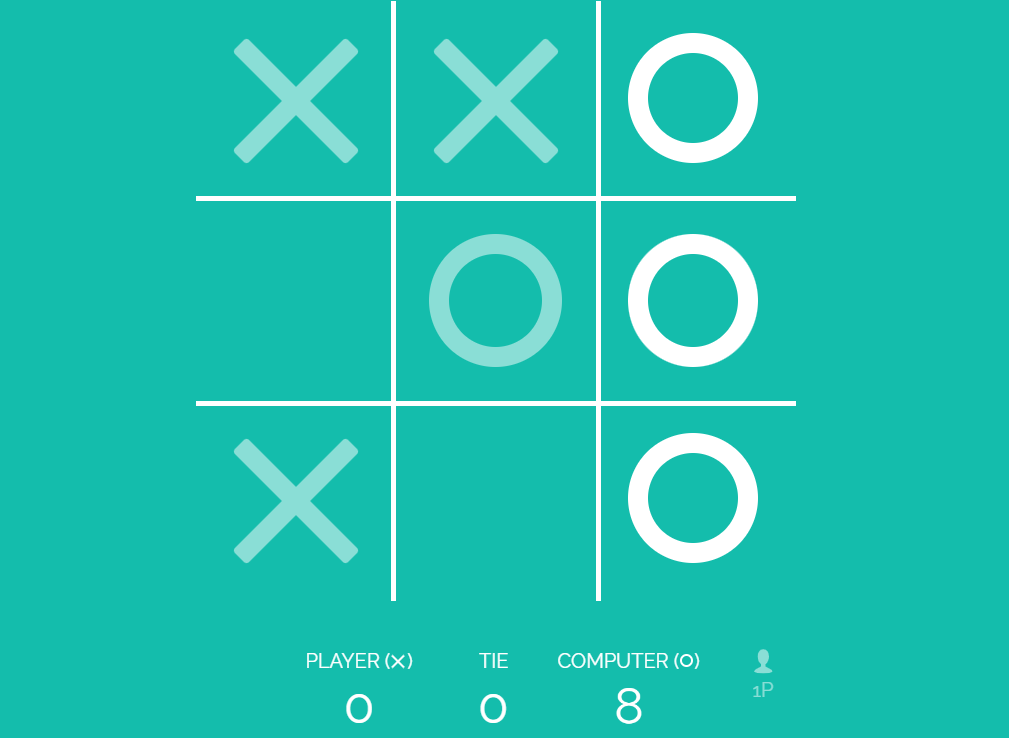
tic-tac-toe
What is Tic-Tac-Toe?
Tic-Tac-Toe, also known as Noughts and Crosses, is a simple yet strategic game for two players. The game is played on a 3x3 grid where players take turns marking a space with their symbol — either an X or an O. The objective is to be the first to form a horizontal, vertical, or diagonal line of three of one’s own symbols.
How to Access Tic-Tac-Toe on Google
Playing Google Tic-Tac-Toe online is incredibly straightforward. Here’s how you can access it:
- Open Your Browser: Launch any web browser on your device.
- Go to Google: Navigate to the Google homepage by typing www.google.com in the address bar.
- Search for Tic-Tac-Toe: In the Google search bar, type “Tic-Tac-Toe” and press Enter.
- Start the Game: The game will appear directly in the search results. You can start playing immediately by clicking on the grid.
Understanding the Game Interface
The Google version of Tic-Tac-Toe is user-friendly and intuitive. Here’s a breakdown of its features:
- Game Grid: The central 3x3 grid where the game is played.
- Difficulty Levels: You can choose from different difficulty levels — Easy, Medium, and Impossible.
- Play Against the Computer or a Friend: Google allows you to play against the computer or a friend, providing flexibility in how you enjoy the game.
Setting the Difficulty Level
One of the interesting aspects of playing Tic-Tac-Toe on Google is the ability to set the difficulty level. Here’s how each level works:
- Easy: The computer makes random moves, making it ideal for beginners.
- Medium: The computer employs basic strategies, offering a moderate challenge.
- Impossible: The computer plays optimally, making it nearly impossible to win. This level is perfect for those looking to test their skills to the fullest.
Playing Tic-Tac-Toe: Basic Rules
If you’re new to Tic-Tac-Toe, here are the basic rules:
- Starting the Game: Decide who goes first. In the Google version, you can choose to be X or O.
- Taking Turns: Players take turns placing their symbol in an empty cell.
- Winning the Game: The first player to get three of their symbols in a row — horizontally, vertically, or diagonally — wins.
- Draw: If all nine cells are filled without either player achieving three in a row, the game is a draw.
Tic-Tac-Toe Strategies
To improve your chances of winning, consider these strategic tips:
1. Center Control
Controlling the center of the grid is a powerful strategy. Starting in the center maximizes your opportunities to create a winning line and blocks many of your opponent’s potential lines.
2. Opposite Corners
When you start in a corner, your opponent often takes the center. If they do, taking the opposite corner can lead to multiple chances to win, especially if your opponent makes a mistake.
3. Block and Counter
Always be on the lookout for your opponent’s moves and block them from creating a line of three. Simultaneously, look for opportunities to form your own line of three.
4. Double Threats
Creating a scenario where you have two potential winning moves simultaneously puts your opponent in a position where they can only block one, securing your victory.
메타데이터
- post_id
- ef3dfcaadea5
- slug
- how-to-play-tic-tac-toe-on-google-ef3dfcaadea5
- url
- https://medium.com/@alaxtiger/how-to-play-tic-tac-toe-on-google-ef3dfcaadea5
- canonical_url
- https://medium.com/@alaxtiger/how-to-play-tic-tac-toe-on-google-ef3dfcaadea5
- author_url
- https://medium.com/@alaxtiger
- status
- ok
- fetched_at
- 2026-07-23 19:31:18