WWDC26 for UIKit App Developers — Adaptivity
Quick brief for Adaptivity changes for UIKit based app mentioned from Modernize your UIKit app session
WWDC26 for UIKit App Developers — Adaptivity
Quick brief for Adaptivity changes for UIKit based app mentioned from Modernize your UIKit app session
한국어 독자시라면, 이 링크로 가주세요.
The “What’s new in UIKit” session is gone…! 😱
Instead, Modernize your UIKit app seems to be taking its place.
In that session, Apple talks about how existing apps need to support adaptive UI behavior. ̶T̶h̶e̶ ̶F̶o̶l̶d̶a̶b̶l̶e̶ ̶i̶P̶h̶o̶n̶e̶ ̶i̶s̶ ̶r̶e̶a̶l̶!̶
Let’s quickly go over what kind of adaptivity Apple is asking for, and what we actually need to do.
Adaptivity
On macOS 27, when you use iPhone Mirroring, the app window can be resized. The same applies to iPhone-only apps running on iPad.
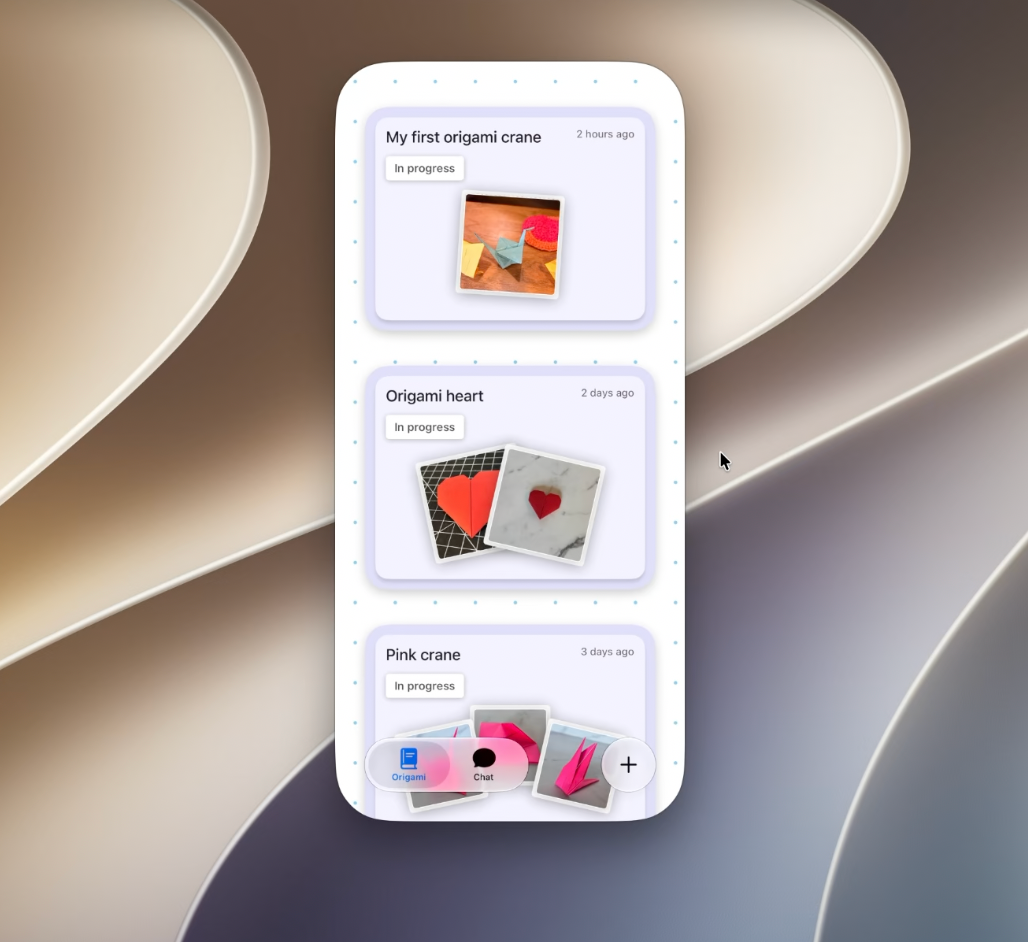
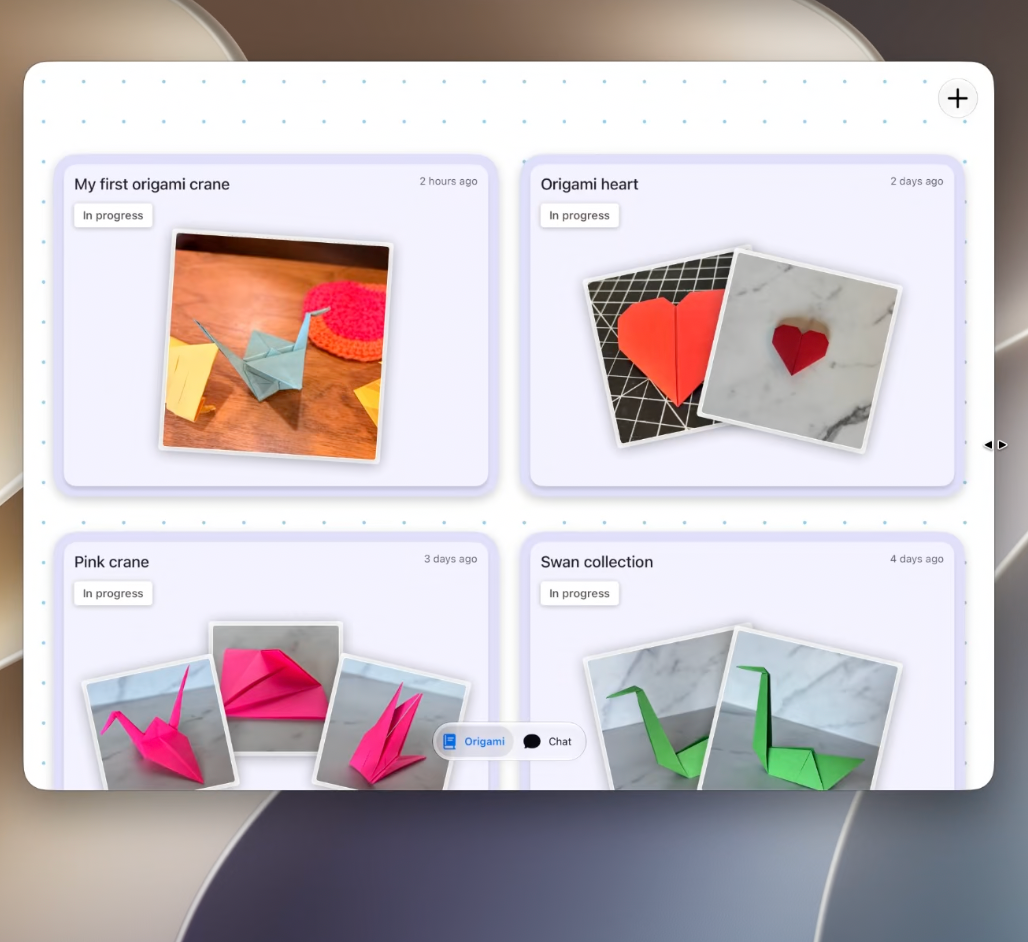
Default size / Expanded size
Because of this, apps now need to dynamically adapt to the available scene size at runtime.
Changes needed for Legacy API
Changes needed for Legacy API
UIScenelifecycle is required starting with iOS 27.- ❌ Don’t use existing
AppDelegatelifecycle - Check whether your app is using
UISceneDelegate.
Transitioning to the UIKit scene-based life cycle Make your UIKit app more flexible — WWDC25
Main screen
When an iPhone app is mirrored on a Mac the screen associated with the scene can change.
There are two main patterns for handling this.
1. Avoid referencing the main screen in your app
Instead, access the screen dynamically through windowScene.
// Use local screen references
// Access the correct screen through a windowScene
let screen = window?.windowScene?.screen

// Pass in local screen references
func generateThumbnail(_ image: UIImage, screen: UIScreen) -> UIImage {
    // existing code, replacing main screen with local screen reference
    // ...
}
2. Remove screen references entirely
2.1. Use traitCollection.displayScale
Replace screen scale usage with traitCollection.displayScale, so the UI can automatically update when traits change.
// Replace the screen's scale with trait collection's displayScale
override func layoutSubviews() {
    super.layoutSubviews()

    // layoutSubviews will be called again automatically when displayScale changes
    let displayScale = traitCollection.displayScale
    // ...
}When automatic trait tracking is not available, register for trait changes manually where needed.
// Manually register for trait changes
let displayScaleTrait: [UITrait] = [UITraitDisplayScale.self]

registerForTraitChanges(displayScaleTrait) {
    (view: GalleryView, previousTraitCollection: UITraitCollection) in
    view.cache.invalidate()
}2.2. Checking screen bounds
In adaptive environments, the space available to a scene is no longer always the full screen bounds. (i.e. iPhone Mirroring or Split View on iPadOS.)
So, references to screen bounds should be removed.
UIWindowScene.effectiveGeometry provides information about the space currently available to your app.
Monitoring effectiveGeometry:
// UIWindowSceneDelegate
func windowScene(
    _ windowScene: UIWindowScene,
    didUpdateEffectiveGeometry previousEffectiveGeometry: UIWindowScene.Geometry
) {
    let geometry = windowScene.effectiveGeometry
    let availableSpace = geometry.coordinateSpace.bounds
    // ...
}
Instead of using the scene’s bounds, use the view’s bounds.
// Checking available space
override func viewDidLayoutSubviews() {
    super.viewDidLayoutSubviews()
    let availableSpace = view.bounds.size
    // ...
}
UIRequiresFullScreen
The previously supported UIRequiresFullScreen behavior will be deprecated for iOS 27 or later
User interface idiom
Even if UIUserInterfaceIdiom returns phone, you can no longer be completely sure whether the app is actually running:
- on a real iPhone,
- on an iPad,
- or through iPhone Mirroring on a Mac.
Because of this, you should avoid using UIUserInterfaceIdiom for layout decisions.
Interface orientation
- In resizable environments, the old
Interface Orientationvalue is ignored. - In iPhone Mirroring, the app is always treated as
Portrait. - Use size classes and scene bounds instead.
Device rotation is just an animated bounds change. — Bruce Nilo, WWDC2014
Testing
Testing

Agentic coding
Agentic coding
Xcode 27 is said to have a deep understanding of adaptivity-related work.
It includes a skill that can automatically apply many of the changes mentioned above.
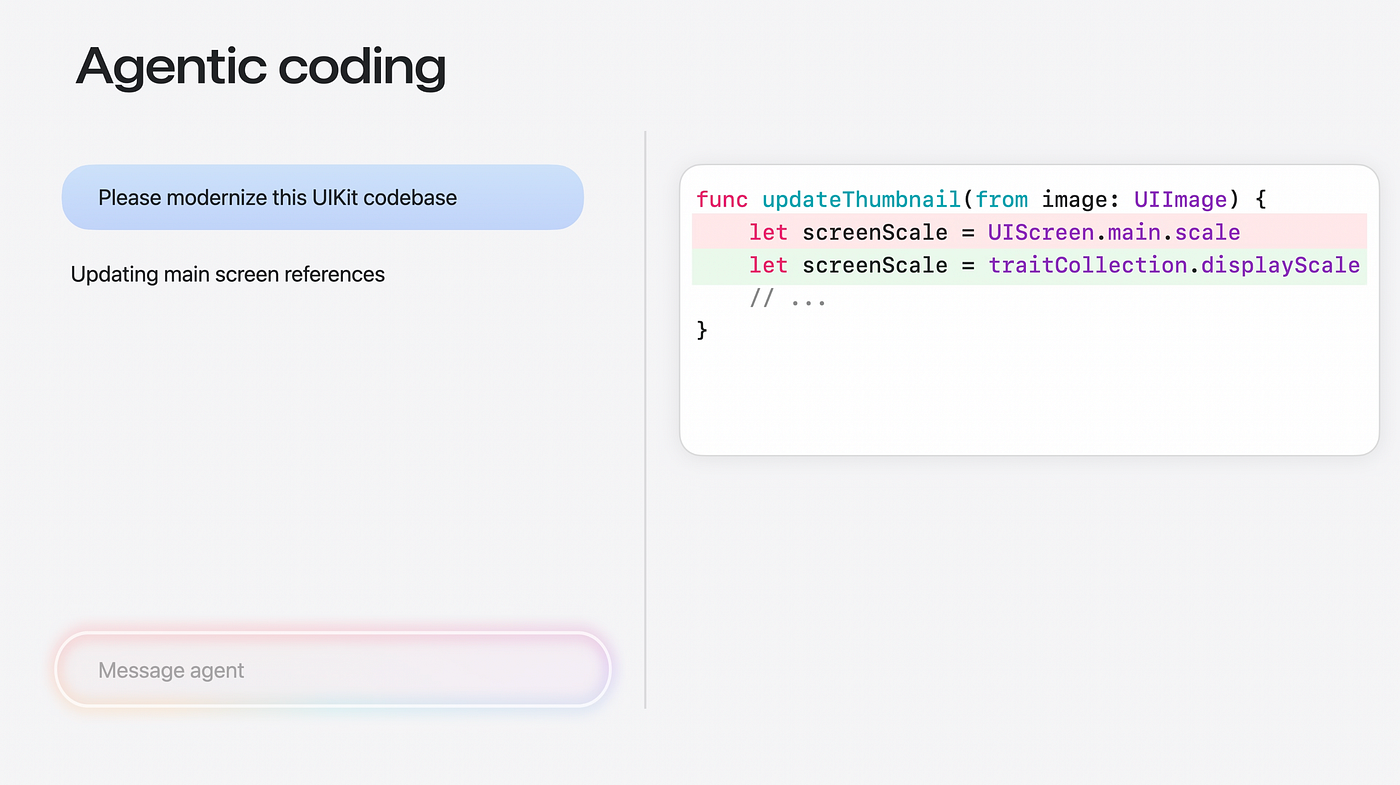
You can try it directly with Xcode Intelligence.
Using external Tools
You can also export this skill and import it into other agents or tools. ̶S̶e̶e̶m̶s̶ ̶l̶i̶k̶e̶ ̶A̶p̶p̶l̶e̶ ̶k̶n̶o̶w̶s̶ ̶n̶o̶b̶o̶d̶y̶ ̶u̶s̶e̶s̶ ̶X̶c̶o̶d̶e̶ ̶I̶n̶t̶e̶l̶l̶i̶g̶e̶n̶c̶e̶
xcrun agent skills exportI uploaded the exported skill files to the Xcode-27-Skills repository.
If you want to try UIKit modernization related skills, check uikit-app-modernization from this repository.
메타데이터
- post_id
- ef4d23b0b95b
- slug
- wwdc26-for-uikit-app-developers-adaptivity-ef4d23b0b95b
- url
- https://medium.com/@choiysapple/wwdc26-for-uikit-app-developers-adaptivity-ef4d23b0b95b
- canonical_url
- https://medium.com/@choiysapple/wwdc26-for-uikit-app-developers-adaptivity-ef4d23b0b95b
- author_url
- https://medium.com/@choiysapple
- status
- ok
- fetched_at
- 2026-07-09 10:29:04