Nmap & Scapy Lab Documentation
From Classroom to Cybersecurity Practice
Nmap & Scapy Lab Documentation
From Classroom to Cybersecurity Practice
Introduction
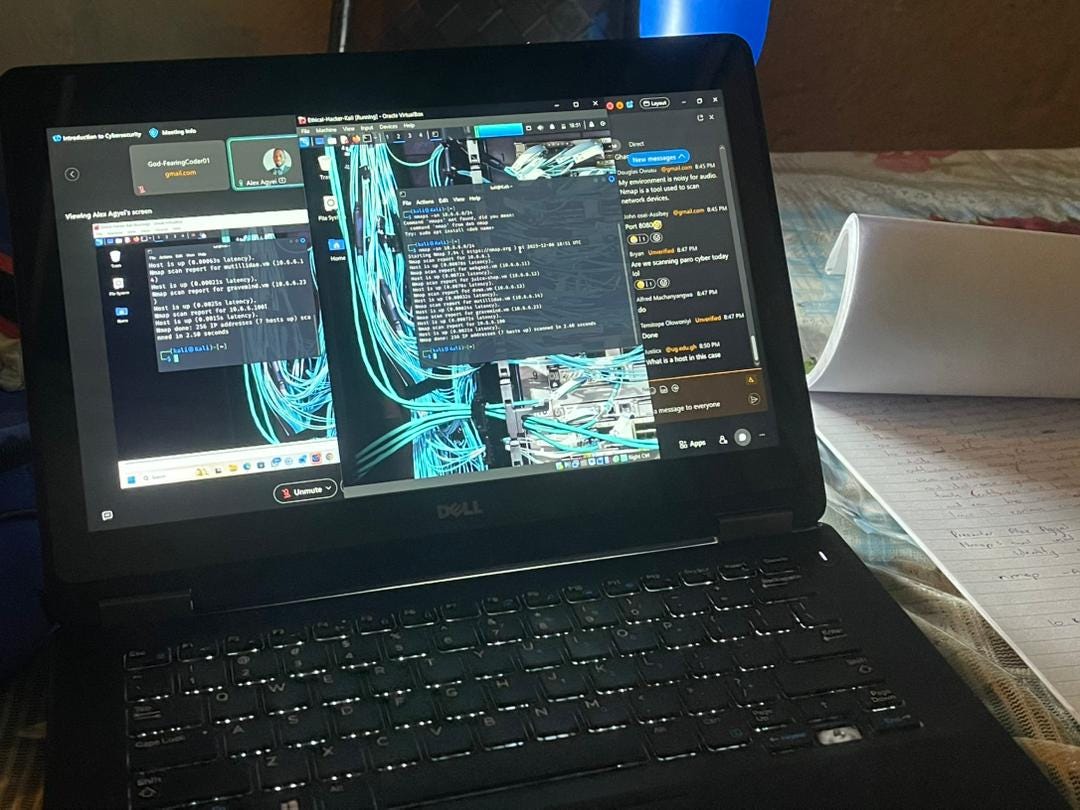
In our recent cybersecurity practical sessions, we explored two fundamental network security tools: Nmap for network discovery and vulnerability assessment, and Scapy for packet manipulation and analysis. This documentation captures our hands-on experience with these essential tools, demonstrating their practical applications in real-world cybersecurity scenarios.
Lab Environment Setup
Tools Used
- Nmap (Network Mapper) 7.92
- Scapy (Python-based packet manipulation)
- Wireshark for packet analysis
- Kali Linux VM provided by Cisco for Ethical Hacking
- tcpdump for command-line packet capture
Network Configuration:
- Target subnet: 10.6.6.0/24
- Primary target: 10.6.6.23
- Interface: eth0/br-internal
Environment Note: All work was conducted in a pre-configured Kali Linux virtual machine provided by Cisco’s Ethical Hacking course, ensuring an isolated, legal environment for learning offensive security techniques.
Part 1: Nmap Network Reconnaissance
Host Discovery
nmap -sn 10.6.6.0/24Purpose: Ping sweep to identify live hosts on the network without port scanning. This initial reconnaissance helps map the network landscape before deeper investigation.
Operating System Detection
sudo nmap -O 10.6.6.23Purpose: OS fingerprinting to identify the target’s operating system by analyzing TCP/IP stack implementation differences. This information is crucial for tailoring subsequent attacks or defenses.
Comprehensive Service Scanning
nmap -p21 -sV -A -T4 10.6.6.23Flags Explained:
-p21: Scan specific port (FTP)-sV: Service version detection-A: Enable OS detection, version detection, script scanning, and traceroute-T4: Aggressive timing template
SMB Service Enumeration
nmap -p139,445 10.6.6.23
nmap — script smb-enum-shares.nse -p445 10.6.6.23
Purpose: Identify open SMB ports and enumerate shared resources, a common entry point in network penetration testing.
SMB Client Interaction
smbclient //10.6.6.23/print$ -NNote: Used exit to close the SMB shell session.
Network Configuration Verification
ifconfig
ip route
cat /etc/resolv.conf
Purpose: Confirm local network configuration before conducting scans.
Packet Capture and Analysis with tcpdump and Wireshark
sudo tcpdump -i eth0 -s 0 -w ladies.pcap
# Ctrl+C to stop capture
ls ladies.pcap
wireshark ladies.pcap
Purpose: Capture network traffic using tcpdump and analyze it with Wireshark’s GUI. This workflow demonstrates the practical use of command-line capture tools combined with graphical analysis interfaces — tcpdump for efficient, scriptable capturing and Wireshark for deep packet inspection and protocol analysis.
Part 2: Scapy Packet Manipulation
Basic Packet Sniffing
sudo su
scapy
sniff()
Procedure:
- Start sniffing in Scapy terminal
- Generate traffic from another terminal:
ping google.com - Stop sniffing with
Ctrl+C
paro = _
paro.summary()
Output: Displays captured packet summaries, showing source/destination IPs and protocols.
Interface-Specific Capture
sniff(iface=”br-internal”)Traffic Generation:
- Ping sweep:
ping 10.6.6.1/24 - Web access: Browser navigation to
10.6.6.23
paro2 = _
paro2.summary()
Filtered Packet Capture
sniff(iface=”br-internal”, filter=”icmp”, count=5)Purpose: Capture only ICMP packets, demonstrating Scapy’s filtering capability for targeted analysis.
Packet Inspection
paro3 = _
paro3.summary()
paro3[3]
Purpose: Examine specific captured packets in detail, understanding packet structure and contents.
Key Learnings & Challenges
What I Learned:
- Nmap’s versatility extends beyond simple port scanning to include OS detection, service version identification, and vulnerability assessment through scripting
- Progressive scanning approach— starting with host discovery, then port scanning, followed by service enumeration
- Scapy’s power in creating, sending, and analyzing custom packets at the protocol level
- Complementary tools workflow — using tcpdump for capture and Wireshark for analysis, alongside Scapy for specialized packet manipulation
- The importance of understanding network protocols at the packet level for effective security analysis
- Ethical considerations in network scanning and the importance of proper authorization (ensured by Cisco’s controlled environment)
Challenges Faced:
- Permission requirements: Many commands require sudo privileges, highlighting security best practices even in learning environments
- Interpreting results: Understanding Nmap output and distinguishing between filtered/closed/open ports
- Packet analysis: Deciphering raw packet data requires protocol knowledge — Wireshark helped visualize this complexity
- Tool syntax: Remembering various command flags and their combinations across different tools
- Context switching: Moving between command-line tools (nmap, tcpdump, scapy) and GUI tools (Wireshark) required mental adaptation
Tool Comparison: Wireshark vs. Scapy
Wireshark Strengths:
- Visual analysis: Excellent GUI for protocol dissection
- Filtering: Powerful display filters for isolating specific traffic
- Protocol support: Comprehensive decoding of hundreds of protocols
- File handling: Great for analyzing saved capture files (like our
ladies.pcap)
Scapy Strengths:
- Packet crafting: Create custom packets with precise control
- Automation: Scriptable with Python for repetitive tasks
- Interactive: Real-time packet manipulation and response
- Educational: Direct access to packet fields teaches protocol internals
Practical Workflow Learned:
- Quick capture:
tcpdump -w capture.pcap - Initial analysis:
wireshark capture.pcapfor visual inspection - Targeted manipulation: Use Scapy for specific packet crafting tasks
- Validation: Capture results with tcpdump/Wireshark to verify Scapy actions
Real-World Applications
For Cybersecurity Professionals:
- Network Inventory: Nmap helps maintain accurate network asset inventories
- Vulnerability Assessment: Identifying open ports and services that could be exploited
- Incident Response: Analyzing network traffic during security incidents using Wireshark
- Security Auditing: Regular scanning to ensure compliance with security policies
- Research & Development: Prototyping security tools and testing network configurations with Scapy
- Forensic Analysis: Using Wireshark to examine network traffic from security incidents
For Organizations:
- Attack Surface Reduction: Identifying unnecessary open services with Nmap scans
- Compliance: Meeting regulatory requirements for network security monitoring
- Threat Modeling: Understanding potential attack vectors through protocol analysis
- Security Awareness: Demonstrating network visibility to stakeholders through Wireshark visualizations
Conclusion
This hands-on experience with Nmap, Scapy, and Wireshark has provided practical insights into network security fundamentals. These tools form complementary parts of a cybersecurity professional’s toolkit:
- Nmap for discovery and reconnaissance
- Scapy for custom packet manipulation and protocol experimentation
- Wireshark for detailed traffic analysis and visualization
- tcpdump for lightweight, scriptable packet capture
Working within Cisco’s pre-configured Kali Linux environment provided a safe, legal sandbox to practice these essential skills. The progression from simple host discovery to protocol-level packet manipulation demonstrates the depth of understanding required for effective cybersecurity practice.
The ability to capture traffic with tcpdump, analyze it visually with Wireshark, then manipulate packets programmatically with Scapy creates a powerful workflow for both defensive and offensive security operations.
Remember: With great power comes great responsibility — always ensure proper authorization before scanning networks. The controlled lab environment ensured we could learn these powerful techniques ethically and legally.
GitHub Repository Connect with me on LinkedIn.
”Knowledge shared is knowledge squared.” — Let’s continue learning and growing together in our cybersecurity journey.
— - Note: All scans and packet captures were performed in Cisco’s controlled Kali Linux VM environment with proper authorization for educational purposes. Always obtain written permission before scanning networks you don’t own or manage.
메타데이터
- post_id
- ef9232da8bcf
- slug
- nmap-scapy-lab-documentation-ef9232da8bcf
- url
- https://medium.com/@mhlopenkosikhona/nmap-scapy-lab-documentation-ef9232da8bcf
- canonical_url
- https://medium.com/@mhlopenkosikhona/nmap-scapy-lab-documentation-ef9232da8bcf
- author_url
- https://medium.com/@mhlopenkosikhona
- status
- ok
- fetched_at
- 2026-07-14 06:26:04


