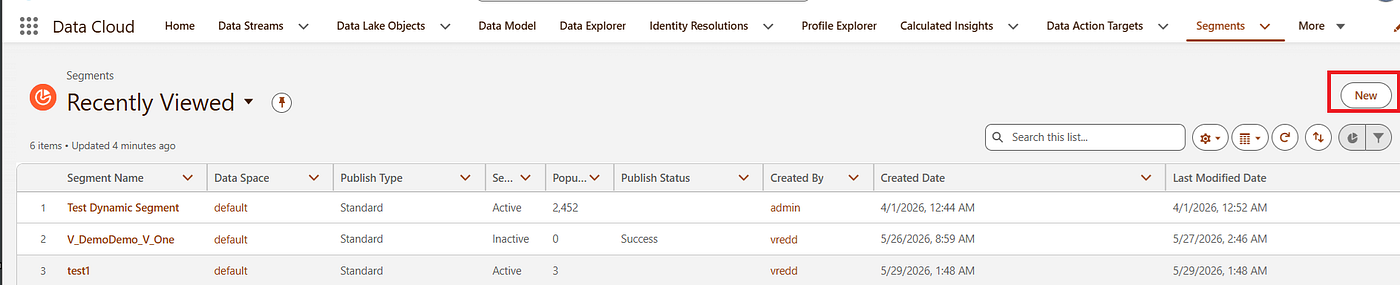
SFMC Next : Consent Tab
Managing Compliance and subscriber preferences
SFMC Next : Consent
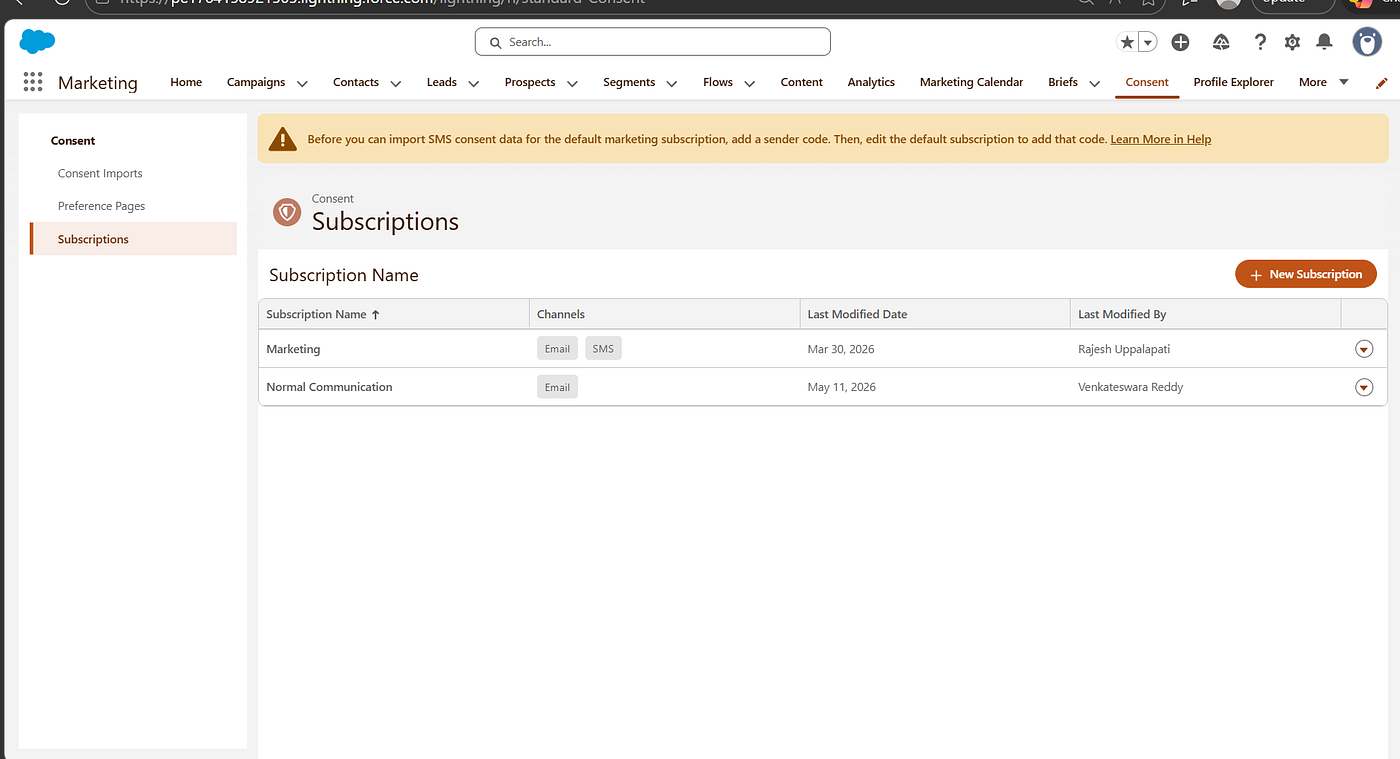
Consent Tab, will have an Consent Import ,Preference Pages and Subscriptions
Today, we will focus on the Subscriptions
Subscription as the “Channels” or “Topic” of our brand offers
To understand easily , we will compare with traditional SFMC with MC Next
As we know, we have an Publication list is a subscription management tool used to control how subscribers receive specific categories of emails or SMS messages, such as newsletters, marketing promotions. Here, Subscription just like that.
But for Publication list, we need to create the data extension maually and add the customer to the data extension and one more thing , if we forget the adding of publication list while sending an email it will accidently send an email who are opt-out
To overcome, All is this manual work to do, the salesforce come up with Subscriptions, Here
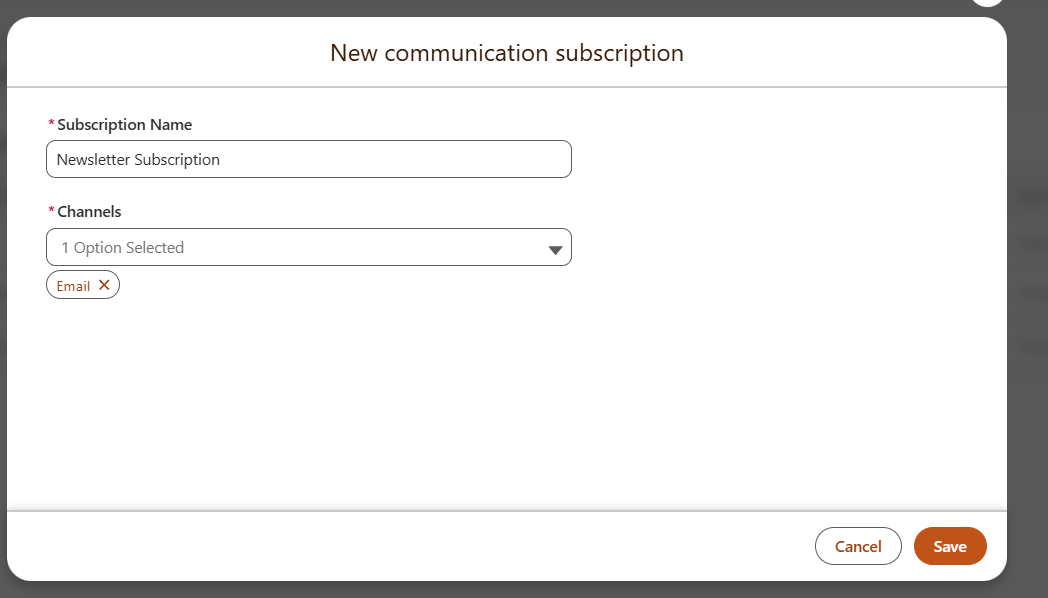
While creating the Subscriptions, it will ask which channels are need to this communication
Channels are 1.Email, 2.SMS
For selecting Channels based on requirement we can choose the Channel types.
Subscription Name — Based on category we can give to identify easily like Newsletter, Product Updates etc.
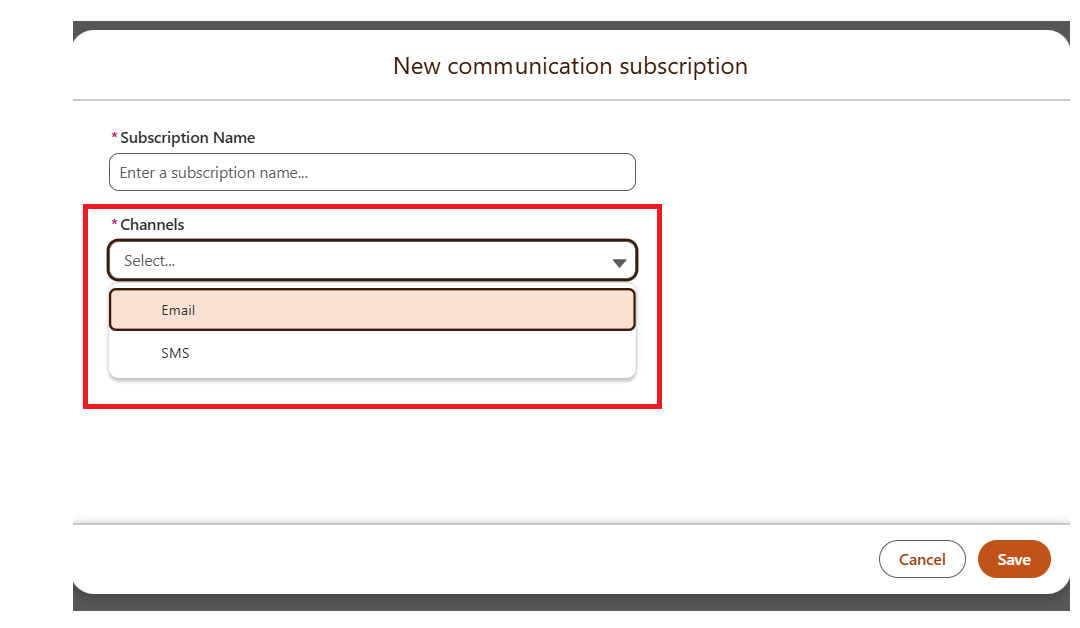
Here based on requirement select the Channels,
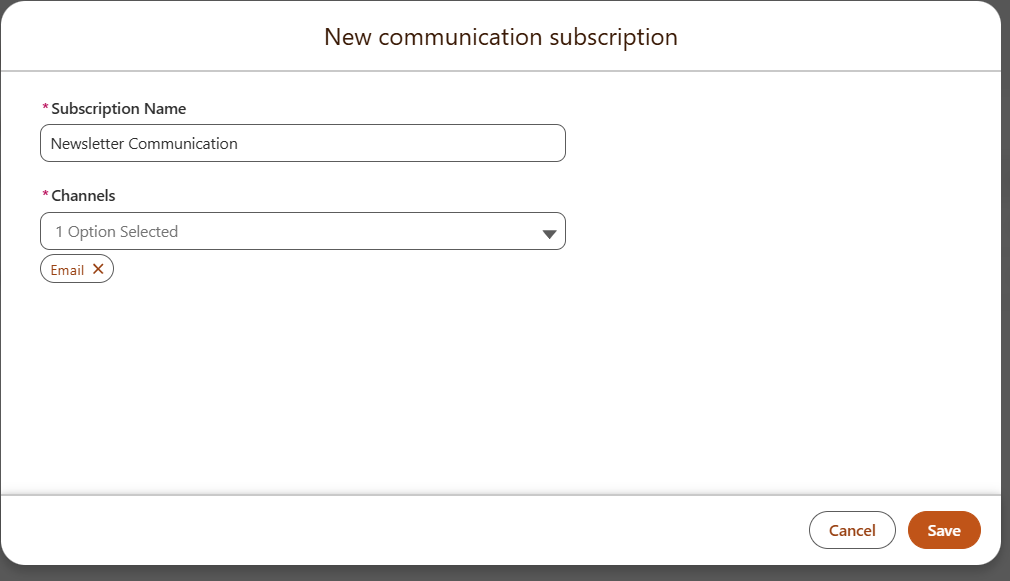
Click on Save.
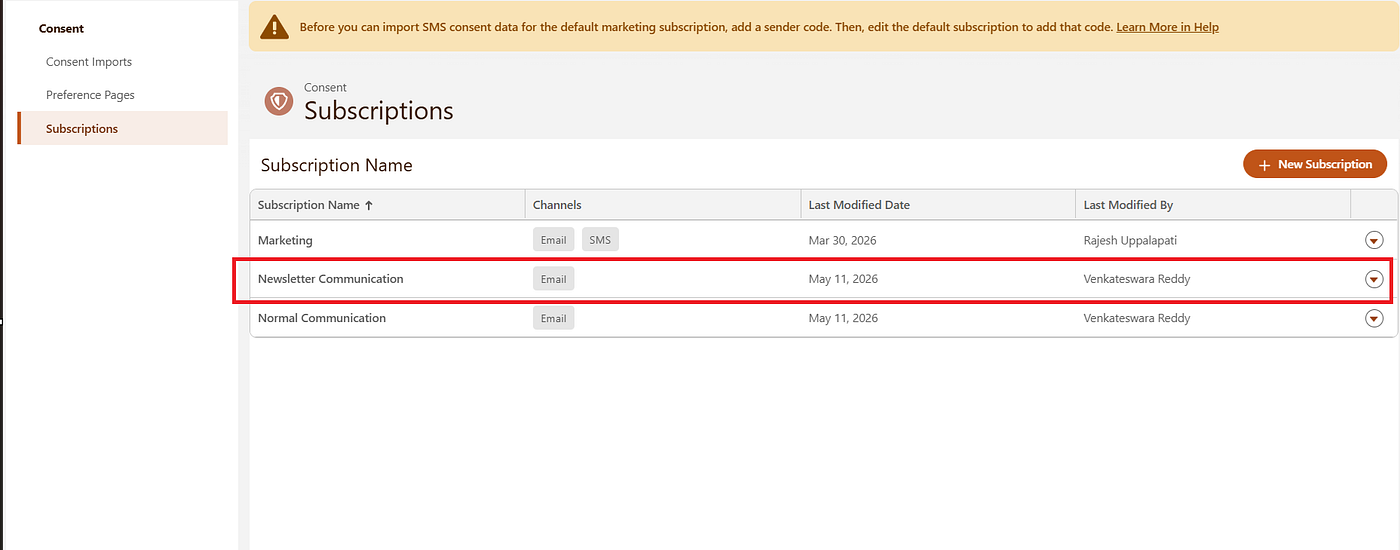
Now, everything is done related to Subscriptions, which is called as Publication List in Traditional SFMC.
Consent Import
This is a process of populating the relationship between a person and subscription.
Consent Import specifically tells to the system:
“This specific email address officially granted permission for this specific subscription on this specific date.”
There is mainly THREE Pillars are required for the Consent Import
- The Identity (WHO): Usually Email Address from your csv.
- The Metadata(The WHAT): This is Subscription , which we created above(Newsletter Communication).
- The Authorization (The STATUS & DATE): This is “Opt-In” status and the timestamp from the file.
Now we can go through the Step-Step
- Click Consent Imports
- Click on Import Button

Once after click on Import Button
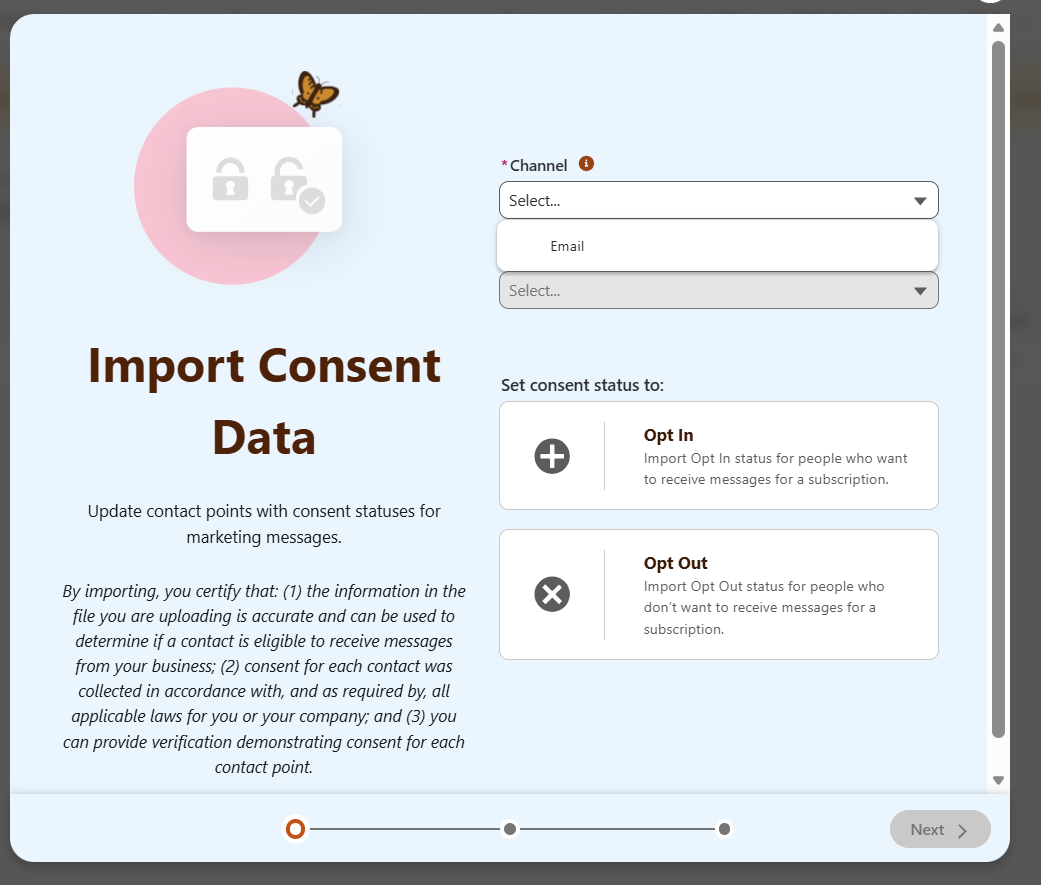
- Select the Channel as “Email”, Once after click Channel, We can able to see the list of Communication Subscription as show in below.
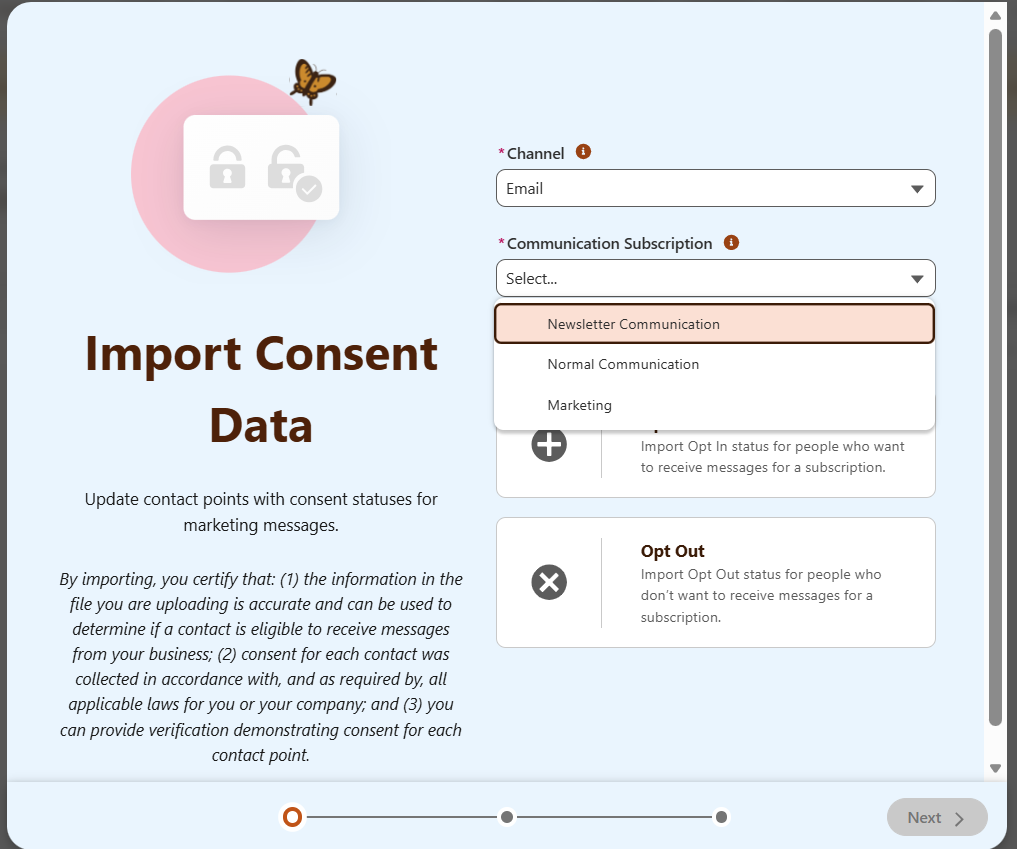
Here, we can select the Communication as “Newsletter Communication” which we created earlier.
Once after based on the requirement , we need to select the Set consent status to: as Opt In or Opt Out
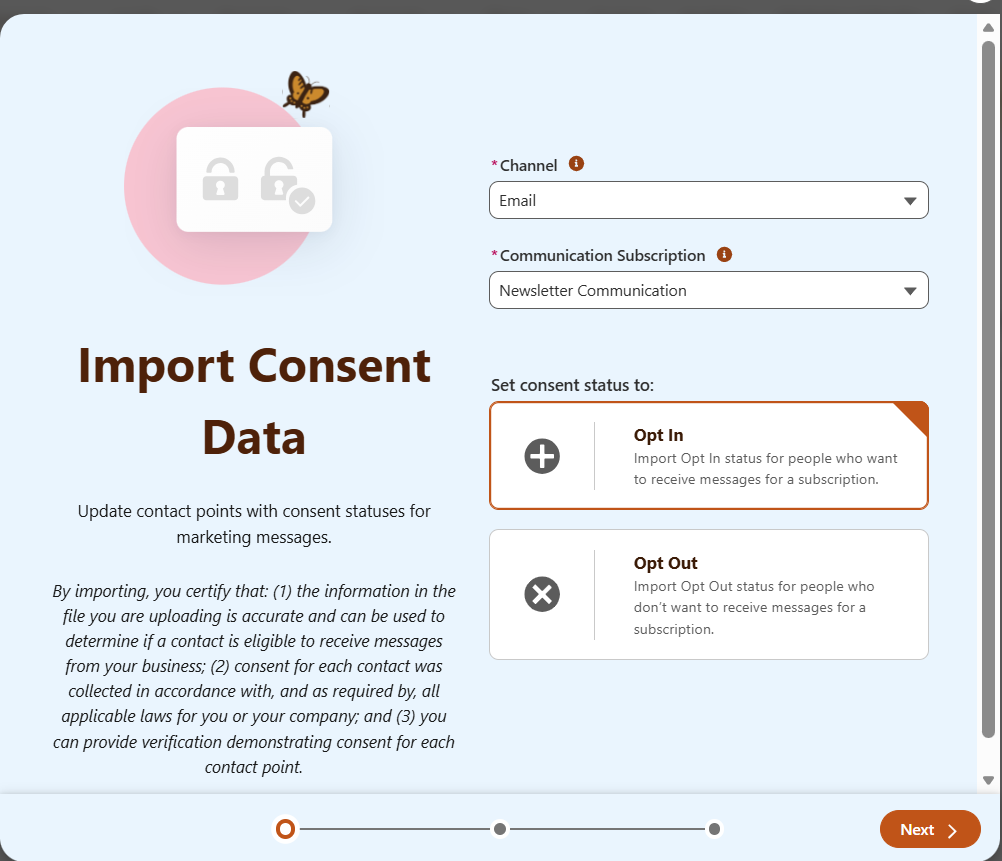
Here, we are adding Opt In , which we are adding object or records to the specific Subscription Communication. Click on Next
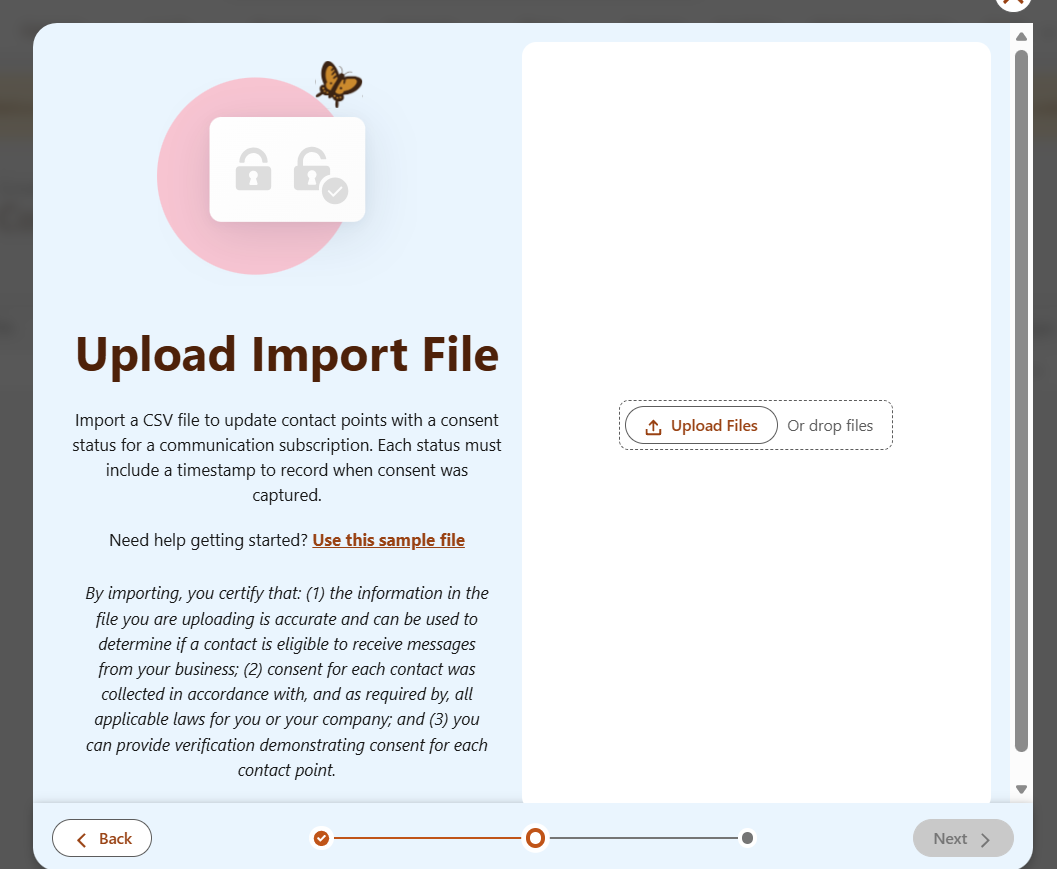
Here, we need to upload the file, In here itself, we can see the Use this sample file, click on it , to know how should be the data, let’s download and open the file, then the below image shows data should be
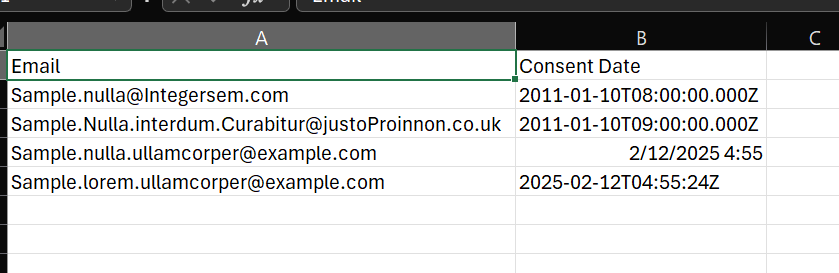
Once after upload the file, click on the Next,
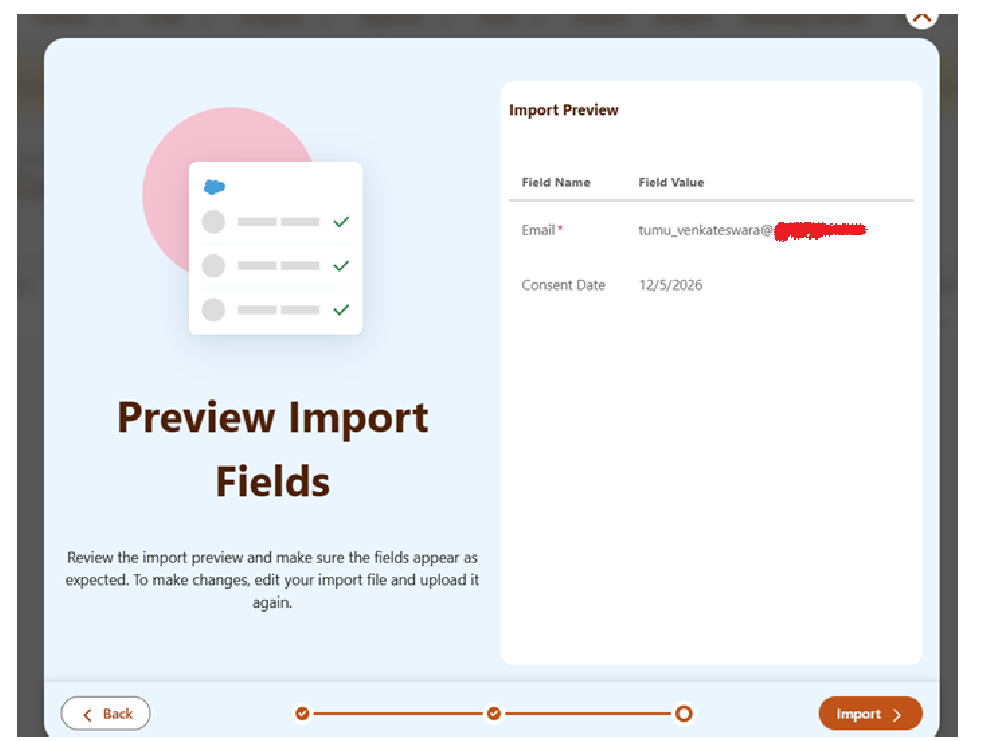
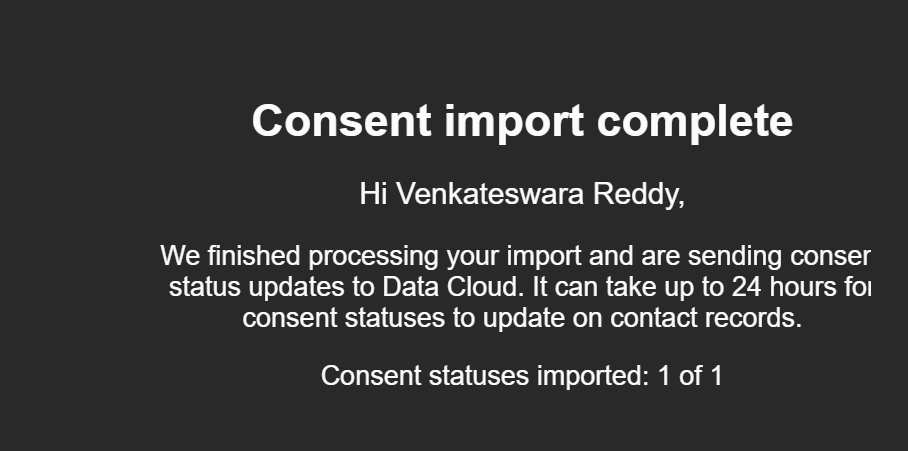
Click Import. It will import and you will get mail once after done as we did in traditional SFMC, import the data in DE.

To check if your records are there and verify their consent
- We will receive the Email like Salesforce consent import complete
2.Use the Data Explorer( Best for Bulk Verification)
- Go to the Data 360 Tab
- Go to Data Explorer
- Select the Default Dataspace.
- Under Data Model Objects(DMO), looks for Communication Subscription Consent and select it
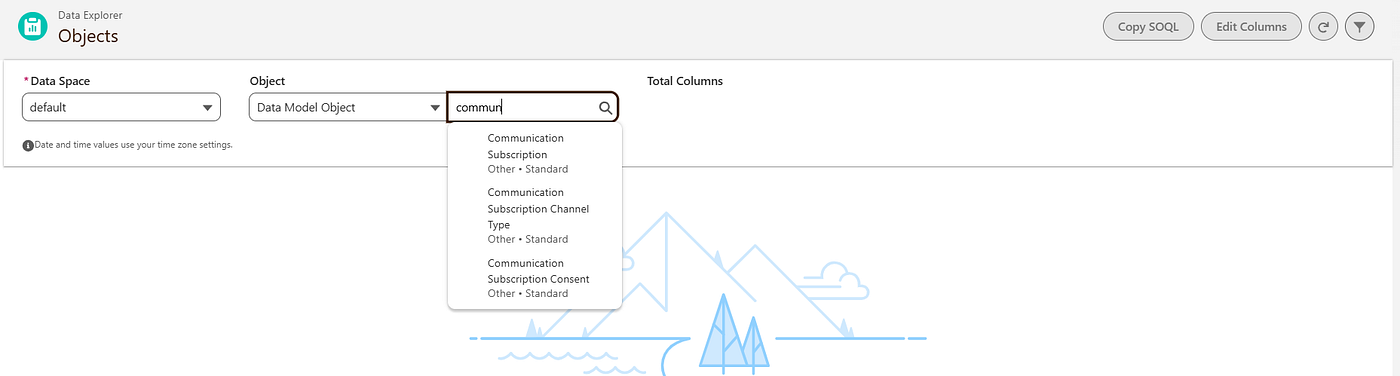
Result:
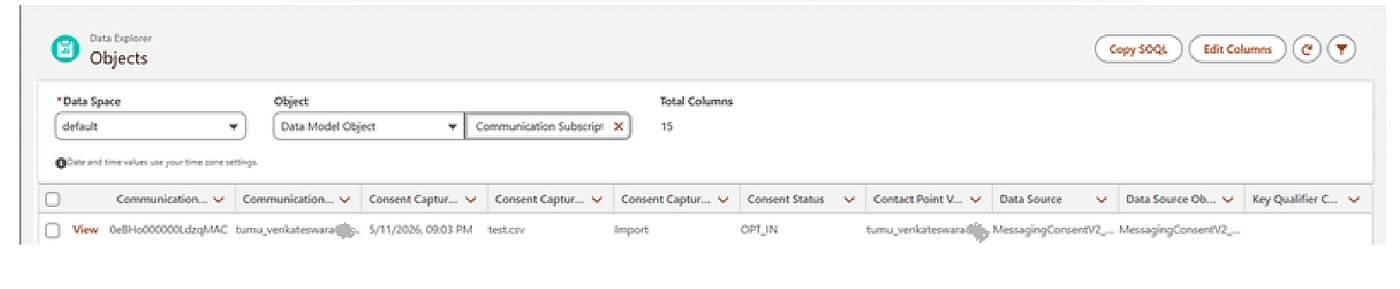
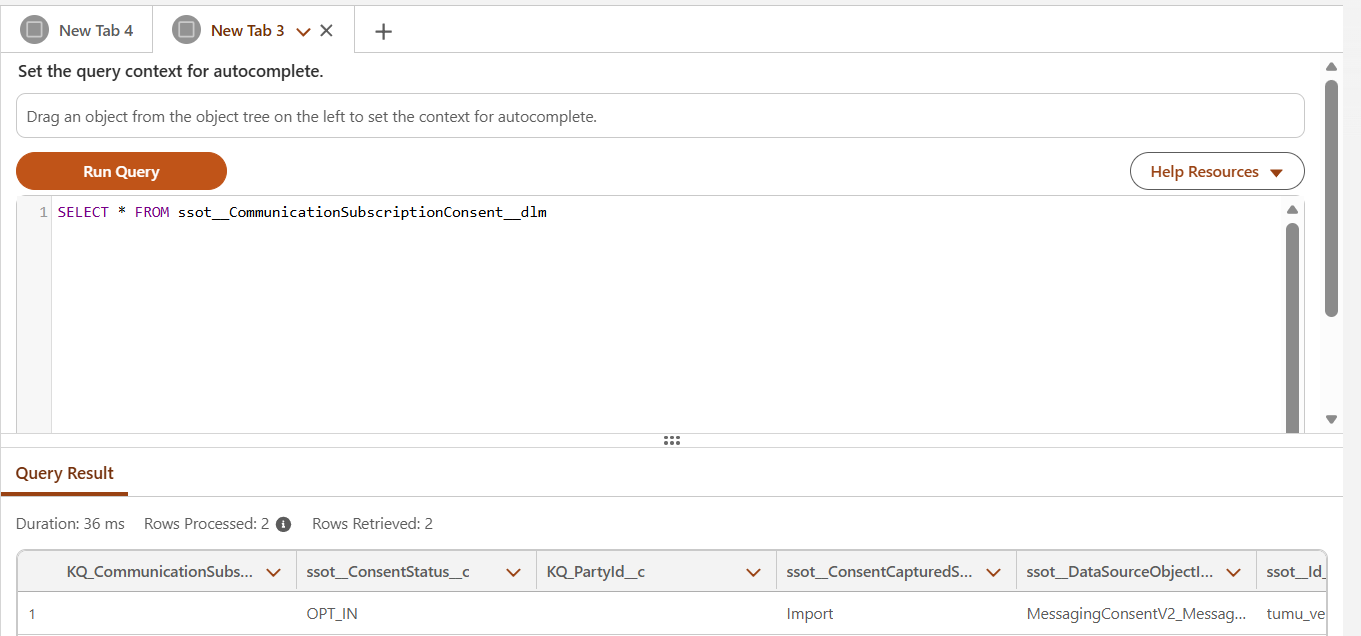
If we want to check all fields, then click on Copy SOQL and copy the SQL Query and then go to the Query Editor ,Paste SQL Query and instead of specified fields, give * , to get all records.
Resources
[embed]Salesforce Help Edit descriptionhelp.salesforce.com
[embed]Salesforce Help Edit descriptionhelp.salesforce.com
메타데이터
- post_id
- efa7dabbef50
- slug
- sfmc-next-consent-tab-efa7dabbef50
- url
- https://medium.com/@tumuvenkateswarareddy193/sfmc-next-consent-tab-efa7dabbef50
- canonical_url
- https://medium.com/@tumuvenkateswarareddy193/sfmc-next-consent-tab-efa7dabbef50
- author_url
- https://medium.com/@tumuvenkateswarareddy193
- status
- ok
- fetched_at
- 2026-06-21 12:17:11