How to Use a Monero Wallet Online — The Complete 2026 Guide
Monero (XMR) is the leading privacy-focused cryptocurrency. Unlike Bitcoin, every Monero transaction is private by default — no one can see…
How to Use a Monero Wallet Online — The Complete 2026 Guide
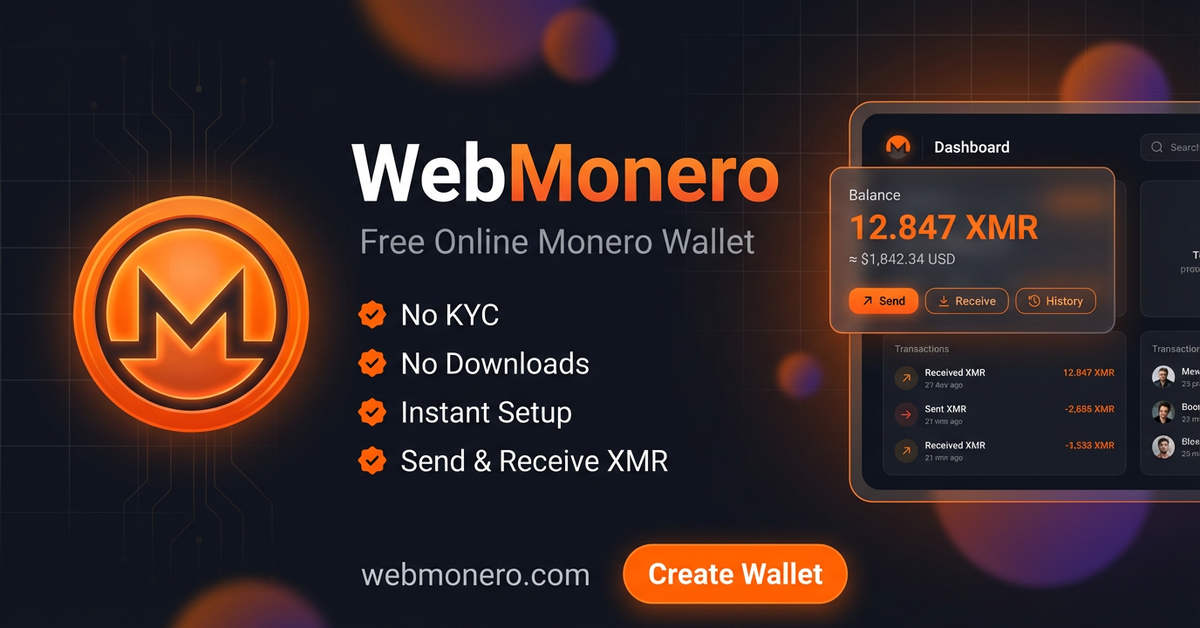
Monero (XMR) is the leading privacy-focused cryptocurrency. Unlike Bitcoin, every Monero transaction is private by default — no one can see your balance, your transaction history, or who you’re sending to.
But for years, using Monero meant downloading heavy desktop software, syncing the blockchain for hours, or trusting sketchy third-party apps. That’s changing.
In this guide, I’ll walk you through how to use a Monero wallet directly in your web browser — in under 60 seconds.
Why Use an Online Monero Wallet?
Desktop wallets like the official Monero GUI are powerful, but they come with friction:
- Long sync times — downloading the blockchain can take hours or even days
- Storage requirements — a full node needs 100+ GB of disk space
- Device-locked — you can only access your wallet from one computer
- Technical setup — not beginner-friendly
A web-based Monero wallet eliminates all of this. You open a website, create a wallet, and you’re ready to send and receive XMR. No installation. Works on desktop, tablet, and mobile.
What to Look For in a Web Monero Wallet
Not all online wallets are created equal. Here’s what matters:
Privacy — The whole point of Monero is privacy. Your wallet provider shouldn’t require KYC (Know Your Customer), email, phone number, or any personal information. If they’re asking for your ID, you’re using the wrong wallet.
Security — Look for HTTPS, encrypted storage, and seed phrase authentication. Your seed phrase is your master key — whoever has it controls the wallet.
Transparency — The wallet should clearly state its fee structure. No hidden charges, no surprise deductions.
Reliability — The service should run on a full Monero node (not a light node) so your transactions are verified properly and your balance is always accurate.
How to Create a Monero Wallet Online (Step by Step)
I’ll use WebMonero as an example — it’s a free web wallet that checks all the boxes above.
Step 1: Generate Your Seed Phrase
Go to webmonero.com/register and click Create Wallet. The system generates a unique 12-word seed phrase. This is your wallet’s master key.
Write it down on paper. Not in a text file. Not in a screenshot. On actual paper. Store it somewhere safe. If you lose this phrase, you lose access to your funds permanently. No one can recover it for you.
Step 2: Verify Your Seed
The wallet will ask you to confirm a few words from your seed phrase. This ensures you actually wrote it down and didn’t just click “next” mindlessly.
Step 3: Set a Password
Choose a strong password. This protects your wallet when you log in. The seed phrase is the backup — the password is for daily access.
Step 4: Done — You Have a Monero Address
Your wallet is live. You’ll see your unique Monero deposit address and a QR code. Share this address with anyone who wants to send you XMR. Each user gets a unique subaddress, so your funds are isolated.
The whole process takes about 30 seconds.
Sending Monero from Your Web Wallet
Once you have funds in your wallet:
- Go to the Send section
- Paste the recipient’s Monero address
- Enter the amount in XMR
- Choose a transaction priority (higher priority = faster confirmation, slightly higher network fee)
- Click Send
The amount you enter is the amount the recipient gets. Network fees are charged on top, not deducted from the amount — just like how exchanges handle it.
Internal transfers (to other users on the same platform) are instant and free.
Receiving Monero
Go to the Receive section. You’ll see:
- Your unique Monero address (long string starting with 8…)
- A QR code you can share
Send this to whoever is paying you. After 10 network confirmations (~20 minutes), the funds appear in your balance.
Understanding Fees
Most web wallets charge fees in one of three ways:
- Per transaction — a percentage on every send (common, but eats into frequent traders)
- Per deposit — a small percentage when you deposit funds (one-time cost per deposit)
- Monthly/subscription — rare, usually a bad sign
WebMonero uses the per-deposit model: 0.5% on each deposit. No fees on sends (beyond the standard Monero network fee). No monthly fees. No hidden charges.
For context, 0.5% on a 10 XMR deposit is 0.05 XMR — roughly $10 at current prices. After that, you can send as many transactions as you want without additional platform fees.
Security Tips for Using Any Online Wallet
Regardless of which wallet you choose, follow these rules:
- Never share your seed phrase — no legitimate service will ever ask for it
- Use a unique, strong password — don’t reuse passwords from other sites
- Bookmark the official URL — phishing sites clone wallet interfaces to steal seeds
- Don’t store large amounts long-term — web wallets are great for active use, but for cold storage, use a hardware wallet or the official Monero desktop wallet
- Enable 2FA if available — adds an extra layer of protection
- Access from a secure device — avoid public computers or unsecured WiFi
Who Should Use a Web Monero Wallet?
A browser-based wallet is ideal for:
- Beginners who want to try Monero without the technical setup
- Frequent transactors who need quick access from any device
- Mobile users who don’t want to install yet another app
- Privacy-conscious users who want a no-KYC solution
- Merchants who want to accept Monero payments with a simple deposit address
If you’re holding large amounts of XMR for long-term investment, consider a hardware wallet like Ledger (with the Monero app) as your primary storage, and use a web wallet for day-to-day transactions.
The Future of Monero Wallets
The Monero ecosystem is maturing. We’re seeing more user-friendly tools, better mobile support, and improved transaction speeds. Web wallets are a big part of this evolution — they lower the barrier to entry and make private money accessible to everyone.
Privacy isn’t a luxury. It’s a right. And Monero, combined with the right tools, makes it easy to exercise that right.
Ready to try it? Create a free Monero wallet at webmonero.com — no KYC, no downloads, 30 seconds to set up.
메타데이터
- post_id
- efabe2d474e8
- slug
- how-to-use-a-monero-wallet-online-the-complete-2026-guide-efabe2d474e8
- url
- https://medium.com/@webmonero/how-to-use-a-monero-wallet-online-the-complete-2026-guide-efabe2d474e8
- canonical_url
- https://medium.com/@webmonero/how-to-use-a-monero-wallet-online-the-complete-2026-guide-efabe2d474e8
- author_url
- https://medium.com/@webmonero
- status
- ok
- fetched_at
- 2026-06-23 03:48:11



