10 Power User Apps That Transform Your Mac & iPhone Experience
Skip system bloat — these native-like utilities are all you need.
10 Power User Apps That Transform Your Mac & iPhone Experience
Skip system bloat — these native-like utilities are all you need.
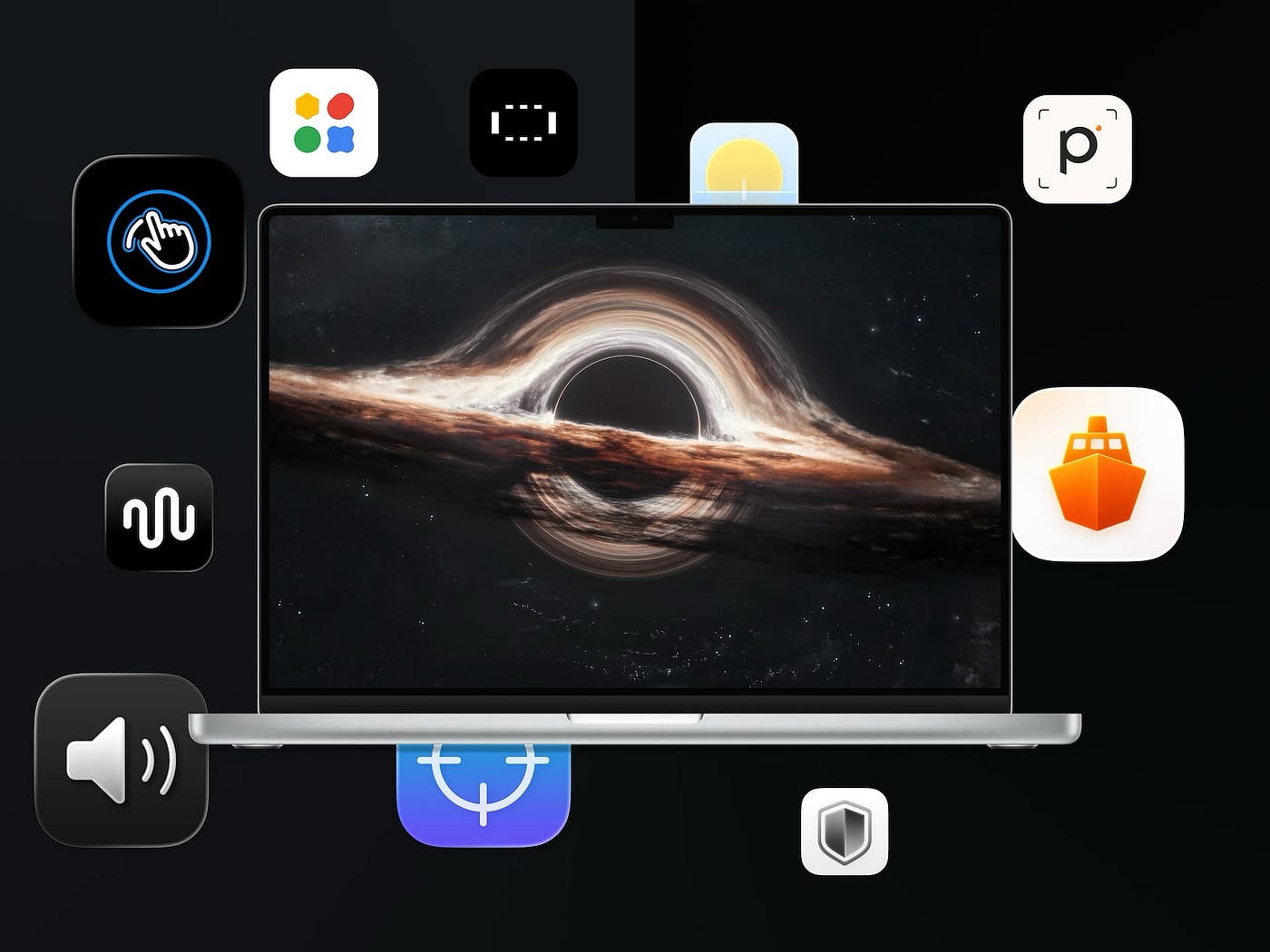
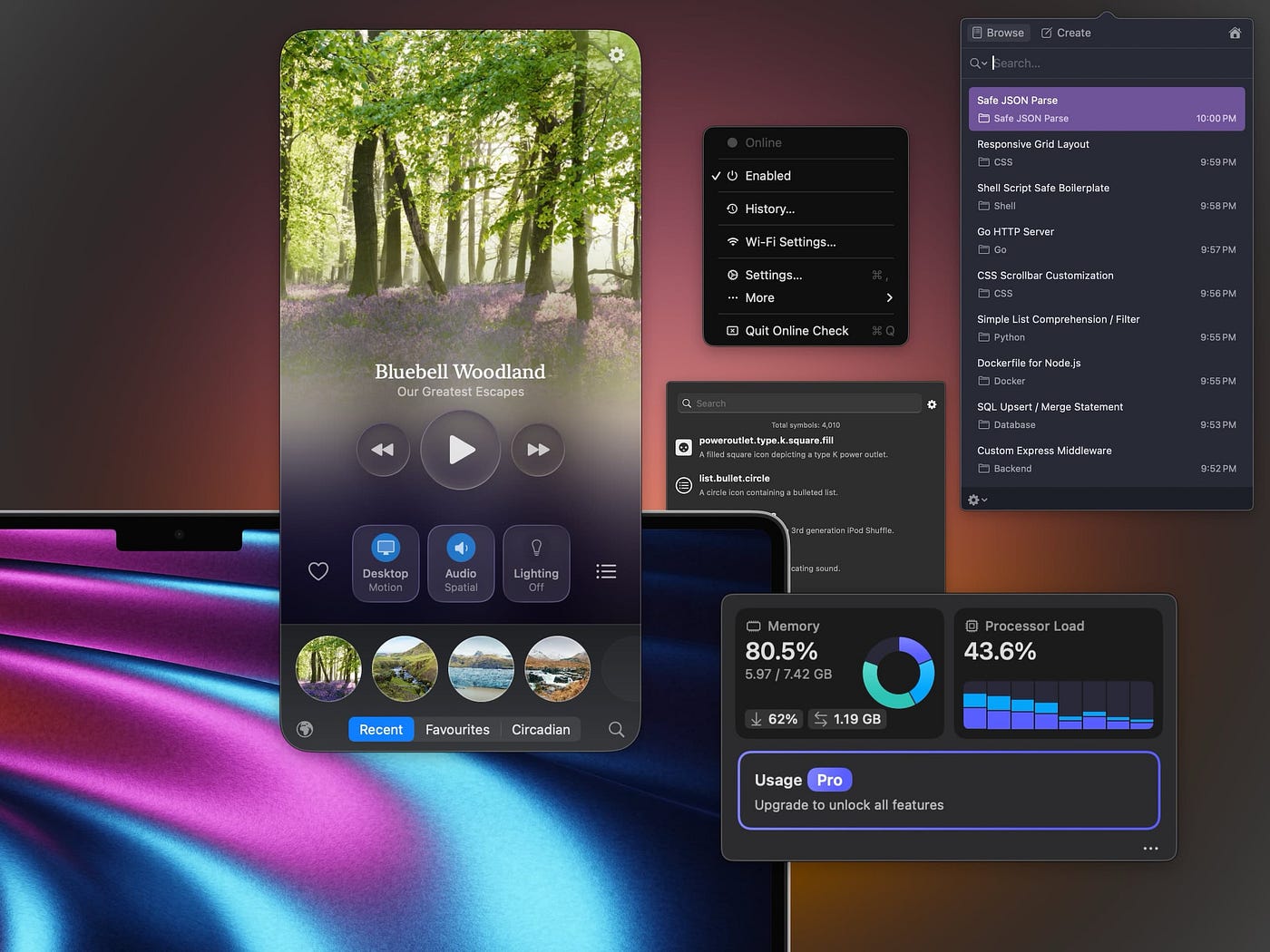
Image Credits: Author. App icons credit developers’ products. Background from Unsplash.
July is here, and with it, I’ll introduce ten phenomenal apps for your iPhone and Mac. By doing so, I hope the apps elevate your experience of using tech.
The apps I feature in this article will help you:
- 🎤 Dictate to your iPhone using the most advanced voice models.
- 📆 Plan your days with an app so beautiful you can show it off to others.
- 🎧 Improve your focus and sleep using brainwave audio therapy.
- 📖 Improve your lexical resource by scanning words and flashcards.
- 🌐 Run Google Gemini models on your iPhone offline and locally.
- 🔐 Encrypt and decrypt files with a drag-and-drop onto the menu bar.
- 🔈 Change the audio volume for apps and devices from the menu bar.
- 💻 Use your Mac trackpad to control volume and brightness.
- 📊 Visualise and discover what’s taking up storage on your Mac.
- 🔽 Download files with a download manager coded in Swift.

Screenshots of the Spokenly app running on iOS 26
1. Spokenly
Transcribe voice and convert audio to text
I have a passion for voice transcription and using tech with my voice; such passion led me to discover some phenomenal products.
Despite discovering plenty of local transcription apps, I never found anything good for my iPhone and Mac.
Spokenly is the gem of voice transcription apps on iOS and macOS. It has so much cool stuff that makes it feature-rich and unique.
Its local models offer OpenAI Whisper, Nvidia Parakeet, and many other open-source products popular for voice transcription accuracy.
That said, Spokenly shines when you use it with online models. Such models bring phenomenal accuracy for English and other languages.
I use the Soniox real-time model, and the transcription speed is almost instantaneous. It supports a wide variety of languages; for example, when I speak in Farsi, it is 99% accurate.
Moreover, I can specify a prompt for Spokenly so it uses another AI model to modify the transcribed voice and write the text in a way that’s intended for my needs.
I’ve written a custom AI prompt to correct dictation mistakes and connotations.
If you want the prompt, tell me in the response section, and I’ll send it to you.
All in all, if I were to summarise this app in three words, I’d say: The Transcription Neo.
Ever since installing Spokenly on my iPhone 15 Pro, I’ve been using it for hours, and it hasn’t failed me. Not even once!
The local offline models run well on iPhones with A17 Pro or newer SoCs.
That said, almost every other iPhone model can use Spokenly to run the online models, which provide much more accuracy and speed.
I hope Spokenly brings a new feature so I can connect to my local AI server and utilise it for maximum privacy and comfort.
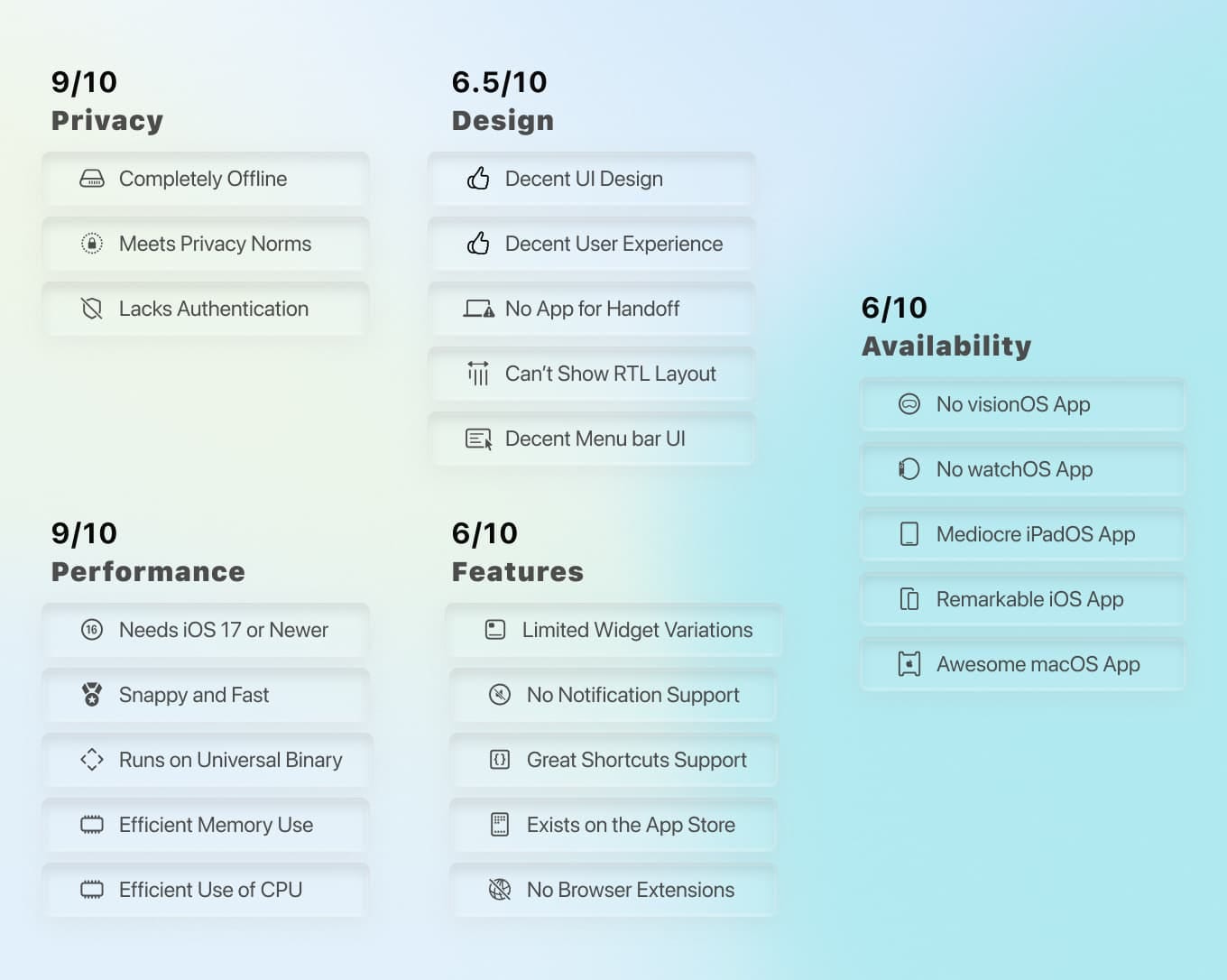

Screenshots of the Solarday app running on iOS 26
2. Solarday
Plan days better
I have featured plenty of productivity apps on my blog. Unfortunately, many apps try to do everything at once, and some fail at it.
So, when I installed Solarday, it caught my attention. Not because it was new, but because it just does two things and does them so well.
It’s an app I use every day due to its functionality and simplicity.
Solarday tells me the weather and provides an interface for your to-do tasks.
It comes with a minimal, beautiful user interface that’s focused on simplicity and on conveying information as quickly as possible.
When I want to relax, I create a task in the Do tab by pressing the add button, specifying a timer, meditating and giving it a 20-minute timer.
It’s simple, fast, and useful.
What caught my interest was how this app’s interface has a lot of white space to provide a sense of breathing and create an atmosphere of comfort while offering its services in the form of a beautiful app.
If you’re looking for a simple way to check the weather and manage your to-do list, I recommend using Solarday on your iPhone.


Screenshots of the binauri app running on iOS 26
3. binauri
Focus & sleep sounds
When I learned about the science of audio and how each wavelength can alter the brain’s mood, I fell in love with the concept of brainwave audio.
Brainwave audio is not clinically approved, nor does it work for everyone, but for me, when I combine it with natural sounds, it does wonders.
For example, when thoughts race in my head during working hours, and I need some comfort, I listen to a brainwave set to a 490Hz carrier tone and 7Hz frequency.
For moments when I no longer tolerate a Spotify playlist, binauri is my choice as it does a far better job relaxing me than anything else.
The UI is truly unique for a brainwave therapy app, and I have yet to see something similar in other apps.
It also provides multiple natural sounds (called spaces) for when you want to hear rain in a forest or a fireplace at a winter cabin.
If I were to remember one thing about binauri that sets it apart from other apps, it’d be the circular UI to manipulate the distance of each audio source.
An experience you can only try on an iPhone app.
If you’re curious about the concept of brainwave therapy and enjoy meditation, I recommend installing binauri on your iPhone.


Screenshots of the Piksi app running on iOS 26
4. Piksi
Dictionary & Word Scanner
There’s nothing more attractive in communication than knowing how to use vocabulary and better express yourself.
There’s nothing more impressive in verbal communication than knowing how to express your thoughts and ideas with a diverse vocabulary.
The App Store comes with plenty of dictionary apps, most of which focus on bringing the meaning of a word with a bookmark option.
While that might seem enough for some users, it certainly is a bit outdated, which is where this app, the Piksi, comes into play.
Using Piksi, you can scan any word using your iPhone camera, and it will do two things: one, it will show the meaning of a word like any dictionary app, and two, it’ll help you memorise the word with modern methods.
Piksi will categorise words into folders sorted by time in a dedicated tab.
It also has a tab called Discover, which tests your knowledge of words with questions, audio, and other methods, all to help you commit words to your long-term memory.
If you’re looking for a modern dictionary app to improve your lexical resources and expand your vocabulary, I highly recommend Piksi.


Screenshots of the Google AI Edge Gallery app running on iOS 26
5. Google AI Edge Gallery
Run Google AI offline
I have a love-hate relationship with AI. Let me explain.
I hate that it is replacing jobs while providing subpar value compared to an actual human being.
But I love it because I love tech, and tech eventually helps people.
Unfortunately, Google seems to be willing to replace talent with AI. For example, junior developers seem less important when an AI model does their job, albeit in a worse way.
That said, Google is really good at building (and improving) AI models.
Recently, they released an official iOS app called Google AI Edge Gallery.
It was weird that not much of the press covered it.
The AI Edge Gallery allows running Google’s small local models on your iPhone.
Since Apple is stingy with how much hardware they give to its users, you must have a capable iPhone processor to use this app.
So, I recommend installing it on iPhone 15 Pro and newer.
The AI Edge Gallery runs Google models for various tasks such as transcribing audio and interacting with your Google services such as Gmail, Google Calendar, and more.
I think the AI Edge Gallery might retire in the near future, as Google has a habit of killing its useful products, but while it’s available, I’ll use it for moments when I have no Internet access.
I recommend you try it as well. It’s free, and the models are capable despite their small weight.


Screenshot of the VaultBar app from the developer’s website.
6. VaultBar
Local file encryption
If in 2016 someone had told me that our privacy would be worse in ten years, I’d have found that hard to believe. But now, it has really become worse.
To live in a time when it’s essential to retain our privacy, one method is to encrypt our files before sending them to others.
On macOS, there are some handy utilities for file encryption, but most of them have bad UX and confuse the average user.
Until I discovered VaultBar, a dead-simple app that you can use on the menu bar to encrypt and decrypt files.
All you do is drag a file to the menu bar icon and let VaultBar encrypt it using advanced encryption algorithms.
When it’s done with encryption, the encrypted file will be saved in the same location as the original file.
If you’re looking for a straightforward file encryption utility on macOS, then look no further. VaultBar does it so well.


Screenshot of the BetterAudio app running on macOS Tahoe.
7. BetterAudio
Master your Mac’s audio
I love macOS, and I use it every day. But despite its awesomeness, Apple doesn’t provide enough options to adjust OS settings.
For instance, to alter the audio output of a certain device, you have to go through multiple layers in the settings app.
To solve the issue of controlling audio on a Mac, I recommend BetterAudio.
BetterAudio lets you adjust the volume on each device and even control the volume for any app.
I connect my MacBook Air to an external 4K monitor using a Thunderbolt connection, and BetterAudio automatically talks to my monitor, allowing me to control the monitor’s volume from the menu bar!
I no longer need a separate utility to control the speakers on my monitor.
It’s amazing how capable and powerful this app is for pro users, especially on MacBook and Mac Mini.
BetterAudio is primarily a menu bar app, so interacting with it is just a few clicks.
If you want a more powerful Mac with extensive control over the audio output, I highly recommend installing Better Audio.


Screenshot of the Slidr app running on macOS Tahoe.
8. Slidr
Control Volume & Brightness at your fingertip
Every once in a while, I come across an app that makes me say: How could Apple miss developing this feature for their Mac?
A small utility so useful that it reveals the intelligence of its developer.
Slidr is one of the most interesting utilities I have discovered for MacBooks. It’s the kind of app I discover only once or twice a year.
Slidr allows you to change your Mac’s volume and brightness with the Trackpad.
While there are dedicated keyboard keys for such actions, using the trackpad is far easier, faster, and more precise.
Once you install Slidr, you can scroll on the rightmost section of your trackpad to change the volume, or scroll on the leftmost section of it to alter the screen brightness.
For just a few bucks, you get so much value from a small utility that improves the way you control your Mac.
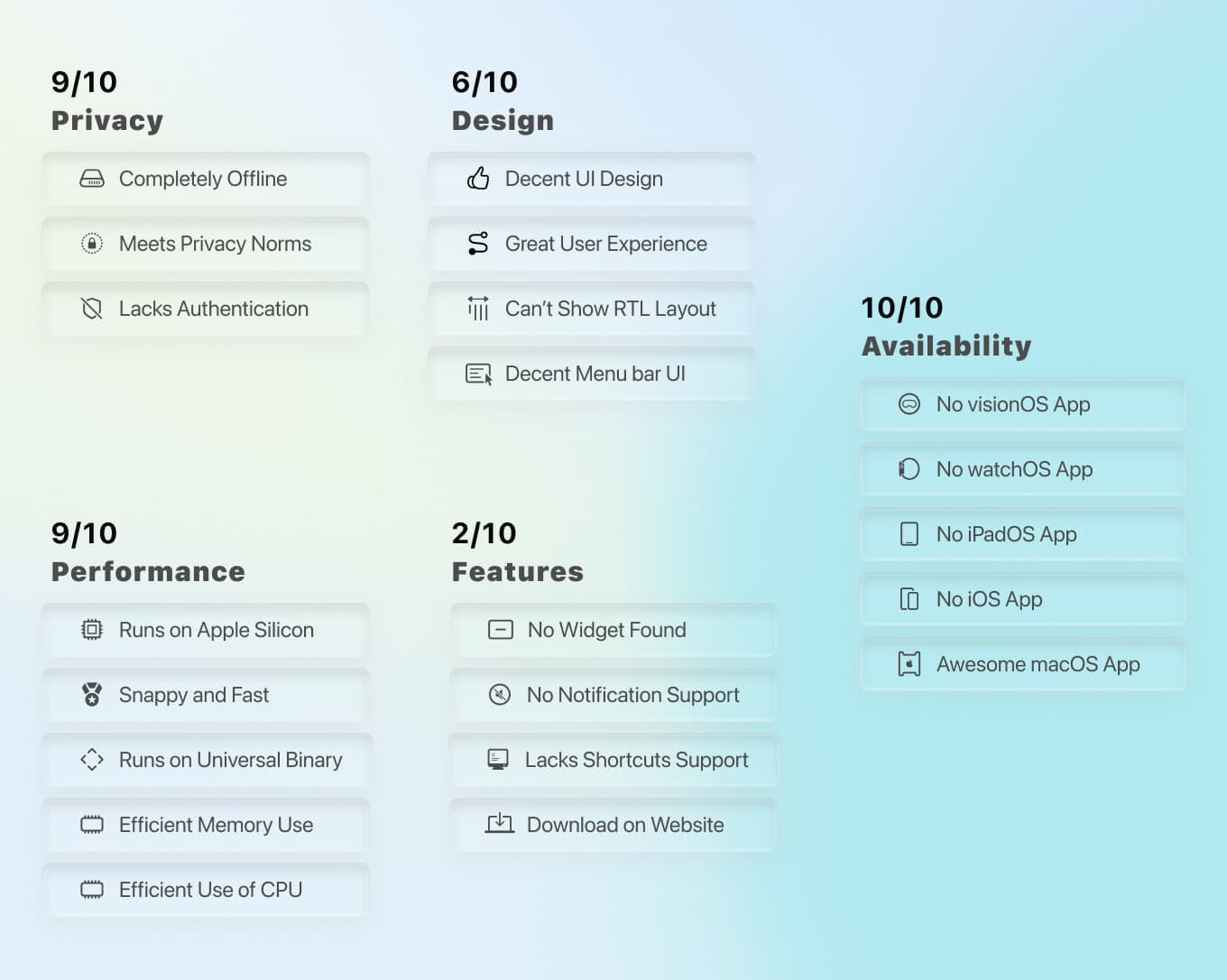

Screenshot of the Radix app from the developer’s website.
9. Radix
Disk Space Visualiser
I don’t know what is going on with each macOS update, but it seems like more and more storage is being taken away from us.
OS files are accumulating more than before, and it’s getting a lot harder to track which files are taking up the precious space on the SSD.
Radix is one of the best utilities to uncover and reveal the files that take up a lot of storage by visualising them using a sunburst chart.
Radix is written in Swift and utilises Swift UI for ultimate performance and simplicity.
Once you open it and grant the permissions, Radix will scan your drive and draw a clickable sunburst chart, highlighting each file visually based on its size on your disk.
When you click on the diagram, you get another sunburst chart showing the contents of that folder based on what’s in it.
It’s like Inception for discovering what’s taking up the most storage on your disk, but in a way that’s not confusing.
In my specific use case, I typically download many AI models and forget to delete the old ones. Such files take up a lot of storage, and finding them manually is not an easy process.
Using Radix, I discovered my old LLM files and freed over 40GB of storage.
The whole process took less than two minutes, for a process that usually takes more than ten minutes.
If you’re looking for an easy way to increase the free storage on your Mac, I recommend installing Radix.
You can install Spokenly on your Mac using Homebrew by running the following command in your Terminal:
brew install --cask radix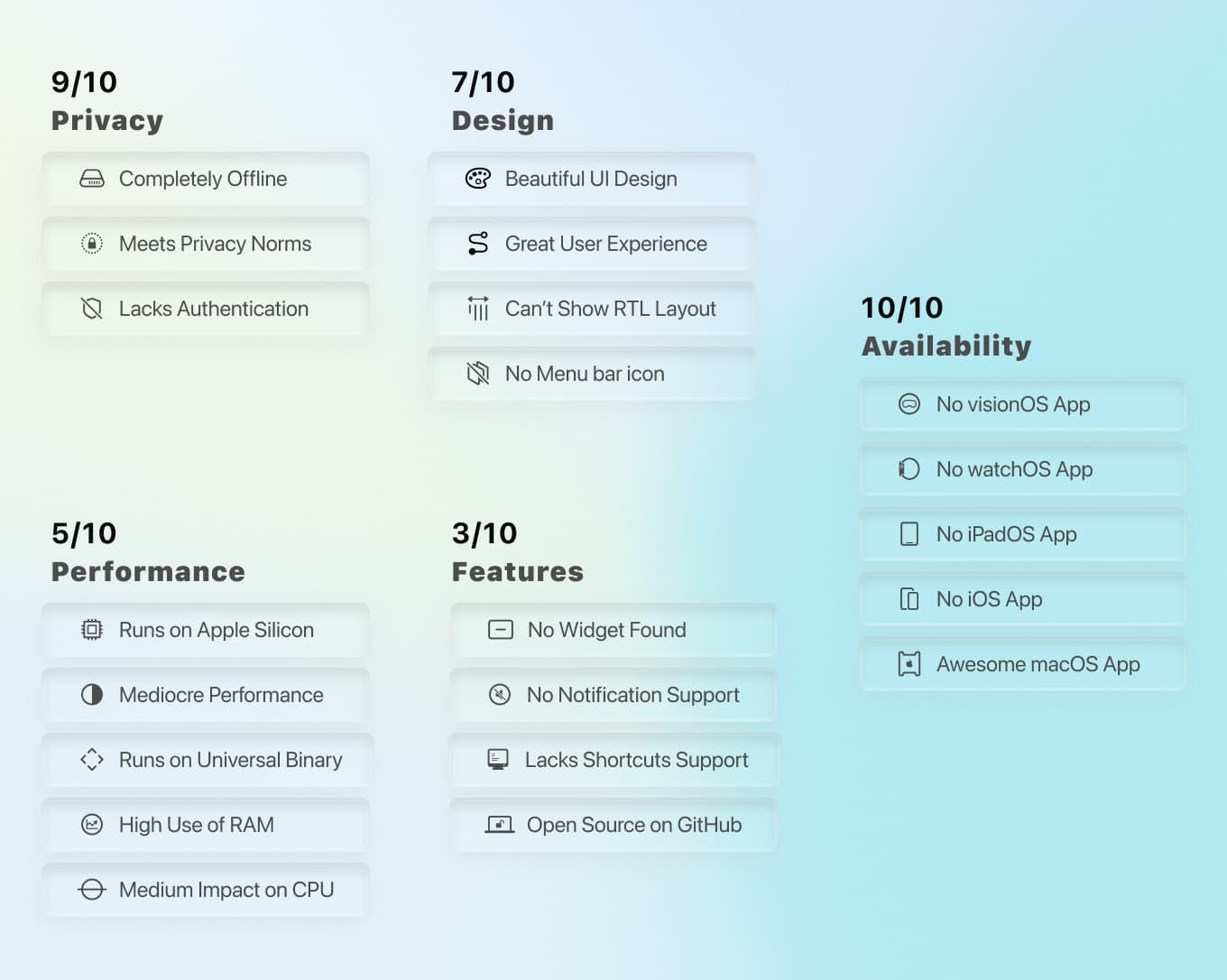

Screenshot of the Harbor app from the developer’s website.
10. Harbor
Download torrents and files with a SwiftUI app
Before discovering this app, I would say macOS didn’t have a proper download manager.
I use both Mac and PC. On Windows, there is a phenomenal app called IDM, which is the download manager for average users.
Harbor is basically the IDM for Mac with added benefits.
Harbor has a beautiful interface that utilises SwiftUI. It’s the download manager I have always dreamt of experiencing on macOS.
The advantage of using Swift is that it’s the most native way an app can interact with macOS and benefit from efficient RAM and CPU usage.
Harbor can schedule downloads on certain days and hours, accelerate your download speed, and even categorise downloads by file types.
The interface is similar to native Mac apps, and using it is straightforward.
If you’re looking for a free, proper download manager for macOS, I recommend using the Harbour app.

If you have comments and suggestions, I’ll be happy to read them in the response section.
🖤 Thank you for reading my stories on Medium.
🙏🏻 Your donations encourage me to publish more content.
메타데이터
- post_id
- f00b02b145fa
- slug
- 10-power-user-apps-that-transform-your-mac-iphone-experience-f00b02b145fa
- url
- https://medium.com/macoclock/10-power-user-apps-that-transform-your-mac-iphone-experience-f00b02b145fa
- canonical_url
- https://medium.com/macoclock/10-power-user-apps-that-transform-your-mac-iphone-experience-f00b02b145fa
- author_url
- https://medium.com/@minimalune
- status
- ok
- fetched_at
- 2026-07-13 06:23:13