Readers, you can now share a note with stories you repost
The most-requested addition to reposts is now live, plus a few other improvements
Readers, you can now share a note with stories you repost
The most-requested addition to reposts is now live, plus a few other improvements
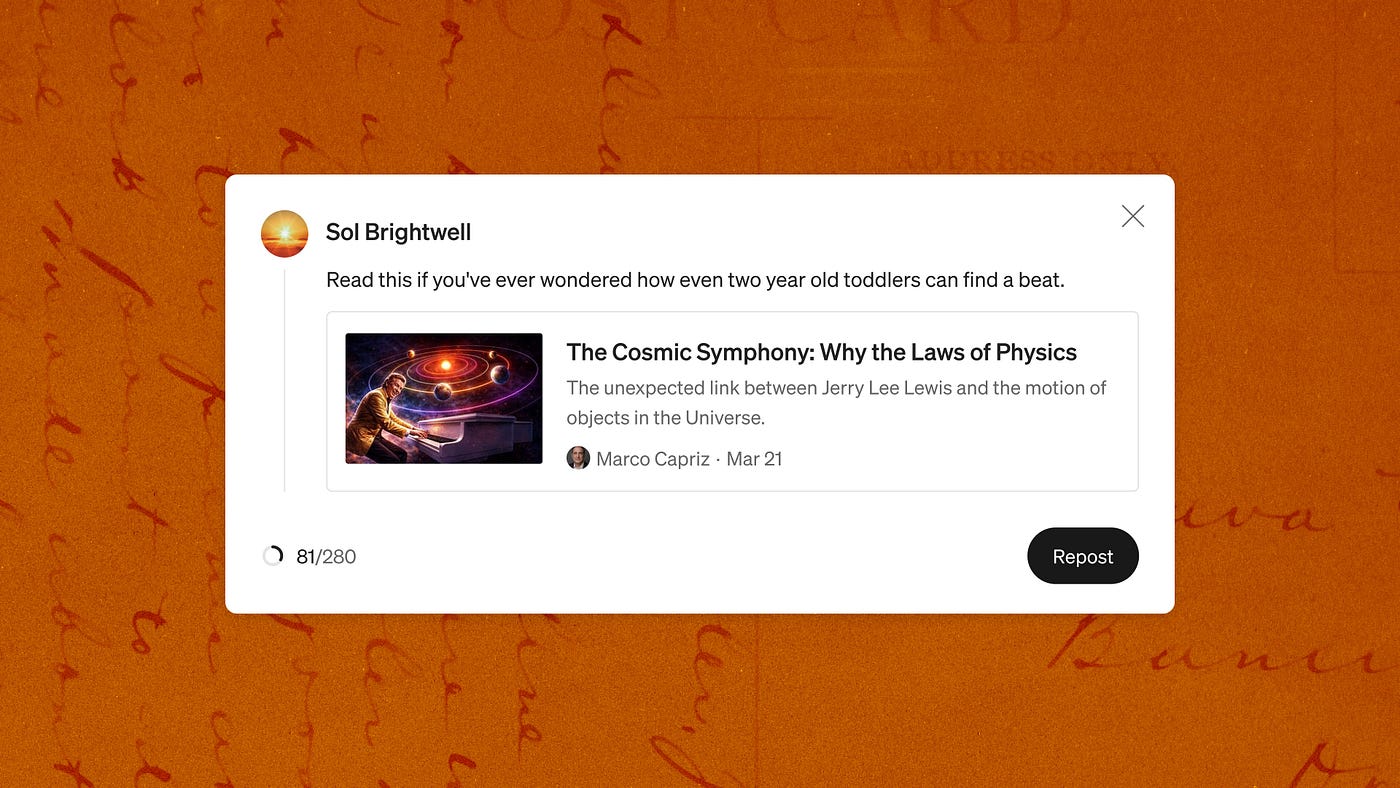
Images created by Jason Combs // the Medium Brand team. (Excellent) story by Marco Capriz in The Quantastic Journal
You can now add a note to any story you repost on Medium. Reposting with a note lets you add up to 280 characters of your own context — why you recommend it, what your reaction was, your favorite line, why this story matters right now, who you think would benefit most from reading it — before sharing it to your network. That note shows up on your followers’ For You feeds, giving them more reason to read that story.
When we launched reposting, we heard from readers that you want to give more context for why you’re recommending stories to your followers. Being able to add a note was one of the most-requested follow-up features. As a reader myself, I can’t wait to get that extra layer of “why this story” to my recommendations on Medium.
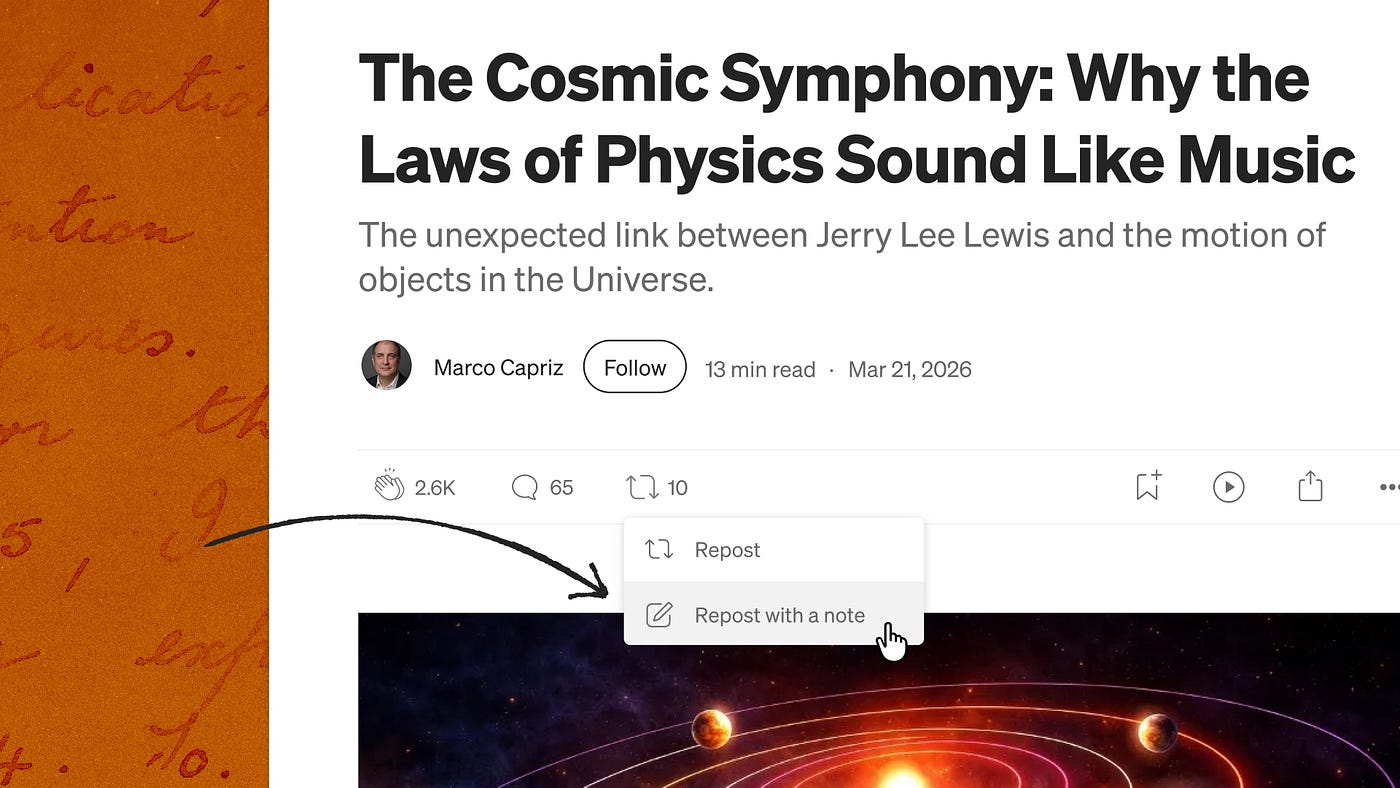
If you don’t see it yet, keep checking back — we’re rolling out the new version of reposts to all users this week of July 15th, 2026.
The value of the curation era
You can go anywhere online to find content algorithmically served to you, especially in the AI era. But where can you go to get recommendations from real people who read the story too?
Medium is already one of those places. For the average Medium reader, over three quarters of stories you see on your feed are there because a person, at some point, recommended that story. Someone on Medium’s curation team reviewed it, an editor from a publication you follow chose to publish or feature that story, someone in your network clapped or highlighted a story.
When we first launched reposting, we wanted to strengthen that existing layer of taste to recommendations on Medium. When you see a story that’s been reposted cross your feed, you know it’s not showing up just because it got lots of engagement, but because a real person read the story and thought, “I’d like more people to see this.”
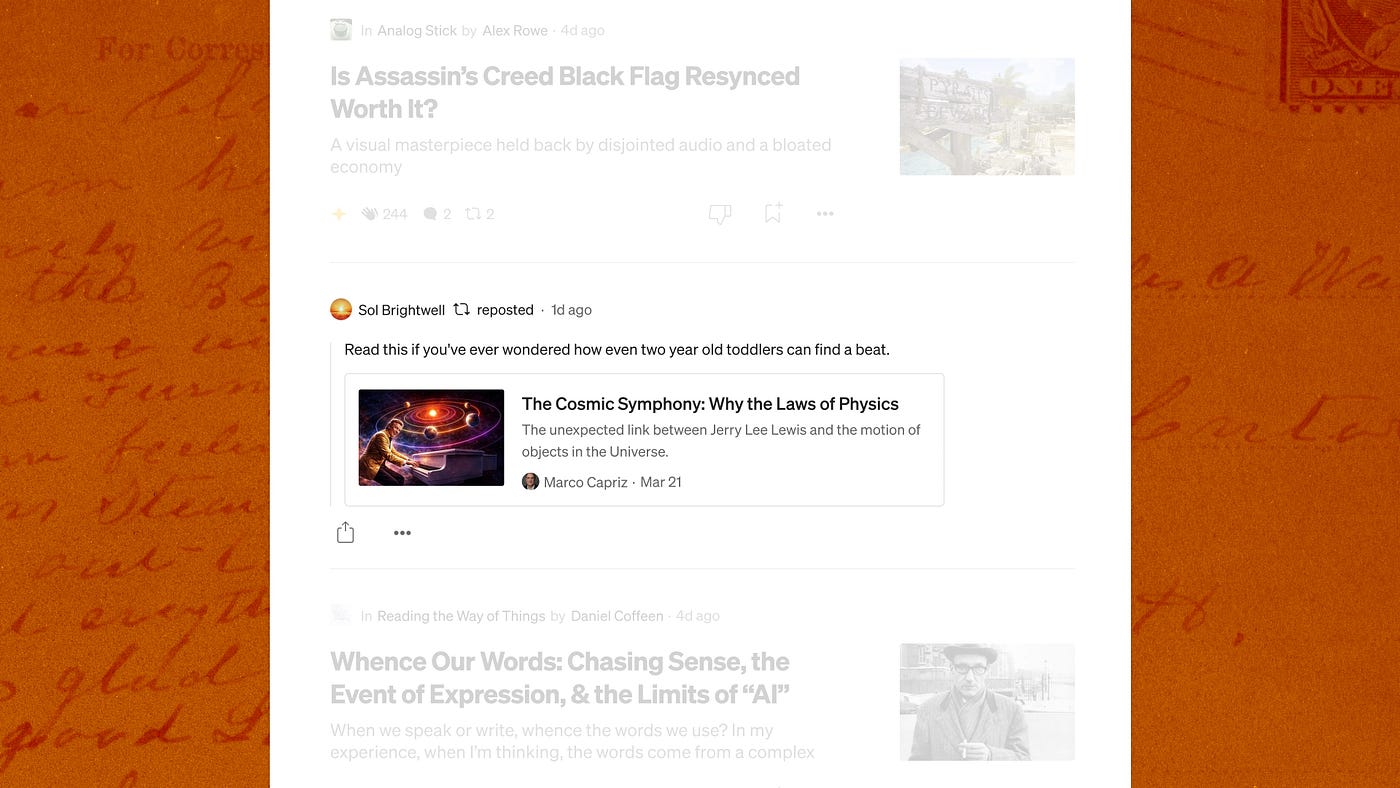
Now with the option for you to add a note, we hope your followers will be even better equipped to discover some of the best stories you recommend on Medium.
250,000+ reasons to recommend a story
Why should you, as a reader, add a note to a story you repost? Think of it as a way of showcasing your taste.
Reposting already does a great job of signalling quality to readers. Reposted stories, on average, get clicked on three times more than stories shared via any other form of engagement.
So far, readers have reposted stories over 250,000 times. Why repost a story? There are almost infinite good reasons to want to share a story with your network.
Maybe it provides context on an aspect of your job; maybe it adds another layer of understanding to a complicated subject. Maybe it’s a way to say to the writer, “I like your story a lot, enough to want to share it with my followers.” Maybe you just think it’s worth reading, a description Jennifer Harris gave to the first story ever reposted with a note on Medium.
When you repost a story on Medium, you’re exercising editorial judgment. You read something, decided it was worth someone else’s time, and put your name on that recommendation. Now you can say why.
A few extra updates and improvements
As we released notes for reposts, we also added a few other improvements:
- Clicking on the number next to the repost icon on a story now shows the list of reposters, as well as any notes the story was reposted with.
- If someone reposts your story and adds a note saying something you don’t love, you can hide it, the same way you can hide responses you don’t want to display under your story. It still exists on the reposter’s profile and in the For You feed but it comes off your story page.
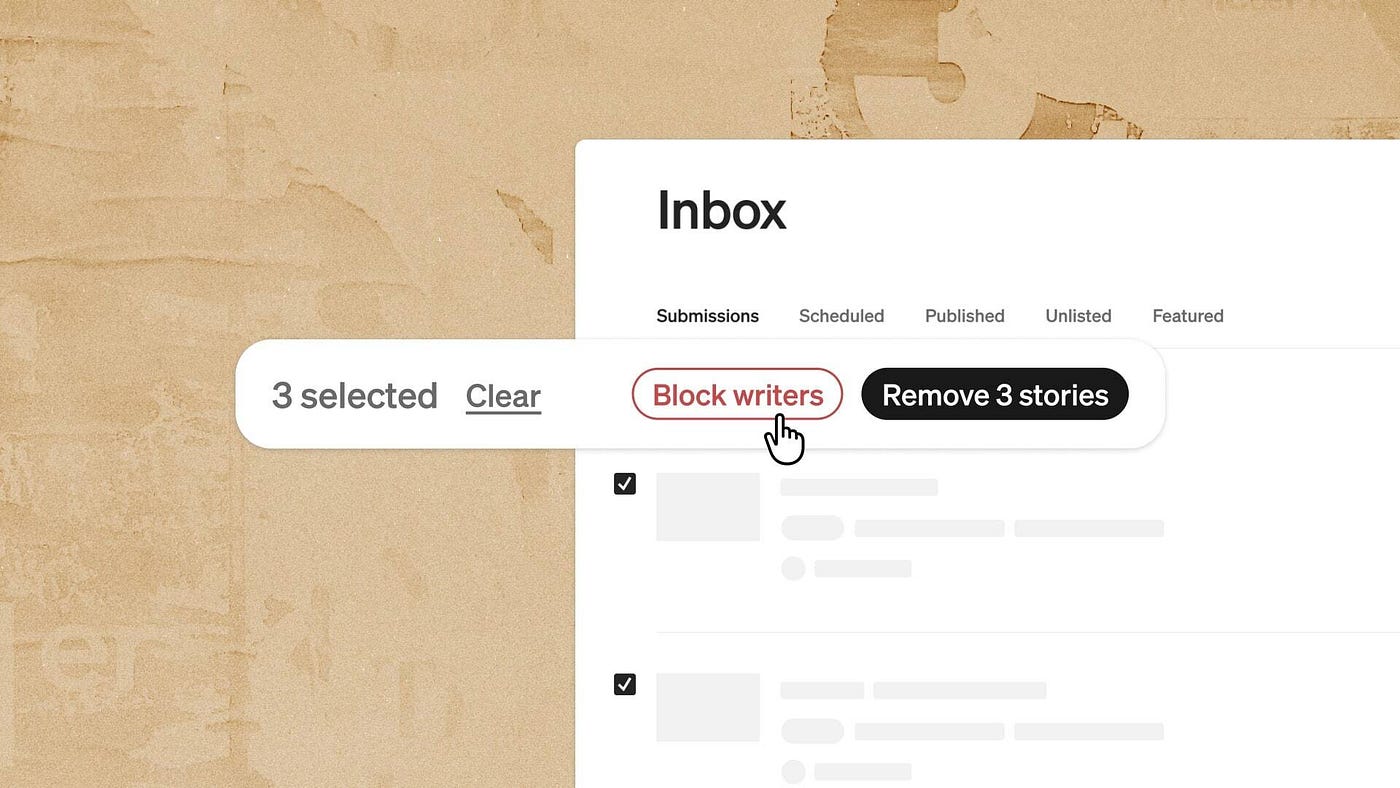
- You can disable reposts on your stories entirely from your privacy settings, or report and block a reposter directly from the repost itself.
- Reposts now have their own tab on your profile, so readers can see what stories you recommend.
- You can edit your repost notes.
We’re continuing to improve reposting, so let us know what you think of the update, and what else you’d like to see.
The bigger picture
Medium has invested in human-backed distribution and curation for a long time, whether it was part of our tips initiative, our elevator team, or our curation team (both for finding the best while keeping the worst from your feeds).
Now we’re making that scalable. You should be able to find and follow readers with good taste, whatever that means to you, because good taste covers an infinitely large range of stories. We’re making that future a reality, most recently by paying editors of qualifying publications for editing stories, developing Lists readers can follow and respond to, allowing editors to Feature stories, highlighting reader activity on the Activity tab, and now adding this new note to reposting so readers can understand exactly why you think they should check out this story.
Do you feel it? The tide of good taste is rising. For a long time, algorithms reigned supreme. The internet was optimized for reach. Now things are shifting to favor a more human curation.
It’s not enough to be recommended engaging content; that’s cheap to make and cheap to find, and not necessarily relevant to you. More than ever, we’re looking for editors to recommend the best while holding back the slop; we want to discover and follow the readers who recommend stories that fit our needs. We are hungry for someone who can say, “I read this and I liked it, I think you will too. Here’s why.”
FAQ
Can I add a note to a repost I already made?
Yes. You can edit an existing repost to add a note, or edit a note you’ve already written. Find it in the Reposts tab on your profile.
How is this different from leaving a response?
In two ways: the intent and the outcome.
The intent with a repost with a note is to share that story, and the context you add, with your network of followers.
The result is your followers see that note with the story you reposted.
With a response, the intent is to say something specifically to the writer, possibly also existing readers of the post, versus sharing widely.
Can I repost my own stories?
No. Reposting is a way for readers to recommend other writers’ work to their network. You can share your own stories externally using the share button.
Does reposting count toward my writing limit?
No. A repost, with or without a note, doesn’t count toward any publishing limits.
Is this available on mobile?
Yes, on iOS and Android. Make sure you’re running the latest version of the app. If you don’t see it yet, keep checking back — we’re rolling out the new version of reposting to all users this week.
Can I repost a response, or only stories?
Only stories. You can’t repost a response or an unlisted story.
Will I know when someone reposts my story?
Yes. Depending on how you’ve configured your settings, you’ll get a notification in-app and as a push notification.
Where does the repost appear?
We share reposts in the feeds of people who follow the person who reposted the story. The repost also appears on the story page itself, alongside the repost count. Readers can also see any reposts you’ve made in the new Repost tab on your profile.
What if I don’t want a specific repost note on my story page?
You can hide it, the same way you can hide a response you don’t want displayed. The note still exists on the reposter’s profile and in the feed, it just comes off your story’s page.
If it’s spam or harassment, please report it to our Trust and Safety team using the three dot menu.
What if I don’t want my stories reposted at all?
You can turn off reposts on your stories entirely in your privacy settings.
What happens to reposts if I delete a story?
All repost data is permanently deleted when a story is deleted. If you unlist a story, reposts are preserved on the backend and will return if you relist it.
How long can my repost note be?
Up to 280 characters. There’s a character counter in the draft so you know where you stand.
Can I undo a repost?
Yes. If your repost has a note, you’ll see a confirmation step before deleting, so just to make sure you meant to remove it.
What stops people from gaming this feature for engagement?
A combination of product design, human nature, and our Trust & Safety’s team automated and manual reviews.
- Each person gets one action per story. You either repost or repost with a note, not both, and not multiple times. Reposting requires a signed-in account.
- Plus, repost notes add friction and editorial accountability: a note puts your name and your take on the recommendation, which raises the bar. If readers see a ton of spammy reposts (or even low-value reposts) on their feed, they’ll unfollow the person reposting those stories.
- And, as always, our Trust & Safety team has multiple ways of looking out for gamification. We know bad actors will try to take advantage of any feature, so we take precautions. Read more about our Trust & Safety team’s approach to moderation here.
What if someone uses a repost note to harass a writer?
You can report the repost directly, block the reposter from the repost itself, or hide the note from your story page. Our Trust & Safety team reviews reports.
Does reposting affect how Medium recommends my story?
Reposts function as a social signal, similar to claps and highlights. A reposted story can appear in the feeds of the reposter’s followers.
메타데이터
- post_id
- f0a09bb4a393
- slug
- readers-you-can-now-share-a-note-with-stories-you-repost-f0a09bb4a393
- url
- https://medium.com/blog/readers-you-can-now-share-a-note-with-stories-you-repost-f0a09bb4a393
- canonical_url
- https://medium.com/blog/readers-you-can-now-share-a-note-with-stories-you-repost-f0a09bb4a393
- author_url
- https://medium.com/@MediumStaff
- status
- ok
- fetched_at
- 2026-07-17 10:42:52