I Built Pampika: A Local-First Dashboard to Apply for Jobs Faster and Easier With Gmail, Resumes…
If you work with bench sales recruiters, you probably know this pain.
I Built Pampika: A Local-First Dashboard to Apply for Jobs Faster and Easier With Gmail, Resumes, and AI
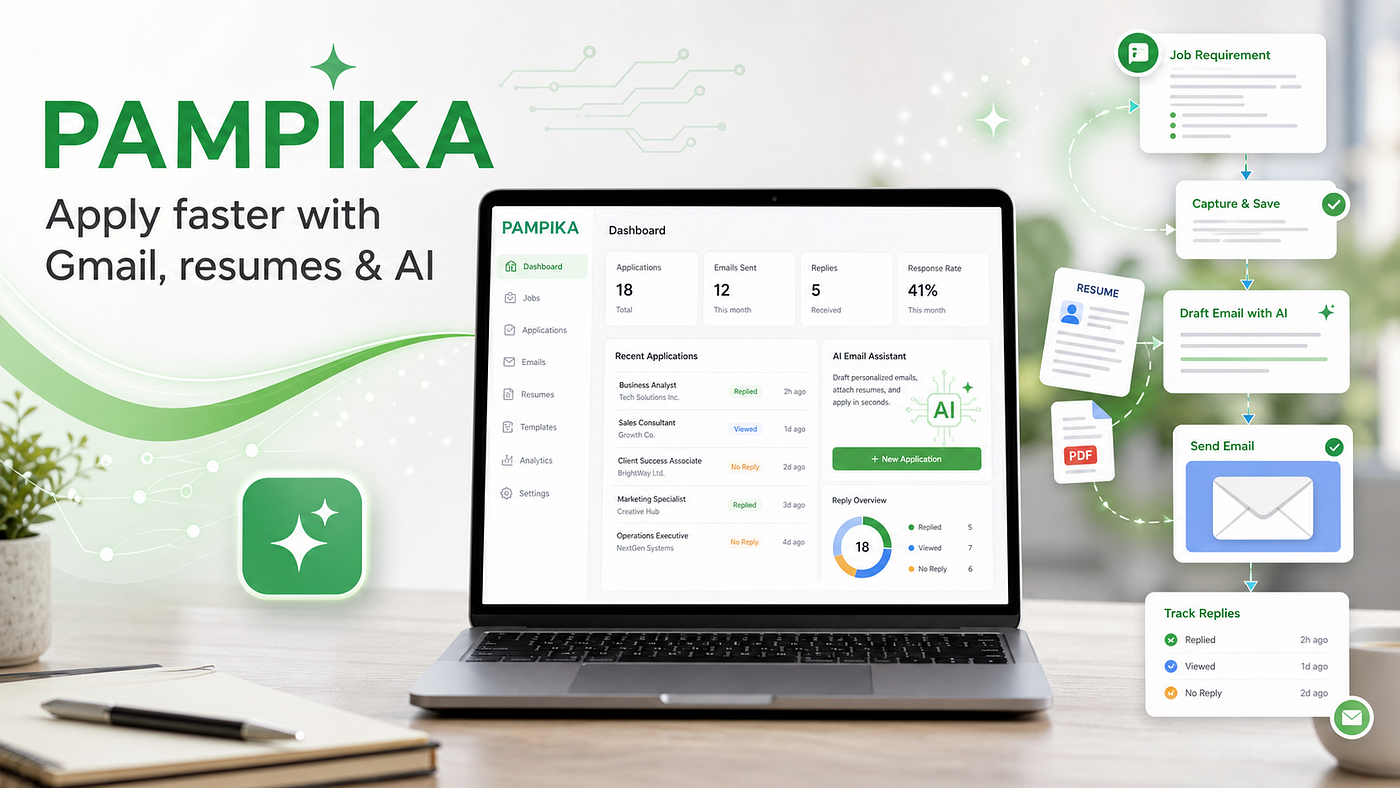
Pampika
If you work with bench sales recruiters, you probably know this pain.
Every day, recruiters share many requirement posts from LinkedIn, Gmail, WhatsApp, job boards, and other places. Some are useful. Some are duplicates. Some have missing details. Some have contact emails buried inside long messages.
Then comes the real work.
You need to read the requirement, find the recruiter email, check the skills, pick the right resume, write a cold email, attach the resume, send it, and remember when you applied.
Doing this once is fine.
Doing this 20, 30, or 50 times becomes very hard.
It is easy to forget:
- Which roles you already applied to
- Which recruiter you emailed
- When you applied
- Which resume you sent
- Which roles got responses
- Which ones need follow-up
- Which requirements are duplicates
This whole journey becomes stressful and messy.
That is why I decided to automate it and build Pampika.
What Is Pampika?
Pampika is a local-first dashboard that helps you manage job requirements and apply faster from one place.
The idea is simple:
Paste or import a requirement, let Pampika extract the important details, draft an application email, attach the right resume, send it from Gmail, and track the status.
Instead of jumping between Gmail, LinkedIn, notes, spreadsheets, resumes, and copied email templates, Pampika gives you one dashboard for the full workflow.
Why I Built It
Bench sales workflow can become very repetitive.
A recruiter may share many requirements in a day. Some come from LinkedIn posts. Some come through email alerts. Some are forwarded messages. Some are copied from job boards.
Most of the time, the requirement has useful information, but it is not cleanly organized.
You still have to find:
- Job title
- Skills
- Rate
- Location
- Duration
- Recruiter email
- Contact phone
- End-client or vendor details
After that, you need to write an email and send your consultant profile.
Manually doing this again and again takes time. Tracking it is even harder.
I wanted to build something that could act like a memory for this process.
Something that remembers what came in, what I applied to, when I applied, and what needs attention next.
How Pampika Helps
Pampika supports the full apply flow:
- Capture the requirement
- Parse useful fields
- Remove duplicates
- Select the right resume
- Draft an email with AI
- Send through Gmail
- Track application status
- Follow up later
The goal is not to replace human review. The goal is to reduce repeated manual work.
You still review the requirement and email before sending, but Pampika handles the boring parts around parsing, organizing, drafting, attaching, and tracking.
Paste Any Requirement
Many requirements are shared in messy formats.
They may come from:
- LinkedIn posts
- Gmail messages
- WhatsApp messages
- Recruiter forwards
- Job board alerts
- Plain text
With Pampika, you can paste the requirement directly into the dashboard.
Pampika extracts the important fields like title, skills, rate, location, and email. If something looks uncertain, you can edit it manually.
This saves time compared to reading every post and copying details into a spreadsheet.
Import From Gmail and LinkedIn
Pampika can also pull requirements from Gmail.
This is useful when you receive job alerts or recruiter emails. Instead of searching Gmail manually, you can pull recent matching emails into Pampika.
LinkedIn import is optional and works through Apify. If you add an Apify token, Pampika can search LinkedIn posts by keywords and import matching posts that include contact emails.
If you do not want LinkedIn scraping, you can skip Apify completely. Manual paste and Gmail import still work.
Draft Emails With AI
Cold email writing is one of the most repetitive parts.
You want the email to be short, clear, and relevant to the role. But writing it again and again takes time.
Pampika can use Gemini or a local OpenAI-compatible model like Ollama to draft application emails.
It uses the requirement details and your resume notes to generate a short email. You can edit the email before sending.
This helps you move faster while still keeping control.
Resume Variants
Many consultants have different resume versions.
For example:
- Java resume
- DevOps resume
- Data Engineer resume
- AWS resume
- Full Stack resume
Pampika lets you upload resume variants once. When applying, you choose the best resume for that requirement and attach it.
No more searching through folders every time.
Send Directly From Gmail
Pampika sends email through your Gmail account.
For this, Google requires a Gmail App Password. Your normal Gmail password will not work for local apps.
In the setup screen, Pampika explains this and gives direct links to:
- Open 2-Step Verification
- Open App Passwords
You turn on 2-Step Verification, create a 16-character App Password, and add it to Pampika.
The password is stored locally on your machine.
Track Everything
This is one of the biggest reasons I built Pampika.
Applying is not just sending emails. You also need to remember the journey.
Pampika tracks statuses like:
- New
- Applied
- Responded
- Snoozed
- Rejected
- Closed
It also keeps application history, so you can see when you applied and to whom.
If a requirement was already applied to or appears again as a duplicate, Pampika helps avoid repeating the same work.
It also shows follow-up reminders for applied roles that have not received a response.
Local-First and Private
Pampika is local-first.
That means your data stays on your machine.
Requirements, resumes, settings, and application history are stored locally using SQLite. There is no hosted account required.
By default, data is stored in:
~/.pampika/This was important to me because job search data can include resumes, recruiter emails, personal details, and application history.
Tech Stack
I wanted Pampika to stay simple and easy to run.
The stack is:
- Node.js
- Express
- SQLite
- Vanilla JavaScript
- Gmail SMTP and IMAP
- Gemini or local LLM support
- Apify for optional LinkedIn import
No heavy frontend framework. No complicated setup. No cloud backend required.
Run it locally:
git clone https://github.com/saikrishnapachala/Pampika.git
cd Pampika
npm install
npm run dev
Open:
http://localhost:5173What I Learned
Building Pampika taught me that automation does not always need to be huge.
Sometimes a useful app is just about removing friction from a daily workflow.
For bench sales and consultant job search, the pain is not only finding roles. The pain is managing the full journey:
- Where did this requirement come from?
- Did I already apply?
- Which email did I use?
- Which resume did I send?
- Did anyone respond?
- Should I follow up?
Pampika is my attempt to make that journey easier.
Open Source
I built Pampika for my own workflow, but I believe it can help others too.
So I am making it open source.
If you work with bench sales recruiters, apply to many requirements, or want a local dashboard to manage job applications, Pampika may be useful for you.
The goal is simple:
One dashboard to capture requirements, draft emails, send applications, and track replies.
메타데이터
- post_id
- f0ab56ab6384
- slug
- i-built-pampika-a-local-first-dashboard-to-apply-for-jobs-faster-and-easier-with-gmail-resumes-f0ab56ab6384
- url
- https://medium.com/@saikrishna.pachala/i-built-pampika-a-local-first-dashboard-to-apply-for-jobs-faster-and-easier-with-gmail-resumes-f0ab56ab6384
- canonical_url
- https://medium.com/@saikrishna.pachala/i-built-pampika-a-local-first-dashboard-to-apply-for-jobs-faster-and-easier-with-gmail-resumes-f0ab56ab6384
- author_url
- https://medium.com/@saikrishna.pachala
- status
- ok
- fetched_at
- 2026-06-17 17:19:58




