This Is The Kuda POS
It’s easy to use, quick, and fantastic for managing all your sales.
This Is The Kuda POS
It’s easy to use, quick, and fantastic for managing all your sales.
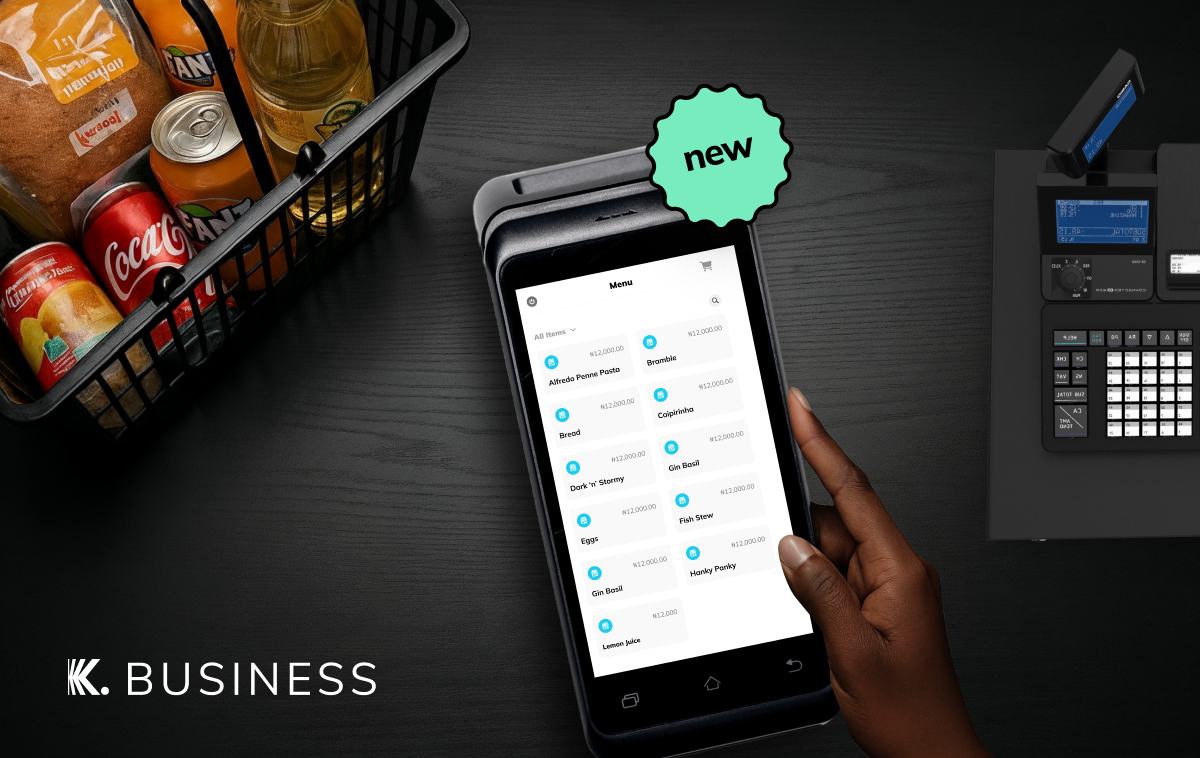
With features like instant payment confirmation and real-time sales tracking, we designed the Kuda POS to make selling a lot easier for you.
It’s much better to experience the Kuda POS for yourself, but let’s tell you how it’ll change the way you do business.
- You’ll manage sales and payments without switching devices.
With one Kuda POS, you can handle everything from a customer’s order to their payment.
You begin by adding your products in the Business Centre section of your Kuda Business app, and they’ll show up in the Shop section of your POS.

Whenever you want to sell, just open the Shop section, tap the product your customer wants to buy, and complete the checkout process.
2. You’ll see every sale.
Digging through receipts or double-checking with your staff are things of the past. The Kuda Business POS Statement and POS Settlement Reports will show you all your transactions in detail. You’ll see daily sales with a simple breakdown, including how much money you earned and fees.
3. Payments will be settled in your account instantly.
Because you shouldn’t have to wait to receive money after a payment has been made, the Kuda POS comes with instant settlement.
Now, payments will show up in your Kuda Business immediately so you or your salesperson can quickly move on to other things.
4. You’ll give your customers more ways to pay you.

The Kuda POS accepts cards, transfers, and payments from personal Kuda accounts, all with instant settlement. Your customers will love the convenience of having options.
5. It’s easy to use and incredibly secure.
The POS is solidly built with a quick touchscreen, but it’s not just about aesthetics. It’s easy to use wherever you are, thanks to its simple navigation menu. We made it impossible to clone, and we included other security features like ‘reprint’ labels on reprinted receipts.
We really thought of everything when we designed this POS, and we can’t wait for you to get your hands on one. Follow the guide below to request it:
1. Sign in to your Kuda Business app.
2. Tap Collections.
3. Tap POS, and then follow the prompts on your screen.
메타데이터
- post_id
- f0d3cd4aab4c
- slug
- this-is-the-kuda-pos-f0d3cd4aab4c
- url
- https://medium.com/kuda-business/this-is-the-kuda-pos-f0d3cd4aab4c
- canonical_url
- https://medium.com/kuda-business/this-is-the-kuda-pos-f0d3cd4aab4c
- author_url
- https://medium.com/@joinkuda
- status
- ok
- fetched_at
- 2026-08-06 21:47:48