Day 16 of #150DaysOfDevOps: Understanding Amazon S3 Buckets | AWS Storage Fundamentals
Cloud applications need a reliable place to store files, images, backups, logs, videos, and documents. Today, I explored one of the most…
Day 16 of #150DaysOfDevOps: Understanding Amazon S3 Buckets | AWS Storage Fundamentals
Cloud applications need a reliable place to store files, images, backups, logs, videos, and documents. Today, I explored one of the most widely used AWS services for this purpose: Amazon S3 (Simple Storage Service).
What is Amazon S3?
Amazon S3 is an object storage service provided by AWS. Unlike traditional file systems, S3 stores data as objects inside buckets.
Think of it like this:
- Bucket → A container that holds data.
- Object → The actual file along with its metadata.
- Key → The unique name used to identify an object inside a bucket.
For example:
Bucket: company-backups
Object: database.sql
Key: database.sql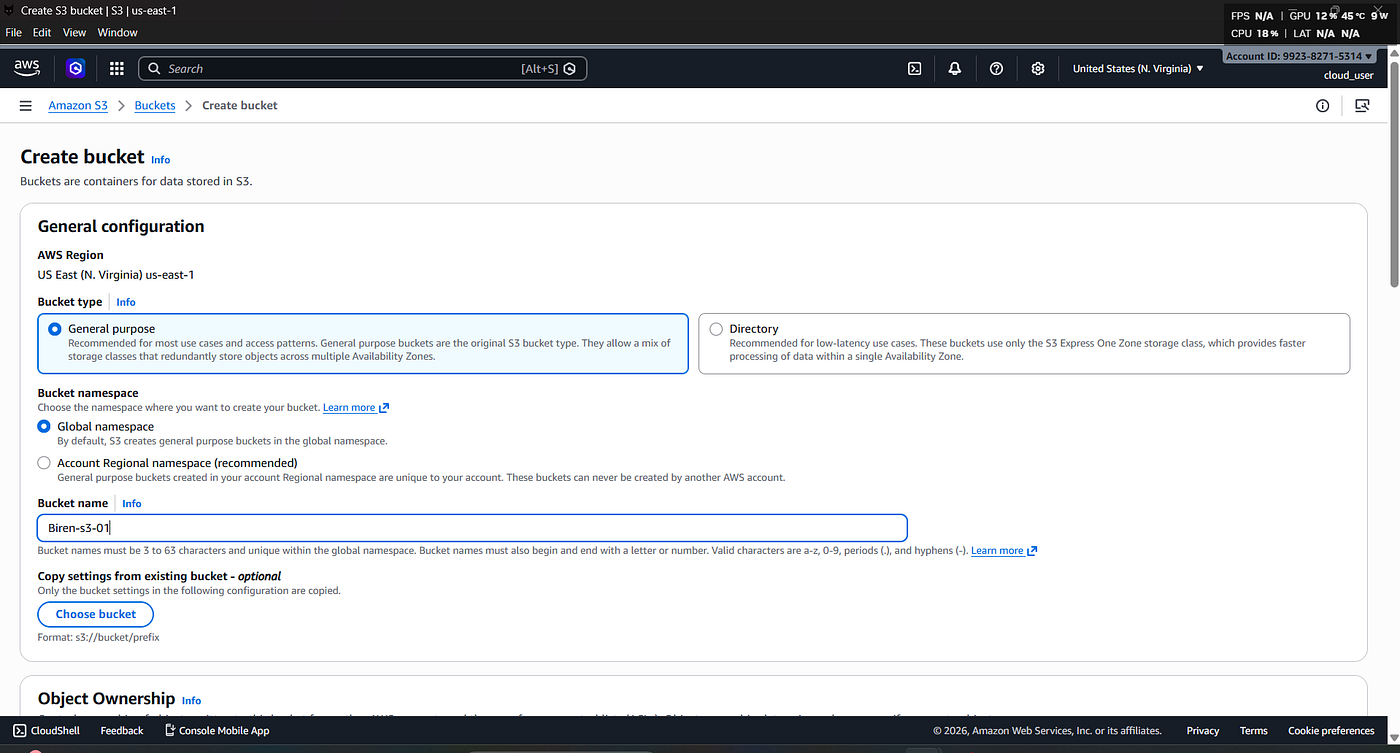


Key Features of Amazon S3
During today’s learning, I explored several important features:
1. Unlimited Object Storage
S3 is designed to store virtually unlimited amounts of data.
2. High Durability
AWS stores multiple copies of your data across different Availability Zones, providing 99.999999999% (11 nines) durability.
3. High Availability
Applications can access data whenever required with extremely high availability.
4. Scalability
There is no need to provision storage in advance. S3 automatically scales as your data grows.
5. Security
S3 provides multiple security mechanisms including:
- IAM Policies
- Bucket Policies
- Access Control Lists (ACLs)
- Server-side Encryption
- Versioning
- MFA Delete
Bucket Naming Rules
A few important rules I learned:
- Bucket names must be globally unique.
- Only lowercase letters, numbers, and hyphens (-) are allowed.
- Bucket names cannot contain uppercase letters or spaces.
- Once created, a bucket name cannot be changed.
Storage Classes
Amazon S3 offers different storage classes depending on how frequently data is accessed:
- S3 Standard
- S3 Intelligent-Tiering
- S3 Standard-IA
- S3 One Zone-IA
- S3 Glacier Instant Retrieval
- S3 Glacier Flexible Retrieval
- S3 Glacier Deep Archive
Choosing the right storage class helps optimize storage costs.
Common Use Cases
Amazon S3 is commonly used for:
- Website hosting
- Image and video storage
- Backup and disaster recovery
- Log storage
- Data lakes
- Static content hosting
- Software downloads
What I Learned Today
Today’s session helped me understand why Amazon S3 is one of the core building blocks of AWS. Almost every cloud architecture stores some form of data, and S3 provides a scalable, durable, secure, and cost-effective solution.
This knowledge forms the foundation for many advanced AWS services that integrate directly with S3.
Final Thoughts
Every AWS service builds upon another. Understanding S3 is essential before moving on to topics like CloudFront, lifecycle policies, versioning, replication, and static website hosting.
One more step forward in my DevOps journey.
Thanks for reading!
I am Birendra Sasmal, a BCA student documenting my journey from student to DevOps Engineer by learning in public every single day.
메타데이터
- post_id
- f14f0a3f27f6
- slug
- day-16-of-150daysofdevops-understanding-amazon-s3-buckets-aws-storage-fundamentals-f14f0a3f27f6
- url
- https://medium.com/@birendrasasmal/day-16-of-150daysofdevops-understanding-amazon-s3-buckets-aws-storage-fundamentals-f14f0a3f27f6
- canonical_url
- https://medium.com/@birendrasasmal/day-16-of-150daysofdevops-understanding-amazon-s3-buckets-aws-storage-fundamentals-f14f0a3f27f6
- author_url
- https://medium.com/@birendrasasmal
- status
- ok
- fetched_at
- 2026-07-08 20:12:56




