I Mapped Google’s Entire AI Ecosystem. Here’s What Most People Are Missing.
Thirty-plus tools. Four categories. And a naming strategy that should be studied as a cautionary tale.
I Mapped Google’s Entire AI Ecosystem. Here’s What Most People Are Missing.
Thirty-plus tools. Four categories. And a naming strategy that should be studied as a cautionary tale.
I didn’t set out to spend a week inside Google’s AI ecosystem. I set out to write a quick overview post.
That was before I realized Google has built over thirty AI tools — not on a roadmap, not in beta purgatory, but available and usable right now — and most people know about maybe two of them.
So I did what I always do when something turns out to be bigger than expected: I mapped the whole thing, tested what I could, read everything I couldn’t test, and came back to tell you what I actually found.
This is part one of two. We’re covering the tools everyday users are most likely to encounter — the flagship consumer products and the hidden experimental tools inside Google Labs that almost nobody is talking about yet. Part two covers the developer and enterprise stack, plus Google’s creative AI tools for video, music, and image generation.
Let’s start with what you probably already know — and what you probably have wrong about it.
The Four Flagship Tools (And What They Actually Do)
Gemini: Google’s Main AI Assistant
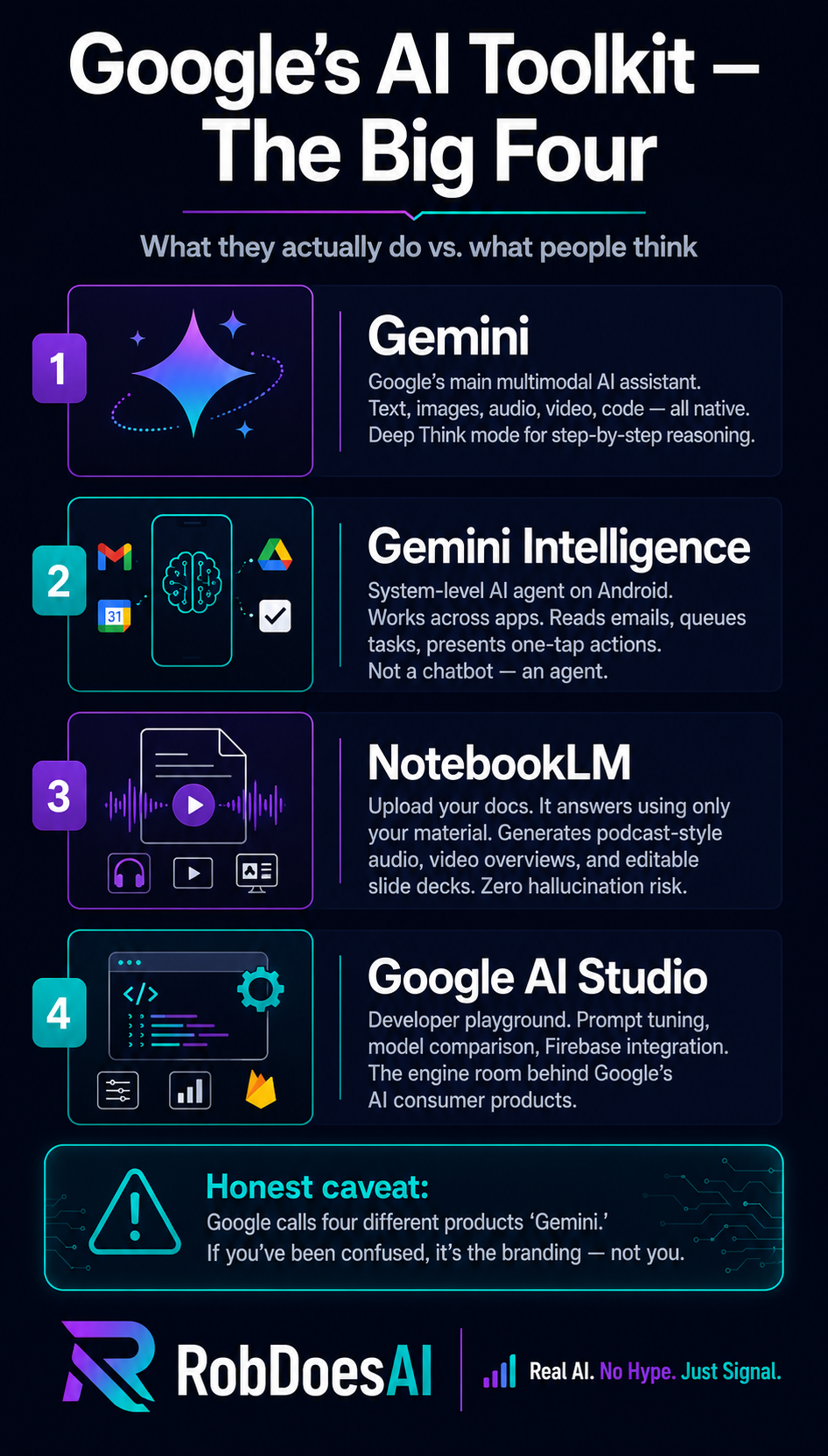
Gemini is Google’s answer to ChatGPT. It’s powered by the Gemini 3.5 model family now, and it’s natively multimodal — meaning it handles text, images, audio, video, and code all in the same conversation without switching modes or tools.
The feature worth knowing about is Deep Think mode. Standard Gemini gives you one-shot answers — you ask, it responds. Deep Think works through problems step by step, showing its reasoning as it goes. For anything involving strategy, complex analysis, or decisions with multiple variables, that difference matters more than most people realize.
Here’s the honest caveat: Gemini is powerful, but it has a branding problem so severe I’m going to address it separately below. Just know that when people say “Gemini,” they might mean four completely different things.
Gemini Intelligence: The One Most People Miss Entirely
This is not a chatbot. This is where things get genuinely interesting.
Gemini Intelligence is a system-level AI layer built into Android and Google’s laptops. It doesn’t live in an app — it lives in the operating system. And it works across your apps simultaneously.
The example Google uses is instructive: it can read an email that mentions a book you might like, find that book in a store, locate a delivery slot, and present you with a one-tap purchase confirmation — without you opening a single app manually. That’s not a smarter search engine. That’s an agent doing tasks on your behalf.
The distinction between an AI assistant and an AI agent is one of the most important things to understand about where this technology is heading. An assistant answers questions. An agent takes actions. Gemini Intelligence is firmly in agent territory — and most coverage of it treats it like it’s just another Gemini update.
NotebookLM: The Research Tool That Changed How I Work
I’ll put my cards on the table: NotebookLM is my favourite thing Google has built in the last three years.
Here’s what makes it different from every other AI tool. You upload your own documents — PDFs, research papers, meeting notes, YouTube video links, anything — and it answers questions using only your material. Not the open web. Not its training data. Your documents.
The practical implication is enormous. No hallucinations from sources you didn’t provide. No confident wrong answers about things that aren’t in the material. It cites exactly which part of which document it’s drawing from. For anyone doing serious research, managing large document sets, or trying to make sense of a pile of information they’ve collected, this is the tool that actually solves the problem.
The recent updates pushed it further than most people know. It now generates Audio Overviews — two AI voices having a natural, dynamic conversation about your uploaded material, podcast-style. And it can create editable slide decks and video overviews from your source documents. That’s not a research tool anymore. That’s a content production pipeline.
Google AI Studio: The Engine Room
If you’re not a developer, you probably won’t use Google AI Studio directly. But understanding what it is helps explain where a lot of Google’s AI consumer features come from.
It’s a browser-based playground where developers test Gemini models, tune prompts, compare model outputs side by side, and build applications using native Firebase integration. It’s where the prototyping happens before things become polished consumer products. Think of it as the workshop behind the storefront.
The Gemini Naming Problem (A Brief Detour)
I promised I’d come back to this, so here it is.
“Gemini” currently refers to: a model family (Gemini 3.5), a consumer app (the chatbot you use on your phone), an intelligence layer (the system agent described above), and a developer platform (Google AI Studio and related tools). All four of these are called some variation of “Gemini.”
If you’ve been confused about what Gemini actually is, you are not confused. The naming is confused. Google has a genuine branding problem here — and it matters because confusion about what a tool is leads directly to confusion about what it can do. I’ve seen people dismiss Gemini Intelligence as “just another update to the chatbot” because nobody clearly communicated that it’s a fundamentally different category of product.
This isn’t a rant. It’s a practical heads-up: when you see “Gemini” in a headline, ask which one they mean before deciding whether it’s relevant to you.
The Hidden Layer: Google Labs Tools Nobody’s Talking About

Here’s where the week got genuinely interesting.
While everyone is focused on Gemini, Google has been quietly building an experimental ecosystem inside Google Labs — a collection of tools that haven’t hit mainstream marketing yet but are available to try right now. Some of these are impressive enough that I’m surprised they’re not getting more attention.
Stitch: Text to UI Design
Describe an app or website in plain language. Stitch generates responsive, multi-page designs — full layouts, interactive elements, exportable directly to Figma or as working HTML and React code.
To be clear about what that means: you’re not getting a rough wireframe you have to clean up. You’re getting a functional design prototype from a text description. For anyone who has spent hours in a design tool trying to mock up an idea they could explain in two sentences, this one is worth trying immediately.
Deep Research Max: Actual Research, Not Better Search
The name is slightly misleading. This isn’t a more powerful search engine — it’s an autonomous research agent.
You give it a research question. Instead of returning links, it runs multi-step investigations across the web, identifies conflicting information, evaluates sources, and delivers a synthesized long-form analytical report. The difference between this and a Google search is the difference between asking someone to find you some links and asking someone to actually research the question and come back with findings.
For competitive intelligence, market research, or any workflow that currently involves you spending hours reading and synthesizing information manually, this is the tool to watch.
Opal: Build a Specific Tool Without Code
This one is for the small business owners and operators in the room.
Opal lets you build single-purpose AI mini-apps by describing what you want them to do in plain language. “Build an app that converts raw receipts into formatted expense logs.” “Build a tool that turns my meeting notes into action item lists.” It creates the tool. You use it. No code required.
The constraint — and it’s worth knowing — is that these are micro-apps designed for single specific tasks, not full applications. But for the very specific automation problems that keep eating your time, Opal is a legitimate answer.
Pomelli: On-Brand Marketing Automation
Feed Pomelli your brand guidelines — colors, voice, tone, visual style — and it generates coordinated social media posts, ad copy, and graphic templates that stay consistent across platforms.
The problem it’s solving is real: maintaining brand consistency across multiple platforms, multiple content formats, and multiple team members is genuinely hard. Whether Pomelli solves it well enough for your specific situation is something you’d need to test. But the use case is exactly right.
Eloquent: From Messy Dictation to Clean Prose
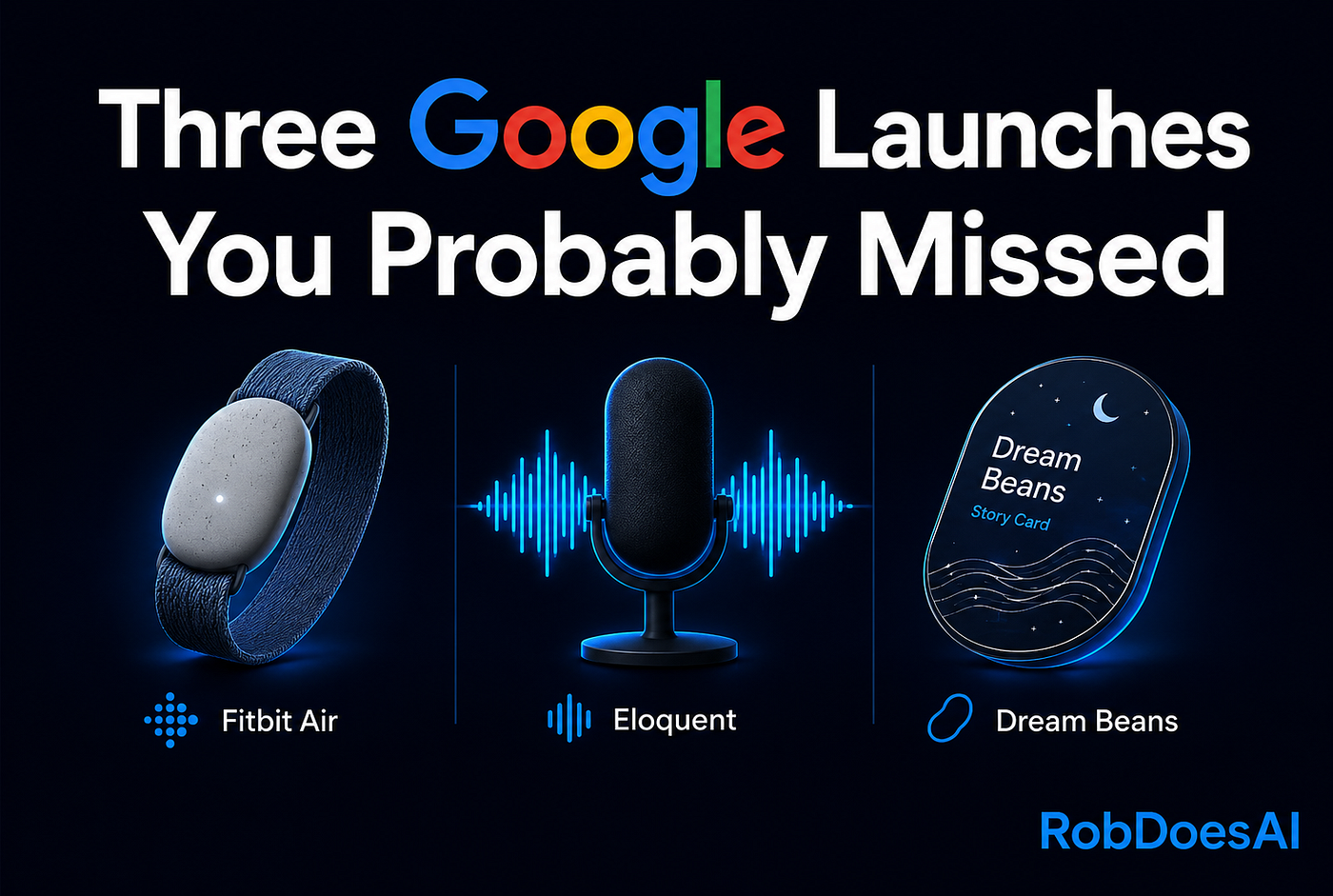
Standard transcription tools record everything you say, including every “um,” tangent, and half-finished thought. Eloquent does something different — it restructures your spoken words into polished written prose.
Not transcription. Transformation. If you think faster than you type, or if you’re a professional who dictates but has always had to spend time cleaning up the output, this is worth your attention.
Three More Worth Knowing
GenTabs analyzes your open browser tabs and links them into a unified project workspace. If you’re the kind of person who runs fifteen research tabs across four different threads and loses track of what connects to what, this addresses the actual problem.
Mixboard is a visual brainstorming canvas where you dump raw thoughts, and the AI clusters and structures them into project outlines. Digital whiteboard that organizes itself — as close as you can get.
Stax is for developers — a model evaluation and safety benchmarking toolkit for testing AI outputs before deployment. Less flashy than the others, but critical infrastructure for anyone building production AI systems.
The Honest Assessment

Here’s what I actually think after spending a week in this ecosystem.
The flagship tools are genuinely good. NotebookLM in particular is underrated — if you’re not using it for research or document management, you’re leaving real value on the table. Gemini Intelligence is more interesting than the coverage suggests, and the gap between “assistant” and “agent” framing is worth understanding before the next wave of Android updates lands.
The Google Labs tools are more uneven. Some of them — Stitch and Deep Research Max especially — are impressive enough that I’d recommend trying them now. Others are clearly still finding their form. The honest caveat that applies to all of them: these are experiments. Google Labs is an audition stage, not a product launch. Tools change, merge, or quietly disappear. Try them with that expectation set.
The thing that surprised me most about this whole exercise wasn’t any individual tool. It was how fragmented the story is. Google has built a genuinely remarkable AI ecosystem — and then told the story so poorly that most people think it starts and ends with a chatbot.
That’s not a technology problem. That’s a communication problem. And it means there’s a lot of value sitting in plain sight that most people haven’t found yet.
Part two covers Google’s developer and enterprise AI stack, plus the creative tools — Veo, Gemini Omni, Flow Music, Google Vids, and the SynthID Detector. It’s where things get both more powerful and, in the case of generative video, considerably more chaotic.
Which of these tools are you already using — and which one on this list surprised you most?
메타데이터
- post_id
- f1fba18d88e4
- slug
- i-mapped-googles-entire-ai-ecosystem-here-s-what-most-people-are-missing-f1fba18d88e4
- url
- https://medium.com/@robdoesai/i-mapped-googles-entire-ai-ecosystem-here-s-what-most-people-are-missing-f1fba18d88e4
- canonical_url
- https://medium.com/@robdoesai/i-mapped-googles-entire-ai-ecosystem-here-s-what-most-people-are-missing-f1fba18d88e4
- author_url
- https://medium.com/@robdoesai
- status
- ok
- fetched_at
- 2026-06-09 14:34:10