⚡ Server-Sent Events (SSE): The Simplicity Behind Real-Time Updates
Imagine you’re booking a concert ticket online. You open the seat map, hover over a perfect spot — and suddenly that seat turns red…
⚡ Server-Sent Events (SSE)
Imagine you’re booking a concert ticket online. You open the seat map, hover over a perfect spot - and suddenly that seat turns red because someone else booked it.
No reload. No refresh. Just instant feedback.
That seamless real-time experience is powered by Server-Sent Events (SSE)- a one-way, always-on stream from your backend to the browser that delivers updates exactly when they happen.
🌍 Why Do We Need Server-Sent Events?
Modern applications thrive on live data — from stock tickers and dashboards to ticket-booking systems. Users today expect information to update automatically, without hitting the refresh button or reloading the page.
To meet that expectation, we need a model where the server can push data directly to the client — efficiently, reliably, and at scale. That’s exactly where Server-Sent Events (SSE) shine.
⚖️ SSE vs Other Approaches
| Approach     | Mechanism                                              | Problems                                                |
| ------------ | ------------------------------------------------------ | ------------------------------------------------------- |
| Long Polling | Client opens a request and waits until server responds | Better, but still reconnects repeatedly                 |
| WebSockets   | Two-way persistent TCP connection                      | Great for chat/gaming, but overkill for one-way updates |
| SSE          | updates over a single long-lived HTTP Connection       | (server → client); not ideal for interactive apps       |
⚙️ How Server-Sent Events Work
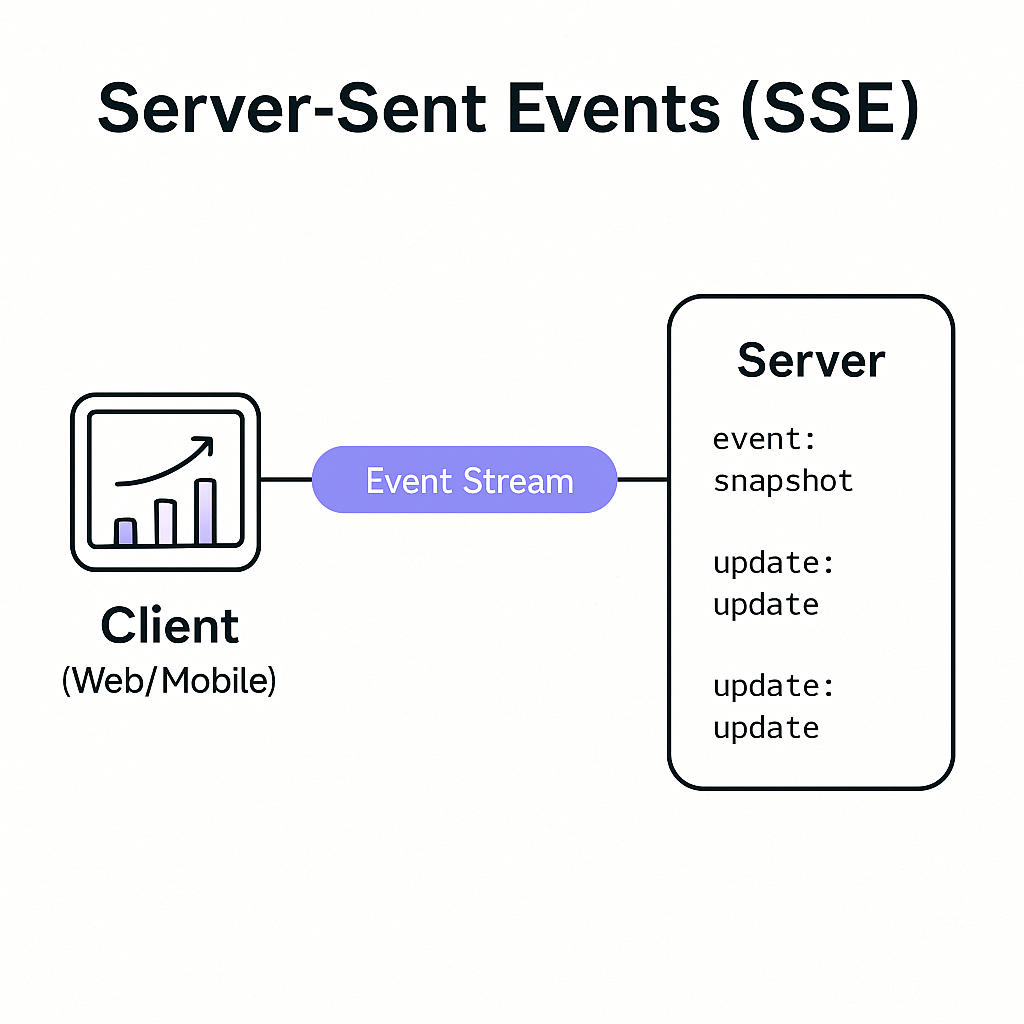
Server-Sent Events (SSE) use a persistent one-way connection over HTTP/1.1 that remains open as long as both the client and server keep it alive.
Once established, the client subscribes to a stream endpoint (e.g., /api/v1/realtime/updates), and the server continuously pushes updates in plain text using the text/event-stream
event: snapshot
id: 101
data: {
  "section": "A",
  "seats": [
    {"id": "A-10", "state": "BOOKED"},
    {"id": "A-11", "state": "AVAILABLE"},
    {"id": "A-12", "state": "AVAILABLE"},
    {"id": "A-13", "state": "BOOKED"},
    {"id": "A-14", "state": "AVAILABLE"}
  ]
}
event: update
id: 102
data: {"seatId": "A-12", "state": "BOOKED", "by": "user_9"}Snapshot vs Update
- snapshot → sent when the client first connects; represents the current state of data (like the entire seating chart).
- update → sent whenever there’s a change (e.g., someone books or releases a seat).
Browsers handle automatic reconnection and resume from the last event ID, ensuring clients stay in sync even after interruptions.
🎟️ Real Example: Ticket Booking System
Let’s see how this works in practice.
Suppose we’re designing a ticket booking platform like BookMyShow, where users can browse seats in real time and book tickets.
- A user opens the seat map for a specific event — say, Concert ID: E123, Section A. The browser sends:
GET /api/v1/realtime/subscribe?eventId=E123§ion=A- The server immediately responds with a snapshot event:
event: snapshot id: 42 data: {"section":"A","seats":[{"id":"A-1","state":"AVAILABLE"},{"id":"A-2","state":"BOOKED"}]}- Meanwhile, another user successfully books seat A-1.
The Booking Service updates the change in PostgreSQL (source of truth) and simultaneously publishes an event to Kafka — say on topic
postgres.event.seat_updates. The payload might look like:
{"eventId":"E123","section":"A","seatId":"A-1","state":"BOOKED"}- The Realtime Fan-out Service subscribes to this Kafka topic.
When it receives this event, it filters based on the key or partition (in this case,
eventId = E123) to identify which clients are connected to that event’s SSE stream. - The Fan-out Service then writes a new SSE message to all those active connections:
event: update id: 43 data: {"seatId":"A-1","state":"BOOKED"}
- The connected clients immediately reflect that change — the seat turns red on their screens within milliseconds.
✅ No extra API calls, ✅ No reloads, ✅ And no wasted bandwidth.
🧩 How the Flow Works Under the Hood
Here’s the simple direction of data flow that powers this real-time behavior:
Booking Service → PostgreSQL → Kafka (topic: postgres.event.seat_updates) → Realtime Fan-out Service → SSE Stream → Clients
- Booking Service handles seat reservation logic, persists it, and emits an event to Kafka.
- Kafka guarantees message delivery and order using partitions keyed by
eventId.- Realtime Fan-out Service consumes those messages and writes them to active client streams (grouped by
eventIdorsection).- Clients receive instant updates over SSE — no polling, no reconnect storms.
It’s fast, consistent, and production-friendly.
⚡ Why SSE Works So Well
- Built on HTTP: no protocol upgrade, no special ports.
- Automatic reconnection: browsers handle retry and resume logic.
- Horizontal scalability: Fan-out servers are stateless; just add more instances.
- Optimized for one-way data: perfect for apps that show updates but don’t need to send continuous data back.
With proper I/O handling, a single Fan-out node can manage tens of thousands of concurrent users easily.
💡 Scaling Real-Time Systems Further For extremely popular events — like concerts or flash sales — you can also introduce a virtual waiting queue. It helps manage massive surges by allowing only a limited number of users (for example, the first 1,000) to book at once, while others wait in line. This approach keeps your booking service and database stable during spikes, while still streaming real-time seat updates through SSE for everyone waiting.
메타데이터
- post_id
- f2d73e67b409
- slug
- server-sent-events-sse-the-simplicity-behind-real-time-updates-f2d73e67b409
- url
- https://medium.com/@mailtoumangdubey/server-sent-events-sse-the-simplicity-behind-real-time-updates-f2d73e67b409
- canonical_url
- https://medium.com/@mailtoumangdubey/server-sent-events-sse-the-simplicity-behind-real-time-updates-f2d73e67b409
- author_url
- https://medium.com/@mailtoumangdubey
- status
- ok
- fetched_at
- 2026-06-25 07:00:49