Building a Glip Notes Viewer using Vue.js
RingCentral just released its Glip Notes API to production. It allows you to Create/Update/Read/Delete Glip notes via Restful API. It’s one…
Building a Glip Notes Viewer using Vue.js

RingCentral just released its Glip Notes API to production. It allows you to Create/Update/Read/Delete Glip notes via Restful API. It’s one more big step for RingCentral to open its platform to third-part developers. I believe soon RingCentral will have all its major features available via API. Developers could leverage RingCentral’s power to build lots of useful apps.
Just to give you some background information, let me post a screenshot to show you what is Glip Notes:
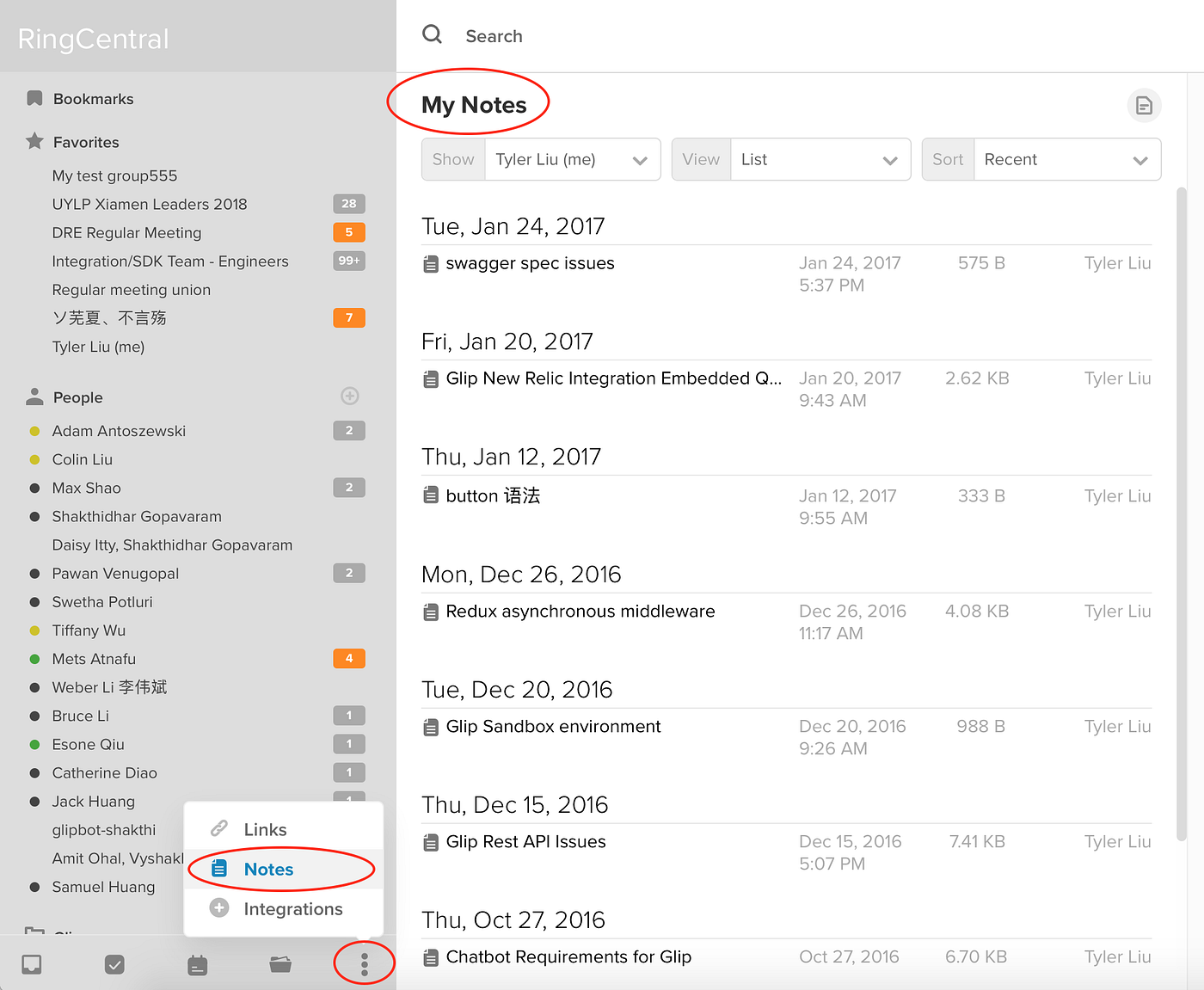
From the screenshot above you can see you can access Glip Notes via the menu item on left bottom corner of the official Glip app. You can create/edit/manage your notes. Most importantly, you can share notes with your colleagues or even co-edit the same notes with them.
As an early adopter of Glip Notes API, I wanted to build something that is easy and interesting. I am a note taking app user. I used to use EverNote a lot. Nowadays I use YouDaoNote on a daily basis. I have a colleague who uses OneNote a lot.


An interesting idea came into my mind: could I take advantage of the Glip Notes API to create a note taking app like EverNote, YouDaoNote and OneNote?
It sounded like a huge task. So I wanted to do it a bit at a time. The first step is to build a Glip notes viewer. So that you can view your Glip notes, but unable to edit. The next step is to provide notes creation/editing feature. This article is about the first step: build a notes viewer.
Here is what I get so far: https://tylerlong.github.io/glip-note/. It is a live demo, you can login and have a try. Please note that: at the time I am writing this article, it is still a note viewer; but by the time you read this article, it might be already a full featured note taking app like EverNote.
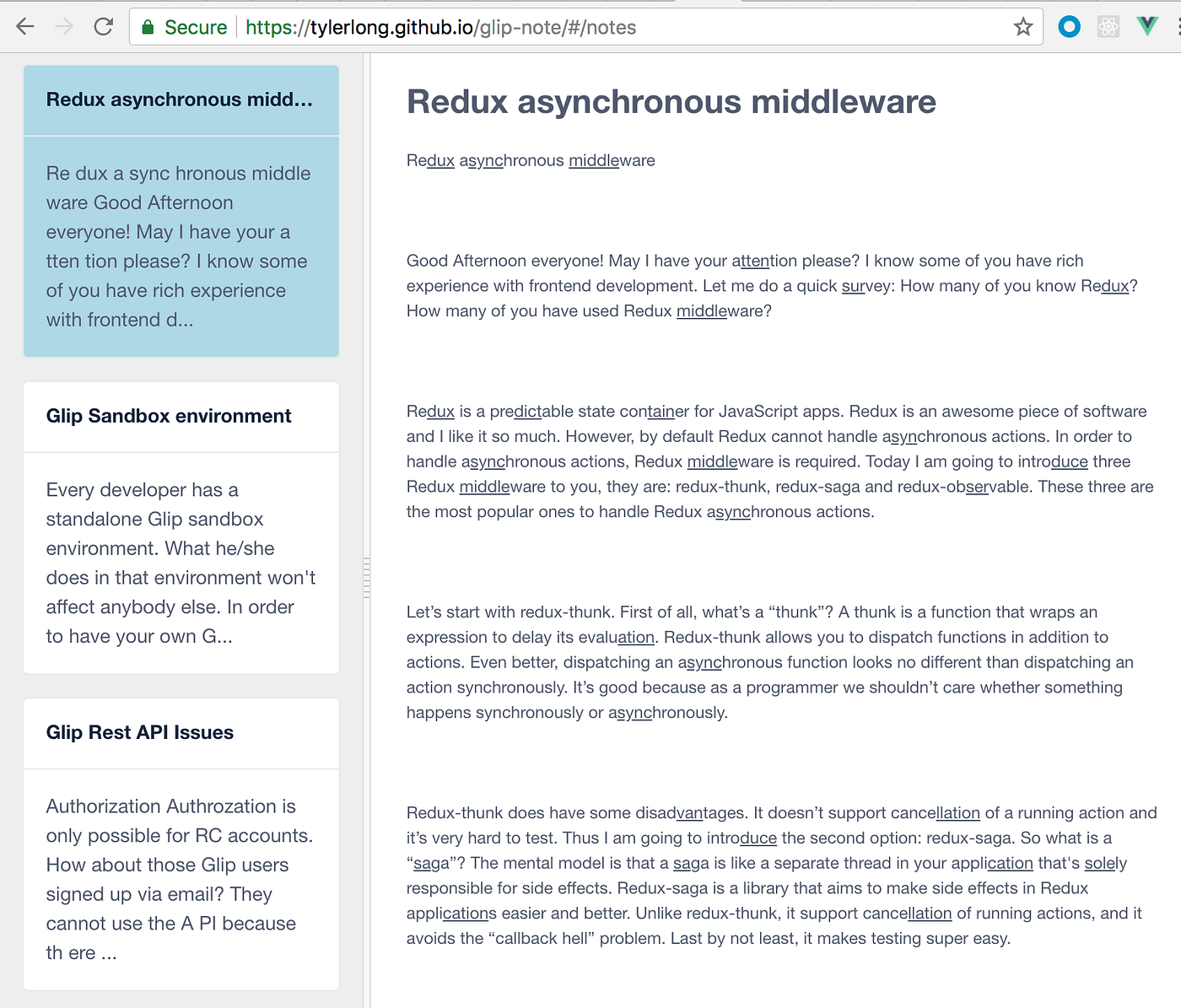
So this note viewer app has two parts: the left part is the notes preview list where you can see all of your Glip notes as a list of cards. The right part is current note’s body. If you click a note preview card on the left, its body will be shown on the right.
It is very simple and intuitive. Its source code is open source: https://github.com/tylerlong/GlipNote Its technical stack is very modern:
If want to learn something about Vue, it is a good sample project for you. It includes everything you need to know about building a modern Vue web app:
- Setup Webpack
- Setup Babel
- Setup Vue.js + Vuex + Vue Rounter
- Use localForage for browser side storage
- Use Ramda as Functional Programming library
- Use iView as an UI framework
- Last but not least, use RingCentral JS Concise SDK for accessing RingCentral API.
I will not go through every item above because most of them are out of the scope of this article. Before I finish this article, I would like to describe the newly published Glip Notes API a little bit.
Please read this code snippet:
[embed]tylerlong/GlipNote GlipNote - Note taking app like Evernote and OneNote.github.com
For this simple note viewer app, we only invoked two endpoints:
/restapi/v1.0/glip/notes/restapi/v1.0/glip/notes/id1,id2,id3...
The first endpoint returns all your notes. But they don’t contain full note bodies (by performance reasons). In order to fetch note bodies, you need to invoke the second endpoint. The second endpoint is special because it supports batch requests which means you can pass multiple IDs separated by commas in one go.
For RingCentral batch GET requests, the response is of type multipart/mixed which is an uncommon content type. So I used a library named multipart-mixed-parser to parse the response to an array. In RingCentral engineering team, we’ve been discussing returning JSON array instead of multipart/mixed. We might do the change in the future. But for now you need to parse the multipart/mixed to array yourself.
OK, that’s pretty much everything about my note viewer app. It doesn’t use all of the Glip Notes API endpoints because it is just a viewer. I haven’t added note editing/managing features yet. Hopefully I could find time to do it soon and publish more articles on Glip Notes API topic.
Thank you for reading and don’t forget to leave comments. If you have questions about RingCentral API, we have experts to help you. Just talk to them via Glip.
메타데이터
- post_id
- f2ea1243cfdb
- slug
- create-a-note-viewer-using-glip-notes-api-f2ea1243cfdb
- url
- https://medium.com/@tylerlong/create-a-note-viewer-using-glip-notes-api-f2ea1243cfdb
- canonical_url
- https://medium.com/@tylerlong/create-a-note-viewer-using-glip-notes-api-f2ea1243cfdb
- author_url
- https://medium.com/@tylerlong
- status
- ok
- fetched_at
- 2026-07-30 01:08:39





