Python + DuckDB UDFs with PyArrow: Columnar Speedups for Feature Engineering
How to keep your features in SQL, your logic in Python, and still be fast.
Python + DuckDB UDFs with PyArrow: Columnar Speedups for Feature Engineering
How to keep your features in SQL, your logic in Python, and still be fast.
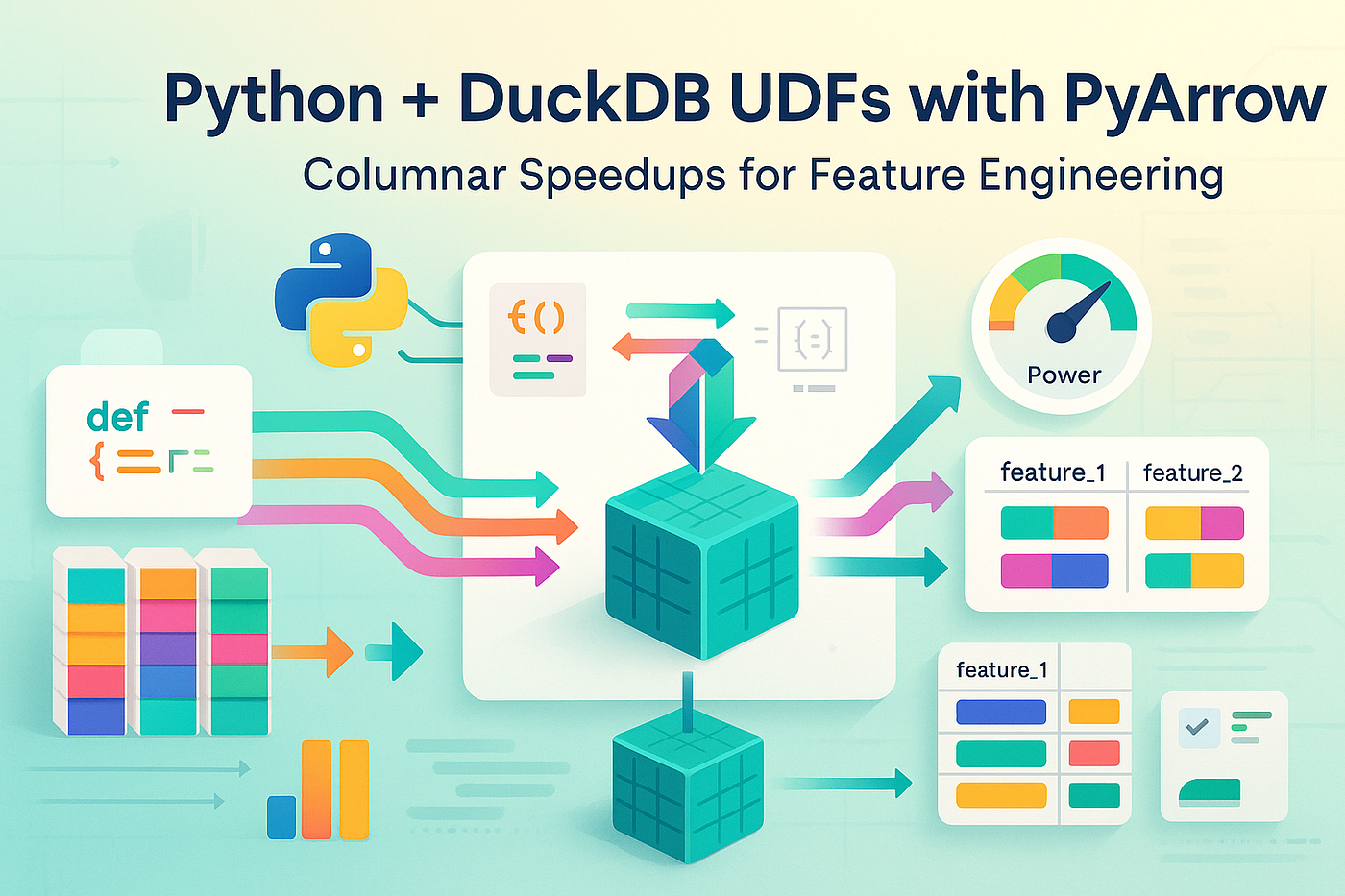
Use Python UDFs and PyArrow inside DuckDB to build fast, columnar feature engineering pipelines without shipping data back and forth to Pandas.
You load a Parquet file into DuckDB.
You write a neat SQL query.
Then you do the “one little thing” data people always do:
“I’ll just add a tiny Python UDF for that custom feature… how bad could it be?”
Suddenly your sub-second query is taking 20 seconds and one CPU core is pegged at 100%. The DuckDB magic is gone, and you’re back in single-threaded Python land.
The trick is not to swear off Python UDFs. It’s to use them the way DuckDB’s engine wants to work: in columnar chunks, ideally with PyArrow doing the heavy lifting.
Let’s walk through what that looks like in practice.
Where naive Python UDFs go wrong
DuckDB is a columnar engine. It:
- Scans Parquet/CSV in vectorized batches.
- Operates on columns, not rows.
- Pushes filters and projections down aggressively.
Plain Python, by default, does… none of that.
If you write a UDF that operates per row, like this:
import duckdb

con = duckdb.connect()

def score_row(event_type: str, amount: float) -> float:
    if event_type == "purchase":
        return amount * 1.2
    if event_type == "refund":
        return -amount
    return 0.0

con.create_function("score_row", score_row)

con.execute("""
    SELECT
      user_id,
      score_row(event_type, amount) AS score
    FROM events
""")
This works, but what’s happening under the hood is roughly:
- DuckDB pulls a batch of rows.
- It calls
score_rowmany, many times from Python. - Your feature logic is now the slowest piece in the pipeline.
The engine is still vectorized around you, but you’ve forced the core computation into a tight Python loop.
We can do better.
The mental model: UDFs on column chunks, not rows
A more “DuckDB-native” way to think about Python UDFs is:
“Give me a chunk of the column, and I’ll transform it in one go.”
DuckDB executes Python UDFs in batches already. If you define your function to accept and return arrays (e.g. lists, NumPy arrays), DuckDB will call it with column chunks rather than individual values.
That’s where PyArrow comes in.
PyArrow gives you:
- Columnar arrays (
pyarrow.Array,ChunkedArray), - Fast vectorized operations via
pyarrow.compute, - Zero-copy interoperability with DuckDB and other engines.
Combine the two and your pipeline becomes:
Parquet → DuckDB scan → Python UDF (Arrow arrays) → DuckDB → resultInstead of:
Parquet → DuckDB → Python UDF (one row at a time) → resultA concrete example: scoring events with PyArrow
Let’s imagine a simple events table:
CREATE TABLE events AS
SELECT
  user_id,
  event_type,     -- 'purchase', 'refund', 'view', etc.
  amount::DOUBLE,
  event_time
FROM read_parquet('events.parquet');
We want a custom feature event_score:
purchase→amount * 1.2refund→-amount- everything else →
0
The naive row-wise UDF (slow-ish)
We’ve already seen the row-wise version. It’s readable, but slow for big tables.
The columnar PyArrow UDF (fast-er)
Now let’s rewrite it to operate on column chunks:
import duckdb
import pyarrow as pa
import pyarrow.compute as pc

con = duckdb.connect()

def score_events(event_type_col, amount_col):
    # DuckDB passes column chunks as Python sequences / arrays.
    # We immediately wrap them as Arrow arrays.
    event_type = pa.array(event_type_col)
    amount = pa.array(amount_col, type=pa.float64())

    # Build boolean masks
    is_purchase = pc.equal(event_type, "purchase")
    is_refund   = pc.equal(event_type, "refund")

    # Start with zeros
    zeros = pa.array([0.0] * len(event_type), type=pa.float64())

    # Compute scores columnar-style
    purchase_scores = pc.multiply(amount, 1.2)
    refund_scores   = pc.multiply(amount, -1.0)

    # Use 'if_else' to combine
    tmp = pc.if_else(is_purchase, purchase_scores, zeros)
    final = pc.if_else(is_refund, refund_scores, tmp)

    # DuckDB expects a Python sequence back
    return final.to_pylist()

con.create_function(
    "score_events",
    score_events,
)

# Use it directly in SQL
df = con.execute("""
    SELECT
      user_id,
      event_type,
      amount,
      score_events(event_type, amount) AS event_score
    FROM events
""").df()
What changed?
- The UDF now receives entire column chunks, not single values.
- We use PyArrow to compute everything with vectorized operations.
- We only cross the Python ↔ DuckDB boundary once per batch instead of once per row.
The result: a big speedup on non-trivial datasets, often bringing performance back into “DuckDB territory” instead of “pure Python territory”.
How it actually flows inside the engine
A simplified view of the pipeline looks like this:
Chunk 1 (10k rows)
   ┌───────────────┐
   │ DuckDB scanner│  → event_type[0:10k], amount[0:10k]
   └──────┬────────┘
          │  column batches
          v
   ┌─────────────────────┐
   │ Python UDF + Arrow  │
   │  - score_events()   │
   │  - pa.compute.*     │
   └──────┬──────────────┘
          │  scores[0:10k]
          v
   ┌───────────────┐
   │ DuckDB engine │  → joins, aggregates, filters...
   └───────────────┘

Chunk 2, Chunk 3, ...
DuckDB decides the chunk size and parallelism. You’re just implementing the transform on each column chunk as efficiently as you can.
Feature engineering patterns that benefit most
Some transformations are perfect for this pattern:
- Categorical recoding / bucketing
- Map raw string categories into integer codes or feature bins.
- Regex and string munging
- Use
pyarrow.computestring functions instead of Python loops. - Custom aggregations over arrays
- e.g. JSON array fields expanded and summarized with Arrow list kernels.
- Feature hashing
- Hash high-cardinality features into fixed buckets using vectorized hash functions.
Example: basic feature hashing with Arrow:
import pyarrow.compute as pc

def hash_feature(col, num_buckets: int = 1024):
    arr = pa.array(col)
    hashed = pc.hash(arr)               # 64-bit hash
    buckets = pc.abs(pc.mod(hashed, num_buckets))
    return buckets.to_pylist()
Wrap it in create_function, and you’ve got a reusable, SQL-callable feature hashing primitive that’s still columnar.
Keeping the boundary clean: types and nulls
A few practical tips so this doesn’t turn into a debugging marathon:
- Be explicit about types when creating Arrow arrays (e.g.
type=pa.float64()). - Handle nulls with care:
- Arrow arrays preserve null masks;
pyarrow.computefunctions respect them. - If you need defaults, use
pc.coalesceorpc.fill_null. - Keep your UDF signatures simple:
- Prefer
(col1, col2, ..., param)over smuggling dozens of arguments. - If you need configuration, you can partially apply / close over them in Python.
And remember: Python type hints are for you, not DuckDB. They make the code readable, but DuckDB’s contract is “give me something list-like back”, not strict static typing.
When to stop and push logic back into pure SQL
Let’s be honest: some of the cool things you can do in a PyArrow UDF can also be done in plain DuckDB SQL, especially as DuckDB’s own function set expands.
Healthy rule of thumb:
- If your logic fits naturally in SQL and you can express it with built-in functions, prefer that. DuckDB will optimize it more aggressively than your Python code.
- Reach for Python + PyArrow when:
- You need complex domain logic that’s hard to express in SQL.
- You’re reusing Python code you already trust.
- You’re integrating with external libraries (tokenizers, encoders, etc.).
The point isn’t to turn DuckDB into “Python with extra steps”. It’s to give you an escape hatch for just enough custom logic, without falling off a performance cliff.
Wrapping up
DuckDB and Python don’t have to be at odds.
If you treat Python UDFs as columnar transforms on batches instead of row-by-row helpers, and let PyArrow handle the heavy lifting, you can:
- Keep feature engineering close to your data, inside DuckDB.
- Reuse Python libraries and idioms you already know.
- Stay much closer to DuckDB’s native performance envelope than naive UDFs ever allow.
If you’re already using DuckDB for analytics and you’ve got a “small” Python UDF that mysteriously turned into your slowest step, try rewriting it in the style above — Arrow arrays in, Arrow compute inside, Python list out. Benchmark before and after.
If that works well and you’d like a follow-up with full benchmarks, more complex examples (like text token features, sessionization, or rolling-window features), let me know in the comments and feel free to follow along.
메타데이터
- post_id
- f368fba0dc65
- slug
- python-duckdb-udfs-with-pyarrow-columnar-speedups-for-feature-engineering-f368fba0dc65
- url
- https://medium.com/@hjparmar1944/python-duckdb-udfs-with-pyarrow-columnar-speedups-for-feature-engineering-f368fba0dc65
- canonical_url
- https://medium.com/@hjparmar1944/python-duckdb-udfs-with-pyarrow-columnar-speedups-for-feature-engineering-f368fba0dc65
- author_url
- https://medium.com/@hjparmar1944
- status
- ok
- fetched_at
- 2026-07-20 09:16:42