OverTheWire: Bandit 30 → 31 | Writeup by Radhika Varma
Bandit level 30 →31 solution
OverTheWire: Bandit 30 → 31 | Writeup by Radhika Varma
Bandit level 30 →31 solution
Level Goal
There is a git repository at ssh://bandit30-git@bandit.labs.overthewire.org/home/bandit30-git/repo via the port 2220. The password for the user bandit30-git is the same as for the user bandit30.
From your local machine (not the OverTheWire machine!), clone the repository and find the password for the next level. This needs git installed locally on your machine.
Login : ssh bandit30@bandit.labs.overthewire.org -p 2220
Password : qp30ex3VLz5MDG1n91YowTv4Q8l7CDZL
Solution :
For this level you can do steps from previous level and you will get a muahaha!!!
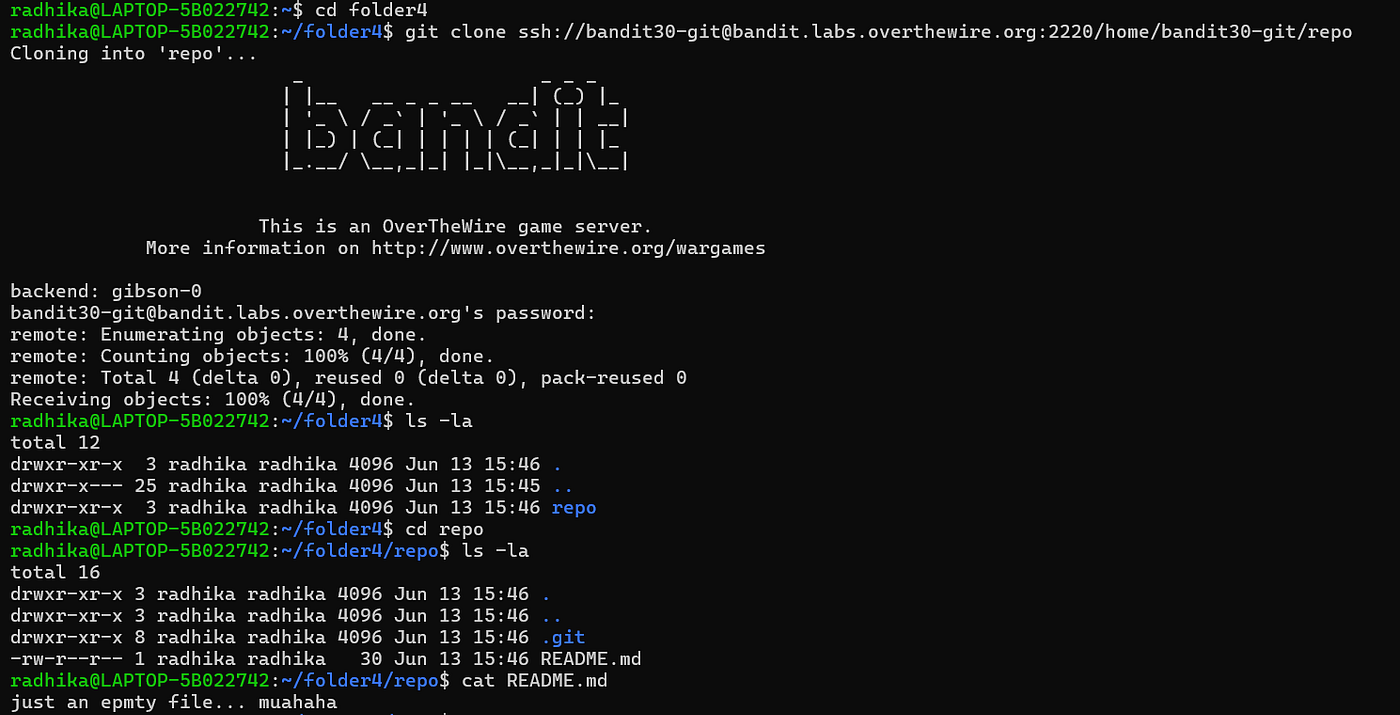
So here is the hint for this level → you need to inspect the hidden history of the Git repository for tags.
Now before jumping to the solution lets dive into some theory and information.
What is a Git Tag?
A tag is simply a label attached to a specific commit.
Imagine your commit history:
A — B — C — D — E
Suppose commit C was version 1.0 of your project.
You can create a tag with command : git tag v1.0 C
Now the history looks like:
A — B — C(v1.0) — D — E
So, the tag always points to commit C.
Why Use Tags?
Tags are commonly used for releases:
v1.0 v1.1 v2.0
Are Tags Hidden?
Not exactly. They don’t appear when you run: git branch
because tags are not branches.
Commands :
- git show — to see tags.
- git show tag_name — shows author name, commit hash etc.
So for this level you have to find the tags and use show command to see whats there.

And yes , you got this !!
메타데이터
- post_id
- f38d4fe6f21d
- slug
- overthewire-bandit-30-31-writeup-by-radhika-varma-f38d4fe6f21d
- url
- https://medium.com/@radhikasvarma2006/overthewire-bandit-30-31-writeup-by-radhika-varma-f38d4fe6f21d
- canonical_url
- https://medium.com/@radhikasvarma2006/overthewire-bandit-30-31-writeup-by-radhika-varma-f38d4fe6f21d
- author_url
- https://medium.com/@radhikasvarma2006
- status
- ok
- fetched_at
- 2026-06-15 20:49:13



