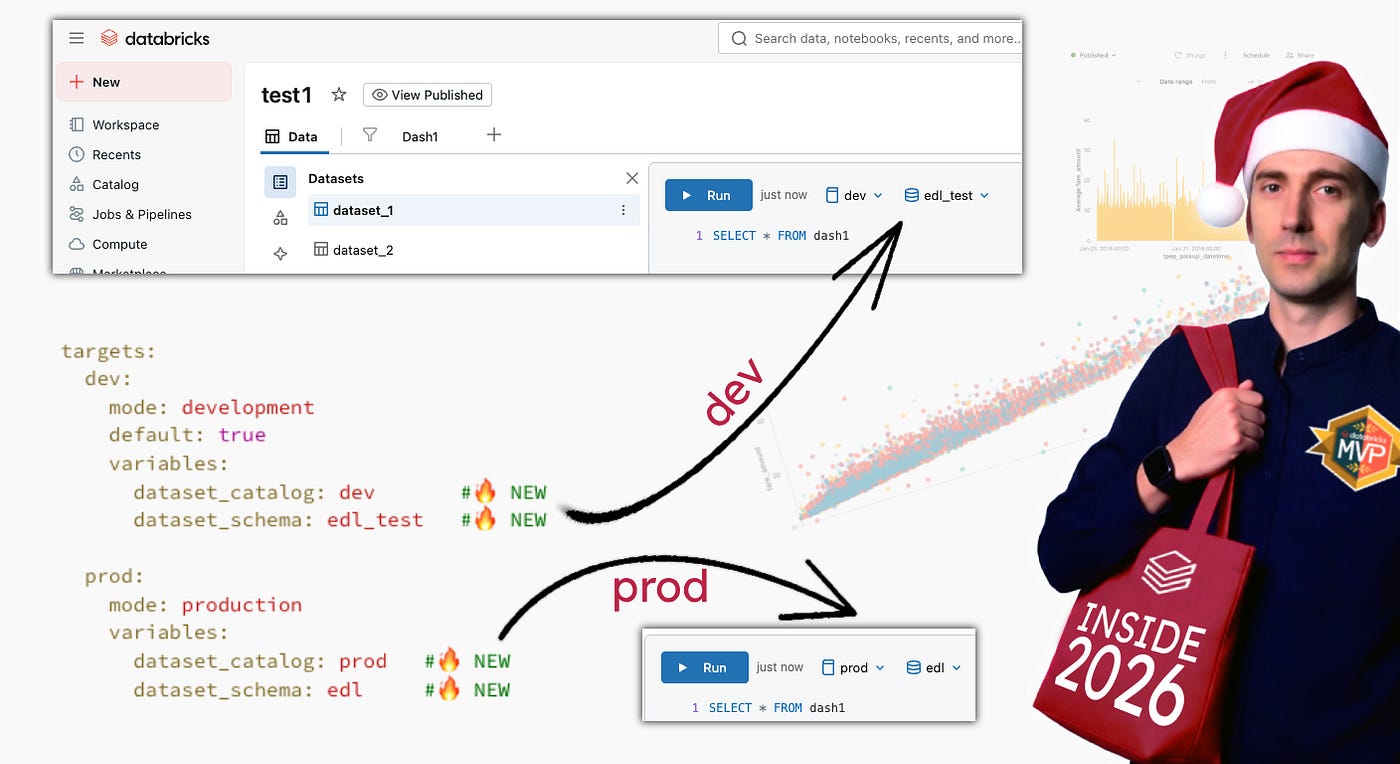
Databricks Genie Code. Full practice guide and Examples
In March 2026, Databricks officially replaced Databricks Assistant with Genie Code. This may seem like a name change, but it's actually a…
Databricks Genie Code. Full practice guide and Examples
In March 2026, Databricks officially replaced Databricks Assistant with Genie Code. This may seem like a name change, but it's actually a new assistant that runs in agent mode. The transition was fairly gradual, with Assistant gradually adding new features until it became Genie.
In my previous article, I discussed the cost of **Genie Code. In this article, we'll explore the key differences between Assistant and Genie Code. If you want to use Genie Code,** you'll also need to understand the basics of working with agents, as it can now not only assist you, but also edit and delete tables, scripts, and data with your permission.

Databricks is keeping up with the times and has decided to abandon the simple Assistant-style prompts in favor of Agentic AI. Let's break down the key differences:
1. Operating mode:
- Databricks Assistant: Works on a question-and-answer basis. You ask it to write an SQL query, explain a piece of PySpark code, or find an error in a specific notebook cell, and it generates text or code and awaits your next command. It uses local context, specifically what's in your current notebook and the current chat history.
- Genie Code: This is an agent-based system. You can assign it a high-level task, and it will automatically break it down into steps, find the necessary tables, write the code, execute it, and verify the result. It is deeply integrated into the Unity Catalog. It automatically understands all your company data: table semantics, columns, table lineages, popular assets, and corporate access policies. You don't need to explain to it where the data is. It finds it automatically.
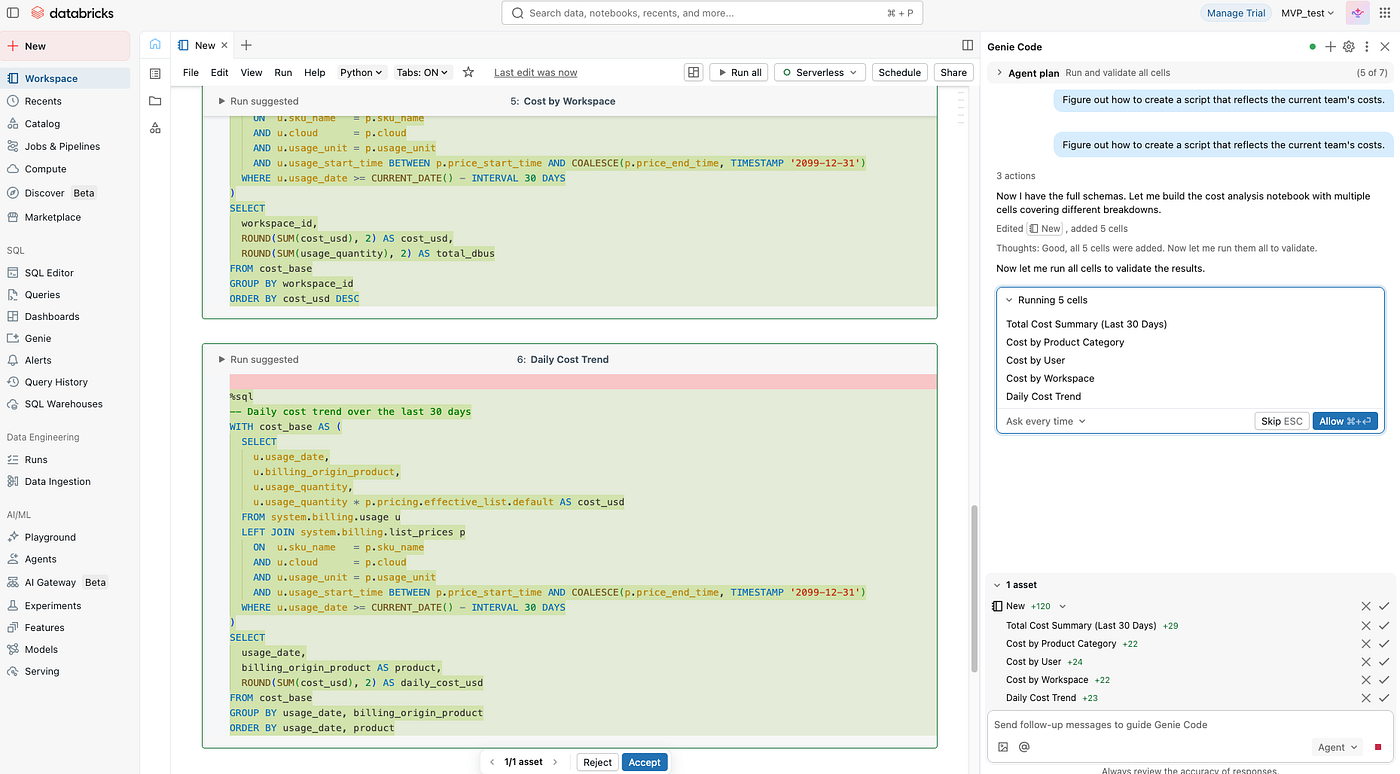
2. Hints and support:
- Assistant: Helps only during the development phase, writing and debugging code in real time.
- Genie Code: Runs as a proactive agent in the background. It can monitor Lakeflow pipelines and ML models, automatically analyze logs during crashes, perform basic troubleshooting, and configure resource allocation:
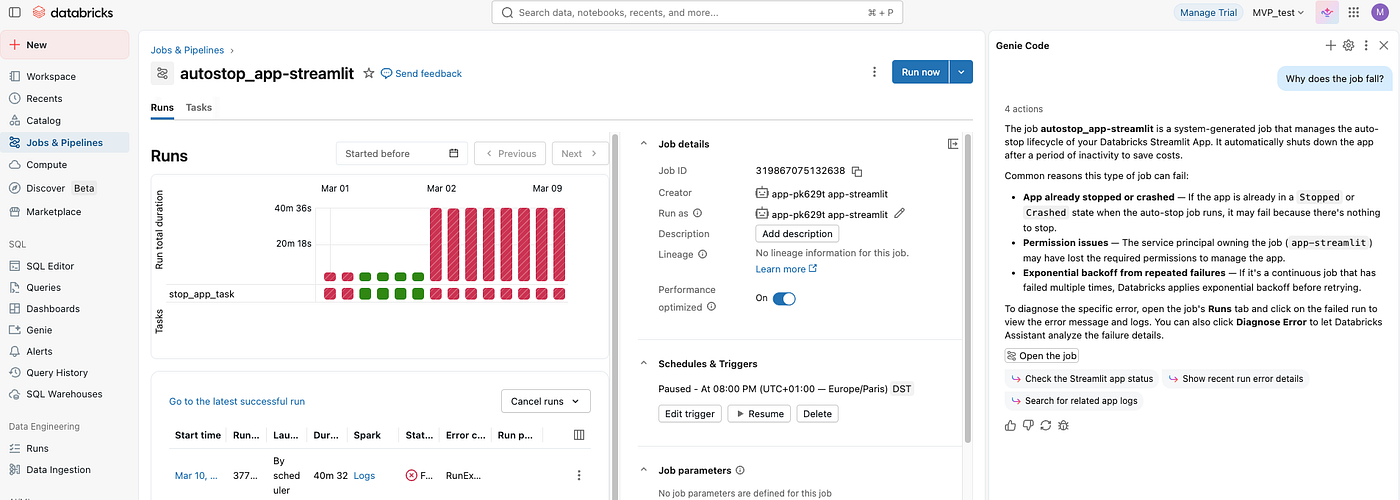
3. Advanced Agent capabilities:
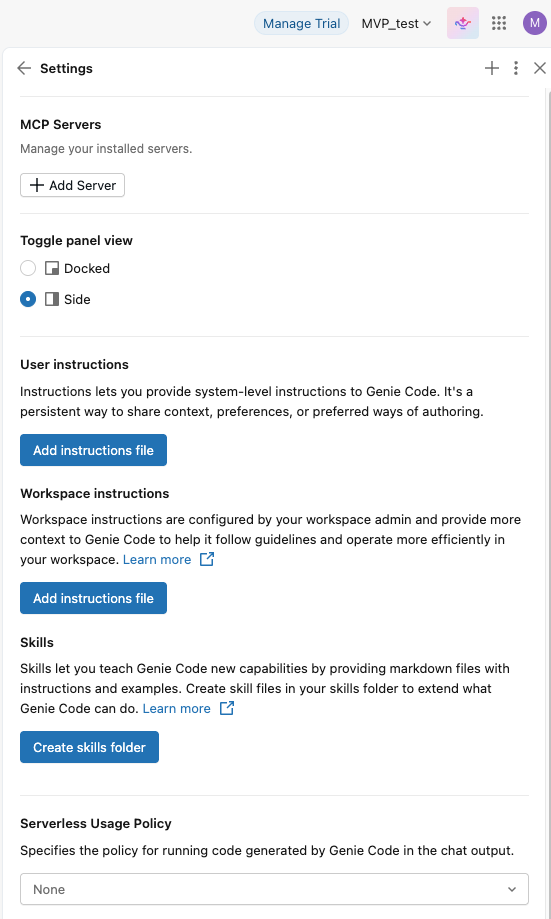
Genie Code is a fully configurable multi-agent. For each task, it dynamically routes requests, selecting the most appropriate model, be it a leading commercial LLM, open-source, or your custom model deployed directly in Databricks. Furthermore, via the Model Context Protocol (MCP), it can interact with external systems like Jira or GitHub. You can also configure general rules in the form of custom instructions or skills for specific tasks, immersing the agent in context:
Basics of working with agents
Genie Code takes over more complex engineering processes: from independent exploratory data analysis and model training to building and maintaining ETL pipelines. But now you need to understand the nuances and fundamentals of working with agents.
1. Context isolation. For each new task or fundamentally different data set, it is essential to start a new session (chat):
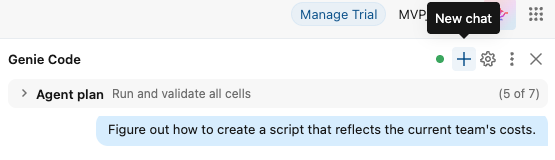
The agent builds a decision tree that remembers the action plan and local context. If, after creating an ETL pipeline for the finance department, you ask it to analyze web server logs in the same window, its context will be confused. It may start applying previous logic or attempt to connect unrelated data, leading to failures and hallucinations.
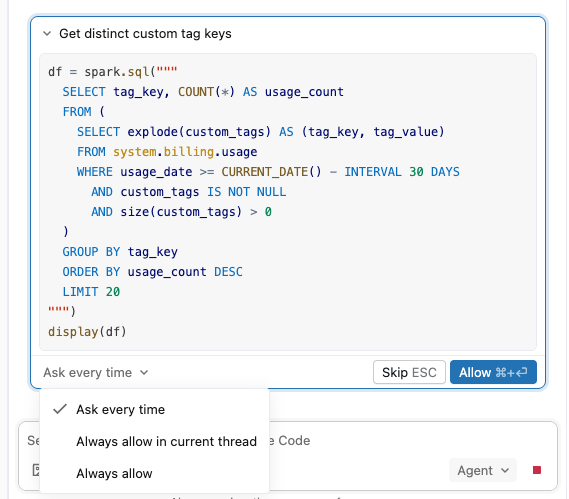
2. Confirming actions for the Agent. By default, the Agent will ask permission for every action, but you can grant "Always Allow" for all changes. Be careful in a production environment! It can permanently delete something, and finding such actions can be quite difficult. I recommend reviewing each action and confirming or rejecting it:
3. Session management and interruptions. The agent's lifecycle in interactive mode is tied to an active communication session. When a page is reloaded or the network is interrupted, the connection is lost. The system stops the agent to prevent uncontrolled resource consumption, as it doesn't know whether the user will return. Wait for the agent to complete generation or an intermediate response without refreshing the tab.
If the agent is running and you switch to another browser tab, it is paused, switch back and it continues running.
4. Task Setting: Goal + Limits. The agent should be given not step-by-step instructions (like the Assistant), but a final goal and strict limitations.
- Set limits during the development phase: "Build the display, but first limit the selection to 1000 rows to test the logic." This will prevent situations where the agent tries to sift through petabytes of data interactively.
- Specify security rules: Explicitly state if the agent is not allowed to modify data (for example: “Do not DROP/UPDATE existing tables, save results only to the sandbox schema” ).
5. In-process correction. Agents can get stuck in an infinite loop (e.g., write code with an error, get an error, try to fix it the same way, get another error).
- Follow the detailed logs of his actions.
- If you see that the agent has gone down the wrong path or is stuck in a loop, don't wait - forcefully stop the generation and direct it to the text: "This table is empty, look for data in another directory. "
메타데이터
- post_id
- f3bcb13596f2
- slug
- databricks-genie-code-full-practice-guide-f3bcb13596f2
- url
- https://medium.com/dbsql-sme-engineering/databricks-genie-code-full-practice-guide-f3bcb13596f2
- canonical_url
- https://medium.com/dbsql-sme-engineering/databricks-genie-code-full-practice-guide-f3bcb13596f2
- author_url
- https://medium.com/@protmaks
- status
- ok
- fetched_at
- 2026-06-14 16:15:44