The Browser Extension Problem
Cybersecurity’s Blind Spot in the Age of AI
The Browser Extension Problem
Cybersecurity’s Blind Spot in the Age of AI
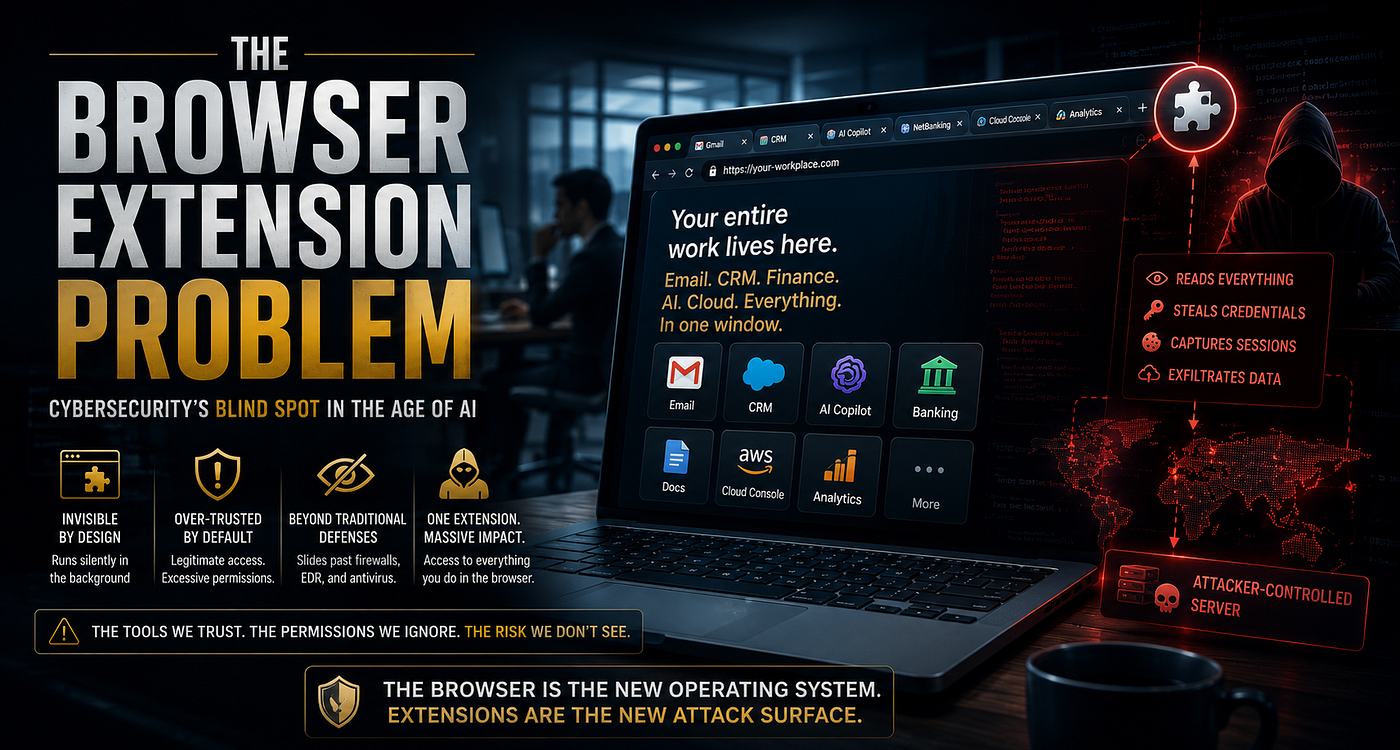
Walk into any modern office and you will find the same scene repeated on almost every screen: a browser window with a dozen tabs open, quietly running the entire business day. Email lives there. The CRM lives there. The company’s AI copilot lives there. Even the finance team’s banking portal lives there. Somewhere along the way, the browser stopped being a simple window to the internet and became the actual workplace itself, and almost nobody updated their security thinking to match that shift. This is the story of what is hiding inside that window, why it deserves far more attention than it currently gets, and what it actually looked like the last time it went wrong at scale.
The Browser Has Quietly Become the New Operating System
A decade ago, security teams worried mainly about what ran on the operating system, the software installed directly on a laptop or server. Today, that focus is outdated, because the real center of gravity for enterprise work has moved into the browser tab itself. An employee can go through an entire eight-hour workday, touching sensitive customer records, internal financial dashboards, cloud infrastructure consoles, and AI-powered writing assistants, without ever leaving a single application window. In a very real sense, the browser has become the new operating system of the workplace, and every extension added to it inherits a front-row seat to everything happening inside. Picture a mid-sized law firm where paralegals draft documents in a browser-based word processor, partners review billing in a cloud portal, and everyone uses the same AI assistant to summarize case files; a single browser extension sitting across all of those tabs would have visibility that no traditional desktop software ever had.
Why This Threat Slips Past Traditional Defenses
Security budgets have historically been built around stopping malware that behaves like a foreign invader: something that has to break through antivirus software, sneak past endpoint detection, and exploit a weakness in the operating system before it can do any damage. A malicious browser extension does not need to do any of that, because it walks through the front door with the user’s own permission, disguised as a helpful little tool. Instead of attacking the fortress walls, it moves in as a guest and then quietly starts going through the drawers. A company that has spent millions hardening its laptops against ransomware can still be completely undone by an employee installing a free resume builder extension that, buried in its fine print, asks for permission to read and modify every website the person visits.
Inside the Manifest File: The Extension’s Fine Print
Every browser extension is built around a file called the manifest, which works something like a résumé and a permission slip rolled into one. It tells the browser exactly what the extension plans to do: which websites it wants to interact with, what background processes it wants to run, and what capabilities it wants unlocked. The catch is that almost nobody reads this fine print before clicking install, in much the same way most people scroll past terms and conditions without a second thought. A grammar-checking extension, for instance, only truly needs access to the text a person is typing, yet it is common to find such tools requesting permission to read and change data on every single website visited, a mismatch that would look deeply suspicious to anyone who actually stopped to check.
Here is roughly what that permission relationship looks like once it is broken down into its actual moving parts:
Walk into any modern office and you will find the same scene repeated on almost every screen: a browser window with a dozen tabs open, quietly running the entire business day. Email lives there. The CRM lives there. The company’s AI copilot lives there. Even the finance team’s banking portal lives there. Somewhere along the way, the browser stopped being a simple window to the internet and became the actual workplace itself, and almost nobody updated their security thinking to match that shift. This is the story of what is hiding inside that window, why it deserves far more attention than it currently gets, and what it actually looked like the last time it went wrong at scale.
The Browser Has Quietly Become the New Operating System
A decade ago, security teams worried mainly about what ran on the operating system, the software installed directly on a laptop or server. Today, that focus is outdated, because the real center of gravity for enterprise work has moved into the browser tab itself. An employee can go through an entire eight-hour workday, touching sensitive customer records, internal financial dashboards, cloud infrastructure consoles, and AI-powered writing assistants, without ever leaving a single application window. In a very real sense, the browser has become the new operating system of the workplace, and every extension added to it inherits a front-row seat to everything happening inside. Picture a mid-sized law firm where paralegals draft documents in a browser-based word processor, partners review billing in a cloud portal, and everyone uses the same AI assistant to summarize case files; a single browser extension sitting across all of those tabs would have visibility that no traditional desktop software ever had.
Why This Threat Slips Past Traditional Defenses
Security budgets have historically been built around stopping malware that behaves like a foreign invader: something that has to break through antivirus software, sneak past endpoint detection, and exploit a weakness in the operating system before it can do any damage. A malicious browser extension does not need to do any of that, because it walks through the front door with the user’s own permission, disguised as a helpful little tool. Instead of attacking the fortress walls, it moves in as a guest and then quietly starts going through the drawers. A company that has spent millions hardening its laptops against ransomware can still be completely undone by an employee installing a free resume builder extension that, buried in its fine print, asks for permission to read and modify every website the person visits.
Inside the Manifest File: The Extension’s Fine Print
Every browser extension is built around a file called the manifest, which works something like a résumé and a permission slip rolled into one. It tells the browser exactly what the extension plans to do: which websites it wants to interact with, what background processes it wants to run, and what capabilities it wants unlocked. The catch is that almost nobody reads this fine print before clicking install, in much the same way most people scroll past terms and conditions without a second thought. A grammar-checking extension, for instance, only truly needs access to the text a person is typing, yet it is common to find such tools requesting permission to read and change data on every single website visited, a mismatch that would look deeply suspicious to anyone who actually stopped to check.
Here is roughly what that permission relationship looks like once it is broken down into its actual moving parts:

Content Scripts: Code Living Inside the Page You Are Using
Some parts of an extension do not run off to the side; they run directly inside the webpage itself, blending in so well that there is no visible difference between the site and the code watching it. These are called content scripts, and depending on the permissions granted, they can read what is on the page, change what the user sees, watch what gets typed, and even quietly slip in extra code of their own. When an extension has this level of access, it effectively becomes part of the website, even though the website’s actual owner never wrote or approved a single line of that code. Imagine an employee logging into their company’s payroll system, unaware that a content script from an unrelated browser extension is silently watching every field on that page, capturing login details the moment they are typed, long before the payroll company’s own security team would ever know anything was wrong.
Background Workers: The Part of the Extension That Never Clocks Out
While content scripts operate inside visible tabs, a separate piece of the extension called a background worker keeps running even after every tab has been closed. It can maintain a constant connection to remote servers, quietly move data around, and wake itself up on a schedule, all without ever showing up on screen. This is the part of an extension that behaves less like a tool and more like a tenant who never leaves the building. A browser extension that simply changes a website’s color theme, for example, could still have a background worker checking in with a remote server every few minutes, an activity that has nothing to do with color themes and everything to do with staying connected to whoever is really in control.
Browser APIs: The Real Source of an Extension’s Power
Extensions gain their actual abilities through a set of technical doorways called APIs, which let them tap into browser features like tabs, cookies, downloads, notifications, and browsing history. Every doorway an extension is allowed to walk through adds to what it can do, and by the same measure, adds to what it can do wrong. A currency converter extension has no real reason to ask for access to cookies, yet users rarely stop to ask why a simple conversion tool needs that kind of reach. Once an attacker gains access to the right API, such as the one governing cookies, they can potentially read the digital keys that keep a person logged into their email or company cloud drive, letting them slip into that account without ever needing to know the actual password.
The Update Trap: How a Safe Tool Turns Dangerous Overnight
One of the more unsettling truths about browser extensions is that safety is not a permanent state; it is a snapshot in time. Extensions update themselves automatically, and those updates almost never get a second look from the person using them. A tool that was completely trustworthy last year can turn hostile the moment its developer’s account gets hacked, its ownership quietly changes hands, or its update system gets compromised somewhere upstream. This is not a hypothetical risk. It is exactly what happened to one of the industry’s own security vendors, in an incident that is now studied as a textbook example of how this attack plays out in the real world.
Case Study: The Cyberhaven Chrome Extension Breach
In late December 2024, a company called Cyberhaven, whose entire business is helping enterprises prevent sensitive data from leaking out through unapproved channels, became the victim of exactly the kind of attack it was built to stop. A developer on Cyberhaven’s team received a phishing email disguised as an official Google warning, claiming the company’s Chrome extension was at risk of removal from the store unless a policy issue was resolved. The email led the developer to authorize what looked like a routine third-party application, but was actually a malicious tool requesting permission to publish updates to the extension. Notably, the developer had multi-factor authentication and Google’s Advanced Protection enabled, and their actual login credentials were never stolen; the attacker did not need them, because the phishing link exploited an authorization workflow rather than a password. Once that access was granted, the attacker published a tampered version of the extension directly to the Chrome Web Store, and because updates install automatically, roughly four hundred thousand users received the malicious version without taking any action at all. The altered extension quietly captured cookies, session tokens, and account data, sending it to a server controlled by the attacker, with much of the effort focused on hijacking Facebook advertising accounts, a high-value target for attackers who resell ad account access or use it to run their own fraudulent campaigns. Cyberhaven’s security team caught the compromise within about sixty minutes of it being flagged and pushed a clean version, but investigators later discovered the same campaign had quietly compromised roughly three dozen other Chrome extensions from unrelated companies, collectively reaching more than two and a half million users, with infrastructure for the attack dating back months before it was ever detected. The lesson from this incident is not that Cyberhaven had weak security; if anything, the opposite is true, since strong authentication was in place and the response was fast. The real lesson is that the attacker did not need to break any of that, because the weak point was a trusted publishing pipeline that nobody was watching as closely as the login page itself.
Case Study: The Great Suspender and the Silent Ownership Change
Years before the Cyberhaven incident, a wildly popular Chrome extension called The Great Suspender, used by millions of people to free up memory by putting inactive tabs to sleep, quietly changed hands when its original developer sold the project to an unnamed buyer. For a long stretch afterward, nothing seemed different, and the extension kept its loyal user base and strong reputation. Eventually, security researchers and users began noticing unusual behavior baked into a later update, including code capable of tracking browsing activity and executing remote instructions, functionality with no connection to the extension’s original purpose of managing tabs. Google eventually removed the extension from the Chrome Web Store entirely and forcibly disabled it on users’ machines, an unusually aggressive response that signaled just how seriously the change was taken once discovered. This case is a quieter cousin of the Cyberhaven story: no dramatic phishing email, no sixty-minute countdown, just a slow, patient handoff of ownership followed by a gradual shift in behavior that took time for anyone to notice, precisely because nothing about the initial installation ever looked suspicious.
Too Many Permissions, Too Little Attention
Every extension asks for permissions, and every one of those requests is a small trust decision that most people make without thinking twice. Access to browsing history alone might seem harmless. Access to the clipboard alone might seem harmless too. But stack enough of these individually reasonable requests together, and you end up with something that can see almost everything a person does online. This is the quiet danger of permission creep: nothing about it looks alarming until you zoom out and see the whole picture at once. A screenshot tool built for taking quick notes, once combined with clipboard access and browsing history, can end up reconstructing a detailed picture of a person’s private messages, banking activity, and confidential work files, none of which the tool was ever advertised as being able to do.
Why an Official Store Listing Does Not Mean Safe
There is a comforting assumption that anything sold through an official app or extension store must have been thoroughly checked, but the scale of these stores makes that kind of guarantee almost impossible to deliver. Millions of extensions exist, code changes constantly through routine updates, and some malicious features are deliberately programmed to stay dormant until well after the initial review is complete. Attackers have learned to play a patient game, letting an extension build a spotless reputation for months before quietly switching on its harmful features through a remote update, exactly the pattern seen in both the Cyberhaven and Great Suspender cases. It is a bit like a new employee who behaves perfectly during their probation period and only starts cutting corners once nobody is watching closely anymore, except here the stakes involve an entire organization’s data rather than one person’s job performance.
Credential Theft and the Rise of Session Hijacking
Stealing a password used to be the main goal of most digital attacks, but that approach has become less efficient now that multi-factor authentication is everywhere. Instead, many attackers now go after the session itself, the digital token created after someone has already logged in successfully, because that token often grants the same access without ever asking for a password again. A browser extension positioned on a login page can quietly capture that token the moment it is created, handing an attacker a working key to the account without ever needing to know a single character of the actual password, which is exactly the mechanism the Cyberhaven attackers relied on to reach victims’ Facebook accounts.
How an Attacker Actually Pivots After Stealing a Session Token
Getting the token is only step one, and understanding what comes after is what separates a theoretical risk from a real breach. Once an attacker has a valid session token in hand, they typically load it into their own browser using simple developer tools or a proxy, which instantly makes their browser look, to the target website, exactly like the legitimate user’s already-logged-in session. From there, the attacker moves fast and quietly: checking what other accounts are linked through single sign-on, looking for saved payment methods or admin panels, downloading contact lists or customer data before anyone notices, and sometimes changing recovery email addresses or adding a new device to the account to maintain long-term access even after the original token expires. Because there was never a failed login attempt or a password reset request, this activity often does not trigger the alerts that security teams have spent years tuning their systems to watch for. In the Cyberhaven case specifically, stolen tokens were used to reach into Facebook advertising accounts, where attackers could quietly redirect ad budgets, launch fraudulent campaigns, or resell account access on underground marketplaces, all while the account owner still appeared to be logged in normally.
What a SOC Analyst Would Actually See
For a security operations center analyst, this kind of attack rarely announces itself with an obvious alarm; it shows up as a handful of small, easy-to-dismiss anomalies scattered across different dashboards. It might look like a login session continuing from a new geographic location without a corresponding new login event, since the attacker reused an existing token rather than logging in fresh. It might look like an outbound connection from a browser process to a domain that has never appeared in that organization’s traffic before, often at an odd hour when the actual employee’s laptop should be idle. It could also show up as a spike in a specific extension’s network activity across many different endpoints at once, a pattern that stands out once someone thinks to group alerts by extension rather than by user or device. The honest reality is that most of these signals look unremarkable in isolation, which is exactly why experienced analysts are trained to ask why an established pattern suddenly changed, rather than waiting for a single alert to declare that something is definitely wrong.
Data Harvesting and the Slow Build of a Digital Shadow
Some of the most damaging extensions are not loud or dramatic; they simply sit quietly and collect. Over time, they can gather browsing habits, customer records, internal documents, search queries, and even the prompts typed into AI assistants, slowly assembling something closer to a complete profile of a person’s professional life than any single data breach ever could. This kind of long, patient collection is often more dangerous than a sudden, obvious hack, because nothing about it triggers alarms in the moment. A marketing employee who regularly copies customer contact details into a spreadsheet using copy and paste might never realize that a clipboard-monitoring extension has been quietly logging every one of those entries for months, building a dataset that eventually becomes valuable enough to sell or misuse.
Ad Injection and Cryptomining: The Quieter Cousins of Real Attacks
Not every malicious extension is after your data directly. Some simply hijack the webpages you visit to insert extra advertisements, fake shopping deals, or affiliate links you never asked for, which can feel like a minor annoyance rather than a genuine threat. But the fact that an extension can alter a trusted webpage at all is itself a warning sign about what else it might be capable of doing quietly in the background. Others go a step further and borrow a device’s processing power to mine cryptocurrency for someone else’s benefit, something employees often notice only through a suddenly hot laptop, a battery that drains twice as fast, or a fan that never seems to stop running, long before anyone thinks to check which browser extension might be responsible.
Command and Control: When an Extension Becomes a Remote-Controlled Tool
The most advanced malicious extensions are not static; they stay in constant contact with servers controlled by an attacker, receiving new instructions the same way a drone receives commands from its operator. Through this ongoing connection, an attacker can tell the extension to download new malicious code, send out whatever data has already been gathered, or completely change its behavior overnight. This turns what looks like a simple browser add-on into a living, remotely managed presence inside the company network, the same basic architecture that powered the exfiltration channel in the Cyberhaven breach.
The general shape of that communication model looks roughly like this:

The Reason Endpoint Security Often Looks the Other Way
Antivirus software and endpoint detection tools are genuinely excellent at their job, but their job has traditionally been to catch programs that misbehave as separate, standalone processes on a device. Browser extensions do not play by those rules; they operate from inside the browser itself, using officially sanctioned features through channels the security software is designed to trust. To these tools, everything can look perfectly normal even while sensitive company data is quietly slipping out the back door, which is part of why the Cyberhaven campaign was able to reach millions of users across dozens of companies before the broader picture became clear. This is exactly why forward-looking security teams have started treating browser-level visibility as its own category worth investing in, separate from traditional endpoint tools, rather than assuming existing protections already cover it.
Browser Sync: A Convenience Feature That Can Spread Trouble Fast
Modern browsers are designed to make life easier by syncing bookmarks, saved passwords, and installed extensions across every device a person owns, which is wonderful for convenience and quietly dangerous from a security standpoint. If an attacker manages to get into just one synced account, whatever malicious extension is attached to it can automatically ride along to every other connected device, turning a single compromised login into an organization-wide incident within minutes. This is one of the more overlooked ways a small personal mistake becomes a much bigger corporate problem. An employee who casually signs into their personal browser profile on a company laptop, not realizing a shady extension is already installed on that personal account, can unintentionally hand that same extension a foothold on the corporate device as well, all through a sync feature nobody thought to question.
Supply Chain Attacks: When the Threat Comes From Someone You Already Trust
Some of the scariest incidents in this space have nothing to do with obviously sketchy software; they start with developers who built something genuinely useful and were trusted by millions of people for years. The trouble begins when a developer’s account gets stolen, when an entire extension gets quietly sold to someone with different intentions, or when the pipeline used to build and ship updates gets compromised without anyone noticing, the exact combination seen across the Cyberhaven, Great Suspender, and dozens of related incidents from the same December 2024 campaign. In every one of these situations, the extension keeps its good name and its five-star reviews; only what it actually does behind the scenes has changed.
Different Browsers, Different Rules of the Game
It is tempting to assume every browser handles security the same way, but Chrome, Edge, Firefox, Safari, and the newer wave of AI-integrated browsers each have their own rules around permissions, sandboxing, update handling, and enterprise controls. Treating them all as interchangeable is a mistake that leaves gaps security teams often do not realize exist until something goes wrong. An organization might lock down Chrome tightly through enterprise policy, blocking any unapproved extension installation, only to discover that employees are quietly using an entirely different, far less controlled browser on personal laptops to get around those very restrictions for work-related tasks.
Building a Detection Strategy That Actually Works
Catching a malicious browser extension rarely comes down to one clever piece of software; it comes from combining several sources of information and asking the right questions of the data. Bringing together browser activity logs, network traffic, DNS records, and endpoint data lets security teams spot patterns that no single tool would catch alone, such as an extension quietly talking to an unfamiliar server or requesting far more access than its stated purpose would ever require. The best defenders tend to think less like technicians running scans and more like detectives asking why something is happening, rather than simply checking whether it matches a known bad signature.
The attack chain, laid out end to end, tends to follow a fairly consistent shape across these incidents:
What Happens After the Breach: Investigating an Extension Attack
When a company suspects a browser extension was behind a security incident, the investigation looks a lot like digital archaeology, digging back through installation records, update history, stored data, and network logs to piece together exactly what happened and when. Investigators try to rebuild the whole timeline: when the extension was installed, how its permissions changed over time, what it communicated with, and what data may have quietly left the building along the way, much as outside researchers did in the weeks after the Cyberhaven breach when they traced the same malicious infrastructure back to dozens of other affected extensions. This kind of investigation has become a standard part of modern incident response work, precisely because browser extensions have become such a common entry point.
Practical Steps Organizations Can Take Right Now
Fixing this problem is less about buying new software and more about building better habits and clearer rules around something that has been treated too casually for too long. That means keeping an approved list of extensions employees are allowed to install, blocking everything else by default, reviewing permissions on existing extensions regularly, watching for unusual update activity, and making sure employees actually understand what they are agreeing to when they click install. None of this requires exotic technology, just the discipline to treat browser extensions with the same seriousness given to any other piece of software running inside the company. A practical example of this in action is a company that routes every new extension request through a quick IT review before approval, turning what used to be an unmonitored, one-click decision into a small but meaningful checkpoint that catches problems before they start.
Speaking the Same Language as the Security Community
Framing extension-based attacks using the widely recognized MITRE ATT&CK model helps security teams describe what happened in a way that other professionals immediately understand, rather than reinventing new terminology for every incident. A credential-stealing content script fits neatly under Credential Access, a background worker quietly phoning home fits under Command and Control, and an extension that reinstalls itself through browser sync fits under Persistence. Using this shared vocabulary makes it easier to compare notes across the industry, build smarter detection rules, and train new analysts faster, and it is exactly how researchers were able to describe the Cyberhaven incident in a way that other security teams could immediately act on.
Where This Is All Heading
As artificial intelligence becomes a bigger part of everyday work, sitting directly inside browser tabs as writing assistants, research tools, and automation copilots, the browser is only going to gain more trust and more access, not less. Attackers have clearly noticed this shift and are increasingly choosing to operate at this level instead of fighting through better-defended operating systems, precisely because a browser extension can blend into a person’s normal workflow so convincingly. The organizations that come out ahead will be the ones that stop treating browser extensions as harmless little conveniences and start treating them as what they really are: privileged software with a front-row seat to nearly everything a person does at work. The Cyberhaven breach is a preview, not an outlier, and the next major security headline may not involve a dramatic hack of a server room somewhere far away; it may simply involve a small, unassuming extension that everyone had quietly trusted for months without ever really asking what it was doing.
메타데이터
- post_id
- f3f669baeaee
- slug
- the-browser-extension-problem-f3f669baeaee
- url
- https://medium.com/@Sam-ad/the-browser-extension-problem-f3f669baeaee
- canonical_url
- https://medium.com/@Sam-ad/the-browser-extension-problem-f3f669baeaee
- author_url
- https://medium.com/@Sam-ad
- status
- ok
- fetched_at
- 2026-07-31 11:34:07






