Agent UX Teardown: How Cursor Makes You Trust an AI With Your Codebase
Welcome to a new series where I take apart the interfaces of real AI agents and ask one question: how does this design earn — or destroy —…
Agent UX Teardown: How Cursor Makes You Trust an AI With Your Codebase
Welcome to a new series where I take apart the interfaces of real AI agents and ask one question: how does this design earn — or destroy — a user’s trust? First up: the coding editor that convinced a million developers a day to let an AI rewrite their code.
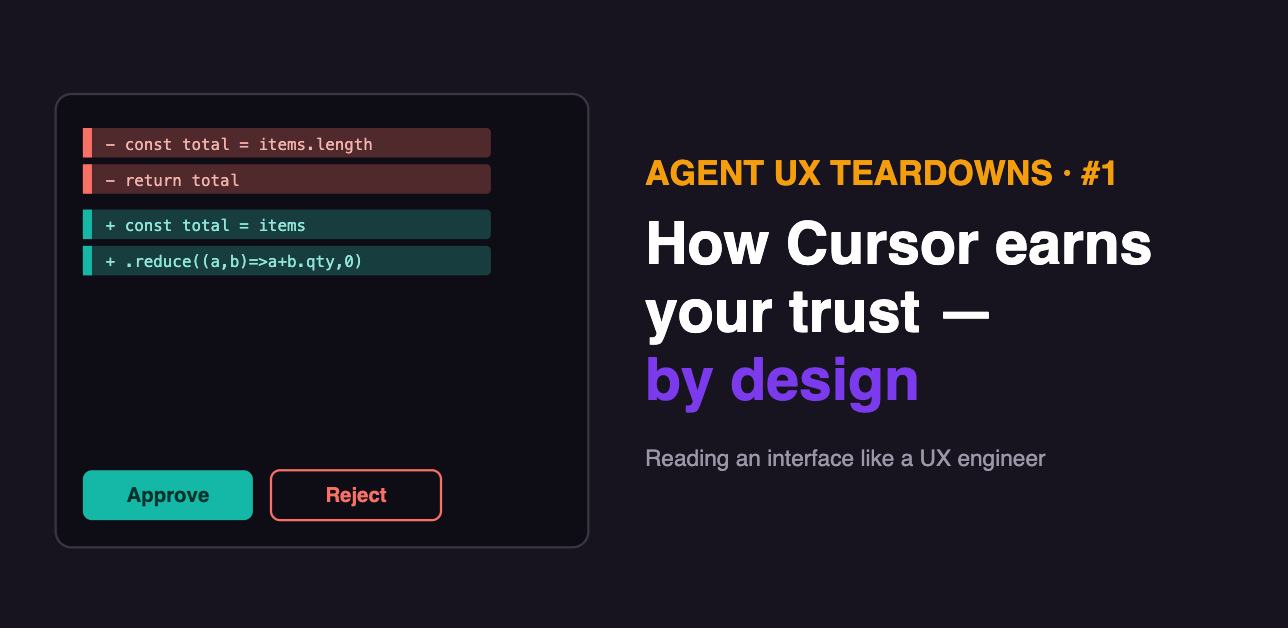
Something strange happened on the way to 2026. Millions of developers — a notoriously skeptical, control-loving group — started letting an AI edit their production code. Not autocomplete a line. Rewrite files, run commands in the terminal (the text console where developers run programs), refactor code across an entire project.
The tool that pulled this off is Cursor — a code editor (technically an IDE, the app developers write software in) built with an AI agent at its core. By early 2026 it reportedly crossed a million daily users and two billion dollars in annualized revenue — one of the fastest climbs software has ever seen.
The easy explanation is “the AI got good.” I don’t buy it. Plenty of tools have capable models. What Cursor got unusually right is the interface — the specific design choices that make a developer comfortable handing power to something that is sometimes confidently wrong.
That’s what this series is about. I’m a frontend engineer by background, so I read interfaces the way a mechanic listens to an engine. In each teardown, I’ll take one real agent product apart and ask: where does this design build trust, and where does it leak? Let’s start.
Why coding agents are the perfect first patient
Before we open the hood, one quick idea that explains why Cursor’s whole design works — and it’s the through-line of this series.
An AI agent’s scariest quality is that it can be confidently wrong: it produces a fluent, reasonable-looking output that happens to be incorrect, with no error and nothing in the logs.
Cursor operates in a domain with a natural superpower against this: code is verifiable. It either compiles or it doesn’t; the tests pass or they don’t; and every change can be shown to a human as a precise, reviewable diff — a before-and-after view of exactly which lines changed. Cursor’s entire trust design exploits that one advantage relentlessly. Keep it in mind; every pattern below is a variation on it.
Pattern 1: The diff view — turning “trust me” into “check me”
The single most important thing Cursor does: when its agent changes your code, it doesn’t just do it. It shows you that diff — what it wants to remove (in red) and add (in green) — laid out like a pull request (the standard way developers propose and review code changes before they go live). Nothing hits your files until you approve it.
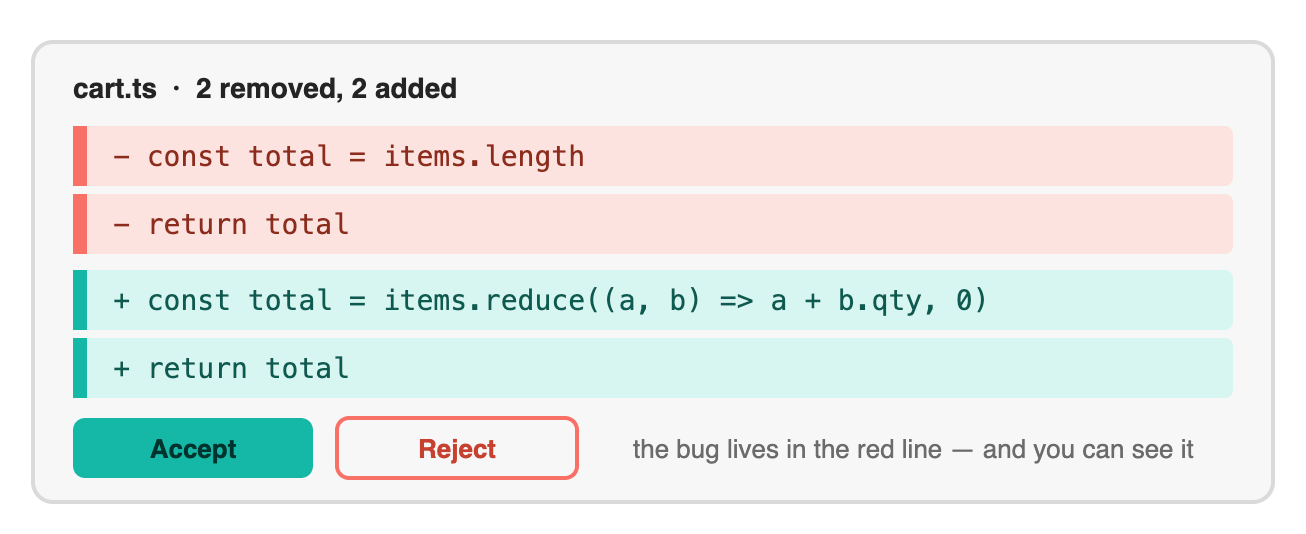
The diff view is the trust primitive. Cursor renders every agent change as removals (coral) and additions (teal), grouped per file, gated behind Accept/Reject. The design’s quiet admission: the agent might be wrong, so a human sees the exact change before it lands. That admission is why people trust it.
This looks obvious once you see it, but it’s the whole game. The diff converts a leap of faith (“trust the AI”) into a concrete, low-effort action (“read four lines, click Accept”). It borrows a ritual developers already trust — code review — and points it at the machine.
And notice the honesty baked in: a diff view is an interface that assumes the agent will sometimes be wrong and designs for that moment. Counterintuitively, that assumption is exactly what makes developers comfortable, because it matches their own hard-won instinct never to merge code blindly.
The most trust-building thing an agent interface can do is admit, in its very design, that the agent might be wrong.
Pattern 2: Plan Mode — show the plan before the work
Newer Cursor versions add Plan Mode: before touching a single file, the agent produces a structured outline of what it intends to do — which files it will change, in what order, and why — and waits for your approval on the plan before executing it.
This is a subtle, powerful trust move, and it maps to something I’ve written about before: the difference between watching an agent’s process versus just its output.
Reviewing a plan is far cheaper than reviewing a huge finished change — you catch a wrong approach at the outline stage, before the agent has spent twenty steps building on a bad assumption. It’s the interface admitting a second honest truth: the agent might misunderstand the goal, so check the map before the journey, not after.
Pattern 3: Gated commands — the approval surface, done right
Reading code is safe. Running code is not. So Cursor draws a hard line between the two: by default, when the agent wants to run a terminal command — the potentially destructive stuff — it asks first. Shell commands run in a sandboxed terminal with no internet access unless you explicitly allow it.
This is a textbook approval surface — the moment a human confirms a consequential action before it fires — and Cursor calibrates it by stakes, which is the part most builders get wrong. It doesn’t make you approve every keystroke; that would be exhausting, and exhausted reviewers rubber-stamp everything.
Instead it reserves the friction for the actions that can actually hurt you: shell commands, and edits to sensitive files. Low-stakes reads flow freely; high-stakes actions stop and wait. That’s the exact calibration that separates a safety mechanism people keep from one they switch off.
Pattern 4: Earned autonomy — the interface grows with your trust
Here’s the pattern I find most quietly brilliant, because it respects that trust is built over time, not granted at install.
A brand-new Cursor user reviews everything. But as you work, the tool lets you widen the leash on your own terms: allowlist commands you’ve approved a hundred times, run Background Agents that work asynchronously and hand you a reviewable pull request when done, or set per-agent approval policies. Advanced users can even wire Hooks — scripts that fire on events like “before an edit” or “on approve” — to enforce their own guardrails automatically, like blocking edits to production directories.
The pace of delegation is set by you, through demonstrated confidence — not by a settings page you’re forced to configure on day one. The agent earns rope through a track record. That’s the healthiest possible shape for human-AI trust: reversible, incremental, and user-paced.
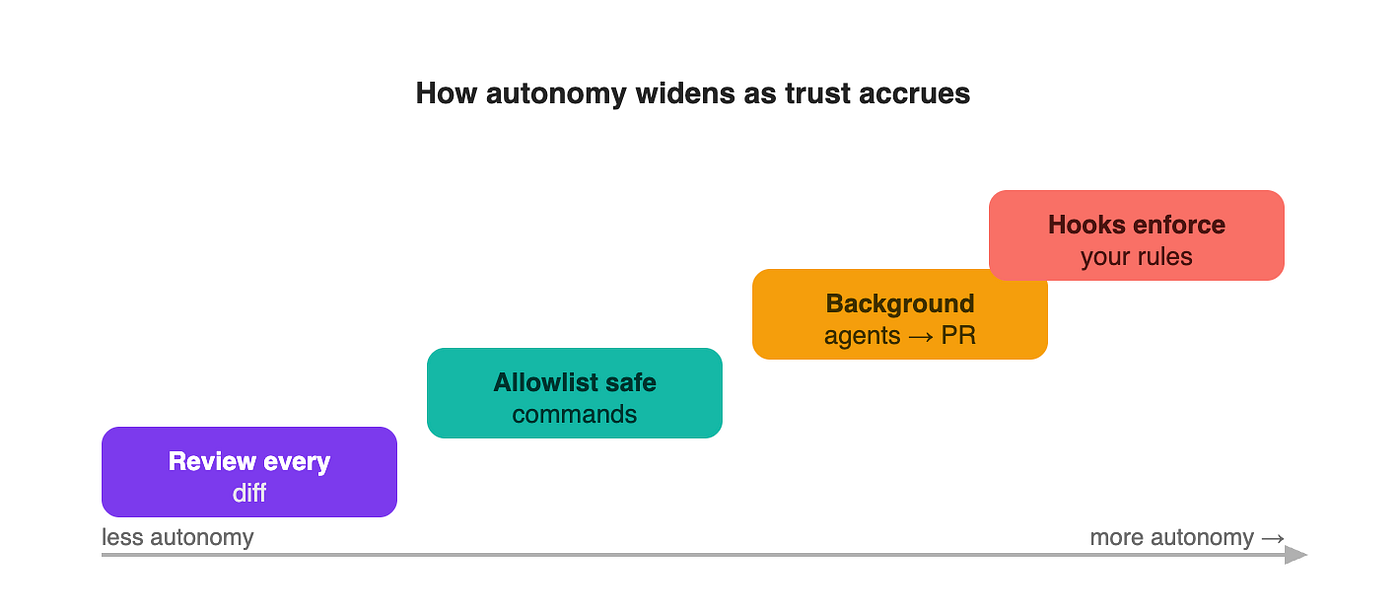
Earned autonomy, one rung at a time. A new user reviews every diff (purple). As trust builds, they allowlist repeated safe commands (teal), delegate whole tasks to background agents that return a reviewable PR (amber), and eventually script their own guardrails with Hooks (coral). The user sets the pace — the interface never forces the leap.
Where the trust leaks
A teardown that only praises isn’t a teardown, it’s an ad. Cursor’s design is strong, but it has real seams — and naming them is the whole point of reading interfaces critically.
The confident-hallucination gap. Cursor’s own behavior includes what reviewers bluntly call “hallucinating confidence” — inventing an API method that doesn’t exist, or claiming a fix works because it ran the wrong test. The diff view shows you what changed, but it can’t tell you the change is subtly wrong. That still lands on human judgment, and the polish of the interface can lull you into reviewing less carefully than you should. A beautiful diff of a broken idea is still a broken idea.
Review fatigue at scale. The approval model is excellent for a five-line change and quietly punishing for a five-hundred-line, twelve-file one. When the diff is enormous, “review everything” collapses into “skim and accept” — and the safety mechanism silently stops working precisely when the change is big enough to matter most. Cursor’s newer inline-review and BugBot features (an automated reviewer that scans changes for bugs) are attempts to patch this, which is really an admission that the raw diff doesn’t scale on its own.
The lock-in underneath. Every rule, hook, and allowlist you configure makes the agent more useful — and makes leaving Cursor more expensive. That accumulated setup is a real switching cost dressed up as convenience, and it’s worth entering with your eyes open.
A polished interface is a trust accelerator. Whether it’s pointed at a correct answer or a wrong one, it accelerates just the same.
What every agent builder can steal from Cursor
You don’t have to be building a code editor to use these. Strip away the domain and Cursor’s trust design is four portable moves:
- Make the work reviewable before it’s real. Whatever your agent does, find your version of the diff — a preview of the change a human can accept or reject before it commits.
- Show the plan, not just the result. Let users catch a wrong approach at the outline stage, before the agent builds on it.
- Gate by stakes, not by default. Reserve approval friction for consequential, irreversible actions; let safe actions flow. Blanket approval trains people to rubber-stamp.
- Let autonomy be earned and reversible. Start cautious, let the user widen the leash through demonstrated trust, and make every permission easy to claw back.
The real lesson of a million daily users
It’s tempting to credit Cursor’s rise to model quality, because that’s the story the industry likes to tell. But developers had access to the same models elsewhere. What Cursor built was an interface that made a fallible AI feel safe to hand power to — reviewable, gated, honest about its own fallibility, and patient enough to earn trust rather than demand it.
That’s not a coding-tools insight. It’s the whole challenge of agent products in one example. The models will keep getting better; that race is funded and inevitable. The scarce craft — the thing that turns a capable agent into a product people actually adopt — is designing the surface where a human decides whether to believe it.
The winning agent products won’t be the ones with the smartest models. They’ll be the ones that made trusting the model feel safe.
Follow Think in AI Agents to catch it. And help shape the series: which agent product should I tear down next — and what about its interface makes you trust it or side-eye it? Drop nominations in the comments.
Level up your skills with my Amazon eBooks
Get the The AI Agent Builder’s Playbook : Why AI Agent Projects Die in Production on Amazon.
Get the Copilot Studio for Architects: When to Use It, What It Really Costs, and How to Combine It with Pro-Code AI Agents on Amazon.
메타데이터
- post_id
- f4bada642eb2
- slug
- agent-ux-teardown-how-cursor-makes-you-trust-an-ai-with-your-codebase-f4bada642eb2
- url
- https://medium.com/system-design-mastery-series/agent-ux-teardown-how-cursor-makes-you-trust-an-ai-with-your-codebase-f4bada642eb2
- canonical_url
- https://medium.com/system-design-mastery-series/agent-ux-teardown-how-cursor-makes-you-trust-an-ai-with-your-codebase-f4bada642eb2
- author_url
- https://medium.com/@sureshdotariya
- status
- ok
- fetched_at
- 2026-07-17 06:42:22