Mobvoi TicNote REVIEW AI Voice Recorder for Meetings, Notes, and Transcription
A slim AI-powered recorder that delivers accurate transcripts, smart summaries, and practical tools for in-person meetings
Mobvoi TicNote REVIEW AI Voice Recorder for Meetings, Notes, and Transcription
A slim AI-powered recorder that delivers accurate transcripts, smart summaries, and practical tools for in-person meetings
During the day, I work as an engagement director for a software development company. As you might imagine, I sit in on a lot of meetings and it’s expected that I take rigorous notes. While I don’t deny that note-taking is an essential part of my job, I have to admit that I get lost sometimes with all the tech talk. That’s why I’m so glad that tools like TicNote exist.
About
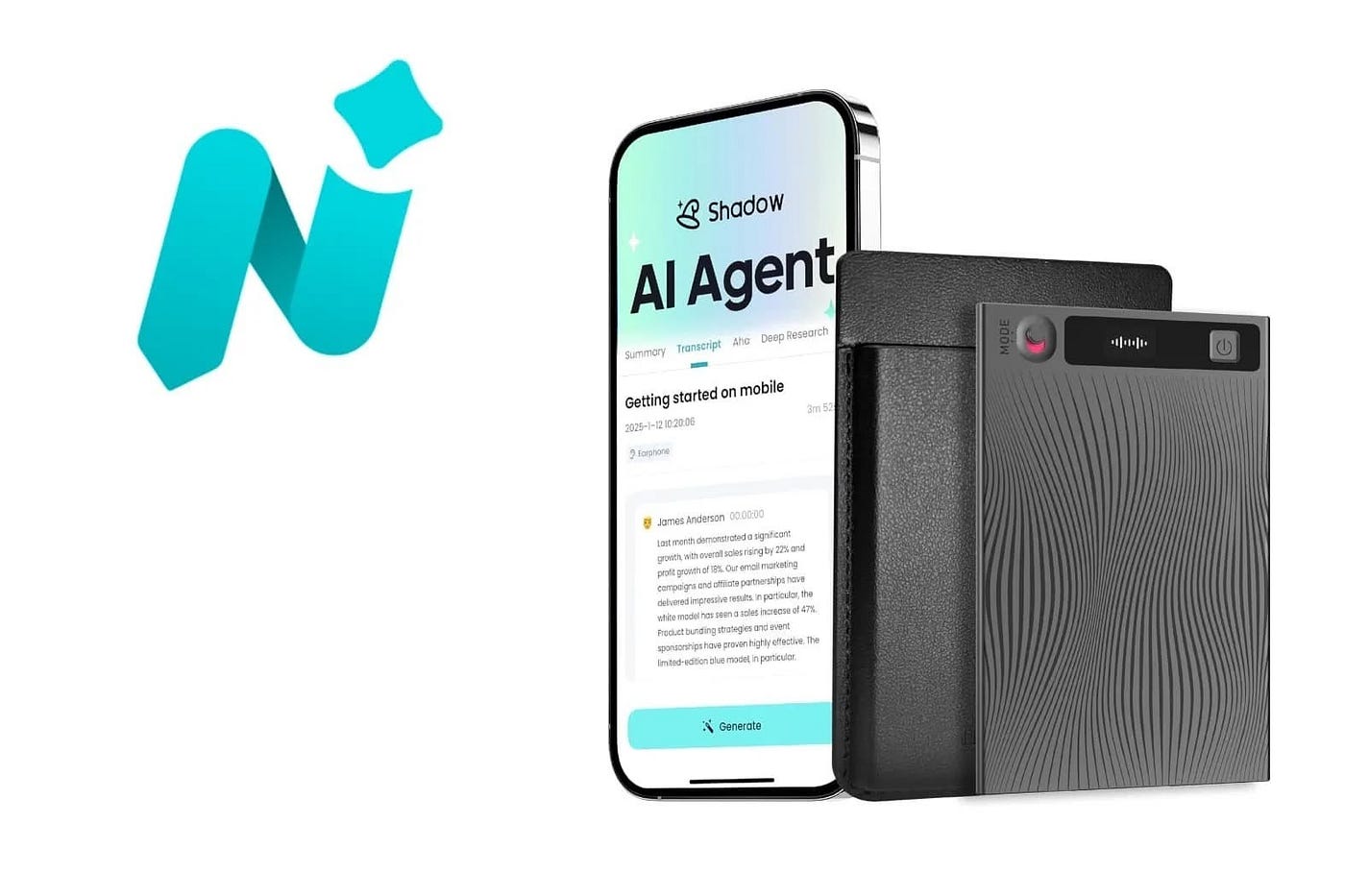
Mobvoi TicNote is a compact, AI-powered voice recorder built for capturing conversations, meetings, and ideas with clarity and purpose. More than a traditional recorder, TicNote combines high-quality audio capture with intelligent transcription and analysis tools that turn spoken words into organized, searchable knowledge.
Designed for professionals, students, and creators, TicNote records conversations and instantly converts them into text in over 100 languages. Its built-in AI assistant helps summarize key points, identify action items, generate mind maps, and translate content, making it easier to revisit and understand important moments without replaying hours of audio.

With a slim, pocket-friendly design, long battery life, and generous internal storage, TicNote is easy to carry and reliable for all-day use. Recordings sync with the TicNote app and web platform, where users can manage projects, ask questions about past recordings, and build a growing library of insights over time.
By combining dedicated hardware with intelligent software, Mobvoi TicNote offers a focused way to capture information and transform it into something truly useful.
Main Features
- High-quality audio recording for meetings, lectures, interviews, and personal notes
- Instant speech-to-text transcription in 100+ languages
- Built-in AI assistant that summarizes key points and highlights action items
- Real-time translation during recordings
- Mind map generation from transcripts for visual organization
- Project-based workspace to store and organize related recordings and notes
- Searchable transcripts for easy reference
- Compact, portable design with long battery life
- Built-in storage for hundreds of hours of audio
- Bluetooth, Wi-Fi, and USB connectivity
- Companion app and web access to review, edit, and manage recordings and summaries
- Option to add photos and typed notes linked to recordings

Pricing & Availability
TicNote is $159.99 for the basic device or $229 for the device + a 1-year subscription. At the time of publishing, it can also be found for $99.99 on Amazon at the time of publishing.
All TicNote users get access to the AI tools, but Pro and Business level users get to take full advantage of all the features. If you are a casual user then the Plus (standard) level of TicNote membership will be adequate. If you record multiple meetings per day, you might want to consider the Pro level.
User Experience
The TicNote comes with a charging cable with a special touch contact connector for charging the TicNote device. To be honest, I was a little annoyed to see something other than USB-C, but I do recognize that it’s an incredibly thin device and that is probably not possible on such a small device. The TicNote also came with a magnetic wallet-style pouch so that you can attach it to the back of your phone, a metal ring in case your phone doesn’t have a built in magnet, a user guide, and a user safety guide.

Getting started was rather easy. The TicNote device can work independently of the app, but you will want the app in order to see the recordings. When you power the TicNote on for the first time, it will be in pairing mode so that you can pair it to your mobile app on your phone. This process only took a few seconds to complete and the recordings and updates from the device were almost instantaneous.
The basic operation of the device is a short press (2 sec) for starting a recording or stopping one and a long press (15 sec) for resetting the device. You can also control the recording status from the app. While I love the simplicity of the operation of the device, I do wish the power button was easier to press. It’s a very hard ‘click’ to press and hold. Even though the manual says holding the power button for 2 seconds should stop a recording, it actually takes about 5 seconds for the device to stop when I try to do so.

As far as the actual transcription and recording quality, I have to give the TicNote a solid “A” rating. I’ve been using Otter.ai for several months for transcribing meetings. Thanks to those recordings, I was able to see how well TicNote recorded and transcribed in direct comparison to how Otter.ai transcribed the same recording. I selected a few passages from meetings that were nonsensical and was mostly personal chatter. I have to say that TicNote did a better, cleaner job than Otter did.

I also thought that the summary was more on point than what Otter provides and I love the Mind Mapping feature. I do, however, wish there was a desktop app available. I also wish there was a way to integrate the TicNote with video conferences where I use my headphones. Right now, it seems as though TicNote is limited to only recording live meetings/interactions when a speakerphone is in use or when people are in the same room. Since most of my work is done through the use of systems like Zoom, TicNote has a limited use case for me during work.

Conclusion
Mobvoi TicNote delivers a great combination of dedicated hardware and AI-driven software that works best in face-to-face meetings, interviews, and shared spaces. Its recording quality, transcription accuracy, and AI summaries stand out, especially when compared directly to popular transcription services. The slim design and long battery life make it easy to carry throughout the day, and features like mind mapping add real value beyond basic note-taking. TicNote remains a compelling option for anyone who regularly attends in-person meetings and wants smarter, more organized notes without extra effort.
For more information, visit ticnote.com
메타데이터
- post_id
- f4c756da171f
- slug
- mobvoi-ticnote-review-ai-voice-recorder-for-meetings-notes-and-transcription-f4c756da171f
- url
- https://medium.com/@macsources/mobvoi-ticnote-review-ai-voice-recorder-for-meetings-notes-and-transcription-f4c756da171f
- canonical_url
- https://medium.com/@macsources/mobvoi-ticnote-review-ai-voice-recorder-for-meetings-notes-and-transcription-f4c756da171f
- author_url
- https://medium.com/@macsources
- status
- ok
- fetched_at
- 2026-07-11 22:52:18