Long-Running Agents: How SaaS Workflows Can Pause, Resume, and Continue Without Losing Context
Most SaaS work does not finish in one sitting. A customer may leave midway through onboarding, a payment may need confirmation, a support…
Long-Running Agents: How SaaS Workflows Can Pause, Resume, and Continue Without Losing Context
Most SaaS work does not finish in one sitting. A customer may leave midway through onboarding, a payment may need confirmation, a support ticket may wait for approval, or a workflow may pause until another system sends an update. Long-running agents are built for this reality. They need state, checkpoints, approvals, and event-driven execution to continue reliably without losing context. Below are the core technical principles SaaS teams should understand before building them.
SaaS Workflows Need More Than Short-Session AI
Most AI agents are still designed like short-session assistants. A user asks something, the agent responds, maybe calls a tool, and the interaction ends.
That works for simple tasks, but SaaS workflows rarely behave that way.
A customer onboarding process may take days. A payment workflow may wait for confirmation. A support escalation may require a manager review. A procurement flow may pause until documents are uploaded. These are not one-turn conversations. They are business processes with delays, approvals, handoffs, and system events.
This is where long-running agents become important. Their value is not just that they remember more. Their value is that they can continue work across real business timelines without losing context or repeating the same steps.
For SaaS startups, this changes the implementation mindset. The goal is not to build an agent that keeps chatting. The goal is to build an agent that knows when to pause, what to store, when to resume, and what action is safe to take next.
Replace Chat Memory With Workflow State
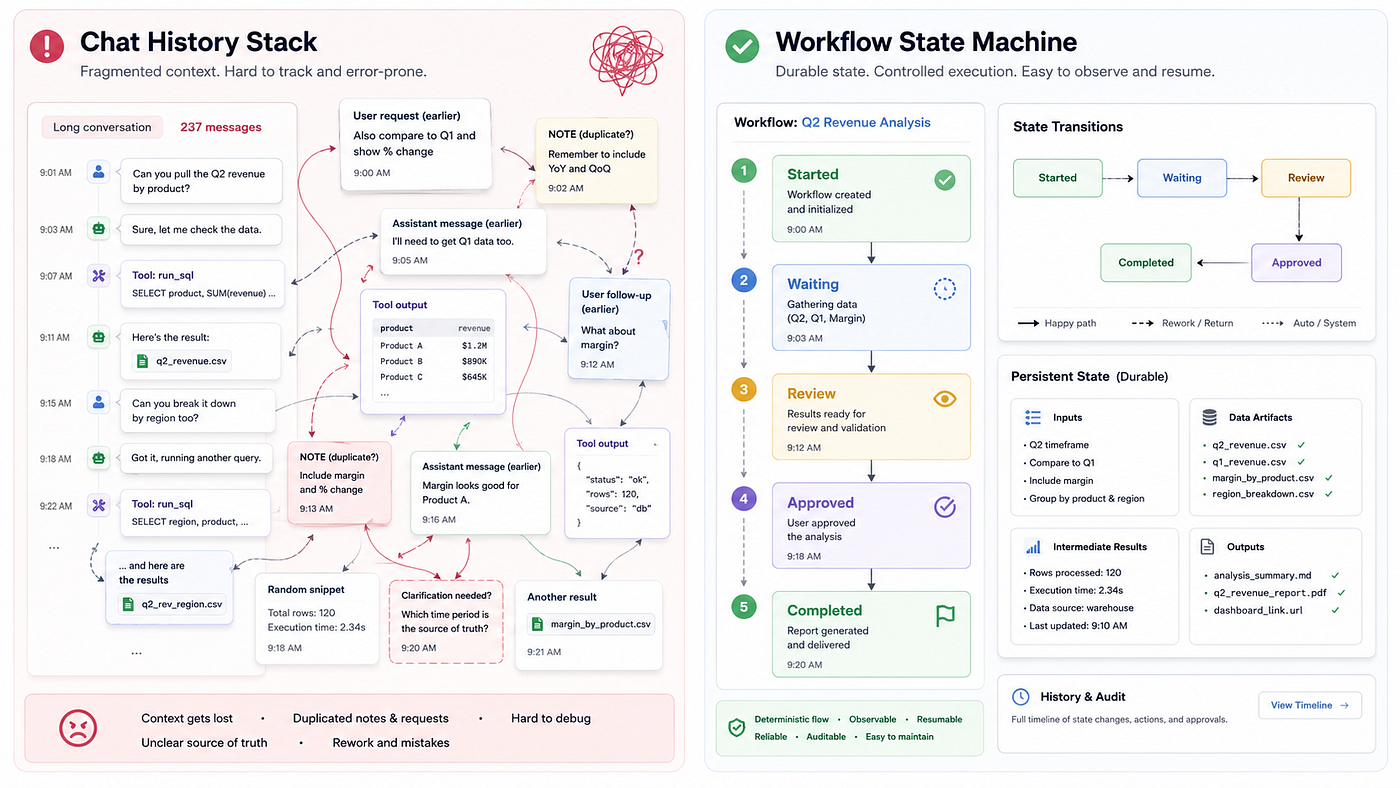
A common mistake in agentic product development is treating the conversation history as the source of truth. Chat history can help the agent understand what was discussed, but it should not control business execution.
As conversations grow, chat logs become noisy. They include old instructions, corrected assumptions, repeated context, partial tool results, and outdated user requests. If an agent depends only on that history, it may resume from the wrong point or repeat an action that was already completed.
Long-running agents need workflow state.
That means the product should store the exact step the workflow is in. For example, an onboarding workflow may move from “account created” to “documents pending,” then “approval required,” then “workspace configured,” then “handoff completed.”
The agent should not guess this from past messages. It should read the current state from the system.
For startups, the first technical step is to define the workflow before writing the prompt. Define the states, required inputs, allowed transitions, and events that move the workflow forward. The prompt should support the workflow, not replace the workflow logic.
Make Every Tool Call a Checkpoint
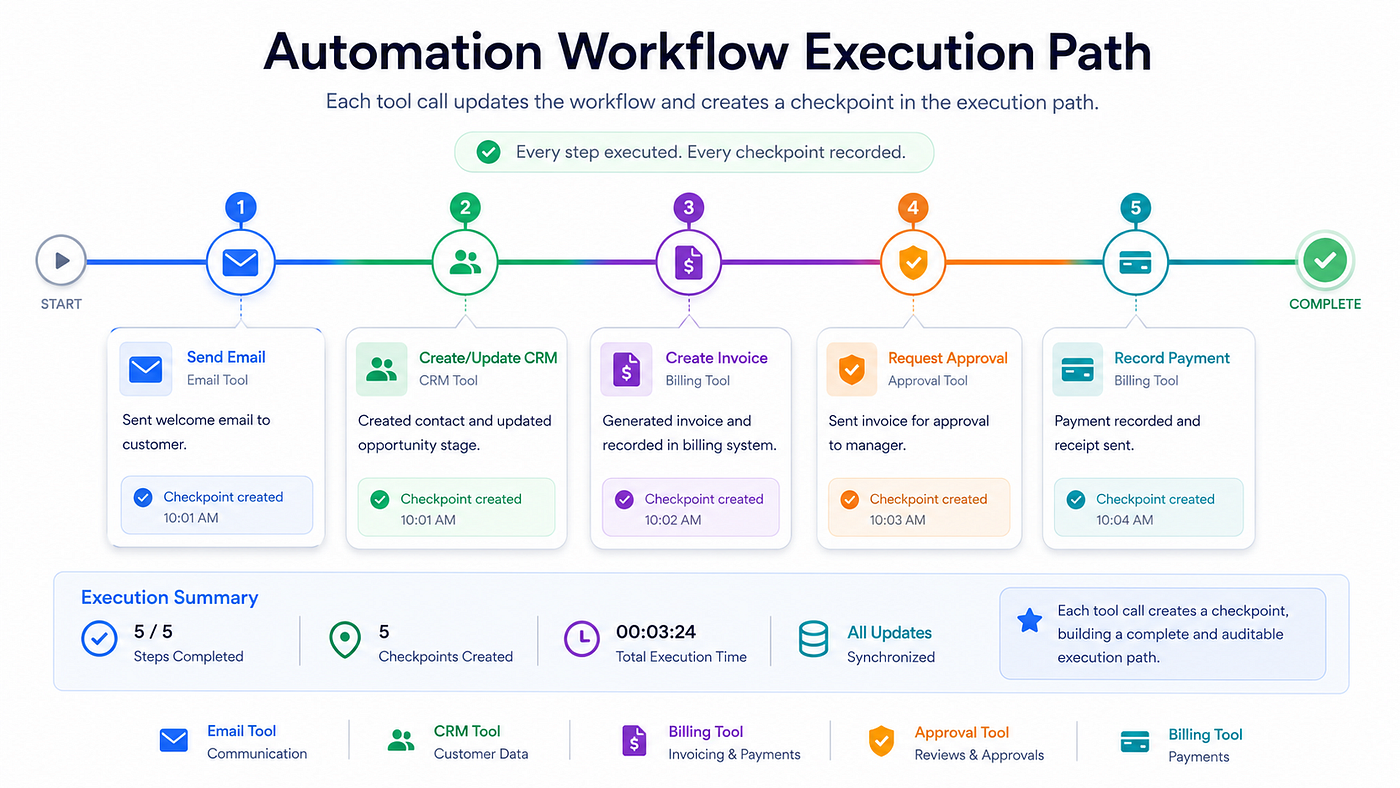
In a long-running workflow, tool calls are not just actions. They are checkpoints.
When an agent sends an email, updates a CRM record, creates an invoice, requests approval, or changes a customer status, the system should immediately record what happened. If the action succeeds but the state is not saved, the agent may repeat the same action later.
That is how duplicate emails, repeated tickets, incorrect CRM updates, and operational errors happen.
A safer pattern is to treat every tool call as a transactional step. The tool should validate the input, perform the action, save the result, update the workflow state, and return a structured response. The agent should only move forward after the system confirms that the step was completed.
This is where agentic SaaS development becomes serious backend engineering. Write actions need idempotency keys, retries, failure states, audit logs, and clear rollback paths where possible.
A demo agent can look impressive with loose tool calling. A production SaaS agent needs controlled execution.
Resume Through Events and Add Approval Gates
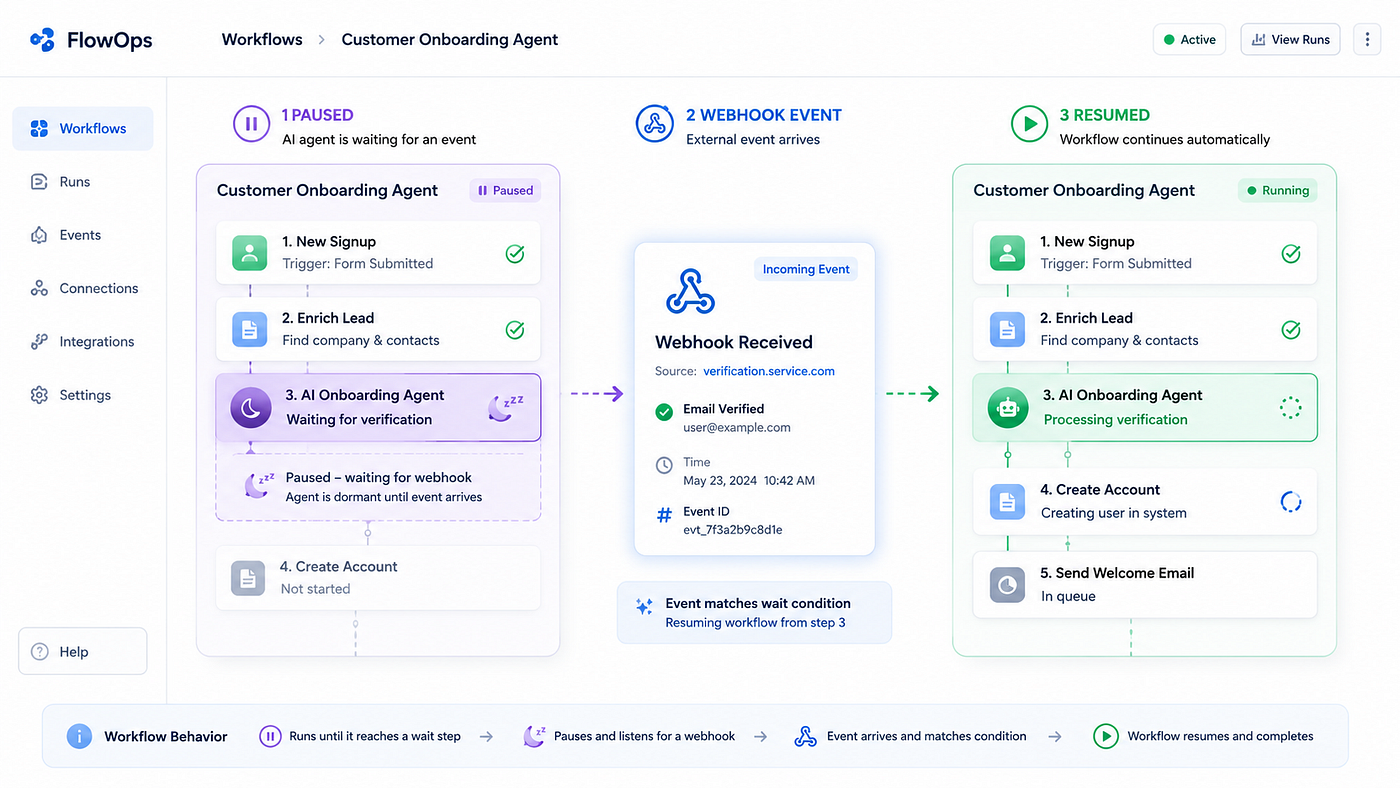
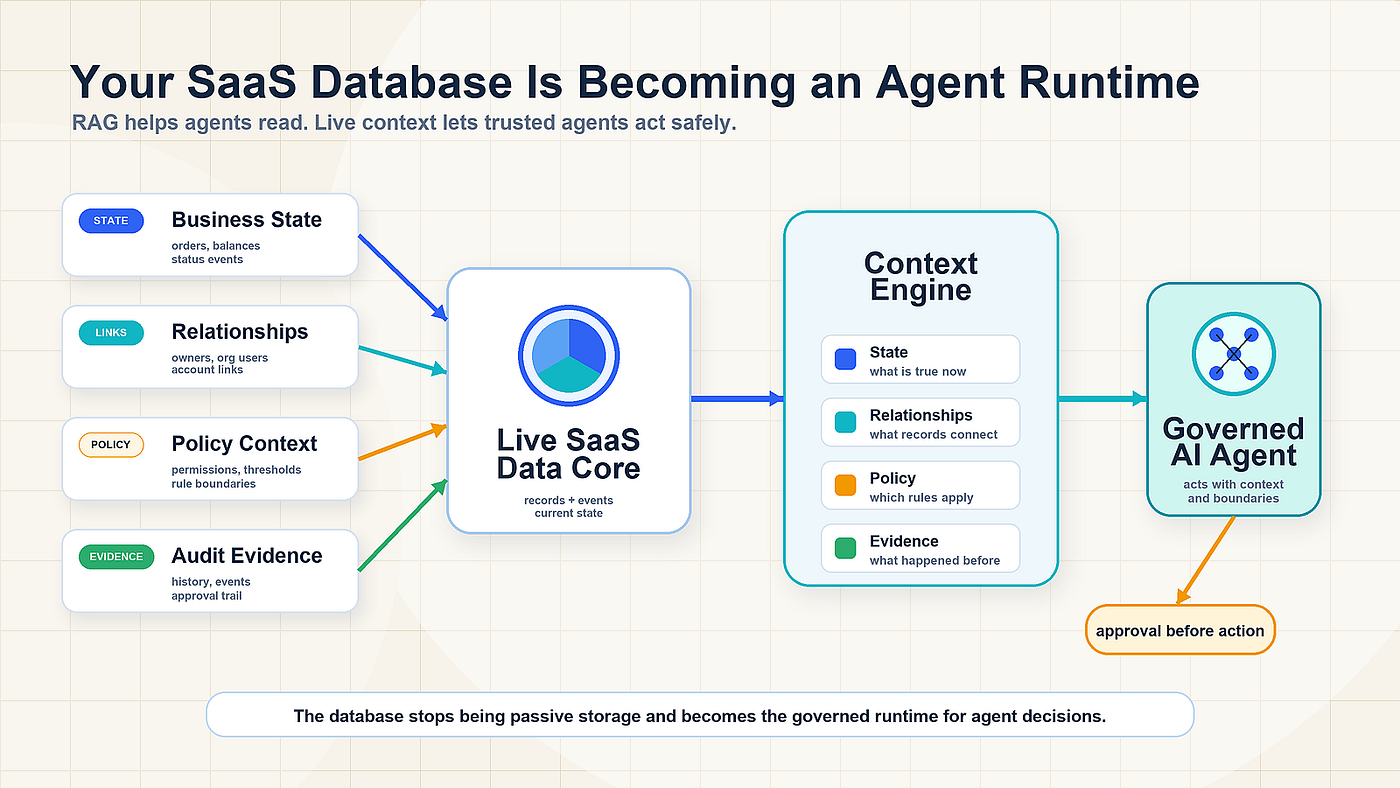
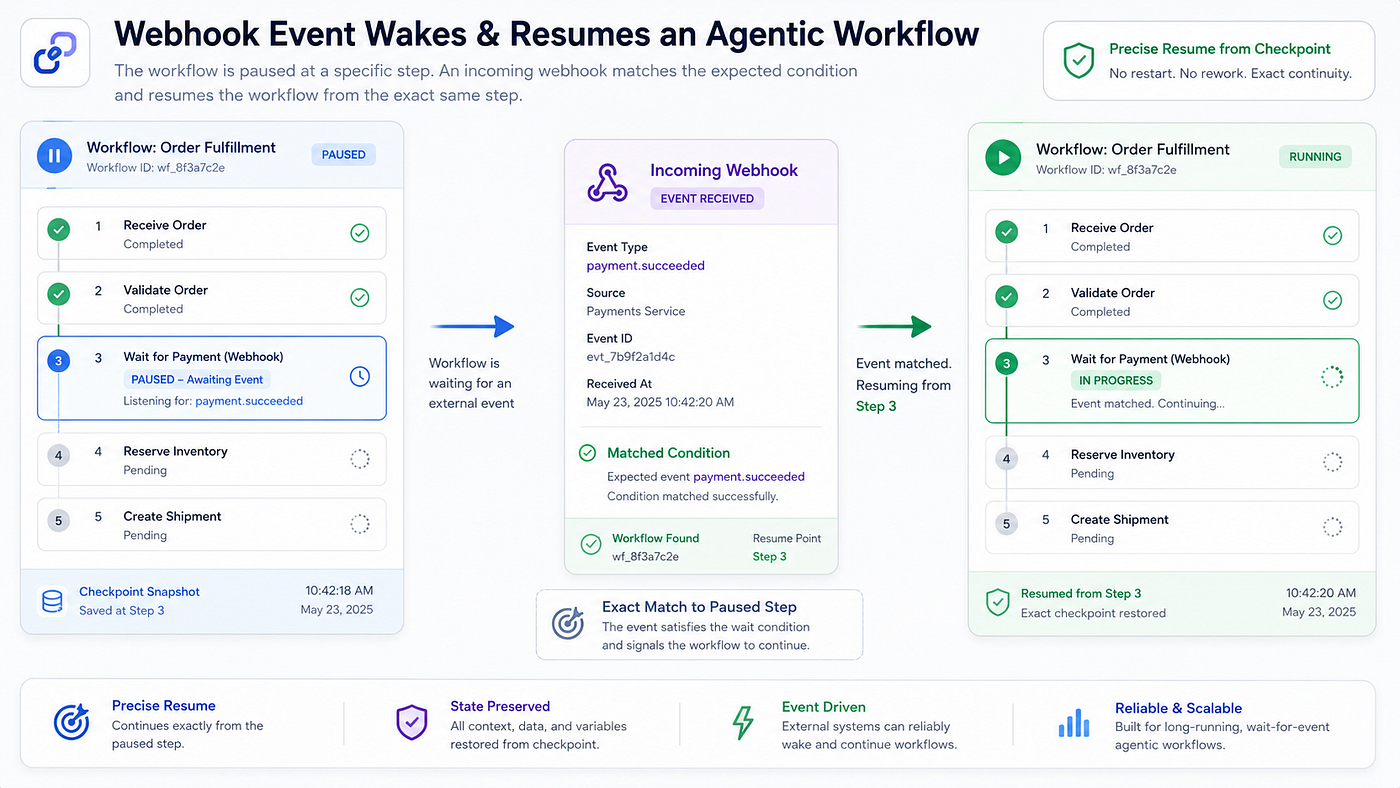
A paused agent should not resume by scanning the full conversation and guessing what changed. It should resume because a trusted event updates the workflow state.
That event may come from a webhook, queue message, scheduled job, CRM update, payment confirmation, document upload, or human review. The system should verify the event, match it to the correct workflow, update the state, and then invoke the agent from the correct checkpoint.
This pattern is useful across SaaS products. HR workflows may resume after an offer letter is signed. Fintech workflows may resume after payment settlement. Customer success workflows may resume after a renewal signal. Support workflows may resume after a ticket status changes.
But not every resumed workflow should execute automatically.
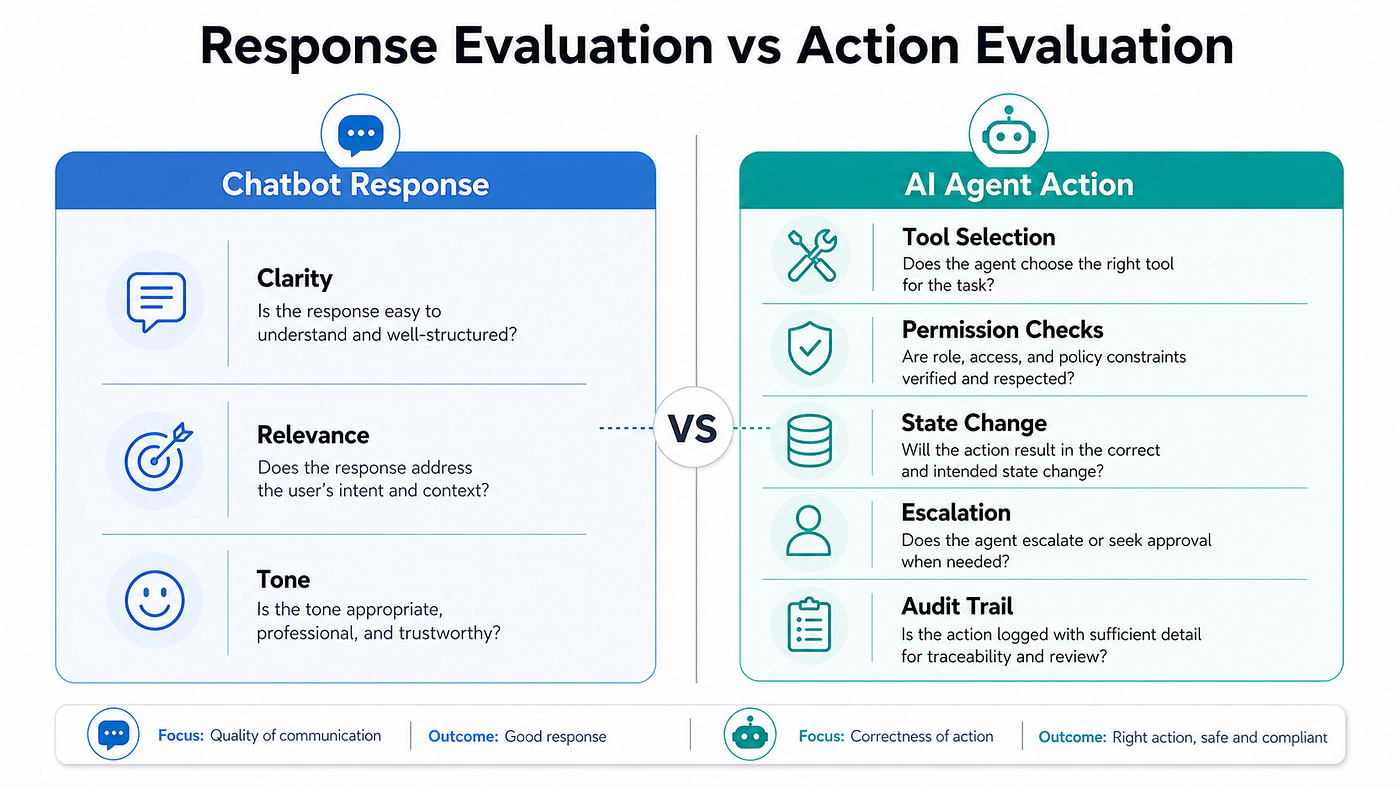
When risk increases, approval gates become part of the architecture. Low-risk actions can be automated. High-risk actions, such as sending customer-facing emails, changing billing data, deleting records, or updating legal documents, should usually require human approval.
The agent can prepare the action, explain the reason, show the affected record, and wait for approval. This keeps the workflow moving while preserving control.
[Paste Image 5 here: Approval dashboard showing proposed action, reason, impact, and approve or reject options.]
Start With One Workflow and Make It Observable
The right way to adopt long-running agents is not to rebuild the entire SaaS product around them. Start with one workflow where delays, handoffs, and repeated coordination already create friction.
Good starting points include onboarding, invoice dispute resolution, sales follow-up, support escalation, procurement approval, compliance review, and renewal management.
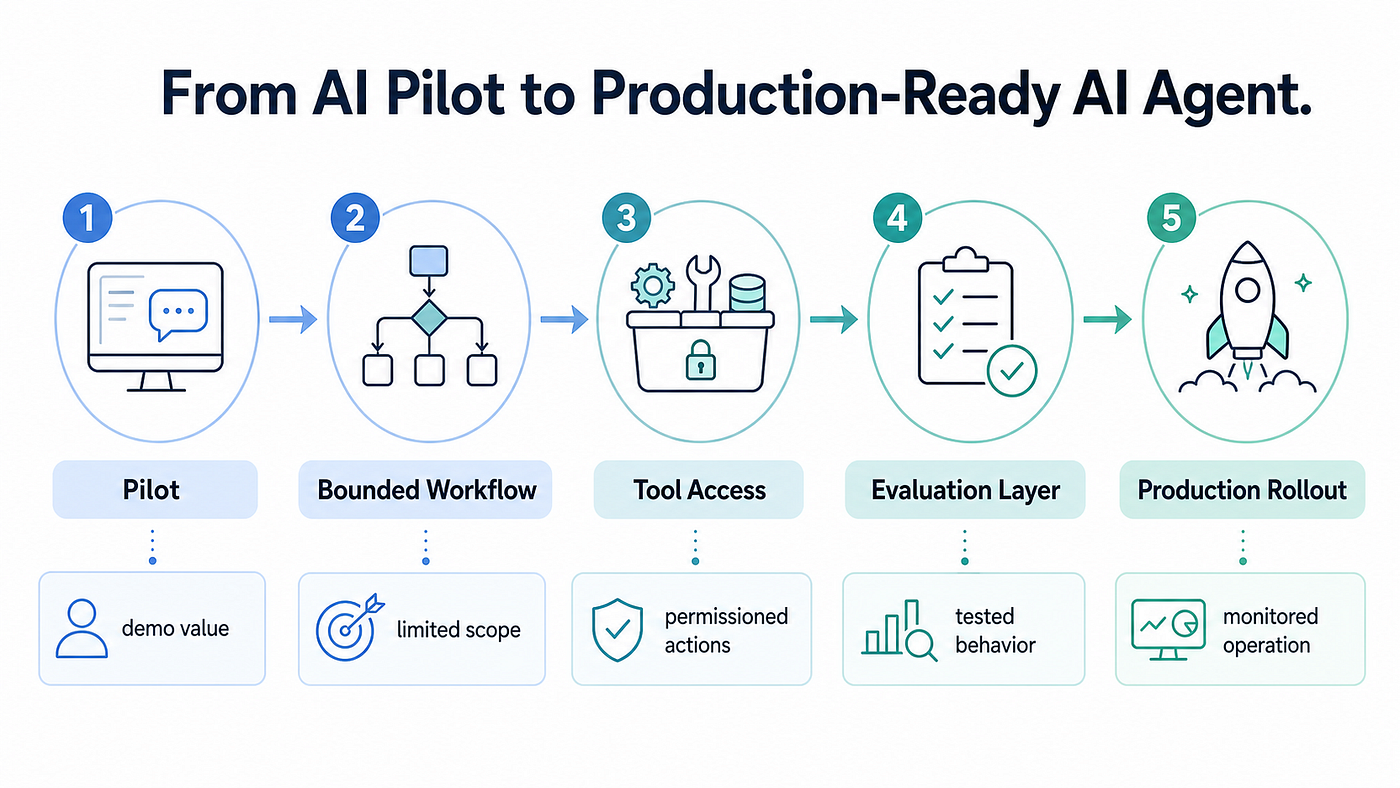
The implementation path should stay focused. Define the workflow. Store the state. Connect only the required tools. Add event triggers. Add approval gates. Test delayed and failed paths. Track where the workflow pauses, resumes, fails, and requires human intervention.
The most useful metrics are not only model cost or response time. SaaS teams should also track pause duration, resume latency, failed tool calls, approval wait time, duplicate events, manual takeover rate, and workflow completion rate.
Long-running agents are not chatbots with extra memory. They are workflow systems that can pause, resume, and continue across real business timelines.
At SaaStoAgent, we pay close attention to shifts like this because long-running agents are where agentic SaaS becomes practical. The real challenge is not whether an agent can answer a request or call a tool. The real test is whether it can preserve context, resume from the right checkpoint, follow approval rules, and complete business workflows without creating operational risk.
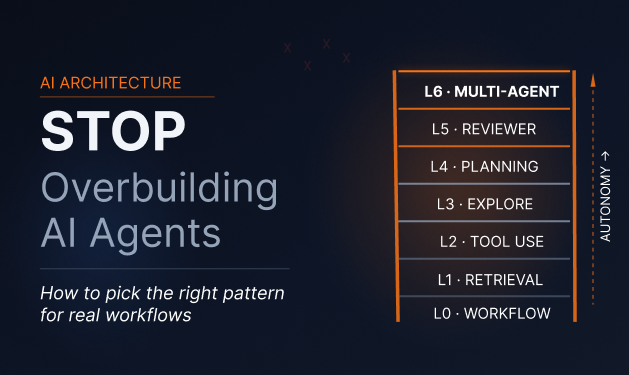
For SaaS startups, this is the foundation of becoming agent-ready. Start with one controlled workflow. Make it durable, observable, and safe to resume. Then expand from there.
메타데이터
- post_id
- f4e752b248ff
- slug
- long-running-agents-how-saas-workflows-can-pause-resume-and-continue-without-losing-context-f4e752b248ff
- url
- https://medium.com/saastoagent/long-running-agents-how-saas-workflows-can-pause-resume-and-continue-without-losing-context-f4e752b248ff
- canonical_url
- https://medium.com/saastoagent/long-running-agents-how-saas-workflows-can-pause-resume-and-continue-without-losing-context-f4e752b248ff
- author_url
- https://medium.com/@shashanksaraswat_88982
- status
- ok
- fetched_at
- 2026-06-17 12:55:42