LetsDefend — Excel 4.0 Macros (XLM)
When VBA Isn’t the Malware
LetsDefend — Excel 4.0 Macros (XLM)
When VBA Isn’t the Malware
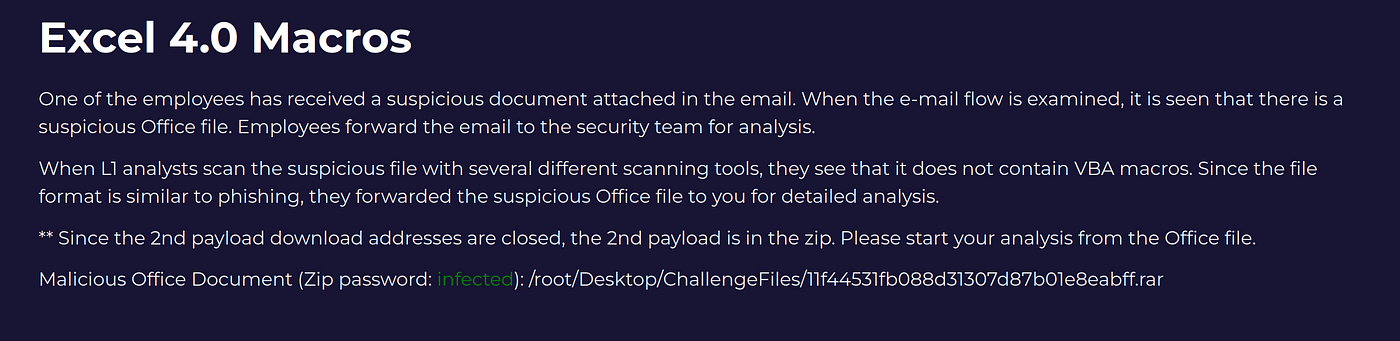
Why This Alert Is Different
Most SOC analysts are trained to look for VBA macros.
This LetsDefend alert punishes that habit.
The malicious document doesn’t rely on VBA at all. Instead, it abuses Excel 4.0 (XLM) macros — an older, formula‑based macro system that still works today and often slips past detection.
The challenge isn’t just analyzing the malware. It’s getting the tooling, environment, and assumptions right.
This write‑up focuses on:
- Understanding how XLM macros execute
- Fixing broken tooling instead of giving up
- Extracting execution logic, IOCs, and attribution
No shortcuts. No “just run the tool.”
The File in One Line
- Format:
.xls(Excel 97–2003) - Macro type: Excel 4.0 / XLM
Objectives:
- Trace macro execution
- Identify OS‑level process execution
- Extract URLs and dropped files
- Identify the document author / last editor
Why Excel 4.0 Macros Still Work
XLM macros:
- Pre‑date VBA
- Live inside spreadsheet cells
- Execute via formulas, not scripts
Common execution functions include:
FORMULAEXECCALLREGISTER
Execution often begins at:
auto_open- Or a hidden named cell
Key takeaway: If you’re searching for VBA, you’re already looking in the wrong place.
Environment Setup (Don’t Skip This)
This lab is extremely version‑sensitive.
Known‑good setup:
- Ubuntu / Kali / Parrot / Remnux VM
- Python 3.8
- XLMMacroDeobfuscator
v0.2.7 xlrd2exiftool
Newer Python versions silently break dependencies used by XLM parsers.
If your environment is wrong, the malware won’t even load — and you’ll chase ghosts.
The Tooling Problem Nobody Mentions
Most Youtube videos say:
“Just use XLMMacroDeobfuscator.”
That’s incomplete.
Out of the box, the tool fails on many malicious XLM documents due to an overly strict assertion inside xlrd2.
Typical error:
Error [deobfuscator.py:3195 process_file(**vars(args))]This isn’t a malformed document. It’s a parser refusing to process older BIFF records — exactly what XLM malware abuses.
The One‑Line Fix That Unlocks Everything

https://github.com/DissectMalware/XLMMacroDeobfuscator/issues/117
Inside xlrd2, formula.py, look for function dump_formula. The following assertion exists:
assert bv >= 80This blocks valid Excel 4.0 macro sheets.
Changing it to:
assert bv >= 70Allows the file to be parsed correctly without weakening analysis logic.
This isn’t a hack. It’s correcting an assumption that doesn’t hold for malicious documents.
The Command That Makes the Lab Click
xlmdeobfuscator --file research-1646684671.xls -x -o 0This is the most important command in the entire challenge.


LOLBAS (Living Off the Land Binaries and Scripts) describes the abuse of built‑in operating system tools to carry out malicious actions, allowing attackers to operate without introducing new executables and evade many traditional detections.
As we continue reviewing the execution flow, **svr32 appears. This immediately raises a red flag. Cross‑referencing it with the LOLBAS Project** confirms it as a known living‑off‑the‑land binary commonly abused for payload execution.

https://lolbas-project.github.io/?ref=sneakymonkey.net#
Why it works:
-xexpands formulas-o 0disables output suppression
It reveals:
- Dynamically built strings
- Windows API calls
- URLs and file paths
- Execution flow
Without these flags, the macro logic stays hidden.
What the Macro Is Actually Doing
Once expanded, the logic becomes readable:
- Strings are built dynamically using
FORMULA() - Windows API names are concatenated
- A remote payload is downloaded
- A DLL is written to disk
- Execution is triggered via XLM functions
Key indicators include:
URLMonURLDownloadToFileAEXEC
Important:
These are the Excel 4.0 equivalents of CreateProcess.
OS‑Level Execution Without VBA
XLM macros can:
- Register Windows APIs
- Call them directly
- Execute files without any VBA code
With formulas expanded, you can visually trace:
- Entry point (
auto_open) - String construction
- API registration
- Payload download
- Execution trigger
This is where XLM stops being “mysterious” and becomes predictable.
Finding Who Modified the Document
Excel’s UI hides critical metadata.
To extract it properly:
exiftool -a -u -g1 research-1646684671.xls
Why this works:
-ashows duplicate tags-ureveals unknown fields-g1groups metadata by source
This exposes:
AuthorLast Saved ByLastModifiedBy
This step answered the username question in the alert.
Key Lessons From This Alert
- XLM malware is not VBA malware
- Tools often fail before analysis begins
- Parser assumptions matter
- One command can change the entire outcome
- Excel metadata ≠ what the UI shows
exiftoolis essential for Office malware
Final Thoughts
Excel 4.0 macros persist because:
- Analysts underestimate them
- Tooling is fragile
- Documentation is sparse
Once you understand how they work, they’re no longer opaque. They’re traceable, explainable, and defensible.
That’s the difference between running tools and doing analysis.
If you’ve made this far, I really appreciate it. Thanks again for your time — and see you on the next deep dive!
메타데이터
- post_id
- f53f845e88bc
- slug
- letsdefend-excel-4-0-macros-xlm-f53f845e88bc
- url
- https://medium.com/@pablo.rodrguezsanz/letsdefend-excel-4-0-macros-xlm-f53f845e88bc
- canonical_url
- https://medium.com/@pablo.rodrguezsanz/letsdefend-excel-4-0-macros-xlm-f53f845e88bc
- author_url
- https://medium.com/@pablo.rodrguezsanz
- status
- ok
- fetched_at
- 2026-07-18 08:55:28


