Ember JS-Easiest way to create a web application
A couple of years ago we had to deliver a stock exchange dashboard which is full of widgets. At that point, we used a Spring-based web…
Ember JS-Easiest way to create a web application

A couple of years ago we had to deliver a stock exchange dashboard which is full of widgets. At that point, we used a Spring-based web application. As like as in news films stock exchanges’ data are rapidly changing within a few seconds. So what we have to do, use Ajax requests for those or asking for a page refresh timer which we didn't due to not reliable with business.
So what we did was we switch our front end to ember js. Using ember js we able to update the values on the page without any page refreshes. All the figures (iframes)which use the same variable change themselves once backend services update those. Another nice thing is the size of the build and resource utilization of the deployment server.
Ember js is a client-side javascript web development framework. The very nice thing is this is opensource. Ember based on Model–view–viewmodel (MVVM) pattern.
The core concept of the ember
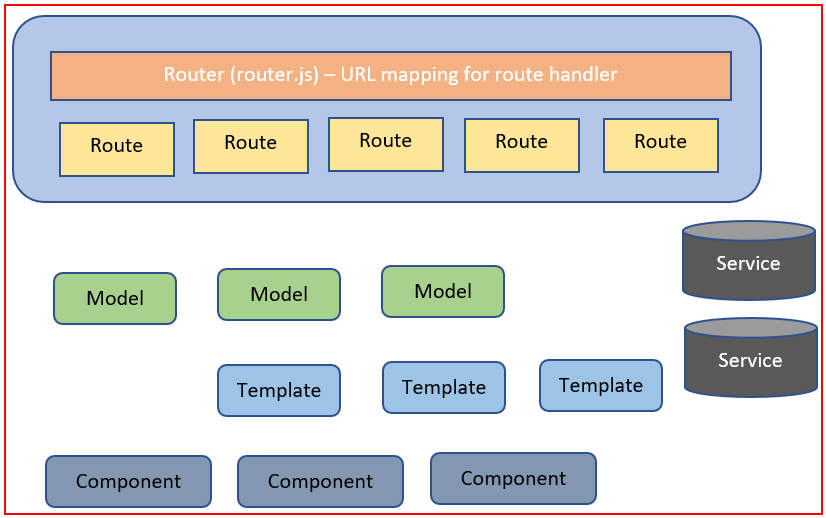
The core concept of the ember (Service -optional)
How Ember handle a request
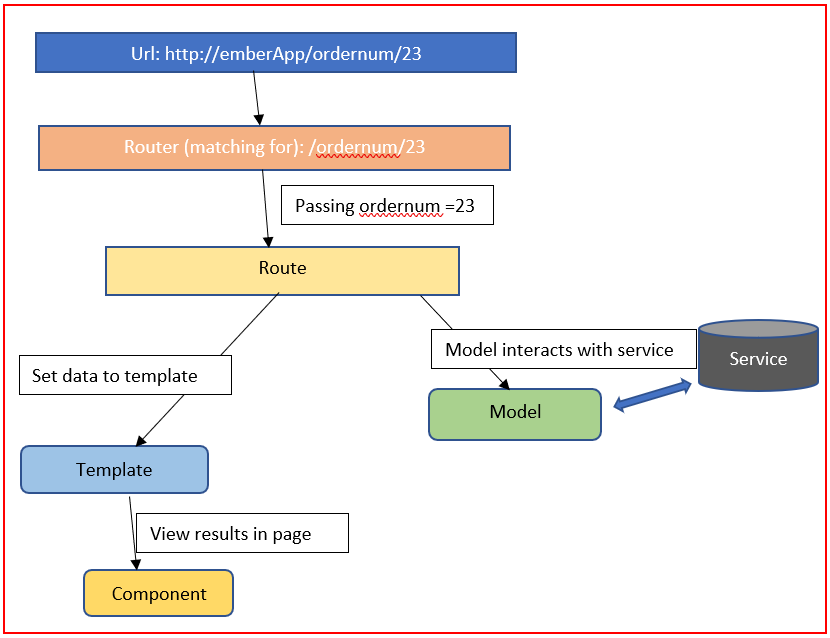
Request Handle
So let's install ember : npm install -g ember-cli
If not this worked then you missed prerequisites: npm or yarn Mac and Linux users may need Watchman
Now we can create an app using a single command: ember new ember-myfirstapp
This Single command creates all you need. It creates a new directory ‘ember-myfirstapp’ and set up your application inside it.
This includes:
- A development server.
- Template compilation
- JavaScript and CSS minification
- Modern features via Babel
To run this goto ‘ember-myfirstapp'directory and type ember sor ember servethen you can see the terminal logs: Serving on [http://localhost:4200/](http://localhost:4200/) which means it running on Ember default port.
Goto your browser url[http://localhost:4200](http://localhost:4200/). Now Ember welcome page displayed.
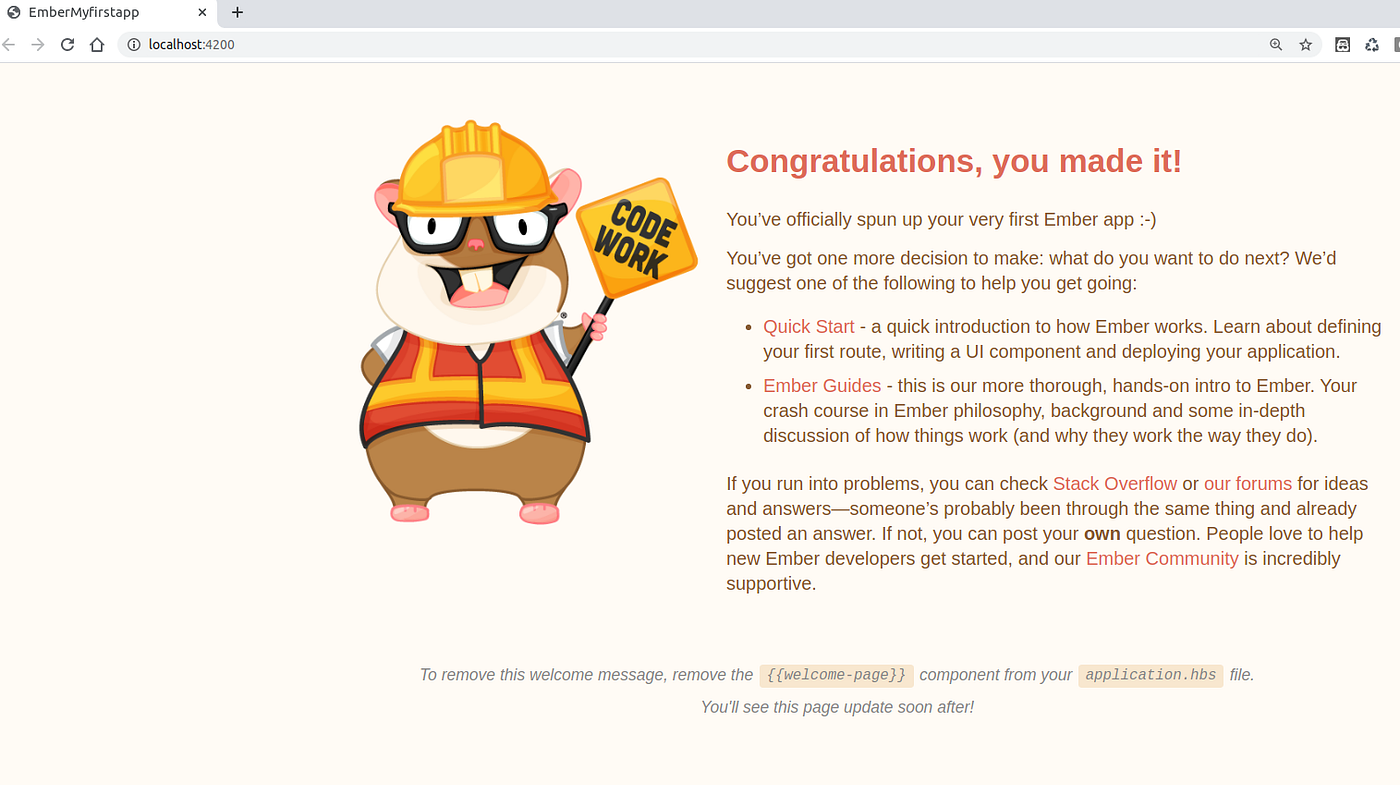
my first Ember app
Yes, you can change the app content as you need.
Let's start to write an acceptance test: ember g acceptance-test first-app
And after the above command, you can see first-app-test.js file. And you can write acceptance test cases related to this mapping.
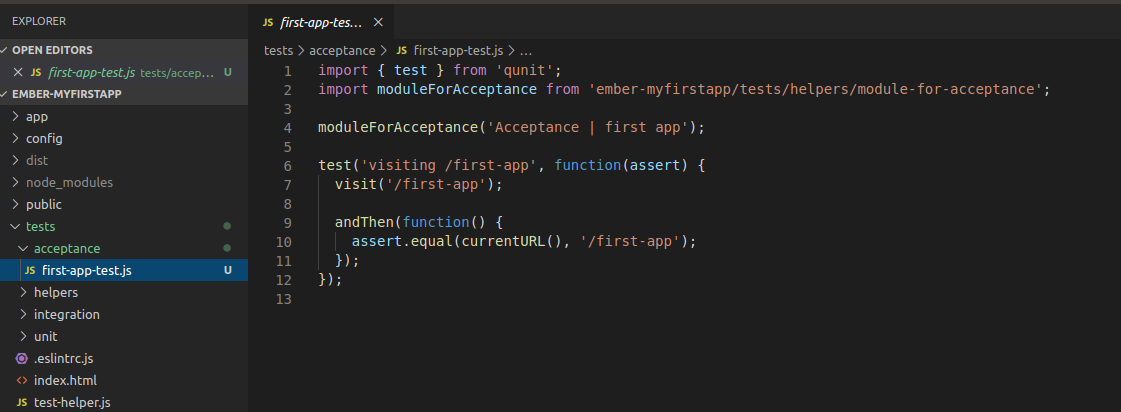
Create the first acceptance test file
Now you will get the below window:
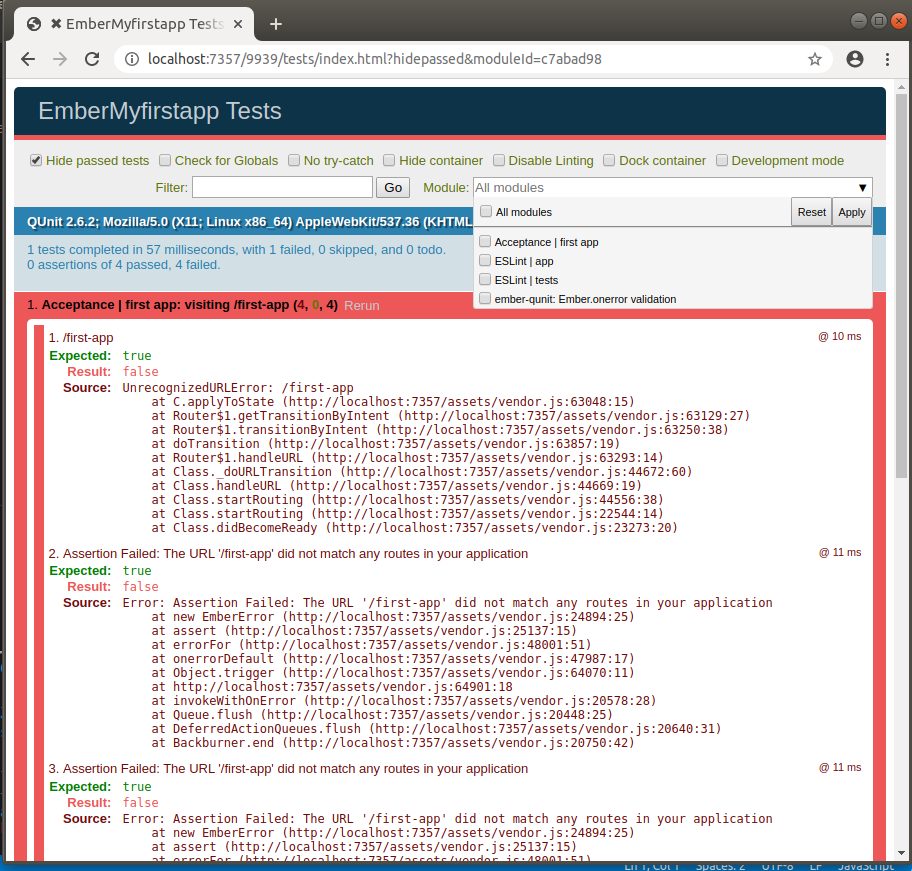
test window
Now the error says ‘unrecognizeURLError’ for ‘/first-app’. So As I mentioned in earlier request hit to router then router decide which route should serve the URL. So let's see whats the content of router.js file.
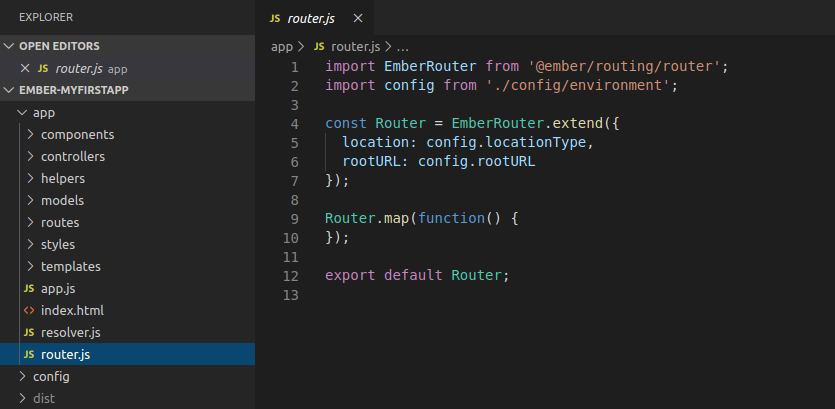
router.js file
Now we create the route: ember g route first-app
Then this will generate required files for routing (you can see below after refreshing the file structure).
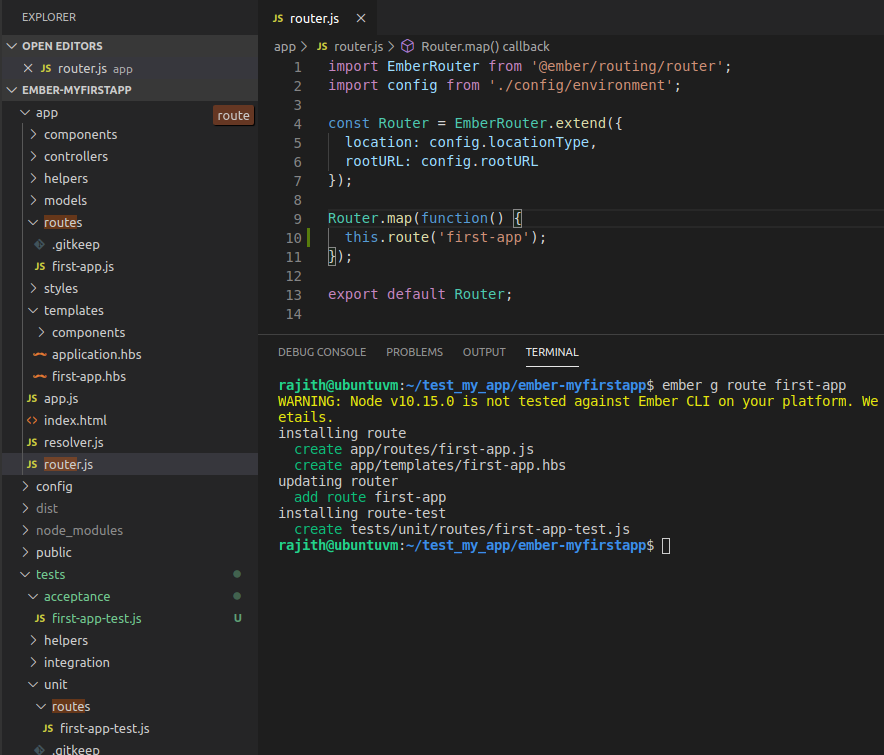
New file structure
Now the all tests became pass.
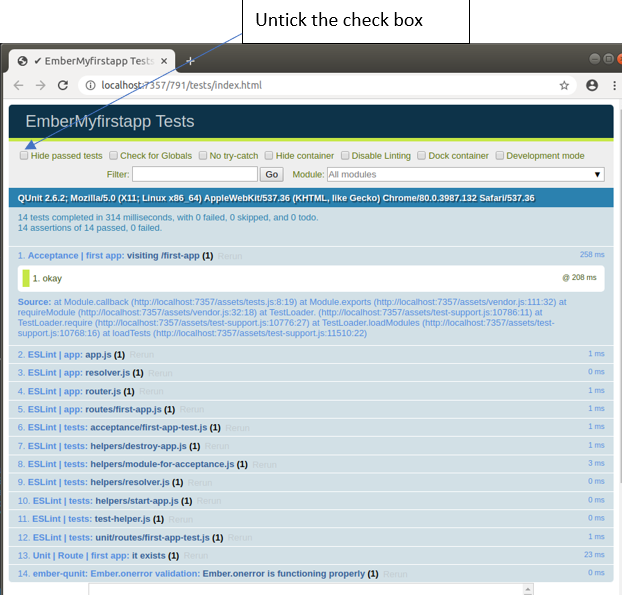
Test results
under templates, you can change the content of welcome page ‘application.hbs’, also ‘first-app.hbs’
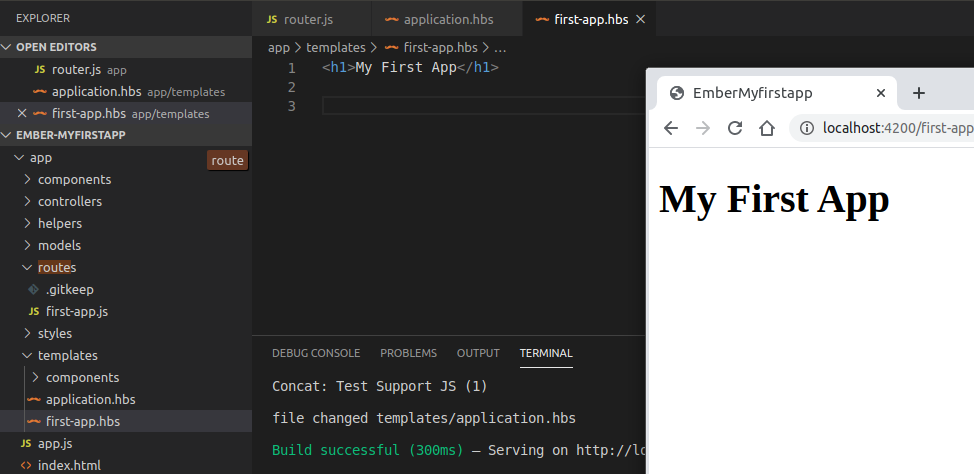
My First App
You can use this to create yours’ and can refer more further in Ember examples and tutorials in ‘https://emberjs.com’.
References: https://emberjs.com https://emberigniter.com/
메타데이터
- post_id
- f541ea61de6f
- slug
- ember-js-easiest-way-to-create-a-web-application-f541ea61de6f
- url
- https://medium.com/@ksrajith/ember-js-easiest-way-to-create-a-web-application-f541ea61de6f
- canonical_url
- https://medium.com/@ksrajith/ember-js-easiest-way-to-create-a-web-application-f541ea61de6f
- author_url
- https://medium.com/@ksrajith
- status
- ok
- fetched_at
- 2026-08-09 17:44:09




